1. Giriş
Welcome to your VEKOOTO Wireless RV Backup Camera System. This manual provides detailed instructions for the installation, operation, and maintenance of your VK5 system, designed to enhance safety and convenience when maneuvering your RV, truck, trailer, or camper. Please read this manual thoroughly before use to ensure proper setup and optimal performance.

The VEKOOTO VK5 system includes a 5-inch monitor and a magnetic, solar-charging wireless camera, providing a clear 1080P view for safe reversing and monitoring.
2. Paket İçeriği
Lütfen aşağıda listelenen tüm öğelerin paketinizde yer aldığından emin olun:
- 1x 5-inch Monitor
- 1x Magnetic Solar Rechargeable Camera
- 1x Araç Şarj Cihazı
- 1x Anten
- 1x Vantuzlu Montaj Braketi
- 1x USB-C Şarj Kablosu
- 1x Duvar Şarj Cihazı
- 1x Kullanım Kılavuzu (bu belge)
3. Temel Özellikler
- Magnetic Mount & Plug & Play: Features 12 powerful magnets for tool-free attachment. Monitor powers via Type-C or cigarette lighter for easy setup.
- 2.4GHz Stable Signal: Digital wireless signal offers strong anti-interference with up to 328ft transmission range in open spaces.
- 5-inch Monitor & Loop Recording: Continuously saves footage, overwriting oldest files. Supports up to 128GB TF cards (not included).
- Camera Auto Sync On/Off with Monitor: Camera automatically powers down when the monitor is off and starts up when the monitor is on, saving energy.
- 15,000mAh Battery & True Solar Charging: Integrated high-efficiency solar panel and a powerful battery provide up to 30 hours of continuous operation. Supports fast Type-C charging.
- IP69 Waterproof & IR Night Vision: Engineered for extreme weather, with infrared night vision providing clear views up to 30 feet in darkness.
4. Kurulum Kılavuzu
4.1 Camera Installation (Magnetic Mount)
The camera features 12 strong magnets for easy attachment to any ferrous metal surface on your vehicle. No drilling or wiring is required for installation.
- Identify a suitable flat metal surface on the rear of your RV, truck, trailer, or campşey.
- Manyetik yapışmanın en iyi şekilde sağlanması için yüzeyin temiz ve kuru olduğundan emin olun.
- Firmly press the camera onto the chosen surface. The strong magnets will secure it in place.
- Adjust the camera angle as needed to achieve the desired viewing alanı.
- Not: If your vehicle has an aluminum or fiberglass body, the magnetic mount will not adhere directly. Contact VEKOOTO for a free metal plate accessory to enable magnetic mounting.
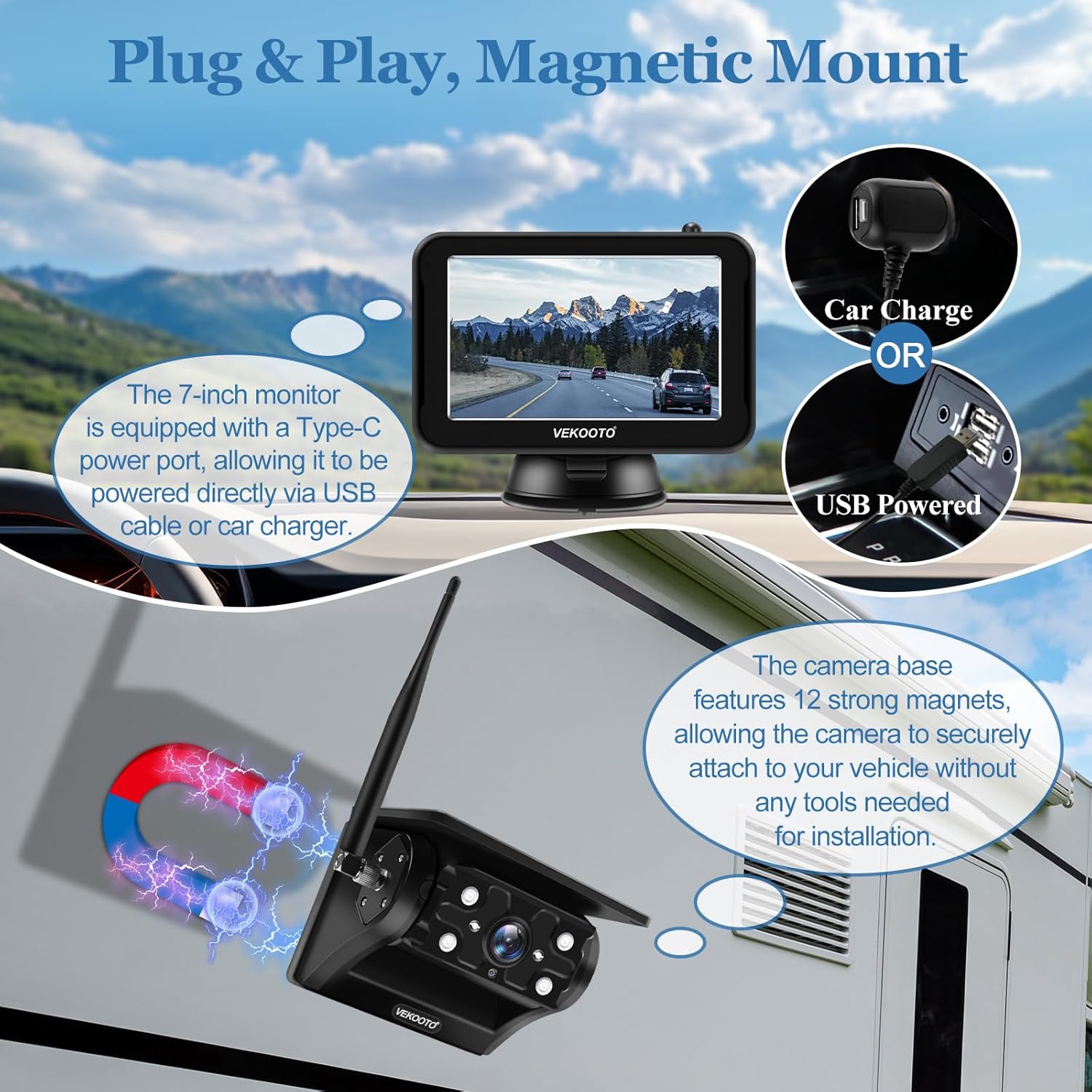
The camera attaches magnetically, and the monitor can be powered via a car charger or USB-C cable.
4.2 Monitor Installation and Power
The 5-inch monitor can be easily installed on your dashboard or windshield using the provided suction mount bracket.
- Attach the suction mount bracket to the monitor and secure it to your desired location in the vehicle.
- Connect the monitor to power using either the included Type-C cable or the cigarette lighter adapter.
- Güç bağlantısının güvenli olduğundan emin olun.
4.3 Initial Camera Activation
For the very first use, the camera must be manually powered on. After this initial activation, the camera will automatically sync with the monitor's power state.
- Kameradaki güç düğmesini bulun.
- Press and hold the power button until the camera indicates it is on (e.g., an indicator light illuminates).
5. Kullanım Talimatları
5.1 Wireless Signal Connection
The camera and monitor establish a connection using a 2.4GHz Digital Wireless Signal. This provides a stable and interference-resistant connection.
- Once both the camera and monitor are powered on, they will automatically attempt to pair.
- The system offers a transmission range of up to 328 feet in open spaces, suitable for various vehicle lengths.

The system utilizes a 2.4GHz digital wireless signal for stable communication up to 328 feet.
5.2 Monitör İşlevleri
The 5-inch monitor provides a clear display and includes several useful features:
- Canlı View: Displays the real-time feed from the backup camera.
- Döngü Kaydı: Enabled by default, the monitor continuously records footage. When the storage is full, the oldest files otomatik olarak üzerine yazılır.
- TF Kart Desteği: The monitor supports TF cards up to 128GB for storing recorded footage. (TF card not included).
- Playback: Erişim ve yenidenview Kaydedilmiş video files directly on the monitor.

The 5-inch monitor supports loop recording and can display full or split screen views, with a slot for a TF card.
5.3 Camera Auto Sync On/Off
The VK5 system features an intelligent auto-sync function to conserve battery life and enhance convenience.
- When the monitor is powered off, the camera will automatically power down.
- When the monitor is powered on, the camera will automatically activate.
- You can configure the monitor to auto-sleep after 30s, 60s, or 90s, or keep it continuously on via the monitor settings.

The camera automatically syncs its power state with the monitor, reducing battery drain.
6. Güç Yönetimi
6.1 Pil ve Şarj Etme
The camera is equipped with a robust 15,000mAh lithium battery and an integrated solar panel for efficient power management.
- Pil Kapasitesi: The 15,000mAh battery provides up to 30 hours of continuous operation on a full charge.
- Güneş Şarjı: The high-efficiency monocrystalline solar panel can provide up to 400mA of current, continuously charging the battery when exposed to sunlight.
- Kabloyla Şarj Etme: For faster charging or when solar charging is insufficient, use the provided USB-C charging cable and wall charger.

The camera features a 15,000mAh battery, supporting both solar and Type-C cable charging.
7. Çevresel Özellikler
7.1 Waterproof and Night Vision
The VEKOOTO VK5 camera is built to withstand challenging environmental conditions.
- IP69 Su Geçirmez: The camera boasts an IP69 waterproof rating, ensuring it can endure extended exposure to heavy rain, dust, and other elements without compromise.
- IR Gece Görüşü: Equipped with infrared night vision, the camera provides a clear view up to 30 feet in complete darkness, enhancing safety during nighttime operations.

The camera is IP69 waterproof and features IR night vision for clear visibility in all conditions.
8. Sorun Giderme
If you encounter issues with your VEKOOTO VK5 system, please refer to the following common problems and solutions:
- Monitörde Görüntü Yok:
- Ensure both the camera and monitor are powered on. Remember to manually power on the camera for its first use.
- Check all power connections to the monitor (Type-C or cigarette lighter).
- Verify the camera battery has sufficient charge.
- Ensure the camera and monitor are within effective wireless range (up to 328ft in open spaces) and there are no major obstructions.
- Poor Image Quality or Signal Interruption:
- Reposition the camera or monitor to minimize interference from other electronic devices.
- Ensure the camera's antenna is securely attached and oriented correctly.
- Check for any physical obstructions between the camera and monitor.
- Kamera Şarj Olmuyor:
- For solar charging, ensure the solar panel is clean and exposed to direct sunlight.
- For cable charging, verify the USB-C cable and wall charger are properly connected and functional.
- Monitör Açılmıyor:
- Check the power source (cigarette lighter or Type-C port) for functionality.
- Ensure the power cable is securely connected to the monitor.
- Incorrect Cigarette Adapter USB-C Cable:
- If the provided cigarette adapter's USB-C end does not fit the monitor, please contact VEKOOTO customer support for assistance or a replacement.
If these steps do not resolve your issue, please contact VEKOOTO customer support for further assistance.
9. Teknik Özellikler
| Özellik | Şartname |
|---|---|
| Model Numarası | VK5 |
| Ürün Boyutları | 5.5 x 0.67 x 3.5 inches (Monitor) |
| Ürün Ağırlığı | 2.65 pound (Toplam) |
| Ekran Boyutu | 5 inç |
| Pil Türü | 3 Lityum İyon pil (dahil) |
| Pil Kapasitesi | 15,000mAh |
| Kablosuz Frekans | 2.4GHz Digital Wireless Signal |
| transmisyon Menzili | Up to 328ft (open spaces) |
| Su Geçirmezlik Derecesi | IP69 |
| Gece Görüş Aralığı | 30 fite kadar (IR) |
| Alanı View | 150 Derece |
| Kurulum Türü | Manyetik Dağı |
| Uyumlu Cihazlar | VK5-1 Monitor |
| Maksimum TF Kart Desteği | 128 GB |
10. Garanti ve Destek
VEKOOTO products are designed for reliability and performance. For specific warranty details, please refer to the warranty card included with your product or visit the official VEKOOTO website. If you require technical assistance, have questions about your product, or need to report an issue, please contact VEKOOTO customer support through the following channels:
- E-posta: Refer to your product packaging or the official VEKOOTO webiletişim için e-posta adresi.
- Webalan: VEKOOTO Official Store on Amazon
Please have your model number (VK5) and purchase information ready when contacting support.