1. Giriş
This manual provides detailed instructions for the setup, operation, maintenance, and troubleshooting of your Tabwee T90 Android 16 Tablet. Please read this manual thoroughly before using your device to ensure proper functionality and to maximize your user experience.

Image: The Tabwee T90 tablet shown with its full suite of accessories, including a detachable keyboard, wireless mouse, stylus, protective case, charging adapter, and USB cable. This illustrates the complete package contents.
2. Paket İçeriği
Paketin içinde tüm öğelerin mevcut olduğundan emin olun:
- Tabwee T90 Tablet
- Bluetooth Klavye
- Kablosuz Fare
- Kalem
- Koruyucu Kılıf
- Ekran Koruyucu Film
- Power Adapter (Type-C)
- USB Veri Kablosu (Type-C)
- Kullanıcı Kılavuzu

Image: A visual representation of the Tabwee T90 tablet's dimensions and all components included in the retail package, such as the tablet, keyboard, mouse, stylus, and various cables and covers.
3. İlk Kurulum
3.1 Tableti Şarj Etme
Before first use, fully charge the tablet using the provided Type-C power adapter and USB cable. The charging port is located on the side of the tablet.

Image: The Tabwee T90 tablet being charged via its Type-C port, highlighting its 8000mAh battery and estimated usage times for various activities like web browsing, video playback, gaming, and music.
3.2 Açma/Kapatma
- Açmak İçin: Ekran aydınlanana kadar Güç düğmesini basılı tutun.
- Kapatmak İçin: Press and hold the Power button, then select "Power Off" from the options.
3.3 İlk Yapılandırma
Ekranda beliren talimatları izleyerek ilk kurulumu tamamlayın, bunlar şunları içerir:
- Dil seçimi
- Wi-Fi ağ bağlantısı
- Google hesabıyla oturum açma
- Tarih ve saat ayarları
- Security settings (PIN, pattern, password, or face recognition)

Image: A collage of screenshots demonstrating key Android 16 features such as real-time notifications, robust security measures, access to the Google Play Store for app downloads, and options for regional language optimization.
3.4 Aksesuarların Bağlanması
The Tabwee T90 comes with a Bluetooth keyboard and mouse. To connect them:
- Enable Bluetooth on your tablet via Settings > Connected devices > Bluetooth.
- Put the keyboard/mouse into pairing mode (refer to their individual manuals if needed).
- Select the accessory from the list of available devices on your tablet to pair.
The stylus pen does not require pairing.
4. Tabletinizi Çalıştırma
4.1 Android 16 Arayüzü
The Tabwee T90 runs on Android 16, offering an intuitive and enhanced user experience with improved security and performance. Features include real-time notifications, efficient multitasking, and smart operational capabilities.
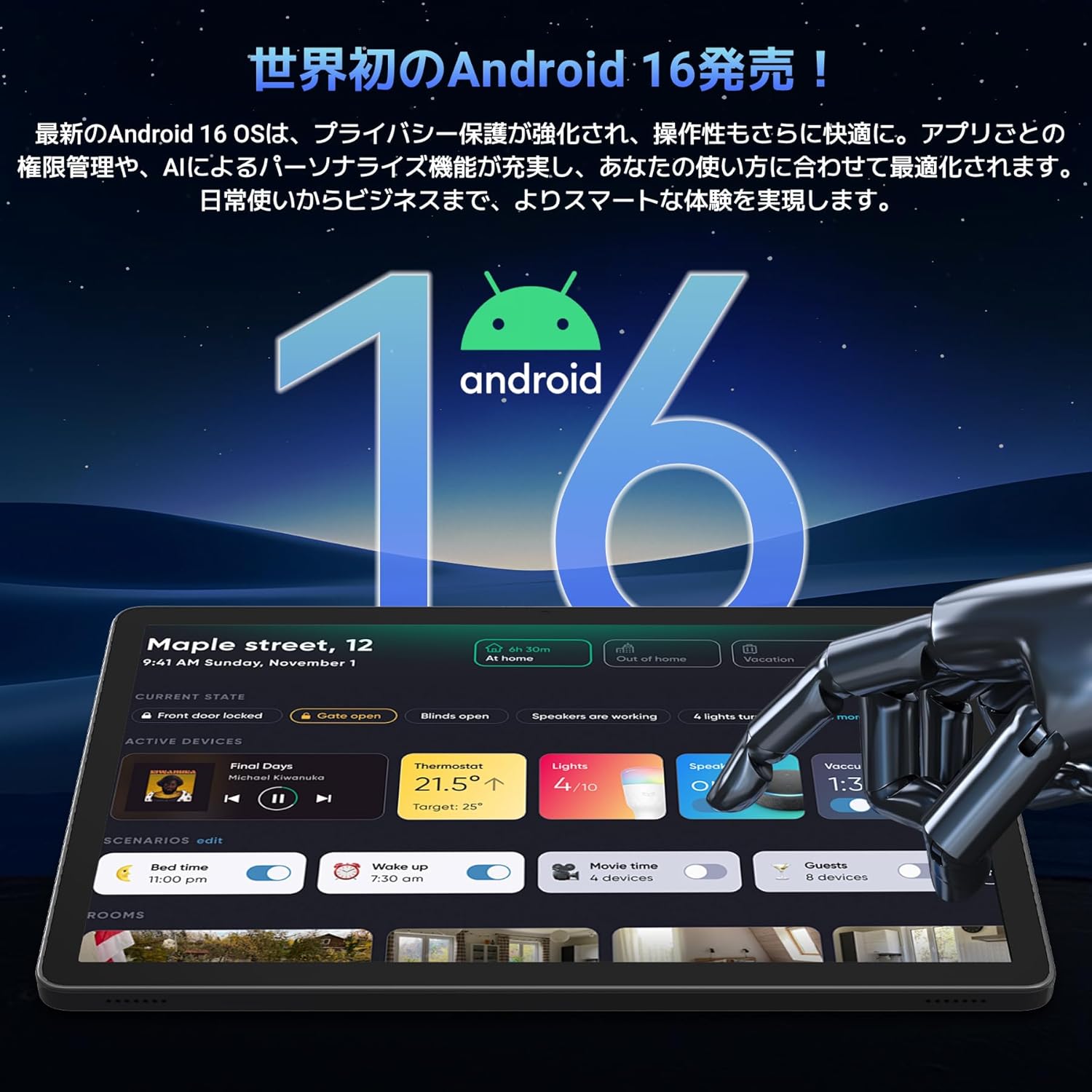
Image: A visual representation of the Android 16 operating system logo and its modern interface displayed on the Tabwee T90 tablet, emphasizing its new features and design.
4.2 Görüntüleme ve Medya Oynatma
The 11-inch FHD IPS display (1920x1200 resolution) provides clear and vibrant visuals. With Widevine L1 support, you can stream high-definition content (1080p and above) from services like Netflix and Amazon Prime Video.

Image: The Tabwee T90 tablet showcasing a high-definition video of a baseball game, demonstrating its 11-inch FHD display and compatibility with streaming platforms like Netflix, YouTube, HBO, and Prime Video via Widevine L1.
4.3 Camera and Imaging
The tablet features a 5MP front camera for video calls and selfies, and a 13MP rear camera for capturing photos. Android 16's AI image processing enhances photo quality, and HEVC video encoding ensures stable editing and improved video quality. Google Lens integration allows for smart recognition, scanning, translation, and search functions.
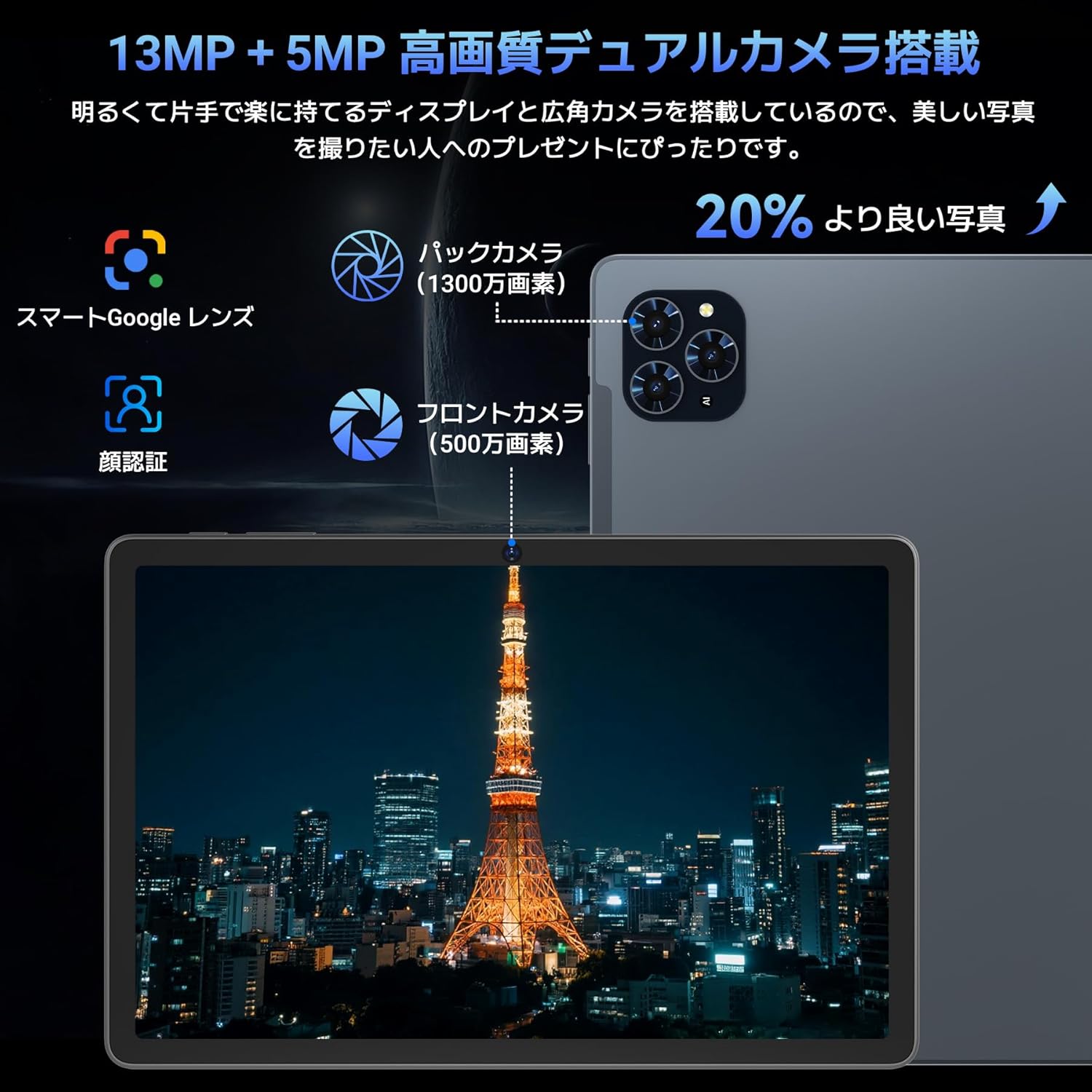
Resim: Ayrıntılı view of the Tabwee T90 tablet's camera system, indicating a 13MP rear camera and a 5MP front camera. An example photo of Tokyo Tower is displayed on the screen, illustrating image capture capabilities.
4.4 Yüz Tanıma
Utilize the face recognition feature for quick and secure unlocking of your tablet. Set it up in Settings > Security & privacy > Face unlock.
4.5 Gemini Yapay Zeka Entegrasyonu
The tablet integrates with Gemini AI, optimizing performance across various scenarios. This AI assists with content recommendations, image processing, and semantic understanding, enhancing daily operations.

Image: A conceptual image depicting Gemini AI as a robotic figure interacting with multiple tablet screens, symbolizing its ability to support various tasks like email composition, schedule management, and information retrieval, enhancing user productivity.
4.6 Custom Keyboard Shortcuts
After connecting a Bluetooth keyboard, you can set custom shortcut keys to launch frequently used applications with a single press. Navigate to Settings > System > Keyboard > Keyboard shortcuts to configure.
5. Bakım
5.1 Temizlik
- Tabletinizin ekranını ve gövdesini temizlemek için yumuşak, tiftiksiz bir bez kullanın.
- Sert kimyasallar veya aşındırıcı malzemeler kullanmaktan kaçının.
- İnatçı lekeler için hafifçeampBezi suyla veya elektronik cihazlar için tasarlanmış bir ekran temizleyiciyle silin.
5.2 Pil Bakımı
- Tableti aşırı sıcaklıklara maruz bırakmaktan kaçının.
- Akünün sık sık tamamen boşalmasına izin vermeyin.
- Yalnızca ürünle birlikte verilen şarj cihazını veya onaylı uyumlu bir şarj cihazını kullanın.
5.3 Yazılım Güncellemeleri
En iyi performans ve güvenliği sağlamak için sistem güncellemelerini düzenli olarak kontrol edin ve yükleyin. Ayarlar > Sistem > Sistem güncellemesi'ne gidin.
6. Sorun Giderme
6.1 Tablet Açılmıyor
- Tabletin yeterince şarj olduğundan emin olun. En az 30 dakika şarj cihazına bağlayın.
- Zorunlu yeniden başlatma işlemi için Güç düğmesini 10-15 saniye basılı tutun.
6.2 Wi-Fi Bağlantı Sorunları
- Wi-Fi yönlendiricinizi ve tabletinizi yeniden başlatın.
- Tablet ayarlarından ağı unut seçeneğini seçip tekrar bağlanın.
- Wi-Fi sinyalinin kapsama alanında olduğunuzdan emin olun.
6.3 Accessories Not Connecting
- Ensure Bluetooth is enabled on the tablet.
- Check that the accessory is in pairing mode and has sufficient battery.
- Try restarting both the tablet and the accessory.
6.4 Yavaş Performans
- Gereksiz arka plan uygulamalarını kapatın.
- Sık kullanılan uygulamaların önbelleğini temizleyin (Ayarlar > Uygulamalar > [Uygulama Adı] > Depolama ve önbellek > Önbelleği temizle).
- Yeterli depolama alanının mevcut olduğundan emin olun.
- Tableti periyodik olarak yeniden başlatın.
7. Özellikler
| Özellik | Detay |
|---|---|
| Marka | TABWEE |
| Model Adı | T90 |
| İşletim Sistemi | Android 16 |
| İşlemci | Unisoc T615 Octa-core (2x Cortex-A75 @ 2.0GHz, 6x Cortex-A55 @ 1.8GHz) |
| Grafik işlemcisi | Mali-G57 |
| Veri deposu | 8GB (expandable to 24GB with virtual RAM) |
| Dahili Depolama | 128 GB |
| Genişletilebilir Depolama | microSD kart ile 2 TB'a kadar (dahil değildir) |
| Ekran Boyutu | 11 inç |
| Görüntü Türü | IPS FHD |
| Çözünürlük | 1920 x 1200 piksel |
| Ön Kamera | 5 MP |
| Arka Kamera | 13 MP |
| Pil Kapasitesi | 8000mAh |
| Şarj Portu | Tip-C |
| Bağlantı | Wi-Fi (2.4G/5G, 802.11ac), Bluetooth 5.0 |
| Ağırlık | 1.37 kg (yaklaşık 3.02 lbs) |
| Boyutlar | 29.1 x 20 x 5.7 cm (ambalaj) |
| Sertifikalar | PSE, GITEKI, GMS |

Image: A detailed diagram illustrating the Unisoc T615 Octa-core CPU, highlighting its architecture with Cortex-A75 and Cortex-A55 cores, Mali-G52 MP1 GPU, and 12nm low power consumption, indicating its high performance.

Image: The Tabwee T90 tablet's screen showing multiple applications, emphasizing its 128GB internal storage and support for up to 2TB external storage, with examples of how many photos, songs, and videos can be stored.
8. Garanti ve Destek
The Tabwee T90 Tablet comes with a 2 yıllık garanti. This warranty covers manufacturing defects and ensures product quality.
8.1 Destek ile İletişime Geçme
If you encounter any issues or have questions, please contact customer support through your Amazon account:
- Go to your Amazon account > Order History > Select the relevant order.
- Click on the seller's name (TABWEE Official Store).
- Use the "Ask a question" option to send an email.
Support is available from 9:00 AM to 6:00 PM (excluding holidays). Inquiries will be responded to as quickly as possible.

Image: An illustration representing customer support, featuring a person wearing a headset and working on a laptop, symbolizing assistance for product inquiries and warranty claims.


