1. Giriş
The NiTHO NEXUS DARK OPS is a versatile wireless controller designed for multi-platform gaming. It offers compatibility with PC (Windows), Nintendo Switch, Switch Lite, Switch OLED, Android, and iOS devices. This controller features a precise 6-axis gyro, four levels of vibration, and magnetic Hall Effect triggers for enhanced gaming accuracy and responsiveness. Customizable RGB lighting and a programmable turbo function further enrich the gaming experience. This manual provides essential information for setting up, operating, maintaining, and troubleshooting your controller.

The NiTHO NEXUS DARK OPS controller features an ergonomic design for comfortable extended gameplay sessions.
2. Paket İçeriği
- NiTHO NEXUS DARK OPS Wireless Controller
- USB-C Şarj Kablosu
- Kullanım Kılavuzu (bu belge)
3. Kontrol Ünitesi Yerleşimi

Ayrıntılı view of the controller's components and their labels.
- Left Rocker: Analog joystick for movement and camera control.
- - Anahtar: System function button.
- Eşleştirme Düğmesi: Bluetooth eşleştirme modunu başlatmak için kullanılır.
- Cross Arrow Key (D-Pad): Directional input for navigation and specific game actions.
- TURBO Düğmesi: Activates and adjusts the turbo function.
- Ana menü tuşu: Sistem ana ekranına geri döner.
- Screenshot Key: Captures screenshots during gameplay.
- + Anahtar: System function button.
- A/B/X/Y Tuşları: Standart eylem düğmeleri.
- Sağ Salıncak Kolu: Analog joystick for movement and camera control.
- Mod Gösterge Işığı: Displays current connection mode and battery status.
- R1/L1 (Shoulder Buttons): Top trigger buttons.
- R2/L2 (Trigger Buttons): Bottom trigger buttons with Hall Effect technology.
- TİP-C Şarj Bağlantı Noktası: Kumandayı şarj etmek için.
- Force Online Button: For specific connection scenarios.
4. Kurulum ve Bağlantı
The NiTHO NEXUS DARK OPS controller supports wireless connection via Bluetooth to various platforms.

The controller is compatible with Nintendo Switch, PC, Android, and iOS devices.
4.1 General Pairing Instructions
- Kontrol cihazının yeterli şarja sahip olduğundan emin olun.
- Basılı tutun Eşleştirme Düğmesi on the controller until the Mode Indicator Light begins to flash rapidly, indicating it is in pairing mode.
- On your device (Switch, PC, Android, iOS), navigate to the Bluetooth settings.
- Arama available Bluetooth devices and select "NEXUS DARK OPS" or a similar name.
- Once connected, the Mode Indicator Light will become solid.
4.2 Nintendo Switch'e Bağlanma
- HOME Menüsünden, seçin Kontrolörler > Tutma Yerini/Sırayı Değiştir.
- Bu ekrandayken, basılı tutun. Eşleştirme Düğmesi on the NEXUS DARK OPS controller.
- The controller will pair with the Switch, and the player indicator lights will illuminate.
4.3 Bilgisayara Bağlanma (Windows)
- Git Ayarlar > Cihazlar > Bluetooth ve diğer cihazlar.
- Bluetooth'un açık olduğundan emin olun. On.
- Tıklamak Bluetooth veya başka bir cihaz ekleyin > Bluetooth.
- Basılı tutun Eşleştirme Düğmesi Kontrolörde.
- Select "NEXUS DARK OPS" from the list of devices to pair.
4.4 Android/iOS Cihazlara Bağlanma
- Android veya iOS cihazınızda Bluetooth'u etkinleştirin.
- Bluetooth ayarlarına gidin.
- Basılı tutun Eşleştirme Düğmesi Kontrolörde.
- Select "NEXUS DARK OPS" from the list of available devices to connect.
5. Kullanım Talimatları
5.1 RGB Aydınlatma
The controller features customizable RGB lighting with 7 vibrant colors and 4 dynamic lighting modes.

Explore 7 colors and 4 lighting modes including Jumping, Colorful Constant, Rainbow Mixing, and Breathing effects.
To cycle through the lighting modes or colors, refer to the specific button combination in the quick start guide included with your product. Typically, a dedicated button or a combination with the TURBO button controls RGB effects.
5.2 Titreşim Geri Bildirimi
The controller includes dual motors for vibration feedback with 4 adjustable levels: Off, Low, Medium, and High.

Adjust vibration intensity from 0% to 100% for personalized feedback.
To adjust vibration intensity, consult the quick start guide for the specific button sequence, often involving the TURBO button and a directional input.
5.3 Turbo Fonksiyonu
The programmable turbo function allows for rapid-fire actions with three speed settings: 5, 10, or 15 shots per second.

Set your turbo speed to 5, 10, or 15 shots per second for competitive advantage.
To activate turbo for a button, press and hold the TURBO button, then press the desired action button. Repeat the process to adjust speed or deactivate turbo for that button.
5.4 Magnetic Hall Effect Triggers
The controller is equipped with magnetic Hall Effect triggers. This technology provides smooth, accurate trigger response and helps prevent common issues like analog stick drift, ensuring long-lasting precision.

Magnetic Hall Effect triggers offer precise and durable input.
5.5 6-Axis Gyro Motion Sensor
A precise 6-axis gyro sensor is integrated into the controller, allowing for responsive motion control in games that support it. This feature captures tilts and rotations, enhancing gameplay in racing, action, and adventure titles.
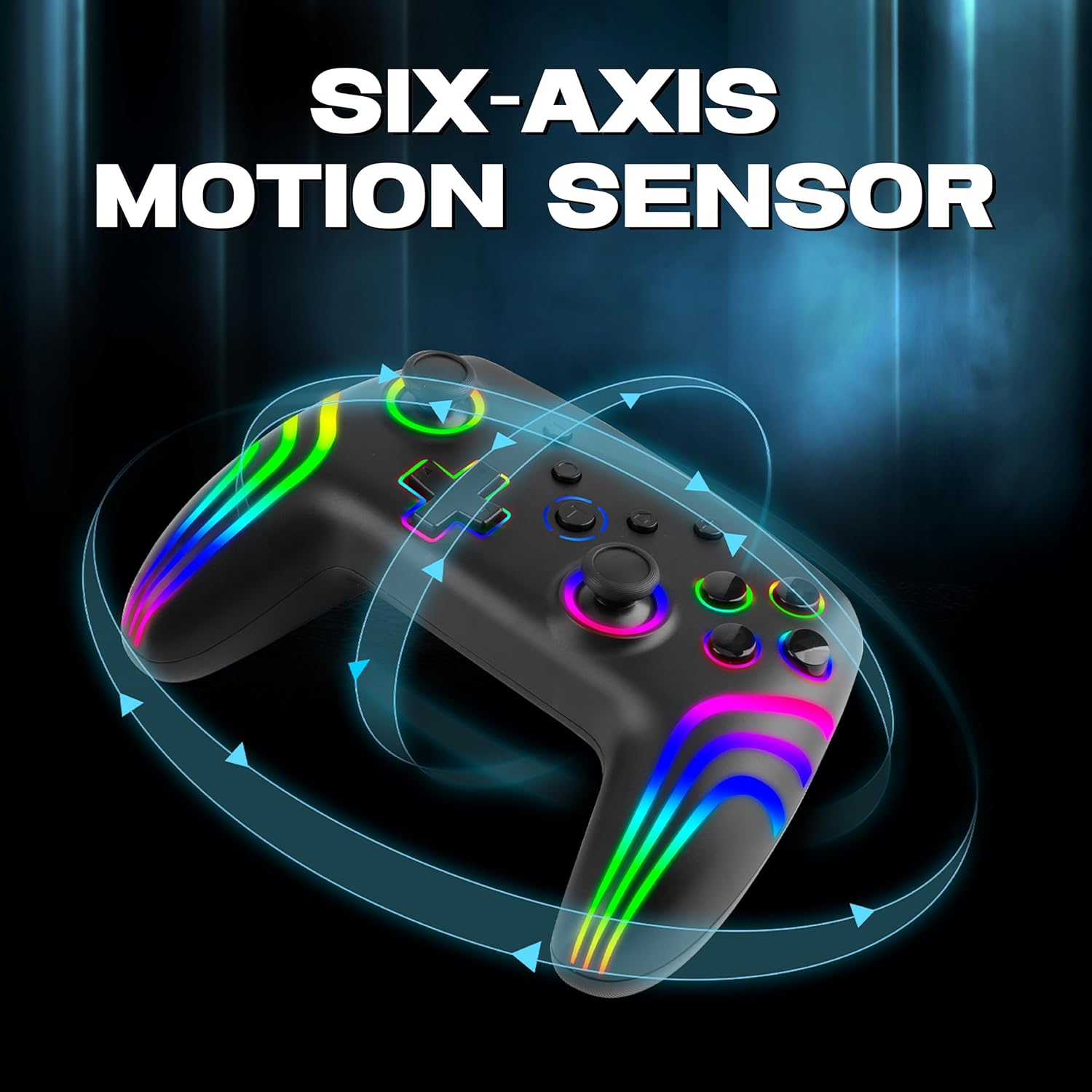
The 6-axis gyro provides accurate motion sensing for immersive gameplay.
6. Kontrol Cihazının Şarj Edilmesi
The NiTHO NEXUS DARK OPS controller is equipped with a built-in 800mAh rechargeable battery.

The 800mAh battery offers up to 9 hours of gameplay on a 2.5-hour charge.
- Connect the supplied USB-C charging cable to the TYPE-C charging port on the controller.
- Connect the other end of the cable to a USB power source (e.g., console, PC, USB wall adapter).
- The Mode Indicator Light will typically show charging status (e.g., blinking while charging, solid when fully charged).
- A full charge takes approximately 2.5 hours and provides up to 9 hours of continuous gameplay.
7. Bakım
- Temizlik: Kumandayı temizlemek için yumuşak ve kuru bir bez kullanın. Sert kimyasallar veya aşındırıcı malzemeler kullanmaktan kaçının.
- Depolamak: Kontrol cihazını serin, kuru ve doğrudan güneş ışığından ve aşırı sıcaklıklardan uzak bir yerde saklayın.
- Pil Bakım: Pil ömrünü uzatmak için, kontrol cihazını sık sık tamamen boşaltmaktan kaçının. Uzun süre kullanılmasa bile düzenli olarak şarj edin.
- Damlalardan Kaçının: Kumanda cihazını düşmelere ve darbelere karşı koruyun; bu tür önlemler iç bileşenlere zarar verebilir.
8. Sorun Giderme
- Kumanda açılmıyor:
- Ensure the controller is fully charged. Connect it to a power source and wait for the charging indicator.
- If the battery is completely drained, it may take a few minutes of charging before the controller responds.
- Unable to pair the controller:
- Make sure the controller is in pairing mode (Mode Indicator Light flashing rapidly).
- Cihazınızda Bluetooth'un etkinleştirildiğinden ve keşfedilebilir olduğundan emin olun.
- Move the controller closer to your device.
- Remove any previous pairings of the controller from your device's Bluetooth settings and try pairing again.
- Hem kumanda cihazını hem de cihazınızı yeniden başlatın.
- Kontrol cihazı sık sık bağlantıyı kesiyor:
- Ensure there are no obstructions or sources of interference (e.g., Wi-Fi routers, other Bluetooth devices) between the controller and your device.
- Keep the controller within the effective Bluetooth range (typically up to 10 meters).
- Check the controller's battery level. Low battery can affect connection stability.
- Düğmeler veya kumanda kolları tepki vermiyor:
- Ensure the controller is properly connected to your device.
- Sorunun belirli bir kurulumla ilgili olup olmadığını belirlemek için kumandayı başka bir cihazda veya oyunda test edin.
- Perform a factory reset if available (refer to the quick start guide for specific instructions, often involves a small reset button).
- Motion sensor (gyro) not working:
- Verify that the game you are playing supports motion controls.
- Ensure the controller is properly calibrated. Some systems or games may require manual calibration.
- If connected to PC, ensure necessary drivers or software are installed and updated.
9. Özellikler
| Model Numarası | NEXUS DARK OPS |
| Bağlantı | Kablosuz (Bluetooth) |
| Uyumluluk | PC (Windows), Nintendo Switch / Lite / OLED / Switch 2, Android, iOS |
| Pil Türü | Built-in Rechargeable Nonstandard Battery |
| Pil Kapasitesi | 800mAh |
| Oyun zamanı | 9 saate kadar |
| Şarj Süresi | Yaklaşık 2.5 saat |
| Şarj Portu | USB Tip-C |
| Boyutlar (UxGxY) | 16.1x6.5x11.1 cm |
| Ağırlık | 270 gr |
| Özellikler | RGB Lighting, Hall Effect Triggers, 6-Axis Gyro, Dual Motor Vibration, Turbo Function, Programmable Buttons |
10. Garanti ve Destek
For warranty information, please refer to the documentation provided at the time of purchase or contact your retailer. Specific warranty terms may vary by region and retailer.
10.1 Teknik Destek
If you encounter issues not covered in the troubleshooting section or require further assistance, please contact NiTHO customer support:
- Üretici Destek E-postası: nithoamazonin@mtm-t.com
- Importer Support Email (India): marketgateindia@gmail.com


