1. Giriş
This manual provides detailed instructions for the setup, operation, and maintenance of your NETUM NT-1200 and CS7501 QR Industrial Bluetooth Barcode Scanners. Please read this manual thoroughly before using the devices to ensure proper functionality and to maximize their lifespan. These scanners are designed for efficient and reliable barcode reading in various environments, supporting both 1D and 2D barcodes from physical labels and digital screens.
2. Ürün Bittiview
2.1 Temel Özellikler
- Yüksek Çözünürlüklü Tarama: Equipped with a megapixel (1280×800) CMOS sensor, the CS7501 scans 1D and 2D barcodes (QR, PDF417, Data Matrix, etc.) from paper or digital screens.
- Çok Yönlü Bağlantı: Offers 3-in-1 connection options: Bluetooth, 2.4GHz Wireless Adapter, and Wired USB Connection for compatibility with smartphones, computers, POS systems, iPhones, iPads, and laptops.
- Uzun Pil Ömrü: Features a 2400mAh high-capacity battery for up to 12 hours of continuous operation, with real-time battery level indicators.
- Dayanıklı Yapı: Built with ABS plastic and reinforced with TPU material, capable of withstanding drops from up to 4.92 feet (1.5 meters). Ergonomic design for comfortable, extended use.
- Çoklu Tarama Modları: NT-1200 offers manual trigger, continuous scanning, and auto-sensing scanning modes.
- Depolama Modu: Supports storage of up to 100,000 barcodes when out of wireless range.
2.2 Ürün Bileşenleri
The package typically includes the barcode scanner(s), a charging dock (for NT-1200), a 2.4GHz wireless adapter, and USB cables.

Figure 1: NETUM NT-1200 (right, with dock) and CS7501 (left) Barcode Scanners.

Figure 2: NETUM CS7501 Barcode Scanner, showing its compact design, USB-C cable, and 2.4GHz wireless dongle.

Figure 3: NETUM NT-1200 Barcode Scanner securely placed in its charging and communication dock.
3. Kurulum
3.1 İlk Şarj
Before first use, fully charge your scanner. Connect the USB cable to the scanner (CS7501) or its charging dock (NT-1200) and then to a power source (e.g., computer USB port, USB wall adapter). The battery indicator will show charging status.
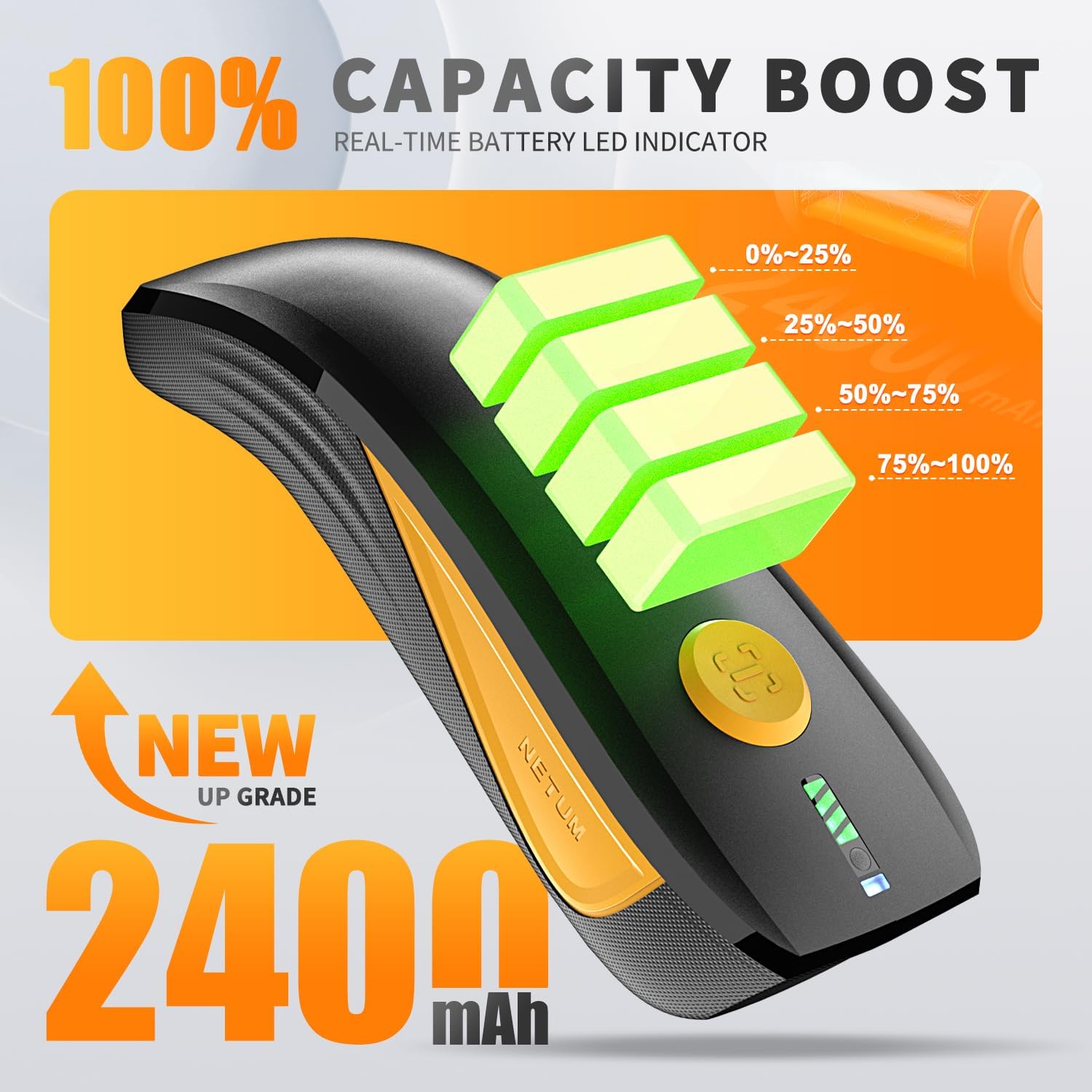
Figure 4: CS7501 scanner displaying real-time battery level indicators (0-25%, 25-50%, 50-75%, 75-100%).
3.2 Bağlantı Seçenekleri
Both scanners offer multiple connectivity options. Ensure the scanner is powered on before attempting to connect.
3.2.1 Bluetooth Bağlantısı
- Turn on the scanner and switch to Bluetooth mode (refer to the switch button image below).
- On your host device (smartphone, tablet, computer), enable Bluetooth and search for available devices.
- Select the scanner (e.g., "NETUM Barcode Scanner" or similar) from the list to pair.
- Bağlantı başarılı olduğunda tarayıcı üzerinde belirli bir ses veya LED ışığı yanacaktır.

Figure 5: The switch button on the CS7501 scanner, allowing selection between Bluetooth and 2.4GHz wireless connection modes. Bluetooth offers a range of up to 10m/33ft.
3.2.2 2.4 GHz Kablosuz Bağlantı
- Plug the 2.4GHz wireless adapter (dongle) into an available USB port on your computer.
- Turn on the scanner and switch to 2.4GHz wireless mode (refer to the switch button image above).
- The scanner should automatically connect to the adapter. A successful connection will be indicated by a specific sound or LED light. This mode typically offers a longer range, up to 100m/330ft.
3.2.3 Kablolu USB Bağlantısı
Connect the scanner directly to your computer using the provided USB cable. The scanner will function as a USB HID keyboard device, and no additional drivers are usually required. This mode also charges the scanner.
3.3 Initial Configuration (NT-1200)
For the NT-1200, specific settings like scanning modes or data transmission options may require scanning configuration barcodes found in the separate NT-1200 manual. Always refer to the dedicated manual for the NT-1200 for detailed setup barcodes.
4. Kullanım Talimatları
4.1 Barkodların Taranması
Point the scanner's window at the barcode you wish to scan. Press the trigger button (for manual mode) or allow the scanner to detect the barcode automatically (in auto-sensing mode). A successful scan is usually indicated by a beep and/or a green LED light.

Figure 6: The CS7501 scanner demonstrating its 1MP high-resolution sensor's ability to capture various 1D and 2D barcodes, including QR codes, from different surfaces.
4.2 Scanning Modes (NT-1200)
- Manuel Tetikleme Modu: Her bir barkodu taramak için tetikleme düğmesine basın.
- Sürekli Tarama Modu: The scanner continuously emits a scan line, reading barcodes as they pass through the field of view Tetiğe basmaya gerek kalmadan.
- Otomatik Algılama Tarama Modu: Tarayıcı, barkodu kendi alanında otomatik olarak algılar. view and scans it without manual trigger activation.
To switch between these modes, you will need to scan specific configuration barcodes provided in the NT-1200's dedicated manual.
4.3 Depolama Modu
When the scanner is out of Bluetooth or 2.4GHz wireless range, it can store scanned barcodes internally. The NT-1200 supports storage of up to 100,000 barcodes. To upload stored data, reconnect the scanner to your host device and scan the "Upload Data" configuration barcode (if applicable, refer to your specific model's manual).
5. Bakım
- Temizlik: Tarayıcının dış yüzeyini temizlemek için yumuşak, kuru bir bez kullanın. Tarama penceresi için, gerekirse mercek temizleme bezi ve hafif, aşındırıcı olmayan bir temizleyici kullanın. Sert kimyasallardan veya aşındırıcı malzemelerden kaçının.
- Depolamak: Tarayıcıyı serin, kuru ve doğrudan güneş ışığından ve aşırı sıcaklıklardan uzak bir yerde saklayın.
- Pil Bakım: En iyi pil ömrü için, pili sık sık tamamen boşaltmaktan kaçının. Uzun süre saklayacaksanız, pili yaklaşık %50'ye kadar şarj edin ve birkaç ayda bir yeniden şarj edin.
- Düşme Koruması: While designed to be rugged (withstanding drops up to 4.92 feet / 1.5 meters), avoid unnecessary drops to prolong the device's life.

Figure 7: The CS7501 scanner's robust construction, featuring ABS+TPU materials for enhanced durability and drop protection.
6. Sorun Giderme
- Tarayıcı Bağlanmıyor:
- Tarayıcının açık ve tamamen şarj edilmiş olduğundan emin olun.
- Verify the correct connectivity mode (Bluetooth, 2.4GHz, USB) is selected on the scanner.
- For Bluetooth, ensure your host device's Bluetooth is enabled and the scanner is paired.
- 2.4GHz için, dongle'ın güvenli bir şekilde takılı olduğundan emin olun.
- Hem tarayıcıyı hem de ana cihazı yeniden başlatmayı deneyin.
- Cannot Scan Barcodes:
- Barkodun temiz, hasarsız ve iyi aydınlatılmış olduğundan emin olun.
- Tarayıcı ile barkod arasındaki mesafeyi ve açıyı kontrol edin.
- Verify the scanner is in the correct scanning mode (e.g., manual trigger if required).
- Ensure the barcode type is supported by the scanner (1D/2D).
- Clean the scanner's reading window.
- Scanned Data Not Appearing:
- Confirm the scanner is successfully connected to your host device.
- Ensure the cursor is in a text input field on your host device.
- Check if the scanner is in storage mode; if so, upload the data.
- Kısa Pil Ömrü:
- Kullanmadan önce tarayıcının tamamen şarj olduğundan emin olun.
- Check the battery health indicators.
- Reduce screen brightness or disable unnecessary features if applicable.
7. Özellikler
| Özellik | Detay |
|---|---|
| Model Numaraları | NT-1200, CS7501 |
| Sensor (CS7501) | Megapixel CMOS (1280×800) |
| Barkod Uyumluluğu | 1D and 2D (QR, PDF417, Data Matrix, GS1 Code128, Aztec, Maxi, etc.) |
| Bağlantı Teknolojisi | Bluetooth, 2.4GHz Wireless, USB |
| Bluetooth Menzili | 10m / 33ft'ye kadar |
| 2.4GHz Wireless Range | 100m / 330ft'ye kadar |
| Uyumlu Cihazlar | Computer, Laptop, POS, Smartphone, iPad, iPhone |
| Güç Kaynağı | Pil ile çalışır |
| Battery Capacity (CS7501) | 2400mAh |
| Continuous Operation (CS7501) | 12 saate kadar |
| Düşme Koruması | Withstands drops from up to 4.92 feet (1.5 meters) |
| Storage Capacity (NT-1200) | 100,000'e kadar barkod |
8. Garanti ve Destek
NETUM products are designed for reliability and performance. For specific warranty details, please refer to the warranty card included with your product or visit the official NETUM website. For technical support, troubleshooting assistance, or service inquiries, please contact NETUM customer support through the contact information provided on their official website veya ürün ambalajı.


