1. Giriş
The AWOW HA7 Mini PC is a compact yet powerful computing solution designed for a wide range of applications, from daily office tasks to creative work and light gaming. Featuring the AMD Ryzen 7 8745HS processor, advanced integrated graphics, and high-speed connectivity, the HA7 delivers robust performance in a small form factor.
This manual provides essential information for setting up, operating, maintaining, and troubleshooting your AWOW HA7 Mini PC. Please read it carefully to ensure proper use and to maximize your device's potential.
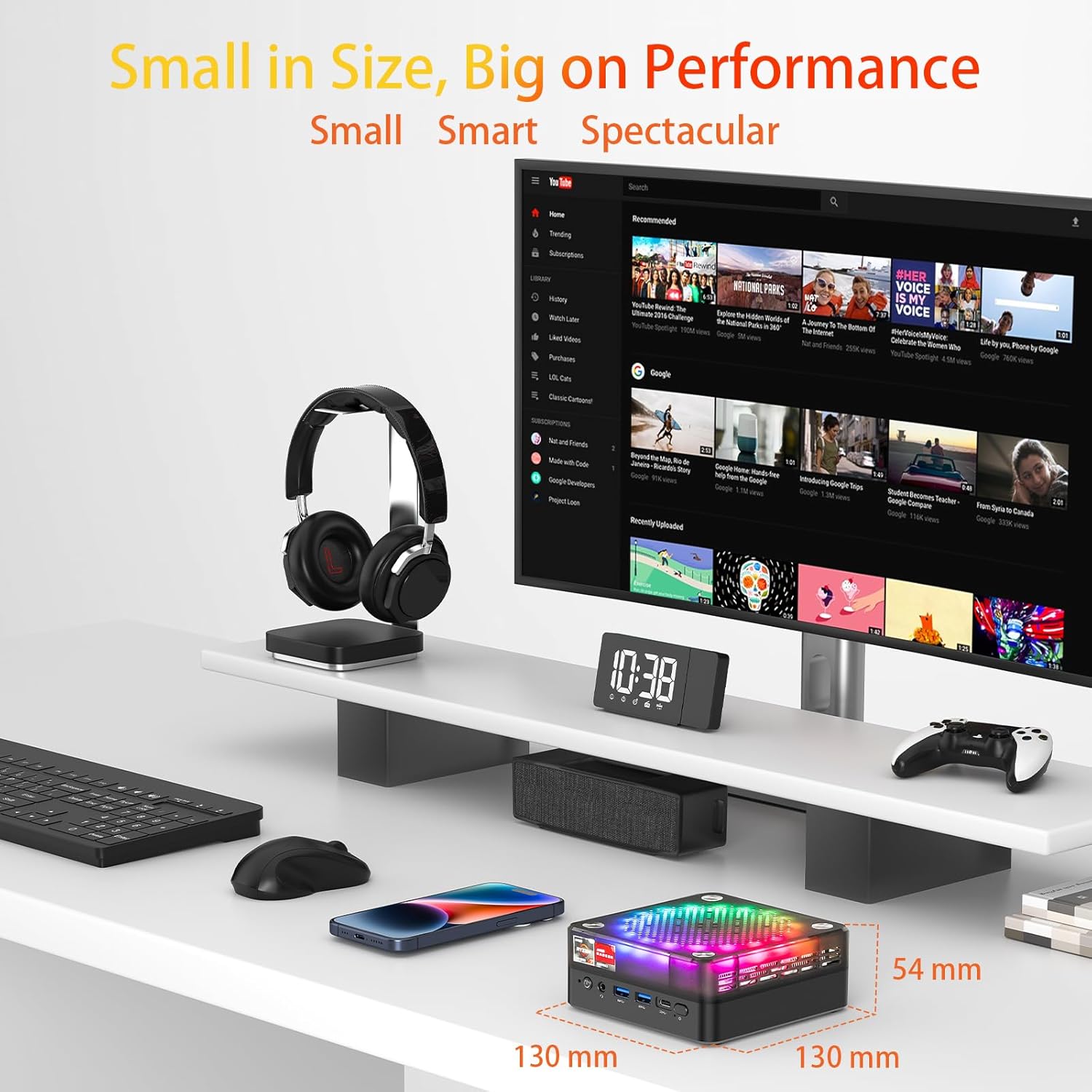
The AWOW HA7 Mini PC is designed for high performance in a compact size, measuring 130mm x 130mm x 54mm.
Temel Özellikler:
- Pure Power in a Tiny Form Factor: The AMD Ryzen 7 8745HS processor (8 cores / 16 threads) on a 4nm manufacturing process, with 16MB Smart Cache and turbo speeds up to 5.1 GHz, handles demanding tasks and multitasking with ease.
- Miraculous Efficiency: With a TDP of only 54W, this mini PC delivers incredible power density, ensuring high performance while being energy-efficient, quiet, and cost-effective.
- Versatile for Work and Creativity: The HA7 is a reliable partner for daily office tasks, programming, and demanding photo/video editing, ensuring smooth operation with multiple applications simultaneously.
- Compact Gaming Pleasure: The HA7, with its Ryzen 7 8745HS and integrated Radeon graphics, provides smooth gaming for popular titles like CS:GO, APEX Legends, PUBG, DOTA 2, and League of Legends.
2. Kurulum
2.1 Kutudan Çıkarma ve İlk İnceleme
Carefully remove the AWOW HA7 Mini PC and all accessories from its packaging. Inspect the device for any signs of damage. If any damage is found, contact your retailer immediately.
2.2 Çevre Birimlerini Bağlama
Mini PC'nizi açmadan önce gerekli tüm çevre birimlerini bağlayın:
- İzleme: Connect your monitor(s) to the HDMI 2.0, DisplayPort 1.4, or Type-C video output ports. The HA7 supports triple 4K display output.
- Klavye ve Fare: Connect your USB keyboard and mouse to the available USB 2.0 or USB 3.0 ports. Wireless peripherals can be connected via Bluetooth 5.2 or a USB dongle.
- Ağ: For a wired connection, connect an Ethernet cable to the 2.5G LAN port. For wireless, ensure your Wi-Fi network is available.
- Ses: Gerekirse hoparlörleri veya kulaklıkları 3.5 mm ses jakına bağlayın.
- Güç: Connect the power adapter to the Mini PC's power input port and then to a power outlet.

Front and rear ports of the AWOW HA7 Mini PC for connecting various peripherals.
2.3 İlk Önyükleme ve İşletim Sistemi Kurulumu
After connecting all peripherals, press the power button on the front of the Mini PC. The device will power on. Since the system is listed with DOS as the operating system, you will likely need to install your preferred operating system (e.g., Windows, Linux) following its specific installation instructions. Refer to the operating system's documentation for detailed installation steps.
3. Kullanım Talimatları
3.1 Güç Açma/Kapatma
- Güç Açık: Mini PC’nin ön tarafında bulunan güç düğmesine basın.
- Kapat: For a safe shutdown, use the operating system's shutdown function. Alternatively, press and hold the power button for 5-10 seconds to force a shutdown (only recommended if the system is unresponsive).
3.2 Ağ Bağlantısı
- Kablolu (LAN): Ensure an Ethernet cable is connected to the 2.5G LAN port. The operating system should automatically detect the connection.
- Kablosuz (Wi-Fi 6): Access your operating system's network settings, select your Wi-Fi network, and enter the password to connect. The HA7 supports Wi-Fi 6 for faster and more reliable connections.
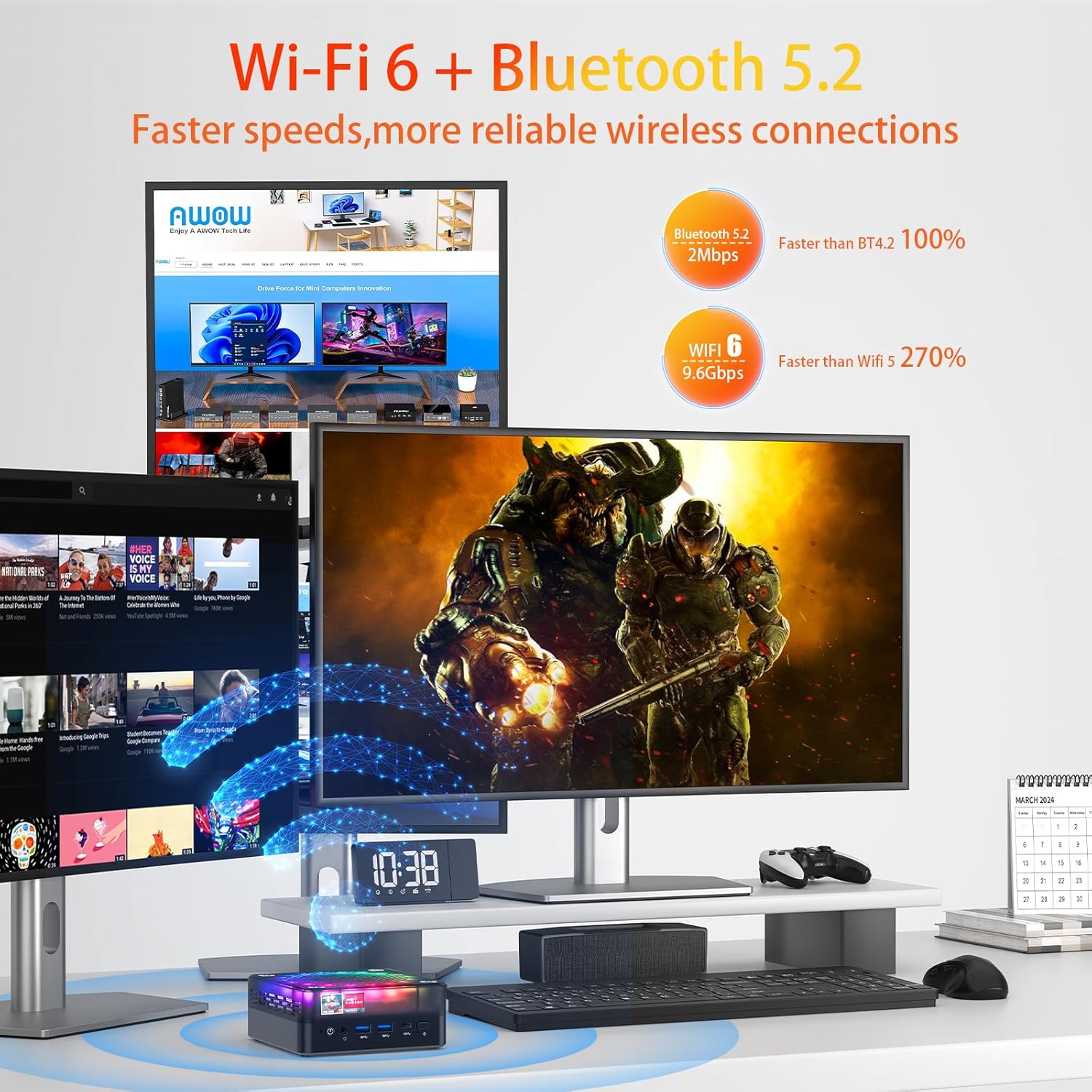
The AWOW HA7 Mini PC features Wi-Fi 6 and Bluetooth 5.2 for advanced wireless connectivity.
3.3 Bluetooth Cihazları
To connect Bluetooth devices (e.g., headphones, speakers, keyboard, mouse), enable Bluetooth in your operating system's settings, search for available devices, and pair them according to their instructions.
3.4 Triple Display Output
The AWOW HA7 supports connecting up to three 4K displays simultaneously. Connect your monitors to the HDMI 2.0, DisplayPort 1.4, and Type-C ports. Configure display settings within your operating system to extend or duplicate your desktop across multiple screens.
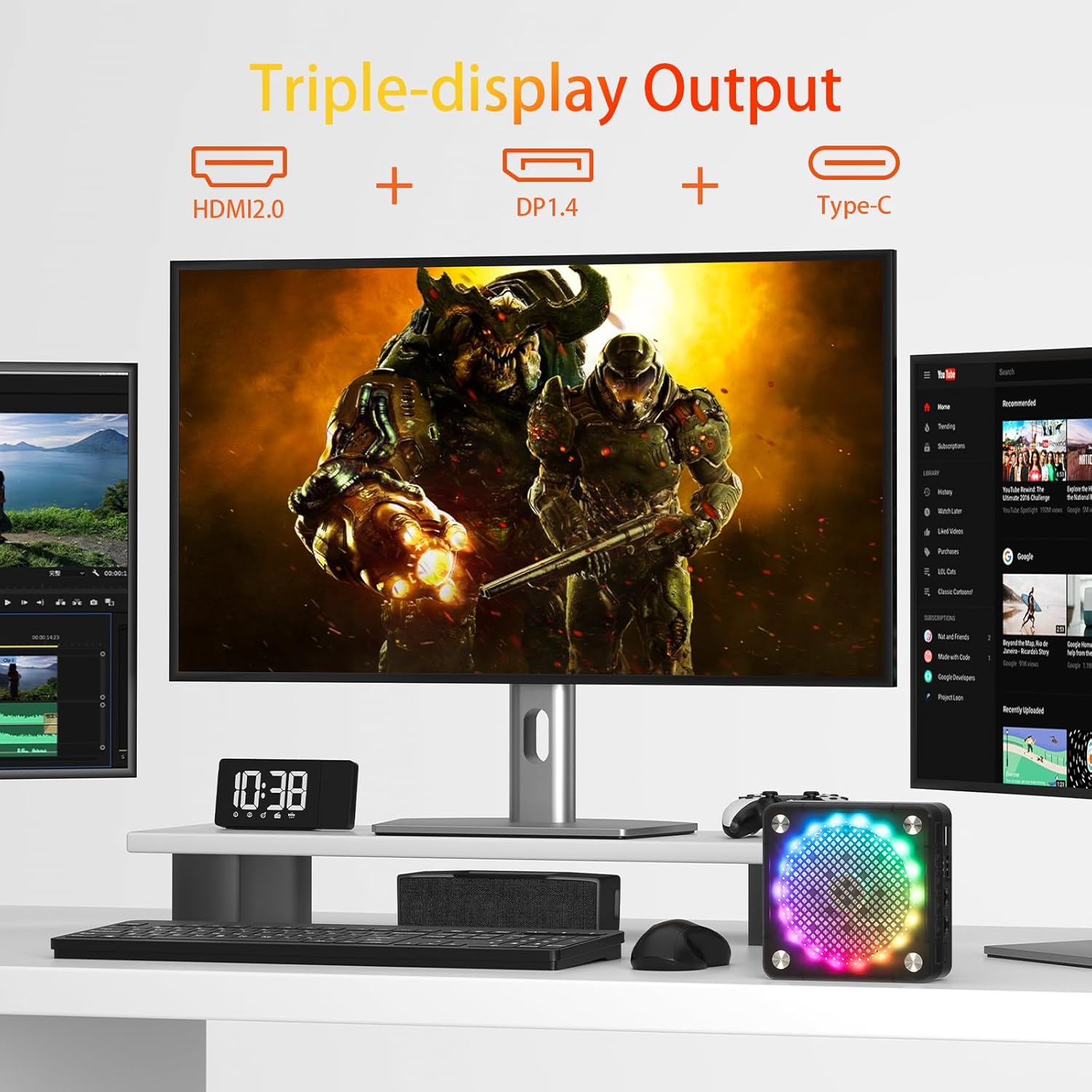
Triple display setup with the AWOW HA7 Mini PC using HDMI, DisplayPort, and Type-C outputs.
4. Bakım
4.1 Temizlik
To maintain optimal performance and longevity, regularly clean your Mini PC:
- Dış: Use a soft, dry, lint-free cloth to wipe the exterior. Avoid liquid cleaners.
- Havalandırmalar: Use compressed air to gently clear dust from the ventilation openings. Do this periodically to prevent overheating.
4.2 Yazılım Güncellemeleri
Keep your operating system, drivers, and applications updated to ensure security, stability, and optimal performance. Check for updates regularly through your operating system's settings or the manufacturer's webalan.
4.3 Hardware Upgrades
The AWOW HA7 Mini PC may support upgrades for components such as RAM (up to 64GB) and storage (PCIe 4.0 SSD). If you plan to upgrade, consult a qualified technician or refer to specific upgrade guides provided by AWOW to avoid damaging the device or voiding the warranty.

Internal cooling system of the AWOW HA7 Mini PC, featuring a 10cm CPU fan and a 7cm system fan.
5. Sorun Giderme
This section addresses common issues you might encounter with your AWOW HA7 Mini PC.
5.1 Güç Yok
- Güç adaptörünün hem Mini PC'ye hem de çalışan bir elektrik prizine güvenli bir şekilde bağlandığından emin olun.
- Prizin çalışır durumda olduğunu doğrulamak için başka bir cihazla test edin.
- Mümkünse ve uyumluysa farklı bir güç adaptörü deneyin.
5.2 Görüntü Çıkışı Yok
- Verify that the monitor is powered on and the correct input source is selected.
- Check that the video cables (HDMI, DP, Type-C) are securely connected to both the Mini PC and the monitor.
- Try connecting to a different display or using a different video cable.
5.3 Ağ Bağlantı Sorunları
- Kablolu: Ensure the Ethernet cable is properly connected and your router/modem is working. Check network adapter settings in your operating system.
- Kablosuz: Verify that Wi-Fi is enabled in your operating system and you are connected to the correct network with the right password. Restart your router/modem.
5.4 System Unresponsive
- If the system freezes, press and hold the power button for 5-10 seconds to force a shutdown. Wait a few moments, then power it back on.
- If the issue persists, consider reinstalling the operating system or contacting support.
6. Özellikler
Below are the detailed technical specifications for the AWOW HA7 Mini PC:

The AWOW HA7 is powered by the AMD Ryzen 7 8745HS processor.
| Özellik | Şartname |
|---|---|
| Marka | Vay canına |
| Ürün Model Numarası | HA7 |
| Seri | HA7 |
| İşletim Sistemi | DOS |
| İşlemci Markası | AMD |
| İşlemci Türü | AMD Ryzen 7 |
| İşlemci Modeli | AMD Ryzen 7 8745HS |
| İşlemci Hızı | 3.8 GHz (up to 5.1 GHz Turbo) |
| Çekirdek Sayısı | 8 |
| Önbellek Boyutu | 16 MB Akıllı Önbellek |
| Maksimum Bellek | 64 GB |
| Sabit Sürücü Boyutu | 1TB |
| Sabit Disk Teknolojisi | SSD (PCIe 4.0) |
| Grafik Eş İşlemcisi | AMD Radeon 780M |
| Grafik Kartı Açıklaması | Entegre |
| Graphics Card RAM Type | DDR5 SDRAM |
| Bağlantı Türü | Bluetooth, Wi-Fi 6 (802.11ac) |
| Donanım Arayüzü | Ethernet (2.5G), HDMI, DisplayPort, USB |
| HDMI Port Sayısı | 1 (HDMI 2.0) |
| Number of DisplayPort Ports | 1 (DP 1.4) |
| USB 2.0 Port Sayısı | 2 |
| USB 3.0 Port Sayısı | 2 (USB 3.2 Gen2) |
| Tip-C Bağlantı Noktası | Yes (for display output and data) |
| Ses Jakı | 3.5mm |
| Özel Özellikler | High-performance processor, Triple 4K display support, Quiet operation |
| Bilgisayar Türü | Mini Bilgisayar |
| Paket Boyutları | 20.3x20x11.4 cm |
| Ağırlık | 1.33 kilogram |
7. Garanti ve Destek
7.1 Garanti Bilgileri
The AWOW HA7 Mini PC comes with a standard manufacturer's warranty. Please refer to the warranty card included in your product packaging or visit the official AWOW webAyrıntılı garanti şartları ve koşulları için web sitemizi ziyaret edin. Satın alma belgenizi garanti talepleriniz için saklayın.
7.2 Teknik Destek
For technical assistance, troubleshooting beyond this manual, or service inquiries, please contact AWOW customer support. You can typically find contact information (email, phone, or support portal) on the official AWOW website. When contacting support, please have your product model (HA7) and serial number ready.


