1. Giriş
This manual provides essential instructions for the safe and efficient use of your VAULTEK RS500i Compact Quick Access Biometric Rifle Safe. Please read this manual thoroughly before operating the safe and retain it for future reference. The RS500i is designed for secure storage of firearms and valuables, featuring advanced access methods and smart connectivity.

Image 1.1: The VAULTEK RS500i Biometric Rifle Safe.
Temel Özellikler:
- ViSN Smart WiFi Connectivity: Manage your safe and receive live alerts via a smartphone app.
- Hızlı Erişim: Biometric scanner (up to 80 fingerprints), Smart Sense keypad, Nano Key, and manual keys.
- Modular Interior: High capacity for 6+ rifles and multiple handguns with customizable perforated mounting boards.
- Sağlam Yapı: 14-gauge carbon steel with (4) solid steel locking bolts and anti-pry bars.
- Enhanced LED Lighting: Automatic interior illumination upon door opening.
- Advanced Anti-Theft Protection: Impact Detection and ruggedized interior hinges.
Video 1.1: Bittiview of the VAULTEK RS Series build quality, highlighting the robust construction and durable finish.
2. Kurulum
2.1 Kutudan Çıkarma ve Yerleştirme
Carefully remove the safe from its packaging. Choose a secure and discreet location for your safe. The RS500i features a sleek design that allows it to blend into various environments.

Image 2.1: The RS500i safe positioned in a living space, demonstrating its discreet placement options.
2.2 Kasanın Montajı
For enhanced security, the RS500i includes pre-drilled holes for wall or floor mounting. Use the provided mounting hardware to secure the safe to a stable surface. Ensure the mounting location can support the weight of the safe and its contents.

Image 2.2: Included mounting hardware for securing the safe.
2.3 Powering the Safe
Connect the safe to a power outlet using the provided power cable. For backup power during outages or when not plugged in, install (4) AA batteries (not included). These batteries can provide standby power for up to 3 months.

Image 2.3: The power cable for the RS500i safe.
2.4 ViSN Smart WiFi Setup
The ViSN platform enables smart features and real-time monitoring. Download the VAULTEK ViSN smartphone app (available for iOS/Android) to begin the guided setup process for WiFi connectivity. The app will assist you in programming fingerprints, setting master codes, and connecting your safe to your home network.

Image 2.4: Scan this QR code to download the VAULTEK ViSN smartphone app.
Video 2.1: Detailed instructions on setting up ViSN Technology and connecting your safe to the smartphone app for remote monitoring and alerts.
3. Kasanın Çalıştırılması
The RS500i offers multiple secure access points for quick entry.
3.1 Biometric Fingerprint Scanner
The Smart Align Biometric Scanner can store up to 80 unique fingerprints. To open, place your programmed finger firmly on the scanner. The safe will grant access and the door will automatically open.

Image 3.1: A hand activating the biometric fingerprint scanner for quick access.
3.2 Smart Sense Keypad
The 8-digit Smart Sense keypad features auto-illumination and a built-in proximity sensor. Enter your programmed passcode on the keypad. The keypad will light up as your hand approaches, making it easy to use in low light conditions.

Image 3.2: A hand entering a code on the illuminated Smart Sense keypad.
3.3 Nano Key
The Nano Key provides the fastest entry point. Simply touch the Nano Key to the designated area on the safe for instant access.

Image 3.3: The Nano Key, offering a rapid access method.
3.4 Manual Keys
Two manual keys are included for backup access. These keys are crucial for initial setup and in situations where electronic access methods are unavailable (e.g., dead batteries). Store them securely outside the safe.

Image 3.4: The two manual keys provided for backup access.
Video 3.1: Demonstration of the various secure access points, including biometric, keypad, and manual key entry.
4. Modular Interior
The RS500i features a high-capacity modular interior designed for optimal organization. Perforated mounting boards on the back and door allow for complete customization of your storage space.
4.1 Customizing Storage
The starter kit includes 3 barrel mounts, 3 barrel mount extensions, and 1 twin pistol/AR magazine rack. These accessories can be repositioned on the perforated panels to suit your specific storage needs. Additional accessories are available separately.

Resim 4.1: Yakın çekim view of the perforated panels and customizable interior for organizing firearms and accessories.

Image 4.2: Included barrel mounts for securing rifles within the safe.
4.2 Kapasite
The RS500i can store 6+ rifles and multiple handguns, depending on their size and the configuration of the modular interior.

Image 4.3: The safe interior showcasing its capacity for multiple rifles and handguns.
5. Bakım
5.1 Pil Değişimi
The safe requires (4) AA batteries for backup power. Replace batteries when the low battery alert is received via the ViSN app or indicated on the safe's display. Ensure proper polarity when installing new batteries.
5.2 Genel Bakım ve Temizlik
Kasanın dışını yumuşak bir bezle silin.amp cloth. Avoid abrasive cleaners that could damage the finish. Regularly check the locking bolts and hinges for any obstructions or signs of wear. Keep the biometric scanner and keypad clean for optimal performance.
5.3 Firmware Güncellemesi
The ViSN app will notify you when firmware updates are available for your safe. Follow the in-app instructions to ensure your safe's software is up-to-date, providing the latest features and security enhancements.
6. Sorun Giderme
If you encounter issues with your VAULTEK RS500i safe, refer to the following common solutions:
- Access Denied: Ensure your finger is clean and properly placed on the biometric scanner. Verify the keypad code is entered correctly. Check if the Nano Key is properly paired.
- Güç Yok/Ekran Kapalı: Confirm the power cable is securely connected. If using backup batteries, ensure they are fresh and correctly installed.
- ViSN App Connectivity Issues: Check your home WiFi network status. Ensure the safe is within range of your WiFi router. Restart both the safe and your smartphone app.
- Alerts (Tampering, Impact, Temperature/Humidity): The ViSN app provides real-time alerts. Review the app's history log for details on triggered alerts. Adjust alarm sensitivity settings within the app if necessary.
- Door Not Opening Automatically: Ensure no obstructions are blocking the door mechanism. Check power supply.
For further assistance, consult the VAULTEK support resources or contact customer service.
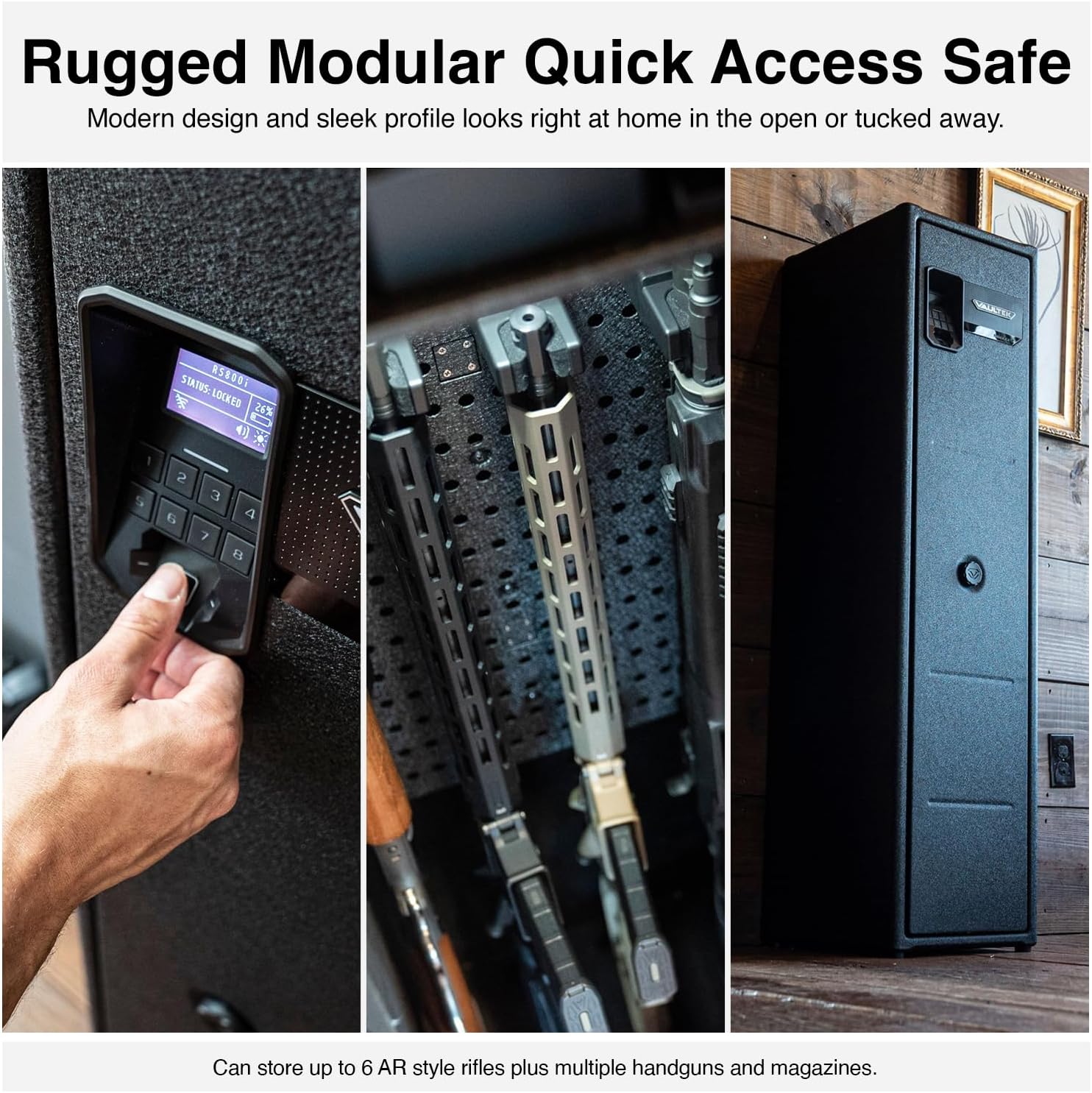
Image 6.1: The ViSN app displaying live alerts and safe status, aiding in troubleshooting.
7. Özellikler
| Özellik | Detay |
|---|---|
| Marka | VULTEK |
| Model Numarası | RS Series (RS500i) |
| Ürün Boyutları | 11.7"D x 14"G x 54"Y |
| Ürün Ağırlığı | 124 Pound |
| Kilit Tipi | Biometric Fingerprint, 8-Digit Smart Sense Keypad, Nano Key, Manual Keys |
| Malzeme | 14-Gauge Carbon Steel |
| Özel Özellikler | Anti-Theft, Modular Interior, ViSN WiFi Connectivity, Live Alerts, Auto-Open Door |
| Montaj Tipi | Pre-drilled Mounting Holes (Wall or Floor) |
| Dahil Bileşenler | (2) Keys, Nano Key, Power Cable, Mounting Hardware, Pre-Installed Pegboard, 3 Barrel Mounts and Adapters, Twin Pistol/AR Magazine Rack |
| Piller Gerekli | Yes (4 AA, not included, for backup) |
8. Garanti ve Destek
For information regarding your product's warranty, please refer to the documentation included with your purchase or visit the official VAULTEK website. For technical support, troubleshooting assistance, or to inquire about additional accessories, please contact VAULTEK customer service directly.
Manufacturer: Vaultek Safe, Inc.
Ziyaret edin VAULTEK Store Daha fazla ürün ve destek kaynağı için.


