1. Giriş
This manual provides essential information for setting up, operating, maintaining, and troubleshooting your HP 27-inch FHD Touchscreen All-in-One Desktop. Please read these instructions carefully before using your device to ensure optimal performance and longevity.
The HP 27-inch All-in-One Desktop is designed for versatile use, featuring an Intel Ultra 7 155U 12-Core processor, 32 GB DDR5 RAM, and a 1 TB SSD for efficient performance. Its 27-inch Full HD touchscreen display offers an interactive experience, complemented by Intel IrisX Graphics and Windows 11 Pro operating system.
2. Kutuda Neler Var?
Ambalajda tüm bileşenlerin mevcut olduğunu doğrulayın:
- HP 27-inch All-in-One Desktop
- Kablolu Klavye
- Kablolu Fare
- Güç Adaptörü ve Kablosu
- Webcam (integrated or separate, depending on model configuration)
- Belgeler (Hızlı Başlangıç Kılavuzu, Garanti Bilgileri)
3. Kurulum Kılavuzu
3.1 Paketten Çıkarma ve Yerleştirme
- Carefully remove the All-in-One desktop and all accessories from the packaging.
- Place the desktop on a stable, flat surface, ensuring adequate ventilation around the device. Avoid placing it near heat sources or in direct sunlight.
3.2 Çevre Birimlerini Bağlama
- Connect the wired keyboard to an available USB Type-A port on the back of the desktop.
- Connect the wired mouse to another available USB Type-A port.
- If your model includes a separate webcam, connect it to a USB port.
3.3 Güç Bağlantısı
- Connect the power adapter cable to the power input port on the desktop.
- Güç adaptörünü topraklı bir elektrik prizine takın.
3.4 İlk Güç Açma
- Genellikle ekranın yan veya alt kenarında bulunan güç düğmesine basın.
- Follow the on-screen instructions to complete the Windows 11 Pro setup, including language selection, network connection (Wi-Fi 6E supported), and user account creation.

Image: HP 27-inch All-in-One Desktop showcasing its ultra-slim design and adjustable stand. The display is a 27-inch Full HD screen.
4. Kullanım Talimatları
4.1 Dokunmatik Ekranı Kullanma
The 27-inch Full HD (1920 x 1080) IPS touchscreen allows for intuitive interaction. Use gestures similar to a tablet or smartphone for navigation, zooming, and scrolling. The display features a three-sided micro-edge design and wide-viewing angles for an immersive visual experience.

Image: Visual representation of the HP 27-inch All-in-One Desktop's display features, highlighting the three-sided micro-edge, wide-viewing angles, and a 90% screen-to-body ratio.
4.2 Bağlantı ve Portlar
Your desktop offers a variety of ports for connecting external devices:
- USB Type-C 5Gbps Signaling Rate: 1 port for modern peripherals and fast data transfer.
- USB Type-A 5Gbps Signaling Rate: 2 ports for standard USB devices.
- USB 2.0 Tip-A: 2 ports for basic peripherals like keyboards and mice.
- HDMI-out 1.4: 1 port for connecting an external monitor or display.
- RJ45 LAN Ethernet port: Kablolu ağ bağlantısı için 1 adet port.
- Kulaklık/Mikrofon Kombinasyonu: Ses giriş/çıkışı için 1 adet bağlantı noktası.

Resim: Detaylı bir arka görünüm view of the HP 27-inch All-in-One Desktop, illustrating the arrangement and types of ports available, including USB Type-C, HDMI, Ethernet, USB Type-A, and the power supply connection.
4.3 Using the Privacy Camera and Audio
The HP True Vision 1080p FHD IR Tilt Privacy Camera features a pop-up mechanism for privacy. Push down to hide the camera when not in use. The integrated dual array digital microphones and dual 2W speakers provide clear audio for video calls and multimedia.

Image: The HP 27-inch All-in-One Desktop highlighting its pop-up privacy camera, dual microphones, and advanced noise reduction capabilities for enhanced communication.
5. Özellikler Bittiview
- İşlemci: Equipped with the Intel Ultra 7 155U 12-Core processor, offering speeds up to 4.8 GHz, 12 MB Intel Smart Cache, and 14 threads for robust multitasking and performance.
- Grafikler: Features Intel IrisX Graphics for clear visuals and support for everyday tasks and light creative work.
- Bellek saklama alanı: Comes with 32 GB DDR5 5600MHz RAM and a 1 TB SSD for fast boot times, quick application loading, and ampdosya depolama kapasitesi.
- Kablosuz bağlantı: Includes Realtek Rtl8852Be Wi-Fi 6 (2x2) and Bluetooth 5.3 for high-speed wireless networking and peripheral connections.
- İşletim Sistemi: Pre-installed with Windows 11 Pro, providing a secure and productive computing environment.
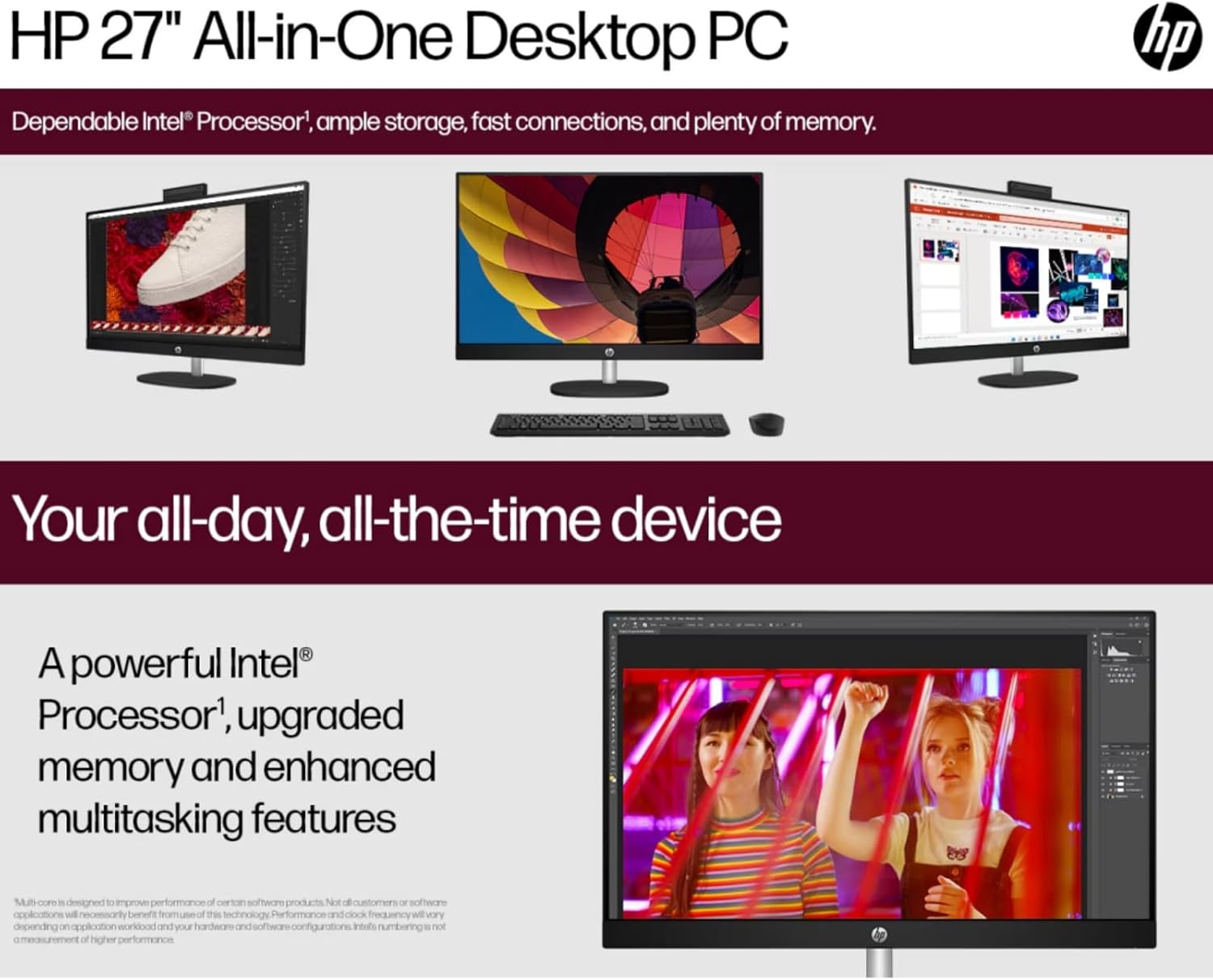
Image: The HP 27-inch All-in-One Desktop illustrating its capability for enhanced multitasking, powered by a robust Intel Processor and upgraded memory.
5.1 Çevresel Hususlar
This product is designed with environmental responsibility in mind. It incorporates recycled materials, including post-consumer recycled and ocean-bound plastics, and is EPEAT Gold Registered and ENERGY STAR® Certified.

Image: An infographic showing the HP 27-inch All-in-One Desktop's commitment to sustainability, detailing the use of reclaimed coffee grounds and post-consumer recycled plastics in its construction.
6. Bakım
6.1 Ekran ve Şasinin Temizlenmesi
- Turn off the desktop and unplug the power cord before cleaning.
- Yumuşak, tiftiksiz bir bez kullanın ve hafifçe kurulayın.ampened with water or a non-abrasive screen cleaner to wipe the display. Avoid harsh chemicals.
- For the chassis, use a soft, dry cloth.
6.2 Yazılım Güncellemeleri
En iyi performansı ve güvenliği sağlamak için işletim sistemi güncellemelerini (Windows Update) ve sürücü güncellemelerini (HP Support Assistant) düzenli olarak kontrol edin ve yükleyin.
6.3 Havalandırma
Ensure that the ventilation openings on the desktop are not blocked to prevent overheating. Keep the area around the desktop clear of obstructions.
7. Sorun Giderme
Bu bölümde karşılaşabileceğiniz yaygın sorunlar ele alınmaktadır.
7.1 Güç Yok
- Güç kablosunun hem masaüstü bilgisayara hem de elektrik prizine güvenli bir şekilde bağlı olduğundan emin olun.
- Başka bir cihazı takarak elektrik prizinin çalışır durumda olduğunu doğrulayın.
- Güç adaptöründe gözle görülür bir hasar olup olmadığını kontrol edin.
7.2 Ekran Sorunları
- If the screen is blank, ensure the desktop is powered on.
- Ekran parlaklığı ayarlarını yapın.
- Harici bir monitör bağlıysa, Windows ayarlarında doğru görüntü çıkışının seçildiğinden emin olun.
7.3 Peripheral Not Responding
- Ensure the keyboard or mouse is properly connected to a USB port.
- Çevre birimini farklı bir USB portuna bağlamayı deneyin.
- Restart the desktop.
7.4 Wi-Fi Bağlantı Sorunları
- Windows ayarlarında Wi-Fi'nin etkin olup olmadığını kontrol edin.
- Yönlendiricinizi ve modeminizi yeniden başlatın.
- Wi-Fi ağınızın kapsama alanında olduğunuzdan emin olun.
8. Özellikler
| Özellik | Detay |
|---|---|
| Marka | HP |
| Model Numarası | HP 27 All-In-One Desktop |
| İşletim Sistemi | Windows 11 Pro |
| İşlemci | Intel Ultra 7 155U (12 Cores, up to 4.8 GHz) |
| Veri deposu | 32 GB DDR5 5600MHz |
| Depolamak | 1 TB SSD (PCIE x 2) |
| Grafikler | Intel IrisX Graphics (Integrated) |
| Görüntülemek | 27-inch FHD (1920 x 1080) Touchscreen IPS, Anti-Glare, 300 Nits |
| Kablosuz Bağlantı | Wi-Fi 6E (802.11ax), Bluetooth 5.3 |
| Limanlar | 1x USB Type-C 5Gbps, 2x USB Type-A 5Gbps, 2x USB 2.0 Type-A, 1x HDMI-out 1.4, 1x RJ45, 1x Headphone/Microphone Combo |
| Kamera | HP True Vision 1080p FHD IR Tilt Privacy Camera |
| Ses | Dual 2W Speakers, Integrated Dual Array Digital Microphones |
| Boyutlar (UxGxY) | 24.11 x 20.35 x 7.34 inç |
| Ağırlık | 14.81 pound |
9. Garanti ve Destek
For detailed warranty information, please refer to the warranty card included with your product or visit the official HP support website. HP provides various support resources, including drivers, software updates, and troubleshooting guides.
Genellikle şu adresleri ziyaret ederek destek bulabilirsiniz: destek.hp.com and entering your product's serial number or model name.