giriiş
The Stealth Cam Revolver Pro 2.0 is an advanced 360° cellular trail camera designed for comprehensive outdoor monitoring. It features auto-scan technology, no-glow infrared flash for discreet nighttime capture, and high-definition video recording with audio. With cellular connectivity compatible with AT&T and Verizon networks, you can access images and control settings remotely via the Stealth Cam Command Pro app. This manual provides essential information for setting up, operating, and maintaining your camera.
Paket İçeriği
Lütfen paketinizde tüm öğelerin mevcut olduğundan emin olun:
- Stealth Cam Revolver Pro 2.0 360° Cellular Trail Camera
- Stealth Cam Durable Sol-Pak Solar Battery (if included in your specific package)
- Microfiber Cleaning Cloth by Field Boys
- SD Cards (if included)
Kurmak
1. Pil ve SD Kart Takılması
Open the camera housing to access the battery compartment and SD card slot. Insert the required batteries (not specified, typically AA or rechargeable pack) into the designated slots, ensuring correct polarity. Insert a formatted SD card (up to 32GB recommended) into the SD card slot. Close the housing securely to maintain weather resistance.

Resim: Dahili view of the camera, highlighting battery and SD card insertion points.
2. Anten Bağlantısı
Attach the cellular antenna to the designated port on the camera. Ensure it is tightened firmly to optimize signal reception.
3. Kameranın Montajı
Mount the camera to a tree or post using the provided strap or a compatible mounting accessory. Position the camera to achieve the desired field of view. For optimal performance, ensure the camera is stable and free from obstructions.

Image: The trail camera securely mounted in an outdoor environment.
4. Güneş Paneli Bağlantısı (İsteğe Bağlı)
If using the Sol-Pak Solar Battery, connect it to the camera's external power port. Position the solar panel to receive maximum sunlight exposure throughout the day to ensure continuous power.

Image: Trail camera with an attached solar panel for extended operation.
5. Uygulama İndirme ve Etkinleştirme
Download the Stealth Cam Command Pro app from your smartphone's app store. Follow the in-app instructions to create an account and activate your camera. This process typically involves scanning a QR code on the camera or entering its serial number.
Kullanım Talimatları
1. Açma/Kapama
Locate the power switch inside the camera housing. Switch it to the 'ON' position to power on the camera. To power off, switch it to the 'OFF' position.
2. Temel Ayarlar
Most camera settings, including capture mode (photo, video, hybrid), image/video resolution (up to 1440p video, 40MP photos), and trigger delay, can be configured remotely via the Stealth Cam Command Pro app. Adjust these settings to suit your monitoring needs.
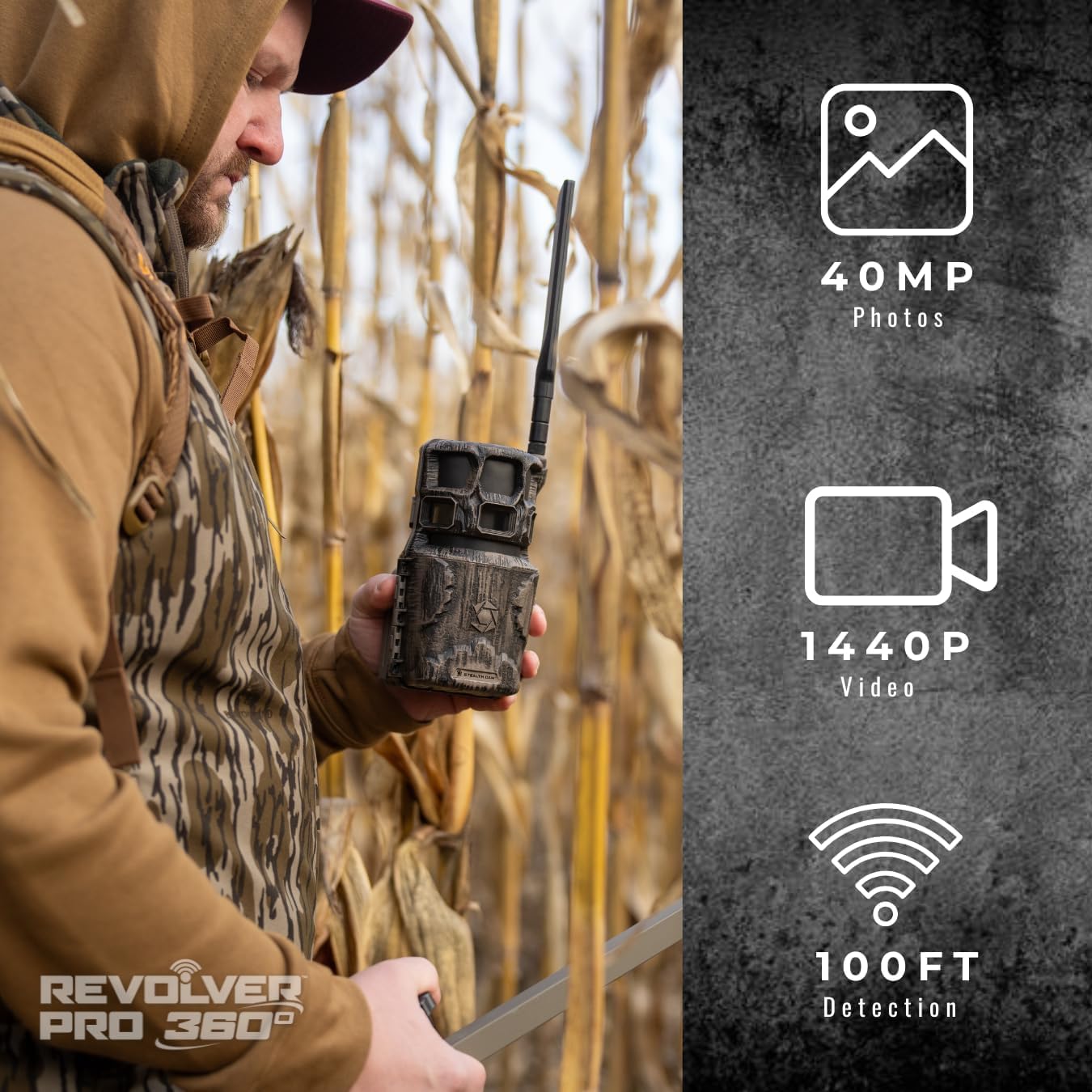
Image: Key performance metrics of the camera, including resolution and detection range.
3. 360° Auto-Scan Technology
The Revolver Pro 2.0 features 360° Auto-Scan technology, allowing the camera to rotate and capture a full panoramic view. You can program scanning intervals and customize rotation zones through the mobile app to monitor wide areas effectively.
4. Cellular Connectivity
The camera supports dual SIM for AT&T and Verizon networks, ensuring reliable image and video transmission. Once activated through the app, the camera will automatically send captured media to your account, allowing for remote viewing ve yönetim.
5. No-Glow Infrared Flash
Equipped with an 80+ foot invisible IR range, the no-glow infrared flash captures clear nighttime images and videos without emitting visible light, preventing disturbance to wildlife or detection by intruders.

Image: Details on the camera's fast trigger speed and infrared flash capabilities.
6. HD Video with Audio
The camera records high-definition video clips with accompanying audio, providing a more complete picture of activity in the monitored area.
7. On-Demand Capture & Remote Control
Utilize the Stealth Cam Command Pro app to trigger photos manually or adjust camera settings in real-time, offering flexible surveillance and control from any location with cellular service.
Video: An official product video demonstrating features or usage of the Stealth Cam Revolver Pro 2.0 camera.
Bakım
1. Temizlik
Regularly clean the camera lens and housing with the provided microfiber cloth to ensure clear image quality and prevent debris buildup. Avoid using abrasive cleaners or solvents.
2. Pil Yönetimi
Monitor battery levels via the mobile app. Replace or recharge batteries as needed to ensure uninterrupted operation. If using the solar panel, periodically check its cleanliness and positioning for optimal charging.
3. SD Kart Yönetimi
Periodically check the SD card capacity. Format the SD card regularly to maintain optimal performance and prevent data corruption. Back up important media before formatting.
4. Ürün Yazılımı Güncellemeleri
Check the Stealth Cam website or Command Pro app for available firmware updates. Keeping your camera's firmware up-to-date ensures access to the latest features and performance improvements.
Sorun giderme
If you encounter issues with your Stealth Cam Revolver Pro 2.0, consider the following:
- Bağlantı yok/Sinyal zayıf: Ensure the antenna is securely attached. Check cellular coverage in your area. Verify your data plan is active. Try repositioning the camera for better signal.
- Düşük Görüntü/Video Kalitesi: Clean the camera lens. Ensure the camera is stable and not vibrating. Check for obstructions in the field of view. Verify settings for resolution and flash type.
- Camera Not Triggering: Check battery levels. Ensure the SD card is properly inserted and has sufficient space. Verify motion sensor sensitivity settings in the app.
- Moisture Inside Camera: Ensure the camera housing is securely closed and all seals are intact. If moisture persists, contact customer support.
- Güç Sorunları: Check battery installation and charge levels. If using a solar panel, ensure it is receiving adequate sunlight and is properly connected.
Özellikler
| Özellik | Şartname |
|---|---|
| Model Adı | Revolver Pro 2.0 |
| Ürün Model Numarası | STC-RVLRP2 |
| İç/Dış Mekan Kullanımı | Dış mekan |
| Bağlantı Protokolü | Hücresel |
| Bağlantı Teknolojisi | Kablosuz |
| Güç Kaynağı | Pil ile çalışır |
| Video Yakalama Çözünürlüğü | 1440p |
| Tetik Hızı | 0.4 saniye |
| Kızılötesi Flaş | No-Glow IR, 80+ foot range |
| Özel Özellikler | Easy to Install, HD Resolution, Motion Sensor, Night Vision, Weather Proof |
| Ürün Boyutları | 6 x 8 x 10 inç |
| Ürün Ağırlığı | 4 pound |
Garanti Bilgileri
Stealth Cam products are designed for durability and performance. For specific warranty details regarding your Revolver Pro 2.0 camera, please refer to the warranty card included with your purchase or visit the official Stealth Cam webSite. Satın alma belgenizi herhangi bir garanti talebi için saklayın.
Destek
For further assistance, technical support, or to explore additional products and accessories, please visit the official Stealth Cam website or contact their customer service department. The Stealth Cam Command Pro app also provides resources and direct access to camera management.
Official Stealth Cam Webalan: Stealth Cam Store


