1. Giriş
Thank you for choosing the Cillso H97 Wireless Earbuds. This manual provides detailed instructions on how to set up, operate, and maintain your earbuds to ensure optimal performance and longevity. Please read this manual carefully before using the product.

Image: The Cillso H97 Wireless Earbuds in their charging case, displaying the LED battery indicator.
2. Kutuda Neler Var?
Paketleri açtığınızda lütfen aşağıda listelenen tüm eşyaların mevcut olduğundan emin olun:
- Cillso H97 Wireless Earbuds (L/R)
- Şarj Kutusu
- USB-C Şarj Kablosu
- Kullanım Kılavuzu (Bu belge)

Image: A visual representation of the items included in the product packaging: earbuds, user manual, charging case, and USB-C charging cable.
3. Ürün Bittiview
The Cillso H97 Wireless Earbuds are designed for comfort and high-quality audio. Key features include:
- Bluetooth 5.4 Teknolojisi: Provides a stable connection, longer transmission range, lower power consumption, and reduced latency.
- Immersive Hi-Fi Stereo Sound: Equipped with 13mm dynamic drivers for deep bass, clear mids, and crisp highs.
- ENC Noise Cancelling Microphones: Four built-in microphones enhance call clarity by reducing background noise.
- Uzun Pil Ömrü: Up to 8 hours of playback per charge, with a total of 40 hours using the charging case.
- LED Dijital Ekran: The charging case features an independent LED display to show battery levels for both the case and individual earbuds.
- IPX7 Su Geçirmezlik Derecesi: Protects against sweat, rain, and splashes, making them suitable for various activities.
- Hassas Dokunmatik Kontroller: Manage playback, calls, and voice assistants with simple taps.
- Ergonomik ve Hafif Tasarım: Each earbud weighs 3.5 grams, and the case weighs 32 grams, ensuring comfortable wear and portability.
3.1 Bileşenler ve Göstergeler
Familiarize yourself with the main components and indicators:
- Kulaklık: Left (L) and Right (R) earbuds with touch control areas and earbud lights.
- Şarj Kutusu: Houses and charges the earbuds, features a USB-C charging port and an LED digital display.
- LED Dijital Ekran: Shows the charging case's battery percentage and individual earbud charging status (L/R battery bars).

Resim: Bir overview of the Cillso H97 Wireless Earbuds highlighting key features like Bluetooth 5.4, clear calls, Hi-Fi sound, comfort, IPX7 waterproof, 40H playtime, USB-C charging, and LED display.

Image: The earbuds and charging case with their dimensions and weight, illustrating their compact and lightweight design.
4. Kurulum
4.1 İlk Şarj
İlk kullanımdan önce kulaklıklarınızı ve şarj kutusunu tamamen şarj edin.
- Her iki kulakiçi de şarj kutusuna yerleştirin.
- Connect the USB-C charging cable to the charging port on the case and a standard 5V/1A or 5V/2A USB power adapter.
- The LED display on the case will show the charging progress. A full charge for the case takes approximately 1.5 hours.
- The earbud battery indicators on the LED display will show charging status for each earbud.
Note: Please use a standard 5V/1A or 5V/2A charger. Using non-standard chargers may cause charging issues or damage.
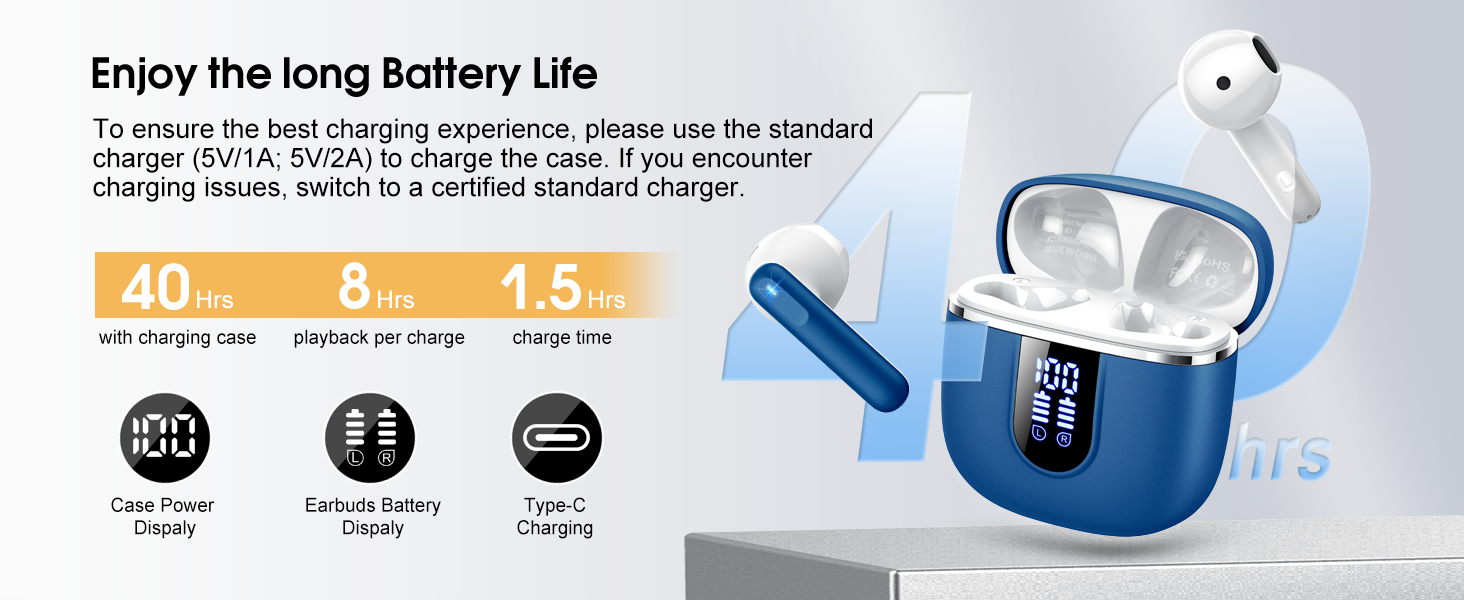
Image: Details on battery life (40 hours with case, 8 hours per charge) and charging time (1.5 hours), along with the LED display for battery status.
4.2 Bluetooth Eşleştirme
The earbuds feature a Hall sensor for automatic pairing.
- İlk Kez Eşleştirme: Şarj kutusunu açın. Kulaklıklar otomatik olarak açılacak ve eşleştirme moduna girecektir.
- Cihazınızda (akıllı telefon, tablet, dizüstü bilgisayar) Bluetooth'u etkinleştirin ve kullanılabilir cihazları arayın.
- Select "H97" from the list of devices to connect. Once connected, you will hear a confirmation tone.
- Otomatik Yeniden Bağlantı: After the initial pairing, the earbuds will automatically connect to the last paired device when the charging case is opened (within 15 meters).
- Tek Kulaklık Modu: You can use either the left or right earbud independently. Simply take one earbud out of the case, and it will connect. If you take out the other earbud, they will automatically switch to binaural mode. To use a single earbud, place the other back into the charging case.

Image: An illustration explaining how to use the earbuds in single earbud mode or binaural (stereo) mode, and how they automatically switch.
5. Kullanım Talimatları
5.1 Dokunmatik Kontroller
The Cillso H97 earbuds feature sensitive touch controls on each earbud. The functions are as follows:
| Aksiyon | İşlev |
|---|---|
| Çift Dokunuş (Sol/Sağ) | Müzik Çal/Duraklat |
| One Tap (L/R) | Cevapla/Çağrıyı Sonlandır |
| Long Press 2s (L/R) | Çağrıyı Reddet |
| Uzun Dokunuş 2s (R) | Sonraki Şarkı |
| Uzun Musluk 2s (L) | Önceki Şarkı |
| One Tap (R) | Sesi Aç |
| One Tap (L) | Sesi Azalt |
| Üçlü Dokunuş (R) | Sesli Asistanı Etkinleştir |

Image: A diagram illustrating the various touch control gestures for managing music playback, calls, and voice assistant functions.
5.2 Kulaklıkların Takılması
En iyi ses kalitesi ve konfor için kulaklıkların kulaklarınıza doğru şekilde oturduğundan emin olun.
- Sol (L) ve Sağ (R) kulaklıkları tanımlayın.
- Her bir kulaklığı yavaşça kulak kanalınıza yerleştirin.
- Adjust the angle until it feels secure and comfortable. The ergonomic design is intended to fit the contours of most ear canals.

Image: Diagrams showing the ergonomic design and recommended angles for wearing the earbuds for a secure and comfortable fit.
5.3 Geniş Uyumluluk
The Cillso H97 Wireless Earbuds are compatible with a broad range of Bluetooth-enabled devices.
- İşletim Sistemleri: Android 4.4+ ve iOS 8.0+
- Bluetooth Sürümü: Bluetooth 4.0 veya üzeri
- Cihazlar: Smartphones (iPhone, Samsung Galaxy, Huawei, Xiaomi, etc.), tablets, and laptops.

Image: Icons representing compatibility with phones, tablets, laptops, and desktops, showing the earbuds connected to a smartphone.
6. Bakım ve Özen
6.1 Temizlik
- Kulaklıklarınızı ve şarj kutusunu yumuşak, kuru ve tiftiksiz bir bezle düzenli olarak temizleyin.
- Aşındırıcı temizleyiciler, alkol veya kimyasal spreyler kullanmayın.
- Ensure charging contacts on both earbuds and case are clean and dry for proper charging.
6.2 Depolama
- Kullanmadığınız zamanlarda kulaklıklarınızı şarj kutusunda saklayarak hem koruyun hem de şarjlı kalmasını sağlayın.
- Serin ve kuru yerde, aşırı sıcaktan ve doğrudan güneş ışığından uzakta saklayınız.
6.3 Suya Dayanıklılık (IPX7)
The earbuds are rated IPX7 waterproof, meaning they can withstand immersion in water up to 1 meter for 30 minutes. This protects them from sweat, rain, and splashes.
- Şarj kutusu su geçirmez olmadığı için bilerek suya batırmayın.
- Ensure earbuds are completely dry before placing them back into the charging case to prevent damage to the charging contacts.
- Avoid using the earbuds in saunas, steam rooms, or during diving.

Image: An earbud with water splashing on it, illustrating its IPX7 waterproof capability.
6.4 Aşırı Akım Koruması (OCP)
The charging case is equipped with Over Current Protection technology to prevent issues such as overheating, melting, or fire caused by prolonged high current from an external power source. When the current exceeds the power limit, the power source will immediately cut off output to protect the circuitry and device.
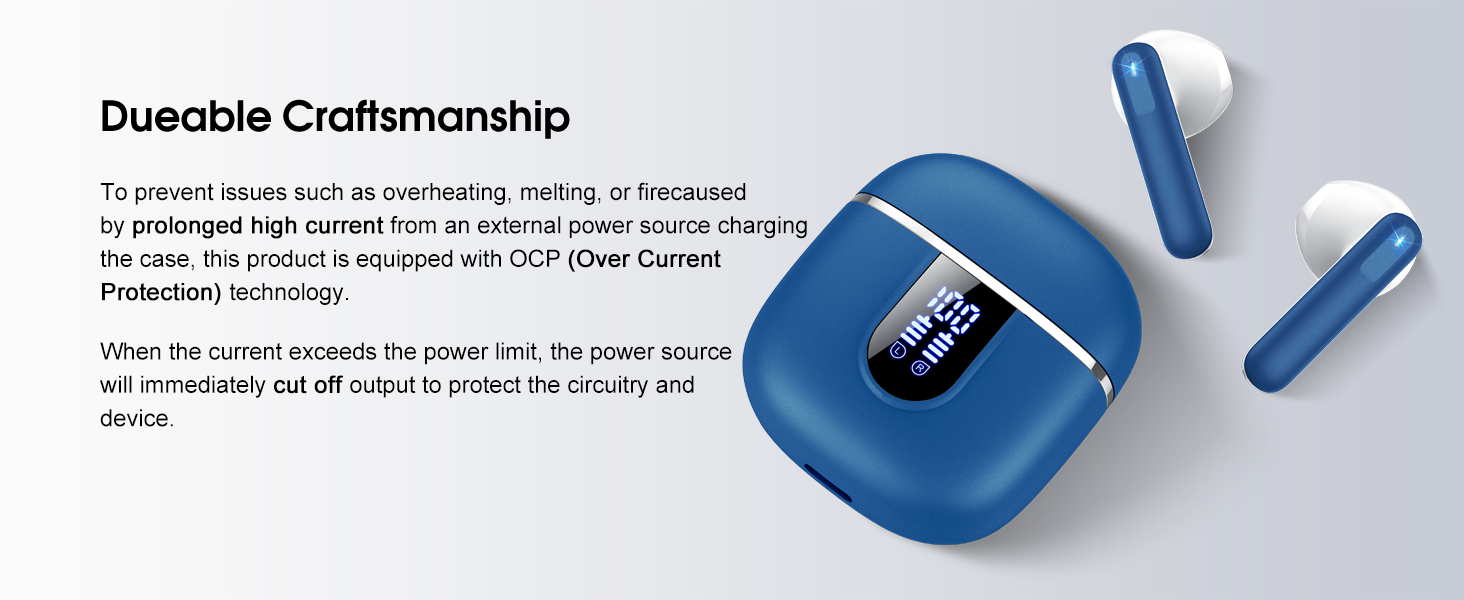
Image: The charging case and earbuds, highlighting the durable craftsmanship and Over Current Protection (OCP) technology.
7. Sorun Giderme
If you encounter any issues with your Cillso H97 Wireless Earbuds, please refer to the following common problems and solutions:
- Ses Yok / Bağlantı Kesikliği:
- Kulaklıklarınızın şarjlı olduğundan emin olun.
- Check if Bluetooth is enabled on your device and if "H97" is selected.
- Move closer to your device to ensure you are within the 15-meter Bluetooth range.
- Kulaklıklarınızı cihazınızla eşleştirmeyi kaldırıp yeniden eşleştirmeyi deneyin.
- Kulaklıklar Şarj Edilmiyor:
- Şarj kutusunun şarjlı olduğundan emin olun.
- Check that the earbuds are correctly seated in the charging case and the charging contacts are clean.
- Verify the USB-C cable and power adapter are working correctly and meet the 5V/1A or 5V/2A standard.
- Kulaklıklardan sadece biri çalışıyor:
- Her iki kulaklığı da şarj kutusuna geri yerleştirin, kapağı kapatın, birkaç saniye bekleyin, ardından kapağı açın ve kulaklıkları birlikte çıkarın.
- Her iki kulaklığın da şarjlı olduğundan emin olun.
- If the issue persists, try resetting the earbuds (refer to the full user manual if a specific reset procedure is available, otherwise, unpair and re-pair).
- Dokunmatik Kontroller Yanıt Vermiyor:
- Parmaklarınızın temiz ve kuru olduğundan emin olun.
- Kulaklıkları kutusuna koyup tekrar çıkararak yeniden başlatmayı deneyin.
Bu adımlar sorununuzu çözmezse, lütfen müşteri desteğiyle iletişime geçin.
8. Özellikler
| Özellik | Detay |
|---|---|
| Model Adı | H97 |
| Marka | Cillso |
| Bağlantı Teknolojisi | Kablosuz (Bluetooth) |
| Bluetooth Sürümü | 5.4 |
| Bluetooth Menzili | 15 Metre |
| Ses Sürücüsü Boyutu | 13mm (from description, spec says 14.2mm, using 13mm as it's consistent with marketing) |
| Frekans Tepkisi | 20Hz - 20kHz (from description) |
| Hassasiyet | 110 dB |
| Empedans | 32 Ohm |
| Kulaklık Pil Ömrü | 8 saate kadar |
| Toplam Oynatma Süresi (kılıf dahil) | 40 saate kadar |
| Şarj Süresi (Kılıf) | Yaklaşık 1.5 saat |
| Şarj Portu | USB-C |
| Suya Dayanıklılık Derecesi | IPX7 (Kulaklık Başlıkları) |
| Kulaklık Ağırlığı | 3.5 gram (her biri) |
| Şarj Kutusu Ağırlığı | 32 gram |
| Uyumlu Cihazlar | iOS 9.0+/Android 5.0+ with Bluetooth 4.0+ |
| Kontrol Yöntemi | Dokunmak |
9. Garanti ve Destek
Cillso products are designed for reliability and performance. For warranty information and customer support, please refer to the warranty card included in your product packaging or visit the official Cillso webalan.
If you have any questions or require assistance, please do not hesitate to contact our customer service team.


