1. Giriş
This manual provides essential instructions for the safe and efficient operation of your artfone CF241A GSM Flip Phone. Please read this manual thoroughly before using the device and keep it for future reference.
The artfone CF241A is designed with user-friendliness in mind, featuring large buttons, a clear display, and essential functions for reliable communication.

Şekil 1.1: The artfone CF241A Flip Phone, showcasing its design with large buttons and a clear display, suitable for easy use.
2. Ürün Bittiview
The artfone CF241A is a compact and robust flip phone, specifically designed for ease of use. Key features include:
- Kullanıcı Dostu Tasarım: Features a 2.4-inch color screen, extra-large backlit keys, and clear menu icons for enhanced visibility and intuitive operation.
- SOS Acil Durum Düğmesi: A dedicated button allows for quick dialing of up to 5 pre-set emergency contacts and sending predefined SMS messages.
- Uzun Ömürlü Pil: Equipped with a 1300 mAh Lithium-ion battery, providing extended talk time and standby duration.
- Essential Daily Functions: Includes a flashlight, FM radio, basic camera, Bluetooth connectivity, alarm clock, and calculator.
- Çift SIM Desteği: Allows for the use of two SIM cards simultaneously.
- Voice Number Broadcast: Announces dialed numbers to prevent errors, beneficial for users with visual impairments.
- Yüksek Hoparlör: Ensures clear conversations even in noisy environments.

Şekil 2.1: Detail of the large, easy-to-read buttons and clear display of the artfone CF241A.

Şekil 2.2: Üzerindeview of the artfone CF241A's features, including battery, flashlight, and user-centric design.
3. Kurulum
3.1. SIM Kart ve MicroSD Kart Kurulumu
The phone supports Dual SIM cards and a MicroSD card for expanded storage (up to 32GB).
- Telefonun arka kapağını açın.
- Pili çıkarın.
- Carefully insert your SIM card(s) into the designated slot(s). Ensure the gold contacts face downwards.
- If using a MicroSD card, insert it into its dedicated slot.
- Replace the battery and then the back cover.

Şekil 3.1: Illustration of SIM and MicroSD card insertion points.
3.2. Pilin Takılması ve Şarj Edilmesi
- Ensure the battery is correctly placed in its compartment with the contacts aligned.
- Connect the charger cable to the USB Type C port on the phone.
- Şarj cihazını bir elektrik prizine takın. Telefon şarj durumunu gösterecektir.
- Telefonu ilk kullanımdan önce tamamen şarj olmasına izin verin.
3.3. İlk Güç Açma
Press and hold the Power/End Call button (red button) until the screen lights up. Follow any on-screen prompts for initial setup, such as language selection.
4. Kullanım Talimatları
4.1. Temel İşlevler
- Arama yapmak: Tuş takımını kullanarak telefon numarasını girin ve yeşil Arama düğmesine basın.
- Bir Çağrı Alma: Press the Green Call button to answer an incoming call.
- Aramayı Bitirme: Kırmızı renkli Çağrı Sonlandırma düğmesine basın.
- SMS gönderme: Navigate to the 'Messages' menu, select 'Write message', enter your text, and choose a recipient from your contacts or enter a number.
4.2. SOS Acil Durum Fonksiyonu
The SOS button is located on the back of the phone. To activate:
- Go to 'Settings' > 'SOS Settings' to program up to 5 emergency contact numbers.
- In an emergency, press and hold the SOS button for 3 seconds.
- The phone will automatically call the programmed numbers in sequence until one is answered. It will also send a predefined emergency SMS to these contacts.

Şekil 4.1: Using the one-button SOS emergency call feature.
4.3. Telefon rehberi
You can store up to 250 contacts. To add a contact:
- Go to 'Menu' > 'Phonebook' > 'Add New Contact'.
- Adınızı ve telefon numaranızı girin.
- Kişiyi kaydedin.
Hızlı arama: Assign frequently called numbers to M1, M2, and keys 2-9 for quick dialing. Access this feature via 'Menu' > 'Settings' > 'Speed Dial'.

Şekil 4.2: Features like Speed Dial, Backlit Keyboard, and Voice Dialing for ease of use.
4.4. Multimedya Fonksiyonları
- Kamera: Access the camera from the main menu to take photos. Photos are saved to the phone's memory or MicroSD card.
- FM Radyo: Plug in headphones (acting as an antenna) and select 'FM Radio' from the menu.
- El feneri: Activate the flashlight via a dedicated side button or through the menu.

Şekil 4.3: The integrated flashlight feature in use.
4.5. Ayarlar
- Dil: Change the phone's language (German, English, French, Spanish, Italian are supported).
- Saat ve Tarih: Adjust these settings manually or set to automatic update.
- Hacim: Adjust ringtone, call, and media volumes.
- Arka aydınlatma: Adjust screen brightness and keypad backlight duration.
- Sesli Yayın: Enable or disable the feature that announces dialed numbers.
- Uçak Modu: Deactivates all wireless functions.

Şekil 4.4: The voice number broadcast feature in action.
5. Bakım
5.1. Pil Bakımı
- Aşırı sıcaklıklardan kaçının, çünkü bu pil ömrünü kısaltabilir.
- Pili suya veya ateşe maruz bırakmayın.
- Use only the original or approved charger.
- If the phone will not be used for an extended period, charge it to about 50% and store it in a cool, dry place.
5.2. Temizlik
- Wipe the phone with a soft, dry cloth.
- Sert kimyasallar veya aşındırıcı temizleyiciler kullanmayın.
5.3. Depolama ve İmha
- Store the phone in a dry place away from direct sunlight.
- Dispose of the phone and battery according to local regulations for electronic waste. Do not dispose of in household waste.

Şekil 5.1: Recycling information for the product and its components.
6. Sorun Giderme
If you encounter issues with your artfone CF241A, please refer to the following common problems and solutions:
| Sorun | Olası Neden | Çözüm |
|---|---|---|
| Telefon açılmıyor | Düşük pil; Pil doğru şekilde takılmamış | Charge the battery; Reinstall the battery ensuring correct alignment. |
| Arama yapılamıyor veya alınamıyor. | No SIM card; SIM card not installed correctly; No network signal | Install SIM card; Reinstall SIM card; Move to an area with better network coverage. |
| Kötü çağrı kalitesi | Weak network signal; Obstructions | Move to an open area; Ensure no physical obstructions are blocking the signal. |
| Pil çabuk bitiyor | Frequent use; Background applications; Old battery | Reduce screen brightness; Close unused applications; Consider replacing the battery if it's old. |
| SOS düğmesi çalışmıyor. | Emergency numbers not set; Button not pressed long enough | Program emergency numbers in settings; Press and hold the SOS button for 3 seconds. |
Sorun devam ederse lütfen müşteri desteğiyle iletişime geçin.
7. Özellikler
Detailed technical specifications for the artfone CF241A:
| Özellik | Detay |
|---|---|
| Marka | sanatfone |
| Model Adı | CF241A |
| Ürün Türü | Kapaklı Telefon |
| İşletim Sistemi | artfone işletim sistemi |
| Ekran Boyutu | 2.4 inç |
| Bağlantılar | Bluetooth, 3.5 mm Jack, USB Type C |
| Effective Fixed Resolution (Camera) | 1.0 MP |
| Özel Özellikler | Dual SIM, Basic Phone, SOS Button, Large Keys, Backlit Keyboard, Voice Dialing, FM Radio, Flashlight |
| Pil Bileşimi | Lityum-iyon (1300 mAh) |
| RAM Boyutu | 32 MB |
| CPU Modeli | Cortex A13 1.2 GHz Processor |
| CPU Hızı | 1000 MHz |
| Bellek Depolama Kapasitesi | 128 MB (expandable up to 32GB with MicroSD) |
| Hücresel Teknoloji | 2G (850/900/1800/1900 MHz) |

Şekil 7.1: Physical dimensions of the artfone CF241A.
8. Garanti Bilgileri
Garantiyle ilgili ayrıntılı bilgiler genellikle satın alma belgelerinizde veya üreticinin resmi web sitesinde yer alır. webLütfen en doğru ve güncel garanti şartları ve koşulları için bu kaynaklara bakın.
9. Support & Contact Information
For further assistance, technical support, or inquiries, please refer to the contact information provided with your product packaging or visit the official artfone webalan.
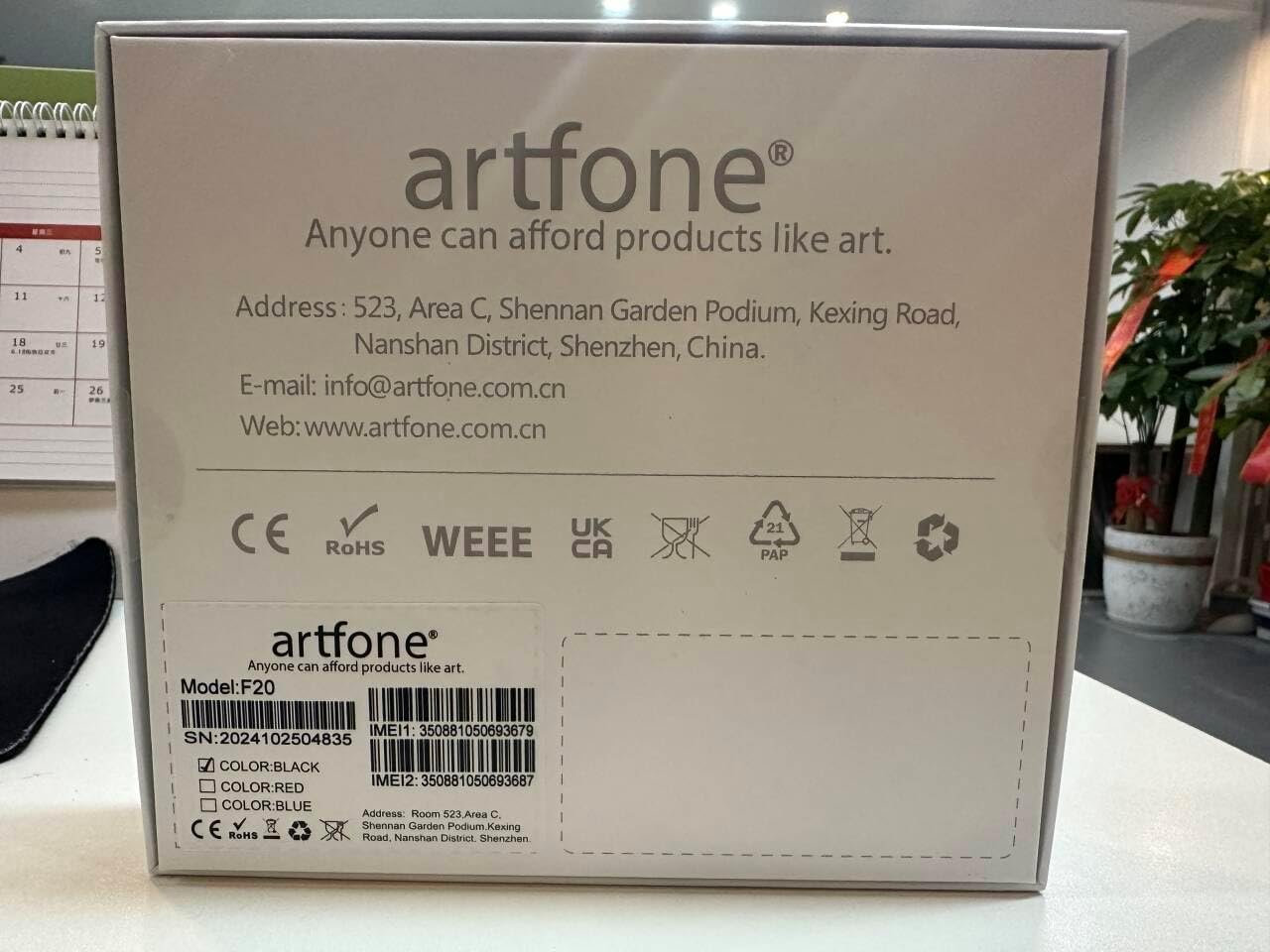
Şekil 9.1: Manufacturer contact details from product packaging.
Üretici: sanatfone
Webalan: www.artfone.com.cn
E-posta: bilgi@artfone.com.cn


