1. Giriş
This manual provides essential information for the setup, operation, and maintenance of your Thunderobot Zero 18 Pro 5080 Gaming Laptop. Please read this manual thoroughly before using the device to ensure proper functionality and to maximize your user experience. Keep this manual for future reference.
2. Temel Özellikler
2.1. Performance Hardware
The Thunderobot Zero 18 Pro is equipped with high-performance components designed for demanding applications and gaming.
- İşlemci: Intel Core Ultra 9 275HX (24 Cores, 24 Threads, up to 5.40GHz)
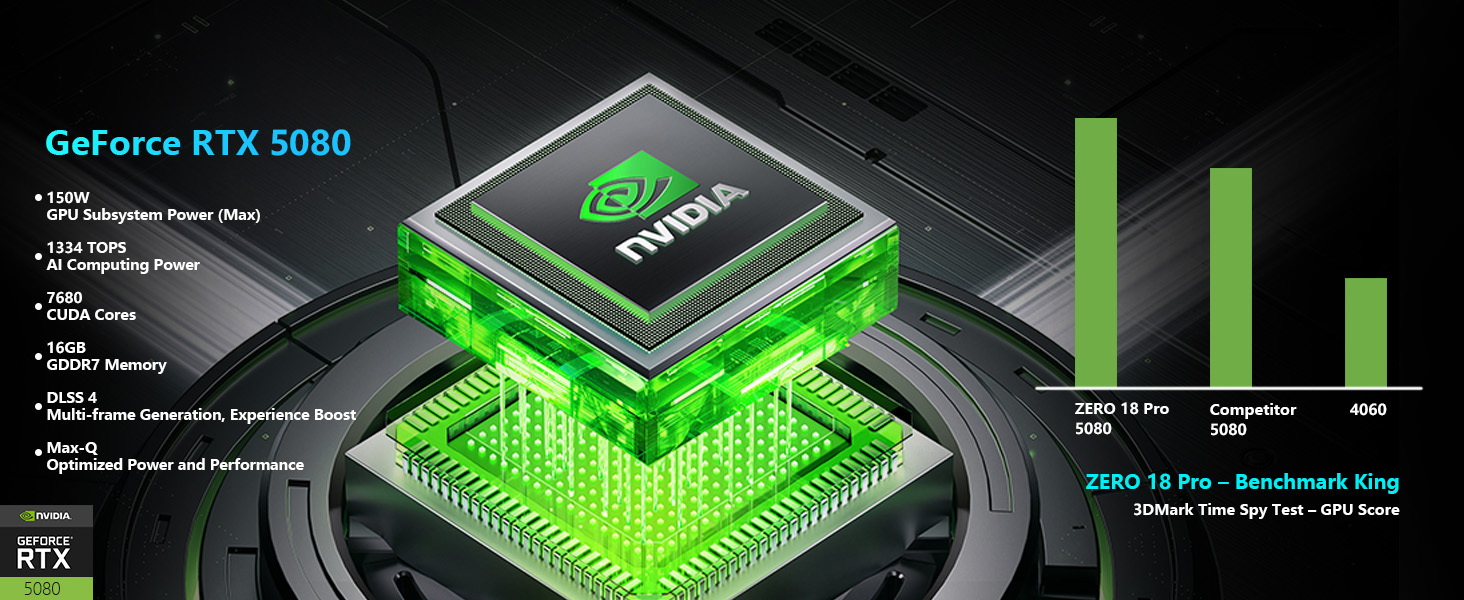
- Grafikler: NVIDIA GeForce RTX 5080
- Hafıza: 32GB DDR5 RAM
- Depolamak: 1TB PCIe M.2 SSD
Resim: Ayrıntılı view of the Intel Core Ultra 9 275HX processor and NVIDIA GeForce RTX 5080 graphics card, highlighting their specifications and capabilities.
2.2. Ekran Teknolojisi
The laptop features an advanced display for clear and fluid visuals.
- Boyut: 18-inch QHD+ (2560x1600)
- Yenileme Hızı: 240Hz
- Teknoloji: Bionic Hummingbird Eye-Care Display with Anti-Glare and Anti-Reflection properties.
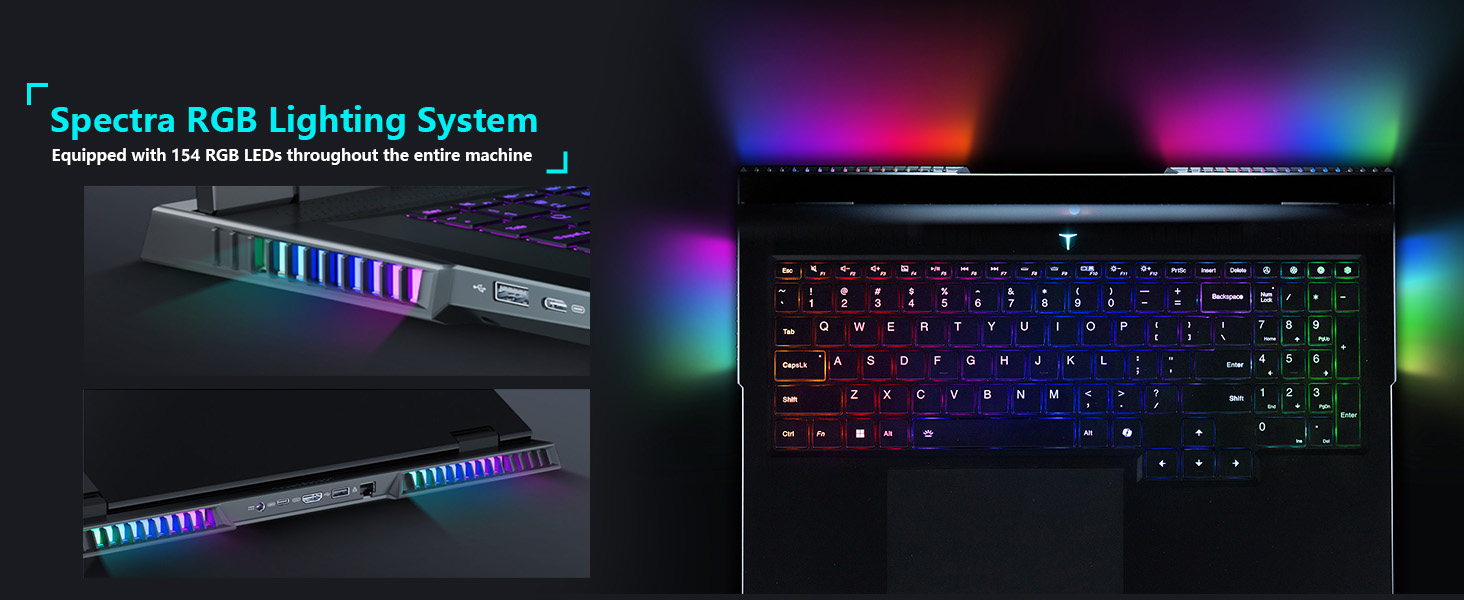
Image: The 18-inch Bionic Hummingbird Eye-Care Display showcasing its QHD+ resolution, 240Hz refresh rate, and anti-glare features.
Video: Bittiview of the THUNDEROBOT Series Display features, including refresh rate and resolution.
2.3. Soğutma Sistemi
The laptop incorporates an advanced cooling system to maintain optimal performance during intensive use.
- Hayranlar: 3 Night Owl fans with high air volume.
- Isı Boruları: 7 high-efficiency heat pipes.
- Yüzgeçler: 338 pieces of 0.075mm ultra-thin copper fins.
- Power Release: Up to 270W total power release.
Resim: Dahili view illustrating the laptop's heat dissipation architecture, including fans and heat pipes.
2.4. Keyboard and Lighting
The laptop features a customizable keyboard and integrated lighting.
- Klavye: Per-Key RGB Backlit Keyboard with numeric keypad.
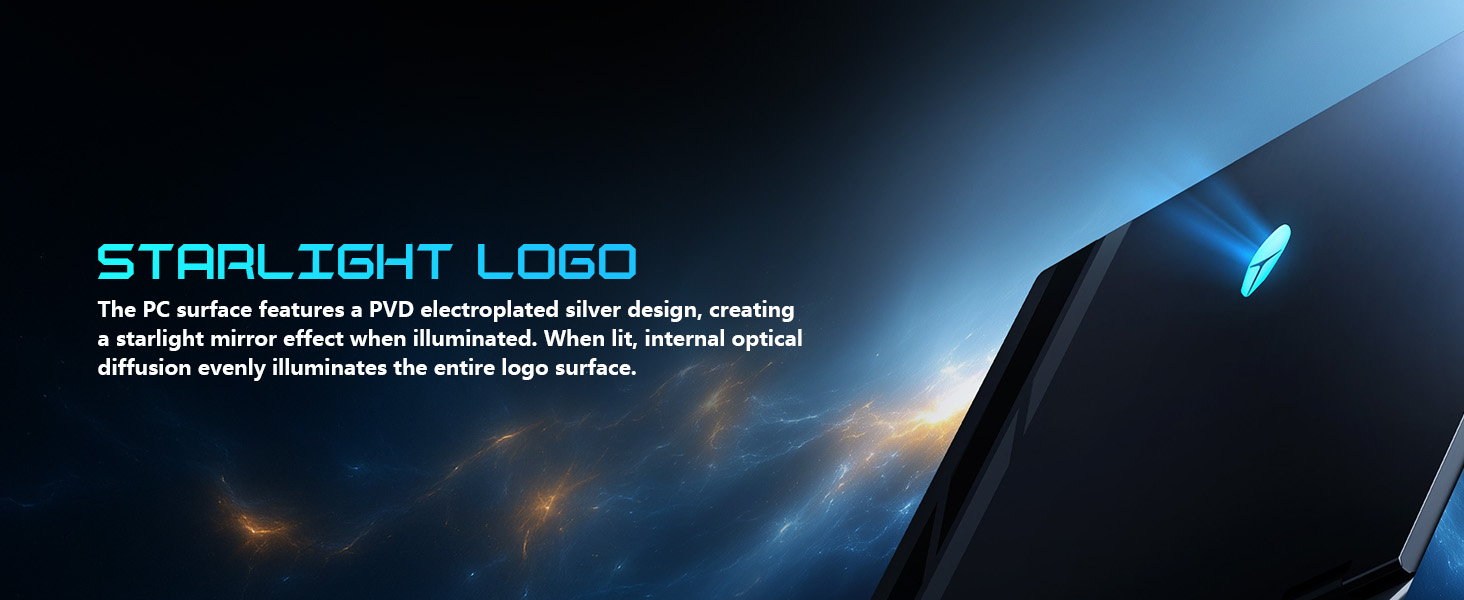
- Aydınlatma Sistemi: "Spectra" RGB Lighting System with 154 RGB light beads.
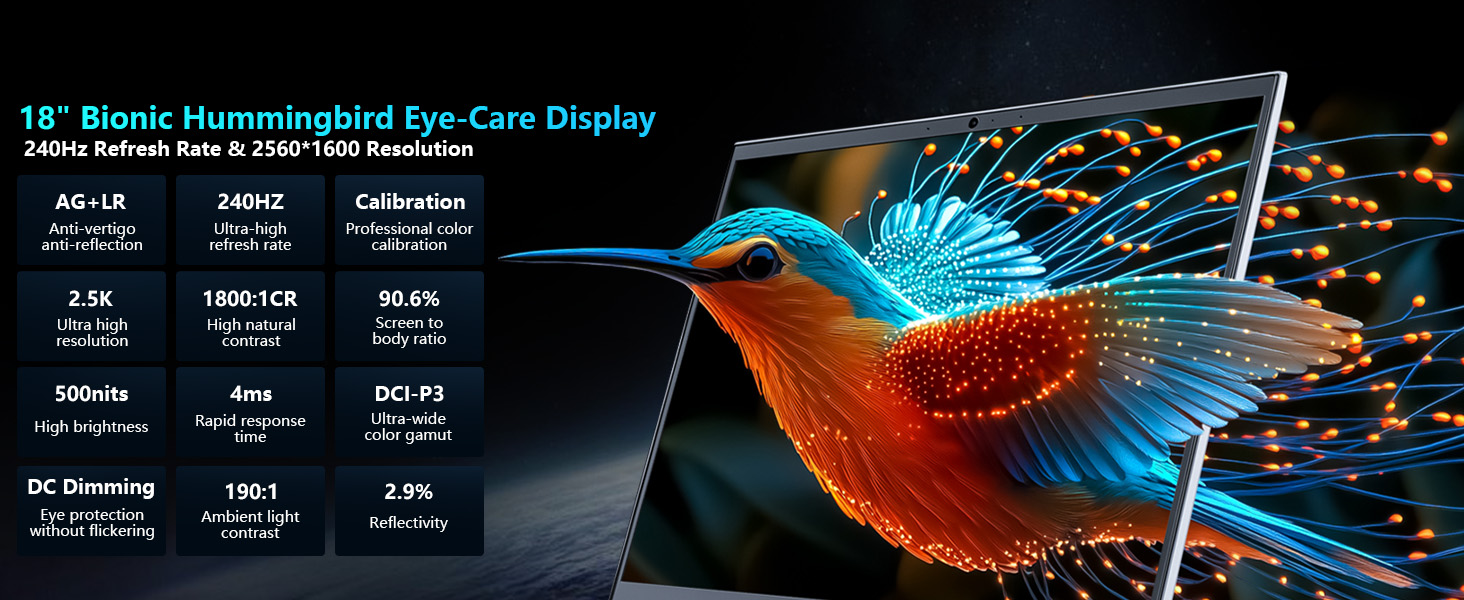
Image: Close-up of the laptop keyboard, highlighting the Per-Key RGB backlighting and dedicated mode switching keys.
Video: Demonstration of the Thunderobot RGB lighting features and customization options.
2.5. Bağlantı
The Zero 18 Pro offers a range of ports for external devices and network connectivity.
- USB Bağlantı Noktaları: 3 x Superspeed USB Type-A, 2 x Superspeed USB Type-C (Thunderbolt 5 compatible).
- Video Çıkışı: 1 x HDMI 2.1.
- Ağ: 1 x RJ-45 (Ethernet), Wi-Fi 6E.
- Ses: 1 x Audio Port.
- Kablosuz: Bluetooth.
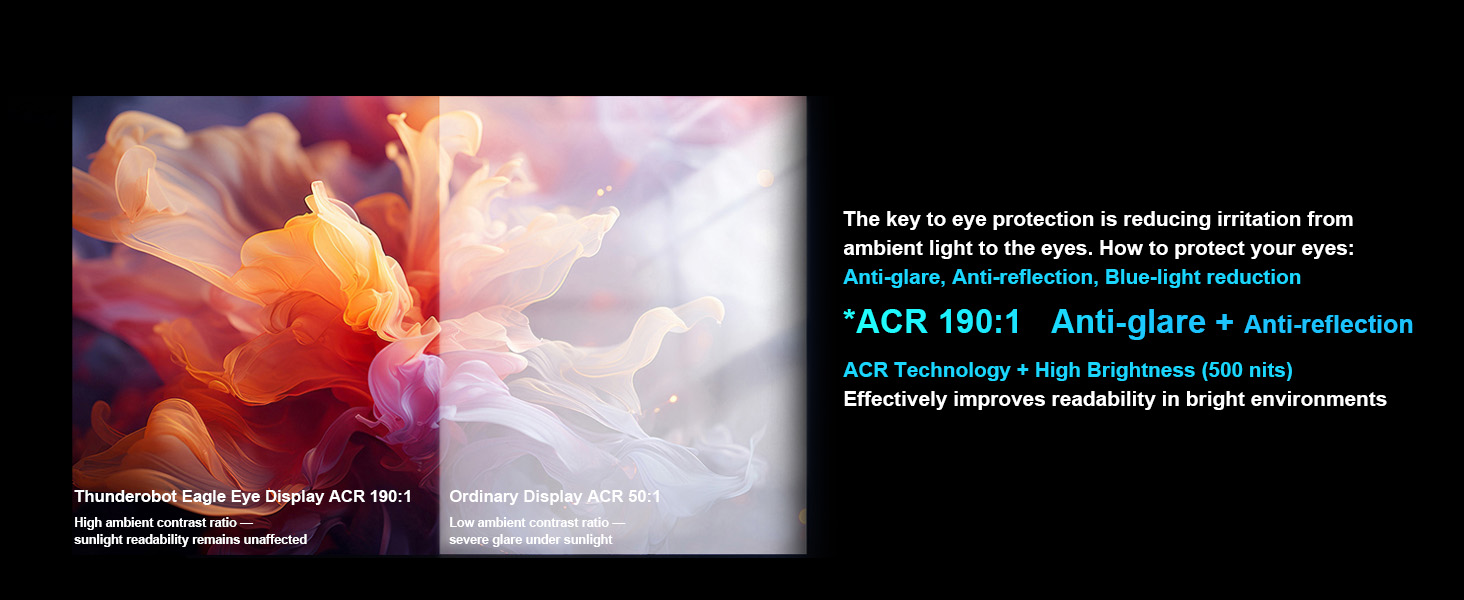
Image: Diagram illustrating the location and types of ports available on the Thunderobot Zero 18 Pro laptop.
3. Kurulum Kılavuzu
3.1. Kutudan Çıkarma ve İlk İnceleme
- Dizüstü bilgisayarınızı ve tüm aksesuarlarını dikkatlice ambalajından çıkarın.
- 'Kutunun İçindekiler' bölümünde listelenen tüm bileşenlerin mevcut olduğunu doğrulayın.
- Inspect the laptop for any physical damage. If damage is found, contact customer support immediately.
3.2. Gücü Bağlama
- Connect the AC adapter to the power port on the laptop.
- Güç kablosunu topraklı bir elektrik prizine takın.
- İlk kullanımdan önce pilin tamamen şarj edilmesi önerilir.
3.3. İlk Önyükleme ve İşletim Sistemi Kurulumu
- Dizüstü bilgisayarın kapağını açın ve güç düğmesine basın.
- Follow the on-screen instructions to complete the Windows 11 Home setup process. This includes selecting your region, language, and setting up user accounts.
- Connect to a Wi-Fi network when prompted to ensure the operating system can download necessary updates.
4. Kullanım Talimatları
4.1. Güç Açma/Kapatma
- Güç Açık: Klavye üzerinde bulunan güç tuşuna basın.
- Kapat: Windows'ta Başlat düğmesine tıklayın, ardından Güç > Kapat'ı seçin.
- Uyku modu: Dizüstü bilgisayarın kapağını kapatın veya Başlat düğmesine tıklayın, ardından Güç > Uyku modunu seçin.
4.2. Klavye İşlevleri
The keyboard features Per-Key RGB backlighting and dedicated function keys.
- Fonksiyon Tuşları (Fn): Tutun Fn key and press the corresponding F-key (F1-F12) for special functions like volume control, brightness adjustment, or toggling Wi-Fi.
- RGB Özelleştirme: Use the pre-installed control software to customize the Per-Key RGB lighting effects and colors.
- Performance Mode Switching: Dedicated keys (Fn+Space) allow quick switching between performance profiles (e.g., Quiet, Balance, Turbo).
4.3. AI Intelligent Control Center
The AI Intelligent Control Center software provides comprehensive control over your laptop's performance, lighting, and system settings.
- Performans Ayarlaması: Adjust CPU/GPU power limits and fan speeds.
- Akıllı Işık Ayarı: Customize RGB lighting zones (keyboard, strip, logo) with various effects.
- Kapsamlı Ayarlama: Access system monitoring, power plans, and other advanced settings.
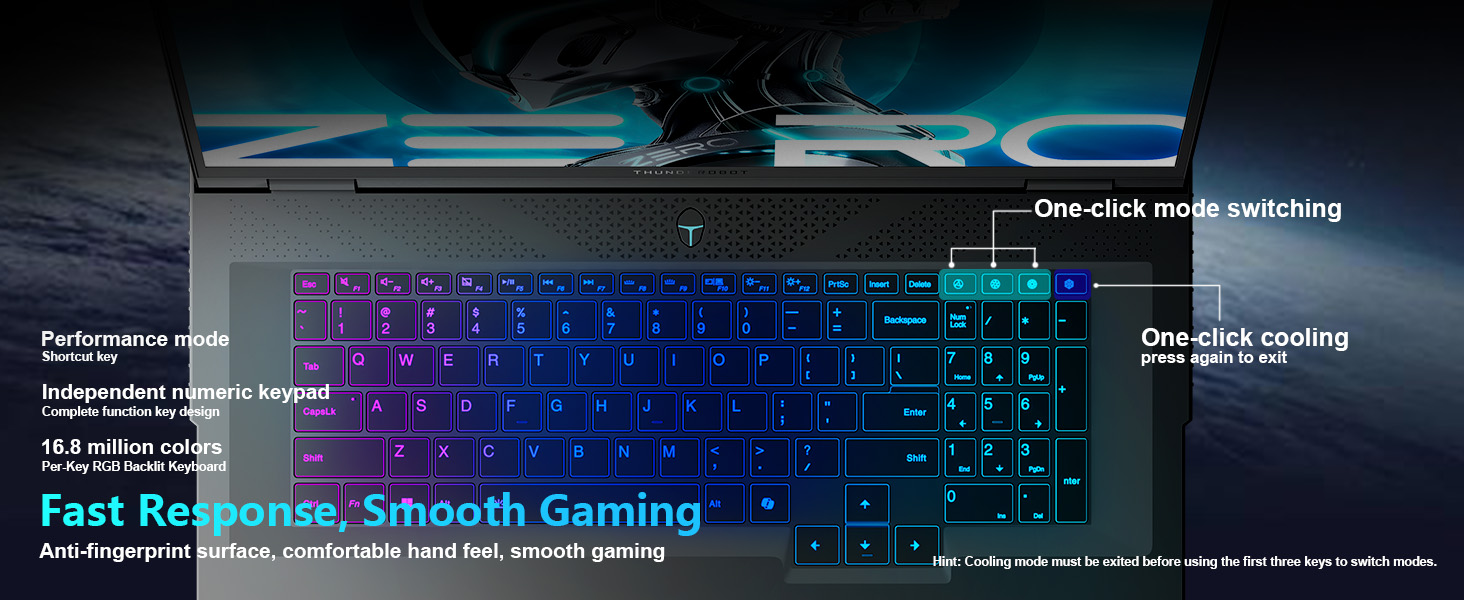
Image: Screenshot of the AI Intelligent Control Center, showing options for system, lighting, and settings adjustments.
Video: Ayrıntılı bir incelemeview of the THUNDEROBOT Zero 18 Pro, showcasing its design, features, and the AI Intelligent Control Center.
5. Bakım
5.1. Temizlik
- Ekran: Hafifçe yumuşak, tüy bırakmayan bir bez kullanın.ampSu veya ekran temizleyici ile temizleyin. Sert kimyasallardan kaçının.
- Klavye ve Şasi: Use a soft cloth to wipe surfaces. A can of compressed air can remove dust from between keys and vents.
- Havalandırmalar: Regularly check and clean the cooling vents to prevent dust buildup, which can hinder airflow and lead to overheating.
5.2. Yazılım Güncellemeleri
- Sistemin istikrarını ve güvenliğini sağlamak için Windows güncellemelerini düzenli olarak kontrol edin ve yükleyin.
- Update graphics drivers (NVIDIA GeForce) and other device drivers through the manufacturer's website or dedicated software.
- Keep the AI Intelligent Control Center software updated for new features and performance optimizations.
5.3. Pil Bakımı
- Akünün sık sık tamamen boşalmasından kaçının.
- If storing the laptop for an extended period, charge the battery to about 50-60% and store it in a cool, dry place.
- Yalnızca dizüstü bilgisayarınızla birlikte verilen orijinal AC adaptörünü kullanın.
6. Sorun Giderme
6.1. Dizüstü Bilgisayar Açılmıyor
- AC adaptörünün hem dizüstü bilgisayara hem de çalışan bir elektrik prizine güvenli bir şekilde bağlandığından emin olun.
- Başka bir cihaz takarak prizin çalışıp çalışmadığını kontrol edin.
- Pil tamamen boşalmışsa, açmayı denemeden önce en az 30 dakika şarj olmasını bekleyin.
6.2. Görüntü Sorunları (Görüntü Yok, Titreme)
- Dizüstü bilgisayarınızın açık olduğundan ve uyku modunda olmadığından emin olun.
- Adjust screen brightness using the function keys (Fn + F-keys).
- If an external monitor is connected, try disconnecting it or switching display modes (Fn + F-key, usually F7 or F8).
- Grafik sürücülerini güncelleyin.
6.3. Aşırı Isınma
- Soğutma havalandırma deliklerinin tıkalı olmadığından emin olun.
- Clean dust from the vents using compressed air.
- Use the AI Intelligent Control Center to set the cooling mode to a higher fan speed (e.g., Turbo mode).
- Ensure the laptop is used on a hard, flat surface to allow proper airflow.
6.4. Wi-Fi Bağlantı Sorunları
- Wi-Fi'nin etkinleştirildiğinden emin olun (işlev tuşlarını veya Windows ayarlarını kontrol edin).
- Yönlendiricinizi ve modeminizi yeniden başlatın.
- Update your Wi-Fi adapter drivers.
- Sorunu izole etmek için farklı bir Wi-Fi ağına bağlanmayı deneyin.
7. Özellikler
| Özellik | Detay |
|---|---|
| Marka | Thunderobot |
| Model Adı | ZERO 18 Pro |
| Ekran Boyutu | 18 inç |
| Ekran Çözünürlüğü | 2560 x 1600 piksel (QHD+) |
| İşlemci | Intel Core Ultra 9 275HX (up to 5.4 GHz) |
| Veri deposu | 32 GB DDR5 |
| Bellek Hızı | 4800 MHz |
| Sabit Sürücü | 1 TB SSD (PCIe x 4) |
| Grafik Eş İşlemcisi | GeForce RTX 5080 (Dedicated) |
| İşletim Sistemi | Windows 11 Ev |
| Kablosuz Tip | 802.11ax (Wi-Fi 6E) |
| USB 3.0 Bağlantı Noktaları | 3 |
| Ürün Ağırlığı | 15 pound |
| Ürün Boyutları | 16.04 x 11.78 x 1.41 inç |
| Renk | Siyah |
| Güç Kaynağı | AC ve Pil |
| Özel Özellik | Sayısal Tuş Takımı |
8. Garanti ve Destek
Every Thunderobot laptop includes a 12-month warranty. This warranty offers expert support, thorough diagnostics, and genuine parts if a repair is needed. Additionally, a 90-day warranty is provided on all warranty replacement parts, ensuring hassle-free repairs. Your satisfaction is our commitment.
Image: Graphic detailing Thunderobot's warranty and service policy, including 12-month laptop warranty and 90-day replacement parts warranty.
8.1. Destek ile İletişime Geçme
For technical assistance, warranty claims, or service inquiries, please refer to the contact information provided in your product packaging or visit the official Thunderobot support webalan.


