1. Giriş
Thank you for choosing the EWEADN G3 Wired Gaming Mouse. This optical mouse is designed for both office tasks and intense gaming, offering precision, comfort, and customizable features. This manual provides essential information for setting up, operating, and maintaining your new mouse.
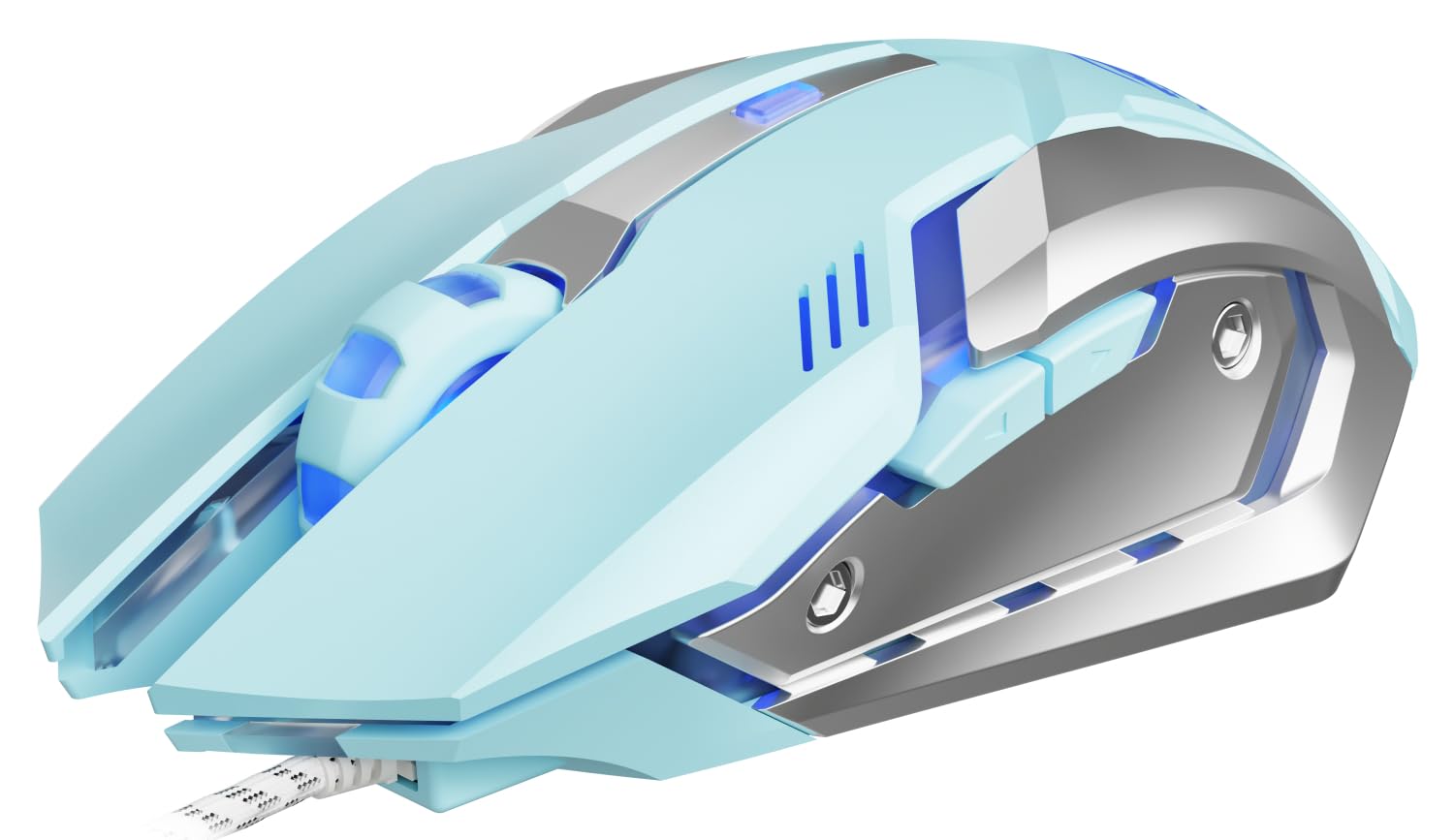
Image 1: EWEADN G3 Wired Gaming Mouse, showcasing its ergonomic design and wired connection.
2. Temel Özellikler
- Plug and Play Connectivity: Instant connection via USB-A port with no drivers required. Features a tangle-resistant braided cable (1.8m/6ft).
- Four-Speed DPI Adjustment: Easily switch between 800/1200/1600/2400 DPI for dynamic tracking speed adjustments.
- 6 Programlanabilir Düğme: Customize macros, shortcuts, or game combos for enhanced control.
- Instant-A704E Optical Sensor: Provides precise tracking with 30 IPS speed, 6000 FPS frame rate, and 15G acceleration.
- Dynamic 4-Color Breathing Light: Features an automatic cycle of blue, pink, red, and purple lighting, with an option to turn off the lights.
- Dayanıklı Tasarım: Engineered for 3 million clicks durability with a metal base.
- Ergonomik Konfor: Uzun süreli kullanımlarda rahat tutuş için tasarlanmıştır.
3. Kurulum Talimatları
3.1 Fareyi Bağlama
- Locate an available USB-A port on your computer (PC or Laptop).
- Plug the USB connector of the EWEADN G3 mouse into the USB-A port.
- The mouse is designed for plug-and-play functionality and should be recognized automatically by your operating system (Windows, Mac OS, Chrome OS, Linux). No additional drivers are typically required for basic functionality.
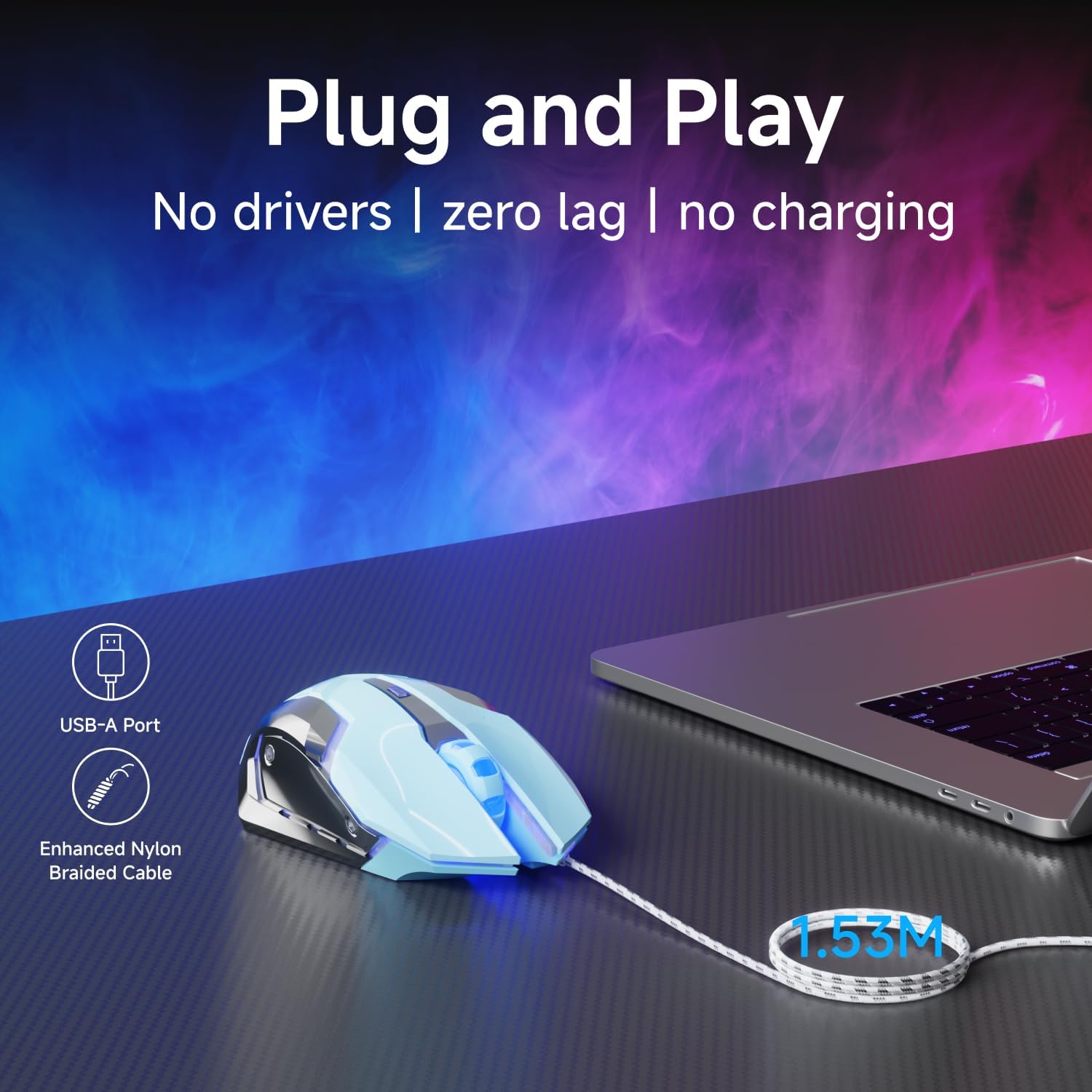
Image 2: The mouse connected via its USB-A port, illustrating the plug-and-play setup.

Image 3: The EWEADN G3 mouse is compatible with various operating systems including Windows, Mac OS, Chrome OS, and Linux.
3.2 Sürücü Kurulumu (Gelişmiş Özelleştirme için İsteğe Bağlı)
For advanced customization of programmable buttons and DPI settings beyond the default, you may need to download specific software. Please refer to the manufacturer's website for the latest driver and software downloads.
Video 1: This video demonstrates the process of downloading and installing the mouse driver for advanced customization. (Source: Yiershi Store)
4. Kullanım Talimatları
4.1 DPI Ayarı
The EWEADN G3 mouse features a dedicated DPI button to quickly adjust tracking sensitivity. Press the DPI button (located near the scroll wheel) to cycle through four preset DPI levels: 800, 1200, 1600, and 2400. This allows you to adapt the mouse speed to different tasks, from precise editing to fast-paced gaming.

Image 4: Illustration of the DPI button and the four adjustable DPI levels (800, 1200, 1600, 2400).
4.2 Programlanabilir Düğme
Your mouse is equipped with 6 buttons: Left Click, Right Click, Scroll Wheel (clickable), DPI Button, Forward Button, and Backward Button. The Forward and Backward buttons are typically located on the side of the mouse. These buttons can be programmed using the optional software to execute macros, shortcuts, or specific game commands, providing a personalized control experience.
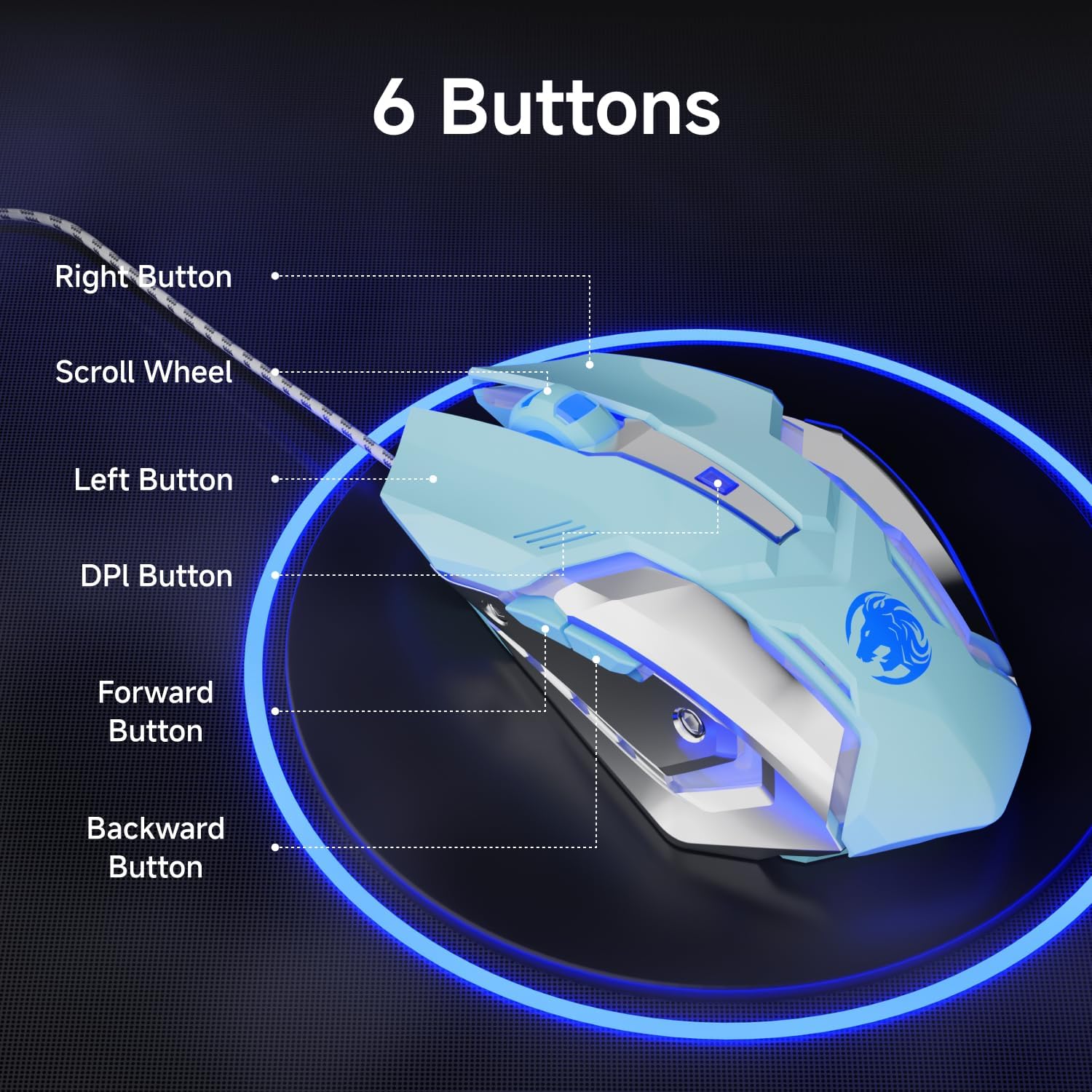
Image 5: Diagram showing the location of the 6 buttons on the EWEADN G3 mouse.
4.3 Dinamik RGB Aydınlatma
The EWEADN G3 mouse features a dynamic four-color breathing light effect, cycling through blue, pink, red, and purple. The lighting automatically breathes and switches. To turn off the lighting, refer to the optional software or specific button combinations if available (not specified in basic features).

Image 6: The mouse displaying its dynamic four-color breathing light in blue, pink, red, and purple.
4.4 Ergonomik Tasarım
The mouse is designed with an ergonomic shape to provide a comfortable grip, reducing strain during prolonged use. Its form factor is suitable for various hand sizes, ensuring a natural and relaxed posture.

Image 7: A hand comfortably gripping the EWEADN G3 mouse, highlighting its ergonomic design.
4.5 Sessiz Tıklama Özelliği
The EWEADN G3 mouse incorporates an upgraded mute button design, offering a quieter clicking experience compared to standard mice. This feature is beneficial in environments where noise reduction is desired.

Image 8: The mouse is shown with a visual representation of its silent click feature, indicating reduced noise.
5. Bakım
5.1 Temizlik
- Temizlemeden önce fareyi bilgisayarınızdan ayırın.
- Hafifçe yumuşak, tüy bırakmayan bir bez kullanın.ampFarenin yüzeyini silmek için su veya hafif bir temizleme solüsyonu kullanın.
- Fareye zarar verebileceğinden, sert kimyasallar, aşındırıcı temizleyiciler veya aşırı nem kullanmaktan kaçının.
- Optik sensördeki toz veya kalıntıları temizlemek için pamuklu bir çubuk kullanın.
5.2 Depolama
When not in use, store the mouse in a clean, dry environment away from direct sunlight and extreme temperatures. Avoid coiling the cable too tightly to prevent damage.
6. Sorun Giderme
- Fare yanıt vermiyor: Ensure the USB connector is securely plugged into a working USB-A port. Try plugging the mouse into a different USB port or another computer to rule out port or computer issues.
- İmleç hareketi düzensiz veya yavaş: Clean the optical sensor on the bottom of the mouse. Ensure you are using the mouse on a suitable surface (e.g., a mouse pad) and not on reflective or uneven surfaces. Adjust the DPI settings using the DPI button.
- Düğmeler çalışmıyor: Check if the buttons are physically obstructed. If using custom software, ensure the button assignments are correct.
- RGB aydınlatma çalışmıyor: Verify the mouse is properly connected. If using custom software, check the lighting settings.
7. Özellikler
| Özellik | Detay |
|---|---|
| Model Numarası | G3 |
| Bağlantı Teknolojisi | Kablolu (USB-A) |
| DPI Ayarları | 800 / 1200 / 1600 / 2400 |
| Düğme Sayısı | 6 (Programlanabilir) |
| Hareket Algılama | Optical (Instant-A704E sensor) |
| Kablo Uzunluğu | 1.8m / 6ft (Braided) |
| RGB Aydınlatma | Dynamic 4-Color Breathing (Blue, Pink, Red, Purple) |
| Dayanıklılık | 3 Milyon Tıklama |
| İzleme Hızı | 30 IPS |
| Kare Hızı | 6000 FPS |
| Hızlanma | 15G |
| Anket Oranı | 125Hz (8 milliseconds) |
| Ürün Boyutları | 3.66 x 2.52 x 0.04 inç |
| Ürün Ağırlığı | 6.4 ons |
| Üretici | EWEADN |
8. Garanti ve Destek
For warranty information, technical support, or to download the latest drivers and software for your EWEADN G3 Wired Gaming Mouse, please visit the official EWEADN or SEUNKWANG product support webMüşteri hizmetleri iletişim bilgileri genellikle ürün ambalajında veya markanın resmi çevrimiçi kanallarında bulunabilir.


