1. Giriş
This manual provides detailed instructions for the assembly, operation, and maintenance of your FLEXISPOT Q5 Standing Desk with Drawer. Please read this manual thoroughly before assembly and use to ensure proper function and safety.
2. Güvenlik Bilgileri
Önemli Güvenlik Talimatları:
- Masayı her zaman sabit ve düz bir zemine kurun.
- Masayı ısı kaynaklarından uzak tutun ve devrilmesini önlemek için kenarlarına ağır nesneler koymaktan kaçının.
- Be cautious when adjusting the desk's height to avoid injury.
- Always follow the assembly instructions carefully and use appropriate tools.
- Yükseklik ayarlamaları sırasında kabloların birbirine dolanmasını önlemek için tüm kabloların düzgün bir şekilde yönetildiğinden emin olun.
- Çocukların yetişkin gözetimi olmadan masayı kullanmasına izin vermeyin.
3. Paket İçeriği
Verify that all components are present before beginning assembly. The FLEXISPOT Q5 Standing Desk typically ships in two separate packages. If any parts are missing or damaged, please contact customer support.
- Whole-piece desktop (55.1"x23.6")
- Desk frame (alloy steel)
- Motor and control panel
- Two wooden drawers
- Assembly hardware and tools (some tools may not be included, refer to instructions)
- Güç adaptörü ve kablosu
4. Montaj Talimatları
Assembly is required for the FLEXISPOT Q5 Standing Desk. It is recommended to have two people for assembly due to the size and weight of the components. Follow the step-by-step instructions provided in the separate assembly guide included with your product. Ensure all connections are secure before use.
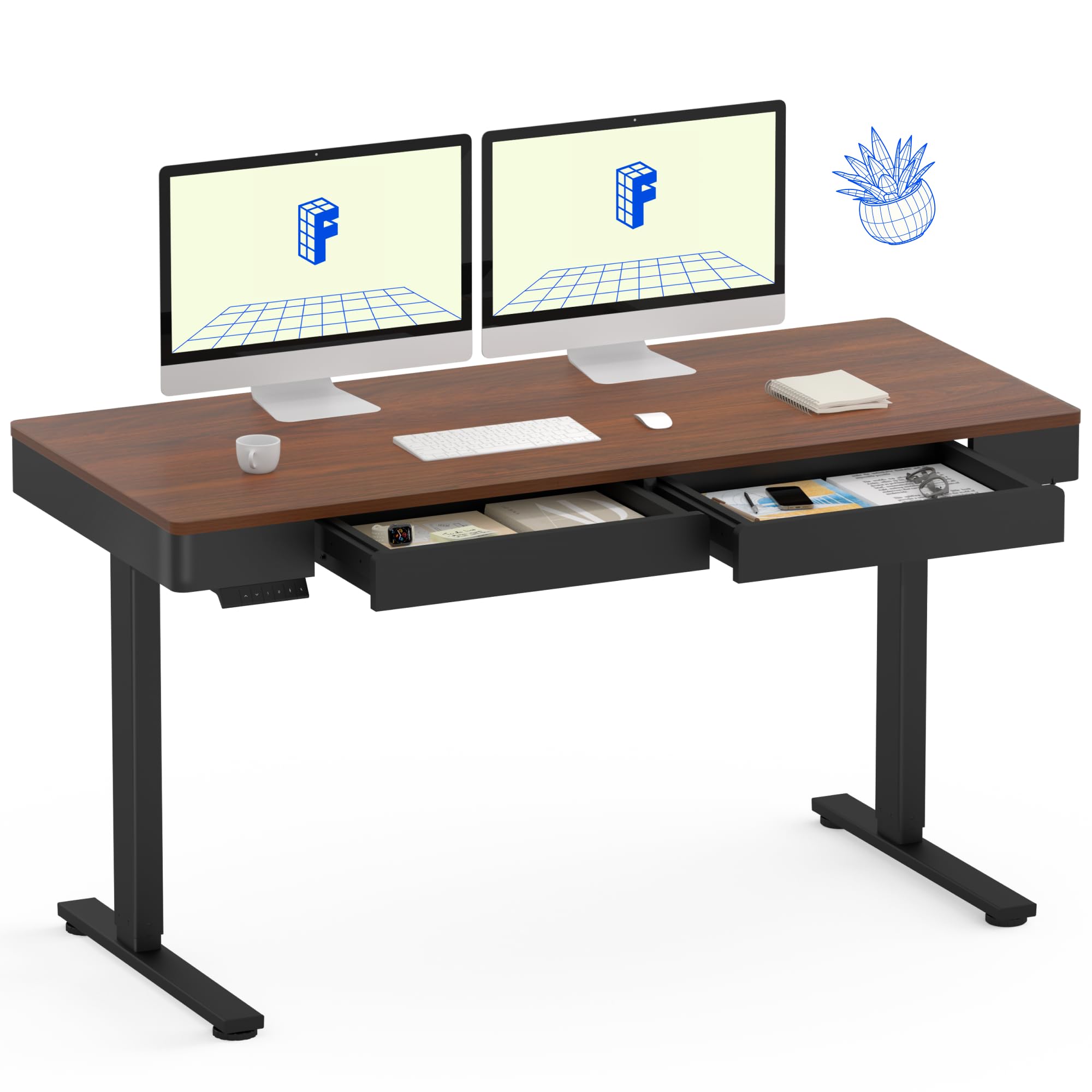
Image: The FLEXISPOT Q5 Standing Desk in Dark Walnut, featuring a spacious desktop, two open storage drawers, and a control panel on the left side. Two computer monitors are placed on the desk.
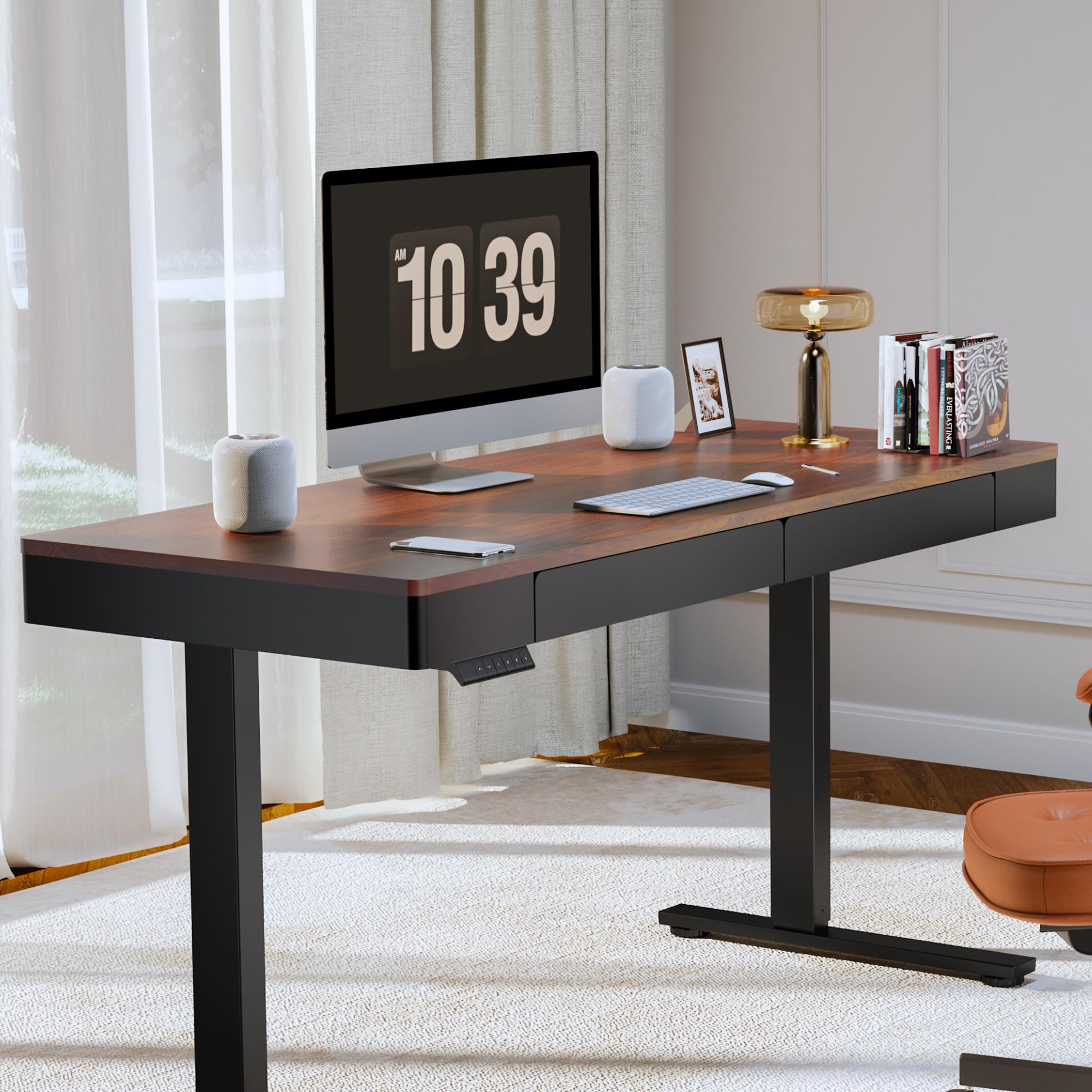
Image: The FLEXISPOT Q5 Standing Desk in a modern home office environment, showcasing its sleek design with a computer monitor, lamp, and books on the desktop.
5. Kullanım Talimatları
5.1. Açma
Connect the power cable to the desk's control box and then to a standard electrical outlet. The control panel should illuminate, indicating the desk is ready for operation.
5.2. Yüksekliği Ayarlama

Image: Close-up of the smart control panel, highlighting the up/down movement buttons and the four height memory preset buttons (1, 2, F, 4).
- Up/Down Movement: Kullanın Yukarı (^) Ve Aşağı (v) arrow buttons on the control panel to manually adjust the desk height. The desk will move smoothly between 28.9 inches (minimum) and 46.5 inches (maximum).
- Yükseklik Belleği Ön Ayarları: The control panel features four memory buttons (1, 2, F, 4) to save your preferred sitting and standing heights.
- Yukarı/Aşağı tuşlarını kullanarak masayı istediğiniz yüksekliğe ayarlayın.
- Press and hold one of the memory buttons (1, 2, F, or 4) until you hear a beep or see the display flash, indicating the height has been saved.
- Kaydedilmiş bir yüksekliği geri çağırmak için ilgili hafıza düğmesine basmanız yeterlidir. Masa otomatik olarak o konuma hareket edecektir.
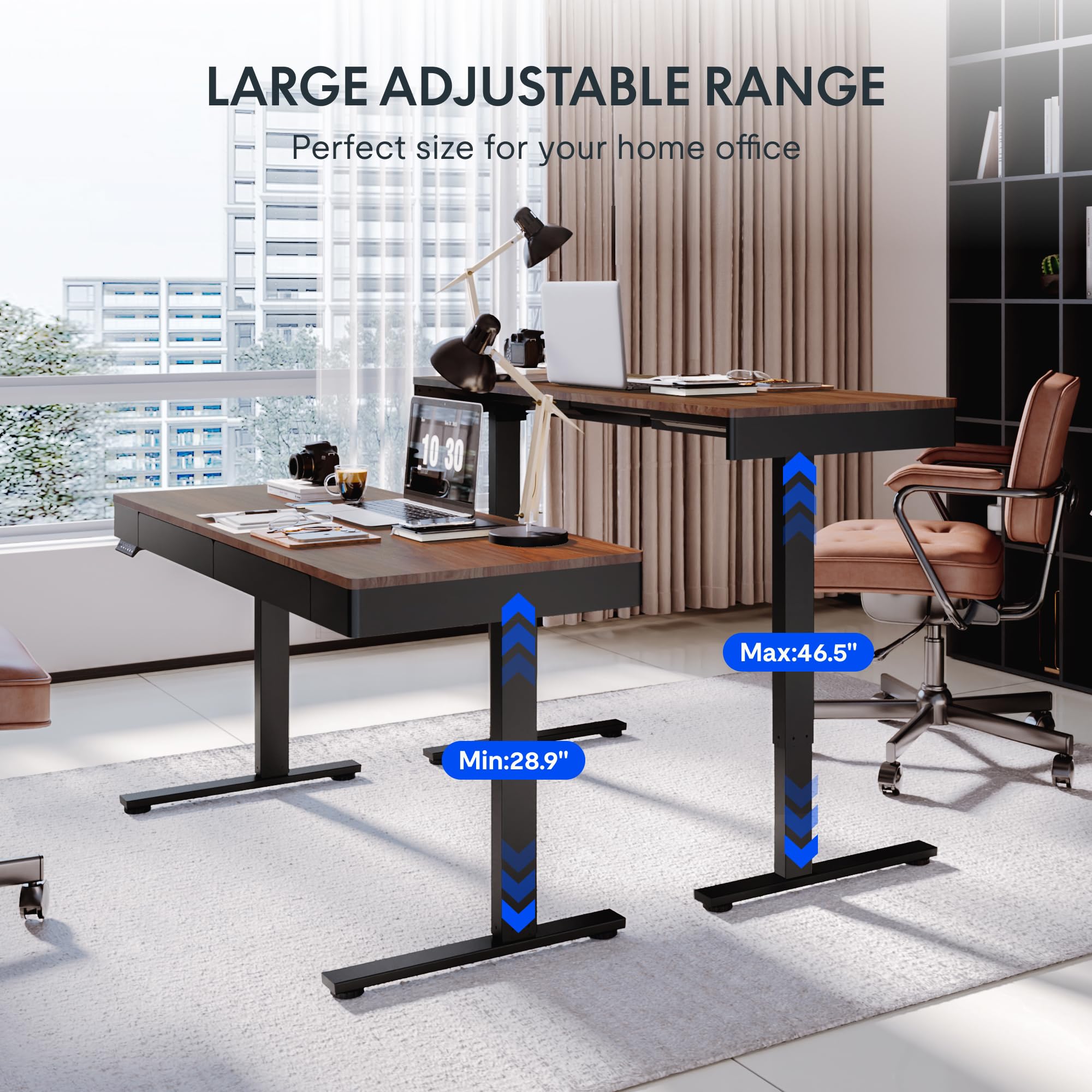
Image: Two FLEXISPOT Q5 desks side-by-side, illustrating the large adjustable height range from a minimum of 28.9 inches to a maximum of 46.5 inches.
5.3. Çekmecelerin Kullanımı
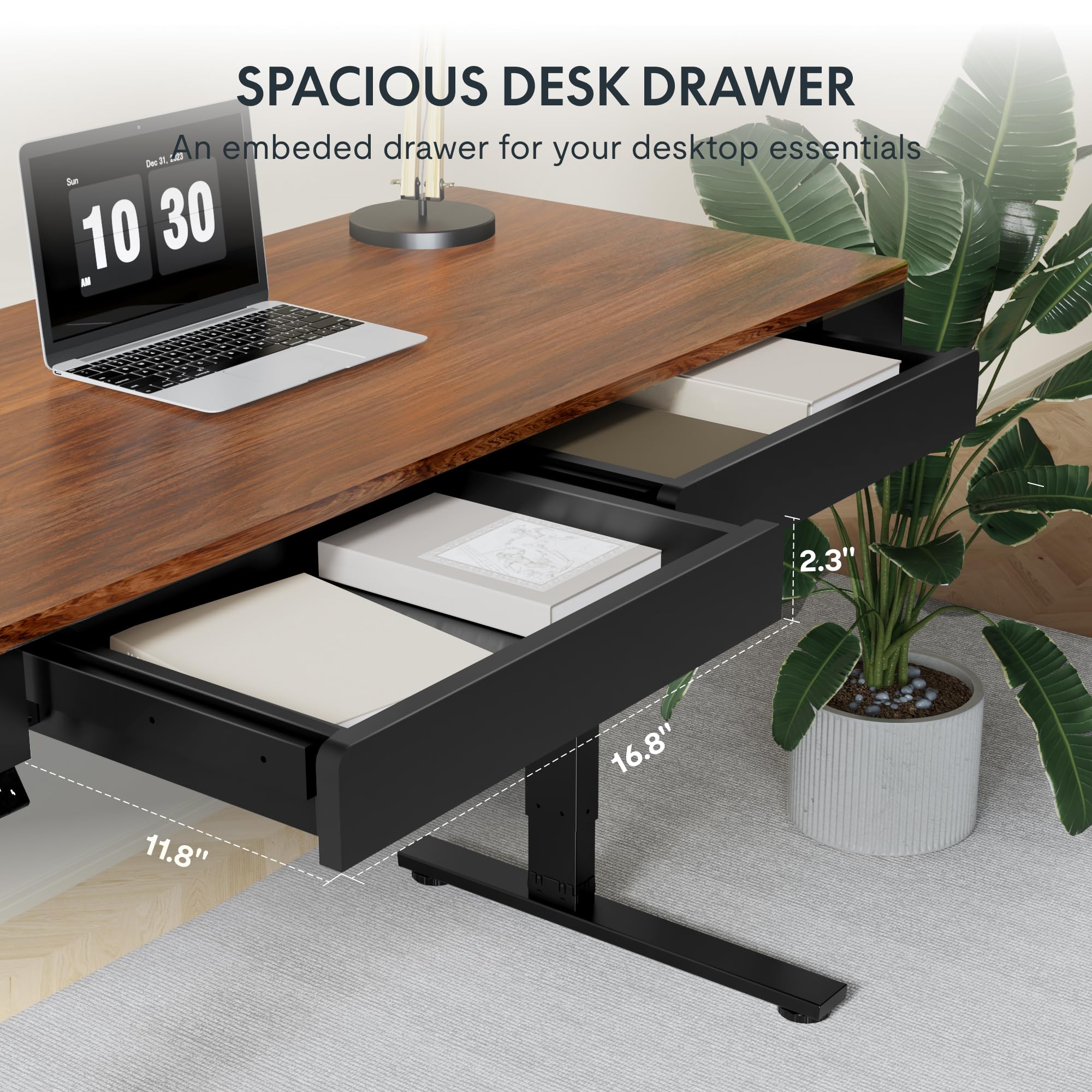
Resim: Yakın çekim view of one of the spacious desk drawers, showing its internal dimensions of 16.8 inches in width, 11.8 inches in depth, and 2.3 inches in height.
The desk is equipped with two spacious wooden drawers for storage. Gently pull the drawer handles to open and push to close. Avoid overloading the drawers to ensure smooth operation of the sliding rails.
6. Bakım
- Temizlik: Masaüstünü ve çerçeveyi yumuşak bir bezle silin.amp bez. Kaplamaya zarar verebilecek aşındırıcı temizleyicilerden veya sert kimyasallardan kaçının.
- Kablo yönetimi: Yükseklik ayarlamaları sırasında kabloların sıkışmasını veya birbirine dolanmasını önlemek için düzenli olarak kabloları kontrol edin ve düzenleyin.
- Bağlantı Elemanları: Occasionally check all screws and bolts to ensure they are tight. Retighten if necessary.
- Ağırlık Kapasitesi: Masaüstünün maksimum taşıma kapasitesi olan 50 kg'ı (110 lbs) aşmayın.
7. Sorun Giderme
If you encounter issues with your FLEXISPOT Q5 Standing Desk, refer to the following common troubleshooting steps:
- Masa Hareket Etmiyor:
- Check if the power cable is securely connected to both the desk and the wall outlet.
- Başka bir cihaz takarak duvar prizinin çalıştığından emin olun.
- If the control panel display shows an error code, consult the full troubleshooting guide available on the FLEXISPOT website veya müşteri desteği ile iletişime geçin.
- Eşit Olmayan Yükseklik Ayarı:
- Perform a reset procedure (refer to the detailed assembly guide for specific steps, usually involves holding down certain buttons).
- Bir bacağın serbestçe hareket etmesini engelleyen herhangi bir engel olmadığından emin olun.
- Alışılmadık Sesler:
- The motor operates quietly (under 50 dB). If loud or grinding noises occur, discontinue use and contact customer support.
- Check for loose components or obstructions under the desk.
8. Özellikler
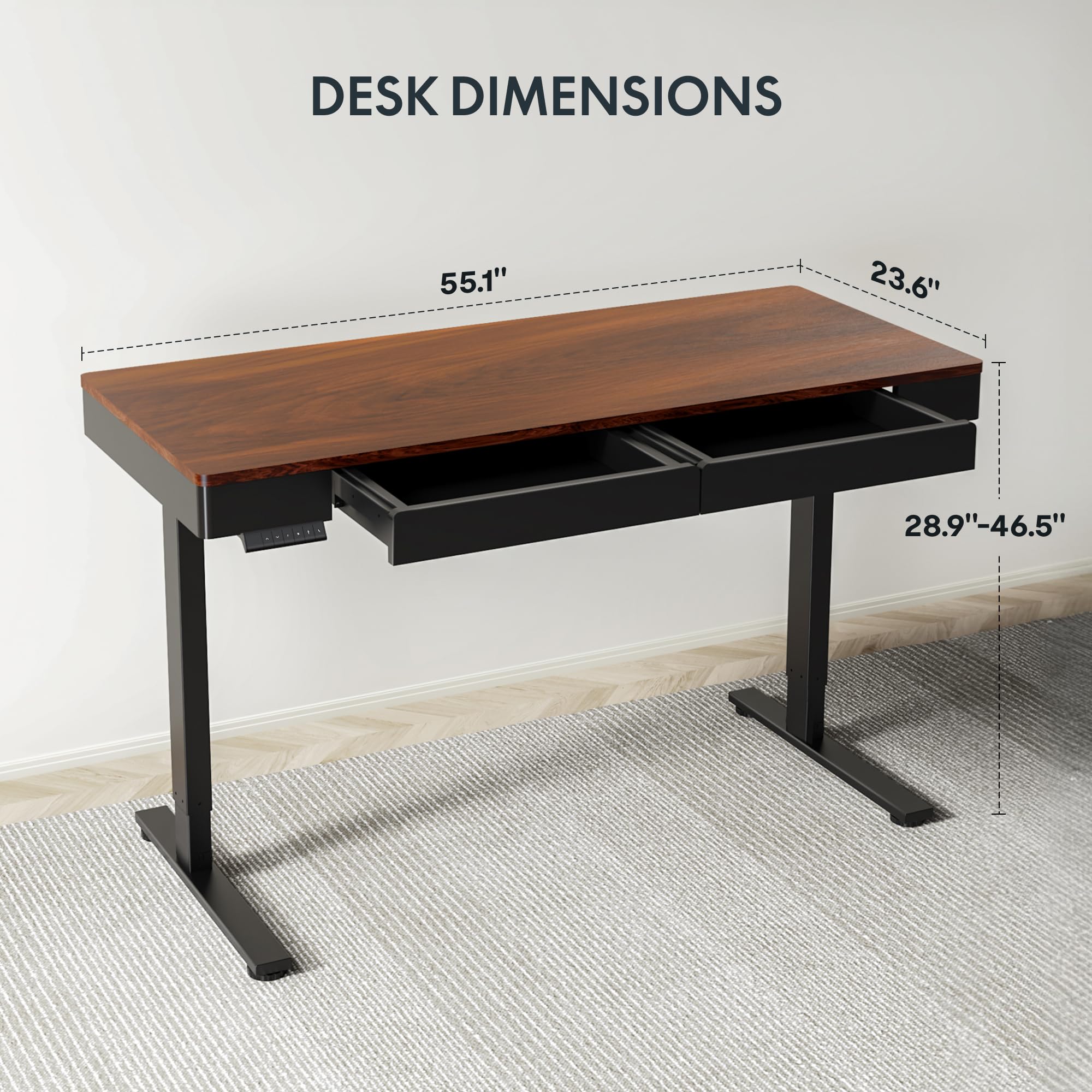
Image: Diagram illustrating the key dimensions of the FLEXISPOT Q5 Standing Desk: 55.1 inches in length, 23.6 inches in width, and an adjustable height range from 28.9 to 46.5 inches.
| Özellik | Detay |
|---|---|
| Örnek | Q5 |
| Masaüstü Boyutları | 55.1" (W) x 23.6" (D) |
| Yükseklik Ayar Aralığı | 28.9" - 46.5" |
| Maksimum Ağırlık Kapasitesi | 110 lbs (50 kg) |
| Gürültü Seviyesi | 50 dB'nin altında |
| Masaüstü Malzemesi | Wood (Whole-piece) |
| Çerçeve Malzemesi | Alaşımlı Çelik |
| Drawer Inner Space | 16.8" (G) x 11.8" (D) x 2.3" (Y) |
| Renk | Koyu ceviz |
| UPC | 840460476911 |
9. Garanti ve Destek
FLEXISPOT provides the following warranty coverage for the Q5 Standing Desk:
- 5 Yıl Garanti: Applies to the desk frame and motor.
- 2 Yıl Koruma: Applies to the control panel and electronics.
For warranty claims, technical support, or missing parts, please contact FLEXISPOT customer service. Refer to the contact information provided in your product packaging or on the official FLEXISPOT webalan.


