1. Giriş
The Kratos K13 is an AI-powered auto face tracking tripod designed for mobile phones. It features 360-degree rotation, gesture control, and operates without the need for a dedicated application. This device is suitable for hands-free video calls, live streaming, vlogging, and video recording, providing stable and dynamic camera movement.
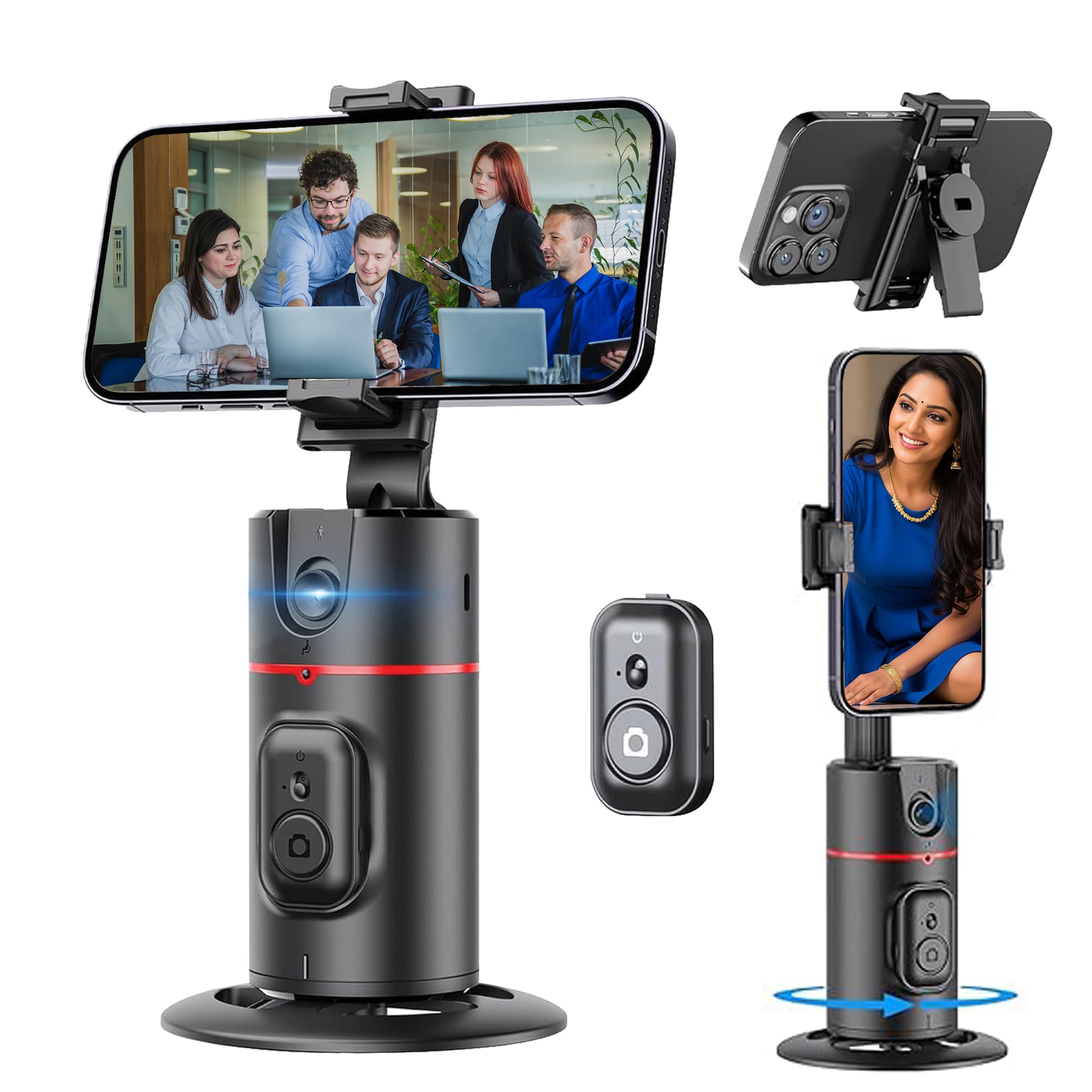
Figure 1: Kratos K13 in use, demonstrating app-free operation.
2. Kutuda Neler Var?
- Kratos K13 AI Powered Auto Face Tracking Tripod
- Uzaktan kumanda
- Garanti Kartı
3. Ürün Bittiview
Temel Özellikler:
- AI Face Tracking: Automatically tracks your face or body with 360-degree rotation.
- Uygulama Gerekmez: Operates independently without the need for Bluetooth pairing or a mobile application.
- 360° Rotatable Phone Holder: Allows for versatile camera mode selection, supporting both portrait and landscape orientations.
- Standard 1/4" Interface: Equipped with a 1/4-inch screw thread at the bottom for mounting on external tripods.
- Geniş Telefon Uyumluluğu: The phone holder securely fits mobile phones ranging from 7 cm to 10.5 cm in width.
- Dahili Şarj Edilebilir Pil: Features a 2200 mAh battery with a Type-C charging port, providing 8-9 hours of operation on a full charge.
- Akıllı Hareket Kontrolü: Use specific hand gestures to initiate and pause tracking.
- Detachable Remote: Kullanım kolaylığı için uzaktan kumanda dahildir.

Figure 2: Kratos K13 product components.
4. Kurulum
4.1 Attaching Your Mobile Phone
- Gently expand the phone holder clamps.
- Insert your mobile phone into the holder, ensuring it is securely gripped. The holder accommodates phones between 7 cm and 10.5 cm wide.
- Adjust the phone's position for optimal balance and camera alignment.

Figure 3: Phone attachment and tripod compatibility.
4.2 Mounting on an External Tripod (Optional)
The Kratos K13 features a standard 1/4-inch screw thread at its base. To mount it on an external tripod:
- Align the 1/4-inch screw of your external tripod with the thread on the Kratos K13 base.
- Rotate the Kratos K13 clockwise until it is securely fastened to the tripod.
- Adjust the angle and height as needed using your external tripod's controls.
4.3 Uzaktan Kumanda Kurulumu
The Kratos K13 includes a detachable remote control. To use the remote:
- Uzaktan kumandanın çalışan bir CR1632 piline sahip olduğundan emin olun.
- Press and hold the button on the remote to power it on.
- The remote connects automatically to the Kratos K13.

Figure 4: Detachable remote control for the Kratos K13.
5. Kullanım Talimatları
5.1 Açma/Kapatma
Press and hold the power button on the Kratos K13 unit for a few seconds to turn it on or off. An indicator light will confirm the power status.
5.2 Activating Auto Face Tracking
Once powered on, the Kratos K13 automatically enters tracking mode. Position yourself in front of the device, and it will begin to track your face or body, rotating 360 degrees to keep you in frame.

Figure 5: Auto tracking mode in action.
5.3 360-Degree Rotation
The Kratos K13 offers continuous 360-degree horizontal rotation. The phone holder can also be flipped 180 degrees to achieve various perspectives, including portrait and landscape orientations.
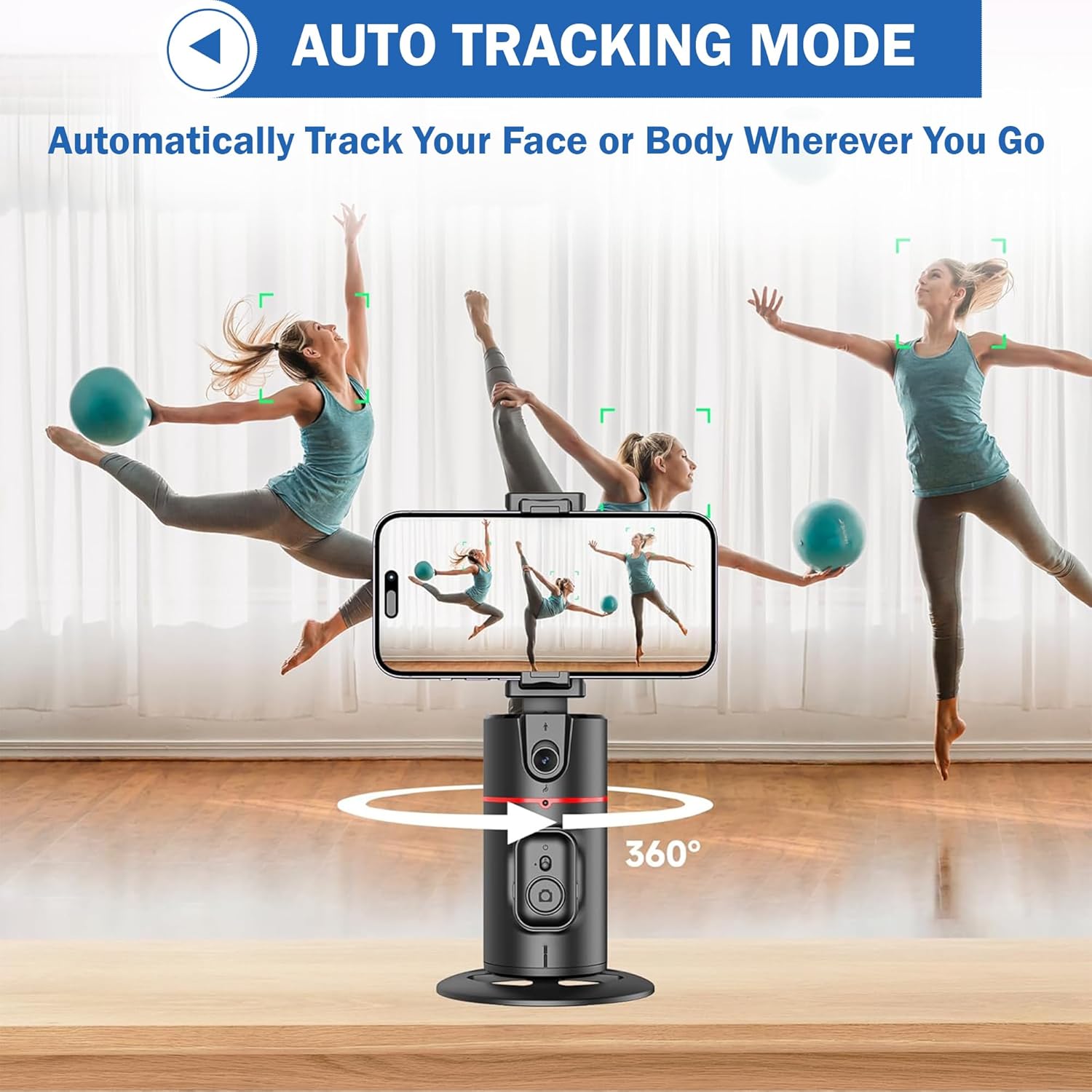
Figure 6: 360-degree rotation and holder adjustment.
5.4 Detachable Clip Functionality
The phone clip can be detached from the main unit, allowing for flexible use cases or easier storage.

Figure 7: Detachable phone clip.
6. Hareket Kontrolü
The Kratos K13 supports smart gesture control for convenient operation:
- "Tamam" işareti: Make an "OK" hand gesture in front of the camera to initiate tracking or recording.
- Open Palm Gesture: Present an open palm hand gesture to the camera to pause tracking or recording.

Figure 8: Gesture control for starting and stopping tracking.
7. Şarj Etme
The Kratos K13 is equipped with a built-in 2200 mAh rechargeable battery. To charge the device:
- Connect the provided Type-C charging cable to the charging port on the Kratos K13.
- Kablo ucunu uygun bir USB güç adaptörüne bağlayın (adaptör pakete dahil değildir).
- The charging indicator light will illuminate during charging and turn off once the battery is fully charged.
A full charge typically provides 8-9 hours of continuous operation.
8. Bakım
To ensure the longevity and optimal performance of your Kratos K13:
- Temizlik: Cihazı yumuşak, kuru bir bezle silin. Aşındırıcı temizleyiciler veya çözücüler kullanmaktan kaçının.
- Depolamak: Tripodu serin, kuru ve doğrudan güneş ışığından ve aşırı sıcaklıklardan uzak bir yerde saklayın.
- Pil Bakım: Uzun süreli saklama için, pilin sağlığını korumak amacıyla her üç ayda bir pili yaklaşık %50'ye kadar şarj edin.
- Sudan Kaçının: Cihaz su geçirmez değildir. Su ve yüksek nemden uzak tutun.
9. Sorun Giderme
If you encounter issues with your Kratos K13, refer to the following common solutions:
- Cihaz Açılmıyor: Pilinin dolu olduğundan emin olun. Cihazı Type-C kablosu kullanarak bir güç kaynağına bağlayın.
- Takip Çalışmıyor: Ensure you are within the optimal tracking range and lighting conditions. Make sure no obstructions are blocking the sensor. Re-attempt the gesture control.
- Uzaktan Kumanda Yanıt Vermiyor: Check if the remote control battery (CR1632) needs replacement. Ensure the remote is powered on.
- Telefon Güvenli Bir Şekilde Yerine Oturmuyor: Verify that your phone's width is between 7 cm and 10.5 cm. Adjust the phone carefully within the clamps.
Sorunlar devam ederse lütfen müşteri desteğiyle iletişime geçin.
10. Özellikler
| Marka | Kratos |
| Örnek | K13 |
| Ürün Boyutları | 30x5.5x5 cm |
| Ürün Ağırlığı | 200 gr |
| Malzeme | Alüminyum |
| Uyumlu Cihazlar | Cellphone, iPhone (7 cm to 10.5 cm width) |
| Özel Özellik | Auto Face Tracking, Gesture Control, 360° Rotation, No App Needed |
| Pil Kapasitesi | 2200 mAh |
| Pil Ömrü | 8-9 saat (yaklaşık) |
| Şarj Portu | Tip-C |
| Tripod Konektörü | Standard 1/4 inch screw thread |
11. Garanti ve Destek
11.1 Garanti Bilgileri
The Kratos K13 AI Powered Auto Face Tracking Tripod comes with a 1 Yıllık Garanti from the date of purchase. This warranty covers manufacturing defects and malfunctions under normal use. Please retain your purchase receipt for warranty claims.
11.2 Müşteri Desteği
For technical assistance, warranty claims, or any other inquiries, please contact Kratos customer support:
- Telefon: 81482 73270
- E-posta: help@gokratos.com
Please provide your model number (K13) and a detailed description of the issue when contacting support.


