giriiş
This manual provides detailed instructions for the setup, operation, maintenance, and troubleshooting of your EvoFox Elite X2 Pro Gaming Controller. Please read this manual thoroughly before using the product to ensure proper functionality and to maximize your gaming experience.
Paket İçeriği
- EvoFox Elite X2 Pro Gaming Controller
- USB-C Şarj/Veri Kablosu
- 2.4 GHz Wireless Dongle
- Additional Replaceable Joysticks (2 heights)
- Kullanım Kılavuzu (bu belge)
Kontrolör Düzeni
Familiarize yourself with the buttons and features of your EvoFox Elite X2 Pro Gaming Controller.

Resim: Ön view of the EvoFox Elite X2 Pro Gaming Controller, showing the joysticks, D-pad, action buttons (A, B, X, Y), Home, Back, Start buttons, and 2.4G/BT mode buttons. The controller features dynamic RGB lighting around the joysticks and along the grips.
- Sol Analog Çubuk: Hareket ve kamera kontrolü için.
- Sağ Analog Çubuk: Kamera kontrolü ve nişan alma için.
- Yön Düğmesi: Yönlü giriş.
- Eylem Düğmeleri (A, B, X, Y): Temel oyun eylemleri.
- Ana menü tuşu: Access system menus.
- Geri/Seç Düğmesi: Oyuna özgü işlevler.
- Başlat Düğmesi: Pause or start games.
- 2.4G/BT Buttons: Mode selection for wireless connectivity.
- Shoulder Buttons (L1, R1): Üstte bulunan düğmeler.
- Trigger Buttons (L2, R2): Hassas giriş için analog tetikleyiciler.
- M1/M2 Düğmeleri: Programmable back paddles.
- USB-C Bağlantı Noktası: Kablolu bağlantı ve şarj için.
- Audio Jack Port: For wired mode only.
Kurmak
Kontrol Ünitesini Şarj Etme
Before first use, fully charge the controller. Connect the supplied USB-C cable to the controller's USB-C port and the other end to a USB power source (e.g., PC, wall adapter).
- The LED indicators will show charging status.
- Tam şarj genellikle yaklaşık 2-3 saat sürer.
- The 800 mAh battery provides up to 16 hours of gameplay.
Kontrol Ünitesini Bağlama
The EvoFox Elite X2 Pro supports three connection modes: 2.4 GHz Wireless, Bluetooth 5.0, and Wired USB-C.
2.4 GHz Wireless Mode (PC, Nintendo Switch via adapter)
- Insert the 2.4 GHz wireless dongle into an available USB port on your PC or Nintendo Switch dock.
- Press the "2.4G" button on the controller. The controller will automatically connect to the dongle.
- The LED indicators will stabilize once connected.
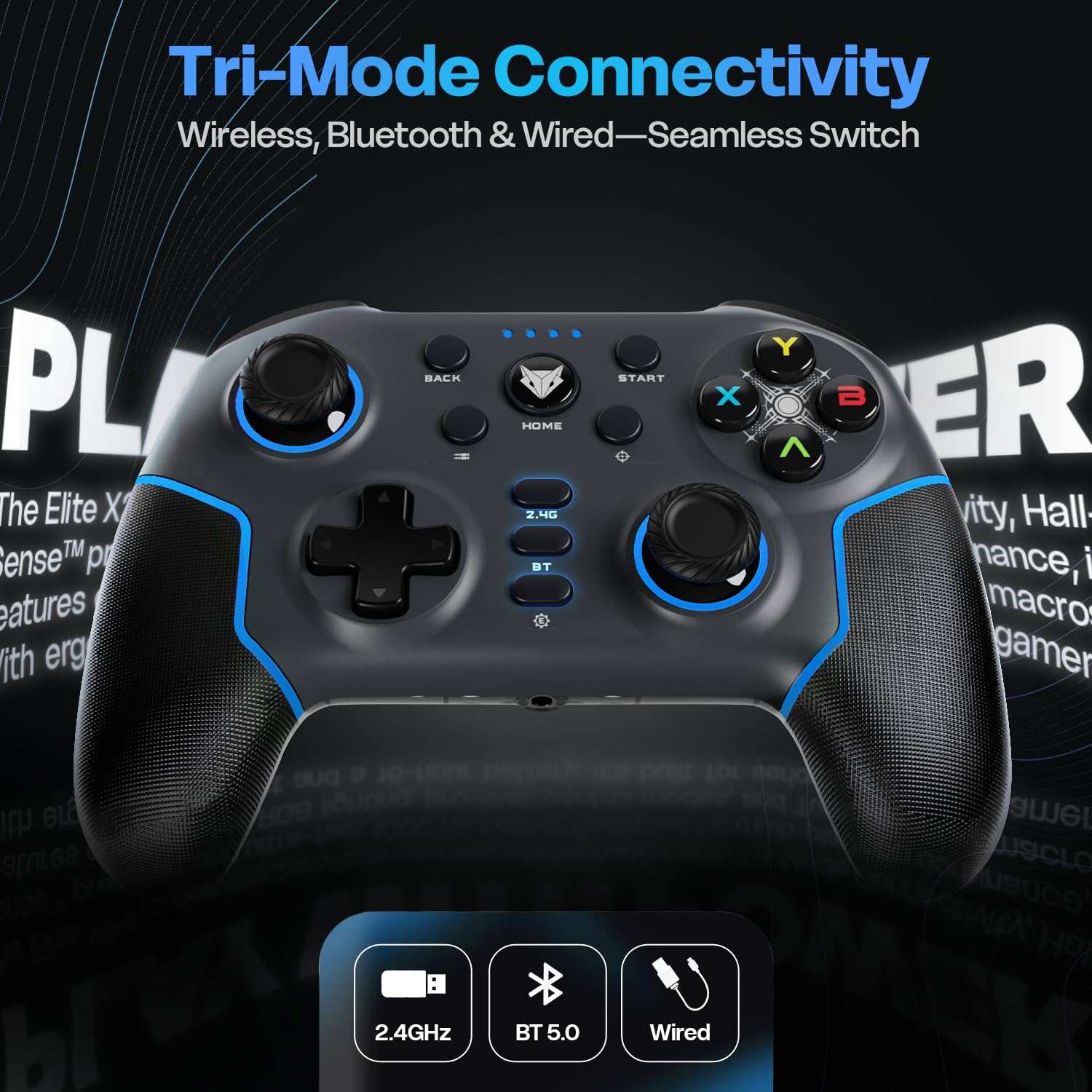
Image: Diagram illustrating the three connectivity modes: 2.4GHz wireless, Bluetooth 5.0, and wired USB-C, highlighting the seamless switching capability of the controller.
Bluetooth 5.0 Mode (PC, Android, iOS, Nintendo Switch)
- Press and hold the "BT" button on the controller until the LED indicators start flashing rapidly, indicating pairing mode.
- On your device (PC, Android, iOS, Nintendo Switch), go to Bluetooth settings and search for new devices.
- Select "EvoFox Elite X2 Pro" from the list of available devices to pair.
- The LED indicators will stabilize once successfully paired.
Wired USB-C Mode (PC)
- USB-C kablosunun bir ucunu kontrol cihazına, diğer ucunu da bilgisayarınızın USB portuna takın.
- Kontrolcü bilgisayarınız tarafından otomatik olarak tanınacaktır.
- In wired mode, the audio jack port on the controller becomes active.
Denetleyiciyi Çalıştırma
HallSense Magnetic Triggers & 3D Joysticks
The controller features magnetic HallSense triggers and 3D joysticks for drift-free precision and instantaneous input feedback.

Resim: Yakın çekim view of the transparent back of the EvoFox Elite X2 Pro controller, highlighting the internal magnetic HallSense triggers and 3D joysticks, emphasizing their drift-free precision.
1000 Hz Yoklama Oranı
Experience ultra-fast response times with the 1000 Hz polling rate, ensuring minimal latency for competitive gaming.

Image: The EvoFox Elite X2 Pro controller with an overlay indicating a 1000 Hz polling rate, signifying lightning-quick response and zero latency during gameplay.
Precision & Accuracy Modes
The controller offers specialized modes for enhanced control:
- Kesinlik Modu: Halves joystick sensitivity (0.5x) for pinpoint targeting and micro-adjustments. Activate via a dedicated button (refer to controller layout).
- Accuracy Mode: Activates square movements on the X and Y axes to eliminate diagonal drift, providing clean, linear inputs. Activate via a dedicated button (refer to controller layout).
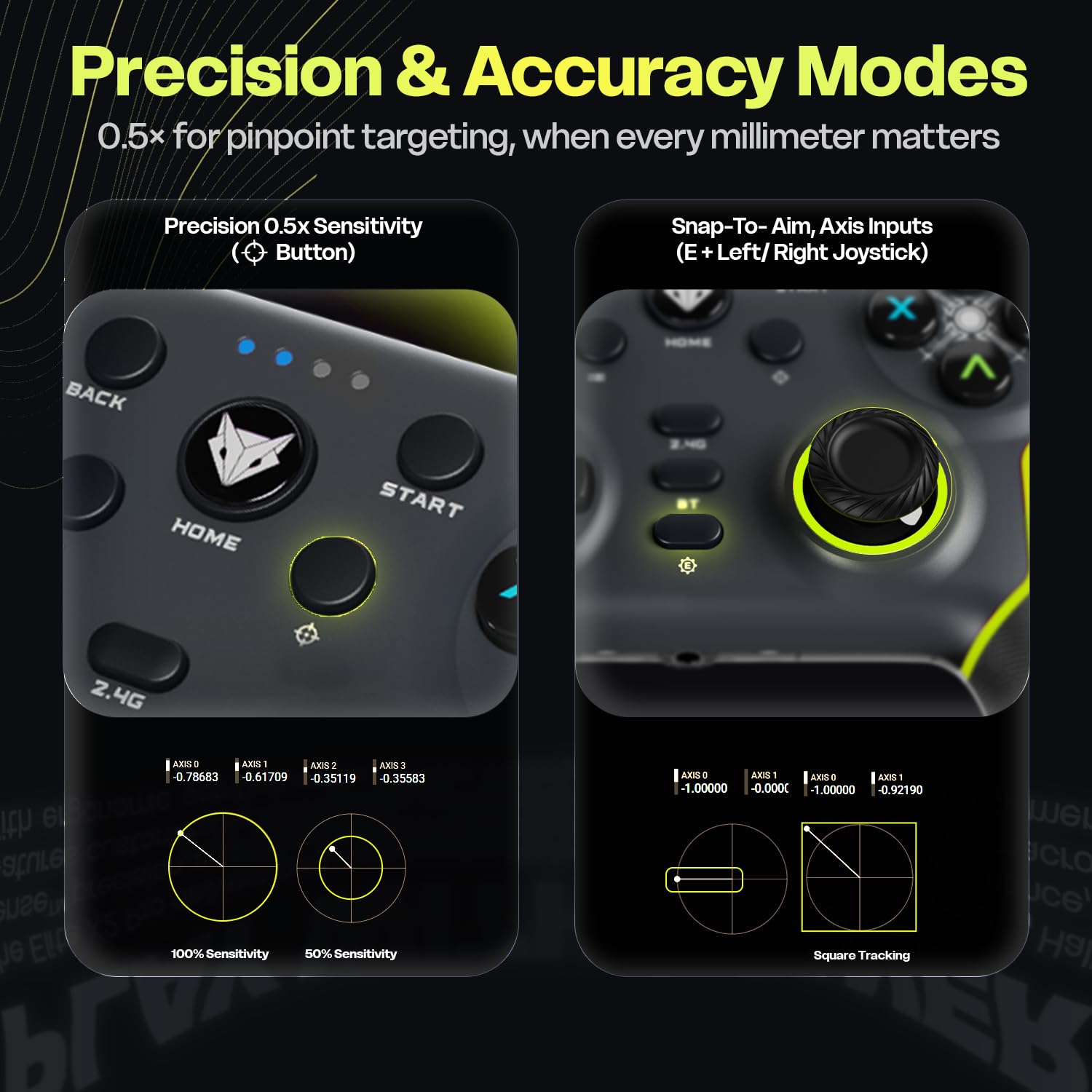
Image: Two panels demonstrating the Precision Mode (0.5x sensitivity) and Accuracy Mode (Snap-to-Aim, Axis Inputs) of the EvoFox Elite X2 Pro controller, showing how these modes affect joystick input for enhanced control.
Customizable Controls & Turbo Mode
Program macros and utilize the Turbo function for optimized gameplay.
- 16-Button Macros: Program complex button combinations to the M1/M2 back paddles. Refer to the controller's software (if applicable) or specific button combinations for programming instructions.
- Turbo mod: Activate rapid-fire for selected buttons. Press the Turbo button and the desired action button simultaneously to enable/disable.
- Analog-to-Digital Switch: Flip between analog and digital inputs for different game genres (FPS, racing, fighting).

Resim: Ayrıntılı views of the EvoFox Elite X2 Pro controller, showcasing the Analog-to-Digital switch, the M1/M2 programmable back paddles for 16-button macros, and the Turbo button for rapid-fire functionality.
Dinamik RGB Aydınlatma
Customize the vibrant RGB lighting to match your setup or mood. Lighting can be adjusted on-the-fly using dedicated controls (refer to controller layout or quick start guide for specific button combinations).
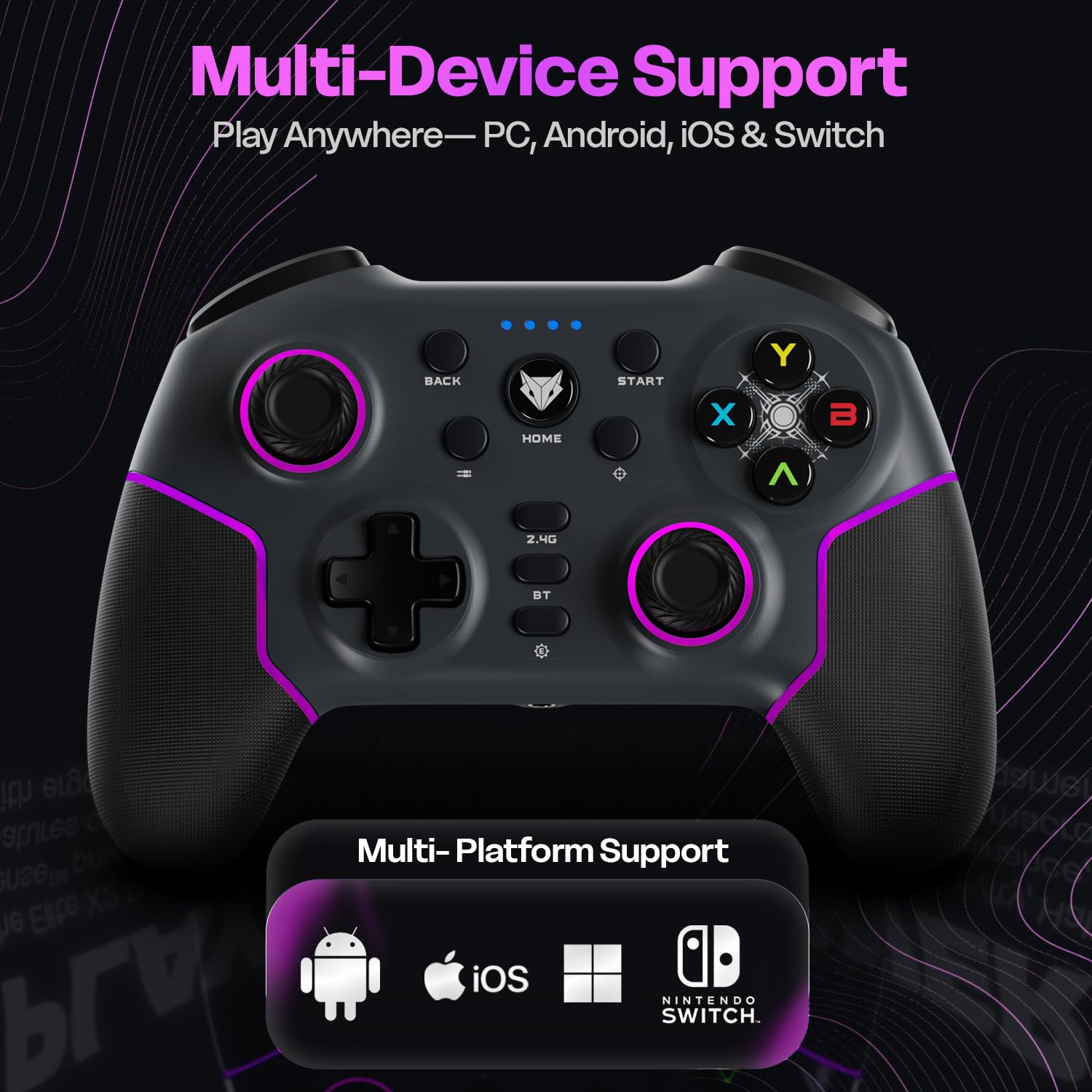
Image: The EvoFox Elite X2 Pro controller displaying its dynamic RGB lighting, with customizable strips and joystick glow, enhancing the aesthetic appeal.
Değiştirilebilir Kumanda Kolları
The controller comes with replaceable, textured joysticks of two different heights, allowing for personalized grip profiles.
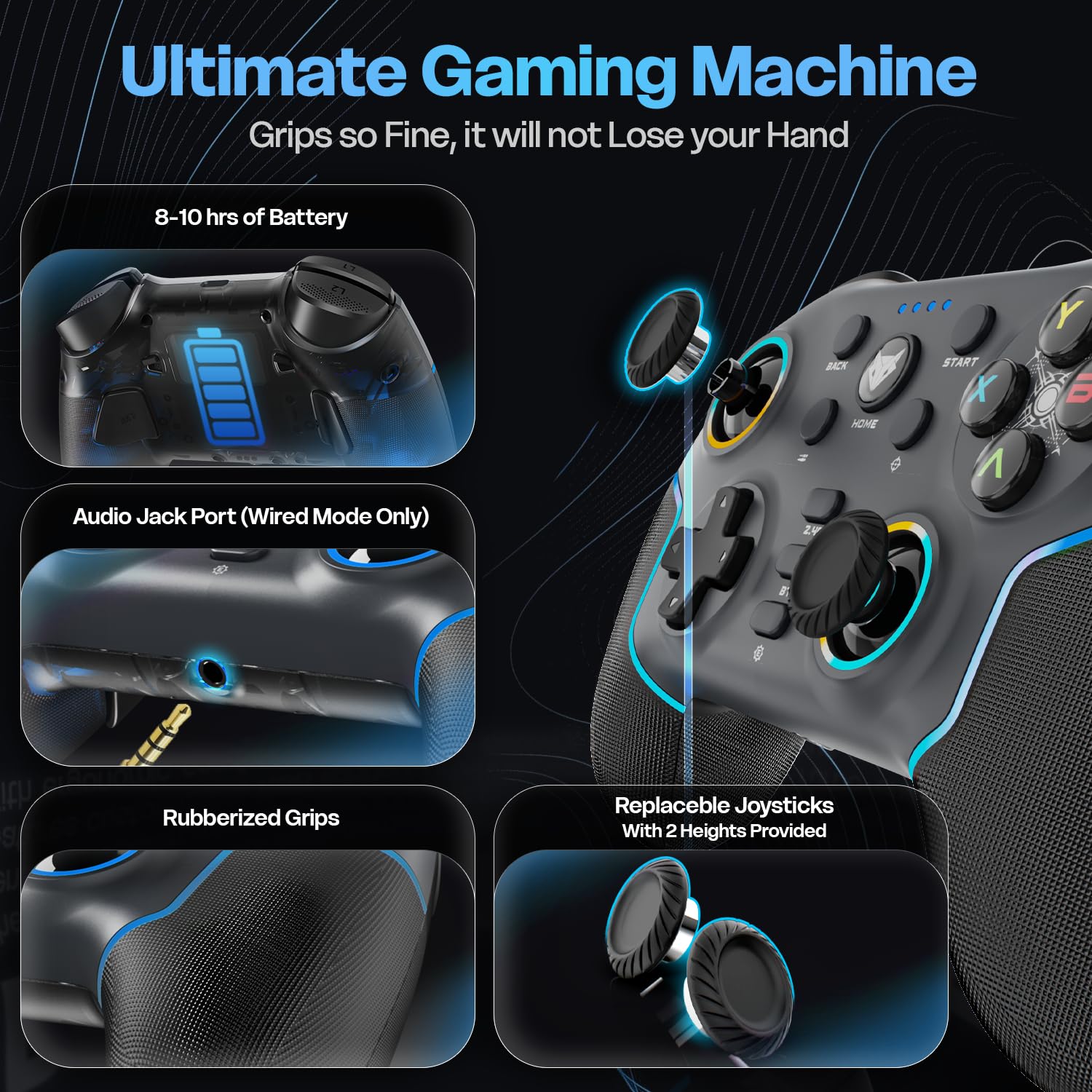
Resim: Ayrıntılı view of the EvoFox Elite X2 Pro controller, highlighting the replaceable joysticks and showing the two different heights provided for customization.
Bakım
- Temizlik: Kumanda ünitesini temizlemek için yumuşak, kuru bir bez kullanın. Aşındırıcı temizleyiciler veya çözücüler kullanmayın.
- Depolamak: Kontrol cihazını serin, kuru ve doğrudan güneş ışığından ve aşırı sıcaklıklardan uzak bir yerde saklayın.
- Pil Bakım: Pil ömrünü uzatmak için, kontrol cihazını sık sık tamamen boşaltmaktan kaçının. Uzun süre kullanılmasa bile düzenli olarak şarj edin.
- Joystick Replacement: To replace joysticks, gently pull the existing joystick straight up to remove it. Align the new joystick with the base and push down firmly until it clicks into place.
Sorun giderme
| Sorun | Olası Neden | Çözüm |
|---|---|---|
| Kumanda açılmıyor. | Pil zayıf. | Charge the controller fully using the supplied USB-C cable. |
| Kumanda kablosuz olarak bağlanmıyor. | Incorrect mode selected; out of range; pairing issue. | Ensure correct mode (2.4G/BT) is selected. Move closer to the receiver. Re-initiate pairing process. Check if dongle is properly inserted for 2.4G. |
| Input lag or unresponsive buttons/joysticks. | Interference; low battery; driver issue. | Ensure no strong wireless interference. Charge the controller. Update controller drivers on PC if necessary. Try wired connection. |
| Vibration not working or too strong/weak. | Vibration level setting. | Adjust the four-level vibration intensity using the dedicated button or software (if available). |
| Controller not recognized by PC in wired mode. | Faulty cable; USB port issue; driver issue. | Try a different USB-C cable. Use a different USB port on your PC. Update PC USB drivers. |
If you encounter issues not listed here, please refer to the official EvoFox support website veya müşteri hizmetleriyle iletişime geçin.
Özellikler
- Model Numarası: 387
- Bağlantı: 2.4 GHz Kablosuz, Bluetooth 5.0, USB-C Kablolu
- Uyumluluk: PC, Android, iOS, Nintendo Switch (Xbox not supported)
- Anket Oranı: 1000 Hz
- Triggers & Joysticks: Magnetic HallSense
- Pil: 800 mAh lityum-iyon
- Pil Ömrü: 16 saate kadar
- Şarj Portu: USB-C
- Boyutlar: 15.5x11x5.7 cm
- Ağırlık: 222 gr
- Menşei ülke: Çin
Garanti ve Destek
EvoFox products are designed for durability and performance. For warranty information and technical support, please visit the official EvoFox webSite üzerinden satın alabilir veya müşteri hizmetleriyle iletişime geçebilirsiniz. Garanti talepleriniz için satın alma fişinizi saklayın.
Üretici: Allied Electronics & Magnetics Private Limited C-64/4, Okhla Phase - 2, New Delhi - 110020, Allied Electronics & Magnetics Pvt. Ltd.
İthalatçı: Allied Electronics & Magnetics Private Limited C-64/4, Okhla Phase - 2, New Delhi - 110020
Daha fazla yardım için şu adresi ziyaret edebilirsiniz: EvoFox Store on Amazon.
Önemli Güvenlik Bilgileri
- Kumanda cihazını aşırı sıcaklıklara, neme veya doğrudan güneş ışığına maruz bırakmayın.
- Do not disassemble or attempt to repair the controller yourself. This will void the warranty.
- Küçük çocukların erişemeyeceği yerde saklayınız.
- Dispose of the battery and controller according to local regulations.


