1. Giriş
The TOPPING DX5 II is a high-resolution Digital-to-Analog Converter (DAC) and Headphone Amplifier combo unit designed for audiophile-grade audio reproduction. It integrates dual ES9039Q2M DAC chips, an X-Hybrid headphone amplifier, 10-band parametric equalizer (PEQ), and Bluetooth 5.1 with LDAC support, offering versatile connectivity and exceptional sound performance for various audio setups.
2. Güvenlik Bilgileri
- Do not disassemble or modify the device. Unauthorized modifications may void the warranty and pose safety risks.
- Cihazı sudan, nemden ve aşırı sıcaklıklardan uzak tutun.
- Aşırı ısınmayı önlemek için ünite çevresinde uygun havalandırma olduğundan emin olun.
- Use only the provided power adapter or a compatible power supply with the correct voltage.
- Cihazın üzerine ağır nesneler koymaktan kaçının.
- Şimşekli fırtınalar sırasında veya uzun süre kullanılmadığında güç kablosunu çıkarın.
3. Paket İçeriği
Lütfen paketi aşağıdaki öğeler açısından kontrol edin:
- TOPPING DX5 II Unit
- Uzaktan kumanda
- USB kablosu
- 6.35 mm - 3.5 mm Kulaklık Adaptörü
- AC Güç Kablosu
- Bluetooth Anteni
- Hızlı Başlangıç Kılavuzu
- Ürün Bilgi Kartı
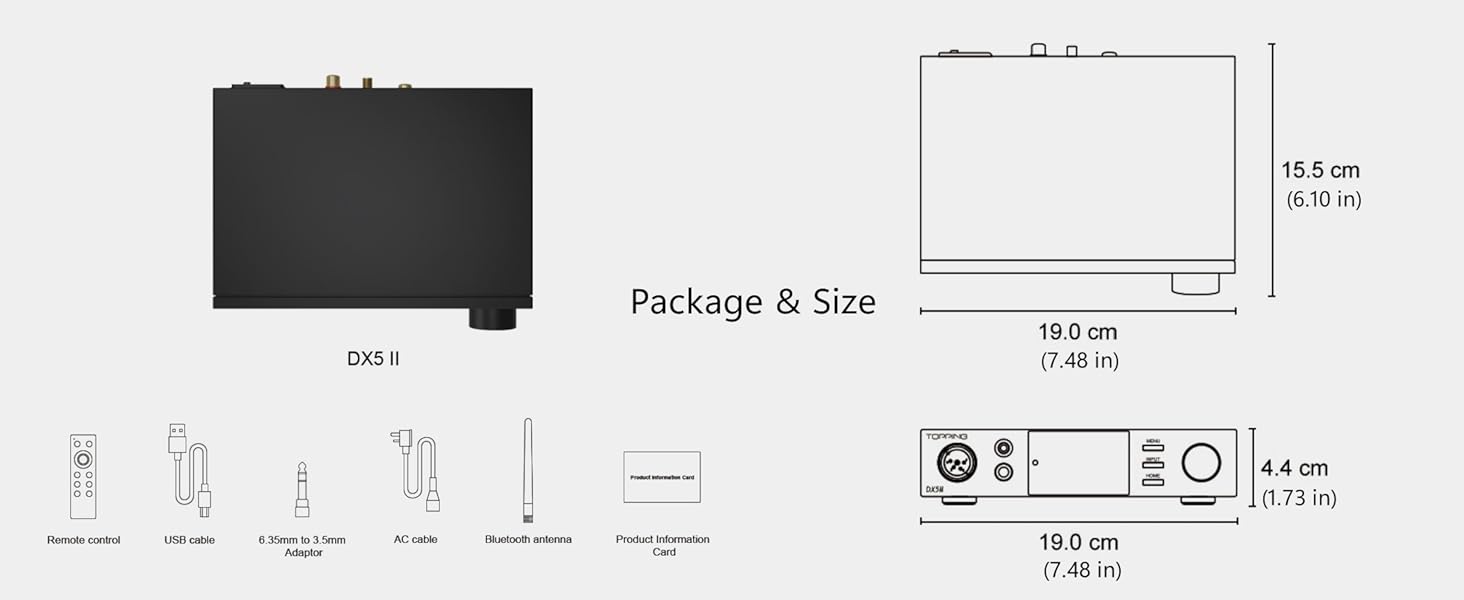
Image: Package contents including the DX5 II unit, remote, cables, and antenna, alongside dimensional drawings.
4. Ürün Bittiview
4.1 Ön Panel

Image: Detailed diagram of the TOPPING DX5 II front and rear panels with English labels.
- XLR 4-pin Balanced Output: Dengeli kulaklıklar için.
- 4.4mm Dengeli Çıkış: For balanced headphones and IEMs.
- 6.35 mm Tek Uçlu Çıkış: For standard single-ended headphones.
- Ekran Görüntüsü: Shows current input, volume, sample rate, and other settings. Features Aurora UI with customizable themes.
- Menü Düğmesi: Cihaz ayarları menüsüne erişim sağlar.
- Giriş Düğmesi: Mevcut girdi kaynakları arasında döngüsel olarak arama yapar.
- Ana menü tuşu: Returns to the main display.
- Volume Knob/Function Key: Rotates to adjust volume; press to confirm selections or access quick functions.
4.2 Arka Panel
- Balanced XLR Output (L/R): Harici bağlantı için amphayat verenler veya aktif konuşmacılar.
- Single-Ended RCA Output (L/R): Harici bağlantı için amphayat verenler veya aktif konuşmacılar.
- Coaxial Digital Input: Dijital ses kaynakları için.
- Optik Dijital Giriş: Dijital ses kaynakları için.
- USB Dijital Giriş: For connecting to computers or other USB audio sources.
- Bluetooth Anten Bağlantı Noktası: Kutu içeriğinde bulunan Bluetooth antenini takmak için.
- 12V Trigger IN/OUT (3.5mm): For synchronized power control with other compatible devices.
- Güç Giriş Terminali: Connects to the AC power cable.
- Güç düğmesi: Cihazı açar veya kapatır.
5. Kurulum
5.1 İlk Bağlantı
- Bluetooth Antenini Takın: Screw the Bluetooth antenna onto its designated port on the rear panel.
- Güç Bağlantısı: Connect the AC power cable to the power input terminal on the rear panel, then plug it into a wall outlet. Ensure the power switch is in the OFF position before connecting.
- Aç: Flip the power switch to the ON position. The device display will illuminate.
5.2 Giriş Bağlantıları
- USB Girişi: Connect a USB cable from your computer (Windows, Mac, Linux) or mobile device (iOS, Android) to the USB input port on the DX5 II. For Windows, driver installation may be required (refer to section 5.4).
- Optik/Koaksiyel Giriş: Connect your digital audio source (e.g., CD player, TV, game console) to the Optical or Coaxial input ports.
- Bluetooth Girişi: After powering on, the DX5 II will be discoverable for Bluetooth pairing.
5.3 Çıkış Bağlantıları
- Kulaklıklar: Plug your headphones into the appropriate front panel output (XLR 4-pin, 4.4mm balanced, or 6.35mm single-ended).

Image: Close-up of the DX5 II front panel showing XLR 4-pin, 4.4mm balanced, and 6.35mm single-ended headphone outputs.
- Harici AmpAktif Konuşmacılar: Connect the Balanced XLR outputs or Single-Ended RCA outputs on the rear panel to your external amplifier or active speakers. Ensure the DX5 II is set to Preamp Mode if you wish to control volume from the DX5 II.
5.4 Driver Installation (for Windows USB)
For Windows operating systems, a dedicated driver may be required for optimal USB audio performance. The driver can typically be found on the official TOPPING website. Follow the instructions provided with the driver package for installation.
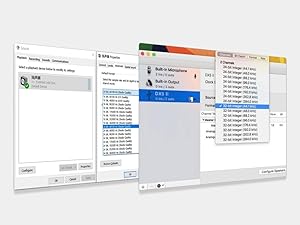
Image: Screenshot showing typical driver installation interfaces for Windows and Mac operating systems.
6. Kullanım Talimatları
6.1 Güç Açma/Kapatma
Use the physical power switch on the rear panel to turn the unit on or off. The front panel display will show the startup sequence.
6.2 Giriş Seçimi
Basın GİRİŞ button on the front panel or the remote control to cycle through the available input sources: USB, Optical, Coaxial, and Bluetooth.
6.3 Ses Kontrolü
Ön paneldeki büyük düğmeyi saat yönünde çevirerek sesi artırabilir, saat yönünün tersine çevirerek sesi azaltabilirsiniz. Mevcut ses seviyesi ekranda görüntülenir.
6.4 Output Mode Selection (Headphone Amp / Önamp)
The DX5 II can operate as a dedicated headphone amplifier, a DAC with line output (Preamp Mode), or both. Use the MENÜ button to navigate to output settings and select your desired mode (e.g., HPA ALL for all headphone outputs, LO ALL for all line outputs, or specific balanced/single-ended options).

Image: Diagram illustrating the various headphone (HPA) and line output (LO) options available on the DX5 II.
6.5 Bluetooth Eşleştirme
- Select Bluetooth as the input source using the GİRİŞ düğme.
- On your source device (smartphone, tablet, etc.), search for Bluetooth devices. The DX5 II should appear as an available device.
- Select the DX5 II to pair. Once paired, the display will indicate a successful connection.
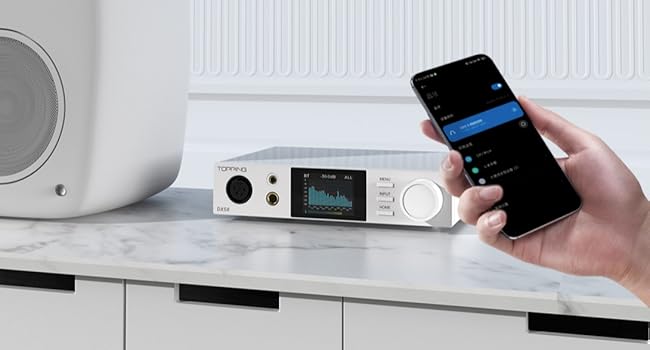
Image: The DX5 II connected via Bluetooth to a mobile device, demonstrating wireless audio streaming.
6.6 Parametric Equalizer (PEQ) Adjustment
The DX5 II features a 10-band high-precision PEQ. Access the PEQ settings via the MENÜ button. You can adjust frequency bands, gain, and Q-factor to customize the sound signature. Refer to the detailed user manual for advanced PEQ configuration.
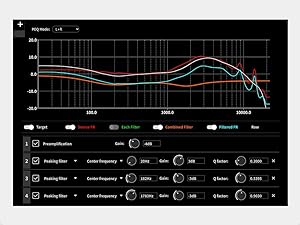
Image: Graphical representation of the 10-band Parametric Equalizer (PEQ) interface on the DX5 II, showing adjustable parameters.
6.7 Display Settings (Aurora UI)
The 2.0" Aurora UI screen offers 9 customizable themes. Navigate to the display settings in the MENÜ to change themes, brightness, and other visual preferences.
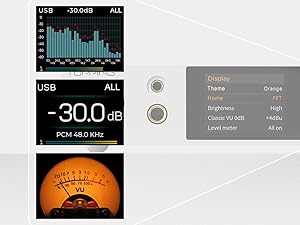
Resim: Eskiamples of different display themes and information layouts available on the DX5 II's Aurora UI screen.
6.8 12V Tetikleme Fonksiyonu
The 12V Trigger IN/OUT ports allow the DX5 II to synchronize power on/off with other compatible audio equipment. Connect a 3.5mm trigger cable between the DX5 II and another device to enable this function.
7. Bakım
- Temizlik: Cihazın dış yüzeyini temizlemek için yumuşak, kuru bir bez kullanın. Aşındırıcı temizleyiciler veya çözücüler kullanmaktan kaçının.
- Havalandırma: Ensure the ventilation holes are not obstructed to maintain proper airflow.
- Depolamak: Uzun süre kullanılmadığı zamanlarda cihazı serin, kuru ve doğrudan güneş ışığından uzak bir yerde saklayın.
8. Sorun Giderme
- Güç Yok: Check if the power cable is securely connected and the power switch is ON. Verify the wall outlet is functioning.
- Ses Yok:
- Doğru giriş kaynağının seçildiğinden emin olun.
- Verify volume is not muted or set too low.
- Check all cable connections (input and output).
- If using USB, ensure drivers are correctly installed and the DX5 II is selected as the audio output device on your computer.
- Confirm headphones or speakers are properly connected and functional.
- Bozuk Ses:
- Gevşek kablo bağlantılarını kontrol edin.
- Ses kaynağını kontrol edin. file bozuk değil.
- Reduce volume if clipping occurs.
- Bluetooth Bağlantı Sorunları:
- Ensure the DX5 II is in Bluetooth input mode.
- Move the source device closer to the DX5 II.
- Cihazın eşleştirmesini kaldırıp yeniden eşleştirmeyi deneyin.
- Başka hiçbir cihazın Bluetooth sinyalini engellemediğinden emin olun.
- Firmware Sorunları: If experiencing unexpected behavior, check the official TOPPING webEn son ürün yazılımı güncellemeleri ve kurulum talimatları için bu siteyi ziyaret edin.
9. Özellikler
| Özellik | Şartname |
|---|---|
| DAC Çipleri | Dual ESS9039Q2M |
| Kulaklık Ampcankurtaran | X-Hybrid Amplifier Circuit, Fully Balanced Quad-Channel Design |
| Maksimum Kulaklık Çıkış Gücü | 7600 mW x2 |
| Desteklenen PCM | Up to 768kHz/32bit |
| Desteklenen DSD | DSD512 Native |
| Bluetooth Sürümü | 5.1 |
| Bluetooth Kodekleri | LDAC, aptX Adaptive, aptX HD, AAC, SBC |
| Ekolayzer | 10-Band High Precision PEQ Adjustment |
| Görüntülemek | 2.0" Aurora UI Full-Color Display (9 customizable themes) |
| Girişler | USB, Bluetooth, Coaxial SPDIF, Optical SPDIF |
| Çıktılar | XLR 4-pin Balanced, 4.4mm Balanced, 6.35mm Single-Ended, Balanced XLR Line Out, RCA Line Out |
| Uyumluluk | Windows, Mac, Linux, iOS, Android |
| Tetiklemek | 12V Tetik Giriş/Çıkış |
| Boyutlar | 7.48 x 6.1 x 1.73 inç (19.0 x 15.5 x 4.4 cm) |
| Ağırlık | 3.61 pound |
| Malzeme | Metal, Plastik |
| Güç Kaynağı | 12V doğru akım |
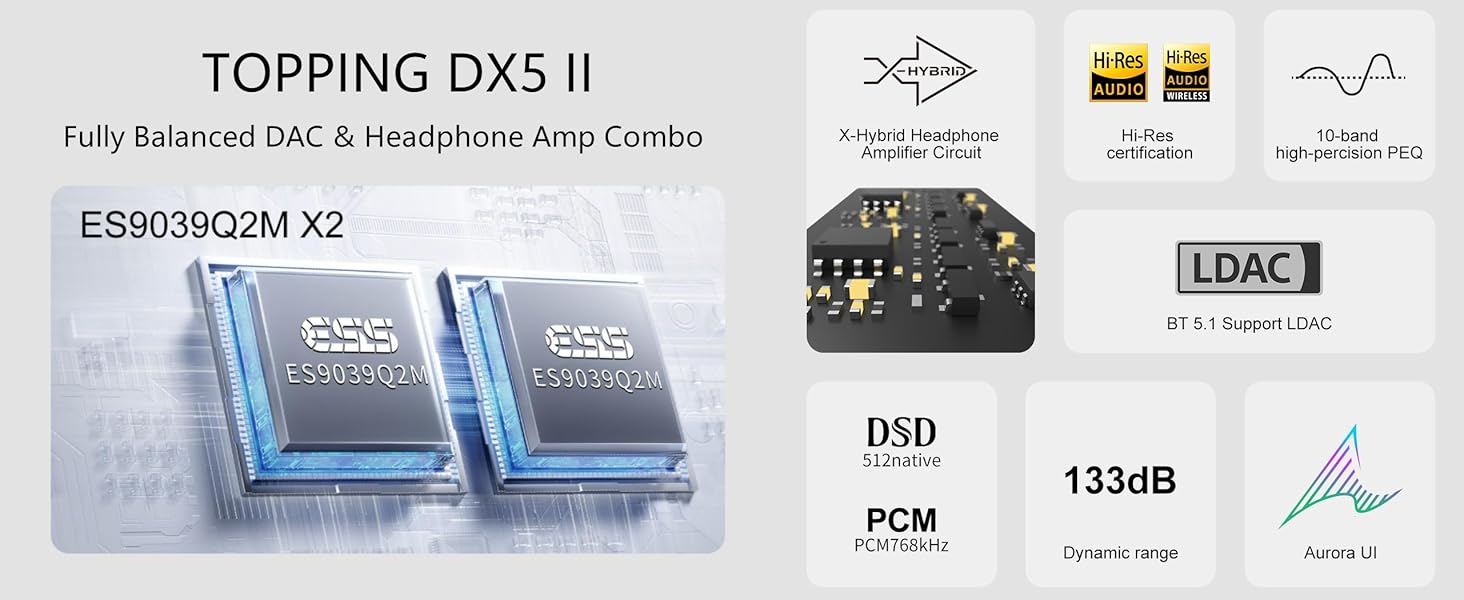
Resim: Üzeriview of key features and specifications including dual ES9039Q2M DACs, X-Hybrid amp, Hi-Res certification, LDAC, DSD512, PCM768kHz, 133dB dynamic range, and Aurora UI.
10. Garanti ve Destek
The TOPPING DX5 II comes with a standard manufacturer's warranty. Please refer to the warranty card included in your package for specific terms and conditions. For technical support, firmware updates, or further assistance, please visit the official TOPPING websitesine gidin veya müşteri hizmetleriyle iletişime geçin.
Official TOPPING Webalan: www.topping.audio


