1. Giriş
This manual provides essential information for the safe and efficient operation of your Anern 4200W Hybrid Solar Inverter. Please read this manual thoroughly before installation and use. Keep it for future reference.
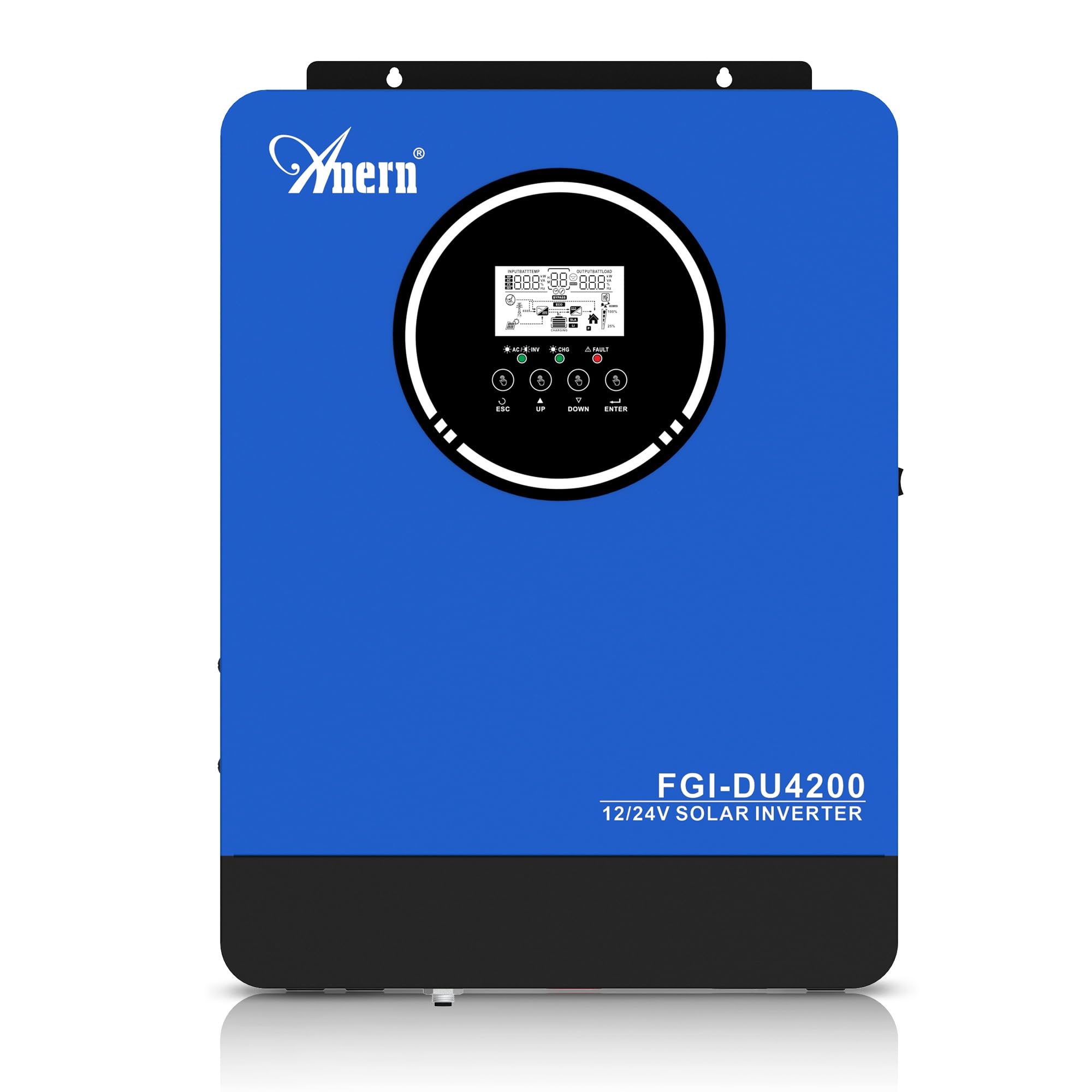
Figure 1: Anern 4200W Hybrid Solar Inverter. This image displays the main unit of the inverter, highlighting its key specifications such as 100A AC charging current, 4200W rated output power, and 500 VDC maximum PV array voltage.
2. Güvenlik Talimatları
Elektrik çarpması, yangın veya yaralanma riskini azaltmak için her zaman aşağıdaki güvenlik önlemlerine uyun:
- Kurulum kalifiye personel tarafından yapılmalıdır.
- Ensure all wiring is correctly connected and equipped with appropriate protective switches.
- İnvertörü sökmeyin. İçerisinde kullanıcı tarafından bakımı yapılabilecek herhangi bir parça bulunmamaktadır.
- İnverterin yağmur, kar, su sıçraması veya herhangi bir sıvıya maruz kalmasından kaçının.
- Aşırı ısınmayı önlemek için invertörün etrafında yeterli havalandırma olduğundan emin olun.
- Herhangi bir bakım veya kablolama işlemine başlamadan önce tüm güç kaynaklarının (güneş paneli, batarya, şebeke elektriği) bağlantısını kesin.
3. Ürün Bittiview
The Anern 4200W Hybrid Solar Inverter is designed to convert DC power from solar panels and batteries into AC power for household use. It features an integrated 100A MPPT solar charge controller and supports both 12V and 24V battery systems with automatic detection.
Temel Özellikler:
- 4200W Saf Sinüs Dalga Çıkışı: Hassas elektronik cihazlar için istikrarlı ve temiz güç sağlar.
- 100A MPPT Güneş Şarj Kontrol Cihazı: Güneş panellerinden elde edilen enerjiyi en üst düzeye çıkarır.
- 12V/24V Battery Auto-Detection: Automatically adjusts output based on connected battery voltage.
- BMS Interface: Supports communication with lithium batteries for enhanced monitoring and protection.
- Real-time LED Display: Shows system status, operating data, and error codes.
- Configurable Charging & Output Modes: Offers flexibility for various application needs.
- Optional WiFi/GPRS Monitoring: Remote monitoring capability (module sold separately).

Figure 2: Inverter Display and Controls. This image illustrates the inverter's LCD display, function buttons for configuration, and the optional WiFi module for remote monitoring.
4. Kurulum ve Kurulum
4.1 Kablolama Şeması
Refer to the electrical schematic for proper system wiring. Ensure all connections are secure and correctly polarized.

Figure 3: Electrical Schematic. This diagram shows the complete wiring for a solar inverter system, including solar panels, combiner box, DC/AC breakers, inverter, utility grid connection, and loads.
4.2 Akü Bağlantısı
The inverter supports 12V and 24V battery configurations. It automatically detects the battery voltage and adjusts its output accordingly (2300W for 12V, 4200W for 24V). For 24V systems, connect two 12V batteries in series. For 12V systems, connect batteries in parallel if increasing kapasitesi.

Figure 4: Battery Connection Options. This image illustrates how to connect batteries for 12V (parallel connection for 2300W output) and 24V (series connection for 4200W output) systems.
The inverter also supports lithium batteries and includes a BMS (Battery Management System) interface for monitoring and protection. Ensure the BMS is properly connected if using lithium batteries.

Figure 5: Communication Interfaces. This image highlights the dual communication interfaces for BMS (Battery Management System) and optional WiFi module, enabling remote monitoring and battery communication.
4.3 Startup and Shutdown Sequence
Başlangıç Sırası:
- Aküyü bağlayın.
- İnvertörü açın.
- Activate the protective switches for PV, Utility, and Loads.
Kapatma Sırası:
- Deactivate the protective switches for Loads, Utility, and PV.
- İnvertörü kapatın.
- Aküyü çıkarın.
Important Note: Inductive loads (e.g., motors, refrigerators) may require up to 3 times their rated power for startup. Ensure the inverter's capacity is sufficient to handle these surge loads. Exceeding the inverter's surge capacity can cause damage.
5. Operasyon
5.1 LCD Ekran ve Ayarlar
The inverter features an LED display that provides real-time system data and operating status. Use the function buttons below the display to navigate menus and configure settings. Settings include battery charging current, AC/solar charging priority, and charging current priority.
5.2 Şarj Modu
The inverter offers four configurable charging modes:
- Güneş Enerjisine Öncelik: Şarj için güneş enerjisine öncelik veriliyor.
- Yalnızca Güneş Enerjisi: Şarj işlemi için yalnızca güneş enerjisi kullanılmaktadır.
- Hizmet Önceliği: Utility grid power is prioritized for charging.
- Solar + Utility Hybrid: Combines solar and utility power for charging.
5.3 Çıkış Modları
Three output modes are available to adapt to various application needs:
- Solar Priority (SUB): Solar power is prioritized for loads.
- Utility Priority (USB): Utility grid power is prioritized for loads.
- SBU: Solar, Battery, Utility priority.

Figure 6: Charging and Output Modes. This diagram visually explains the four available charging modes (Solar Charge, Utility Priority, Solar Priority, Hybrid Charge) and three load output modes (PV Priority, Utility Priority, SBU Priority).
5.4 Uzaktan İzleme
The inverter supports remote monitoring via an optional WiFi/GPRS module (sold separately). This allows users to monitor system performance and status from a distance.
6. Bakım
Düzenli bakım, invertörünüzün optimum performans göstermesini ve uzun ömürlü olmasını sağlar:
- İnvertörü temiz ve tozdan arındırılmış halde tutun. Temizlik için kuru bir bez kullanın.
- Havalandırma açıklıklarının engellenmediğinden emin olun.
- Tüm kablo bağlantılarını sıkılık ve korozyon belirtileri açısından periyodik olarak kontrol edin.
- Monitor the battery status, especially if using lithium batteries with the BMS interface, to prevent overcharge or deep discharge.
- Inspect solar panels for dirt or damage that could reduce efficiency.
7. Sorun Giderme
The LED display will show error codes if issues arise. Refer to the inverter's display for specific error codes to diagnose and resolve problems. Common issues and their potential solutions include:
- Güç Çıkışı Yok: Check battery connections, DC/AC breakers, and inverter power switch.
- Düşük Pil Hacmitage: Ensure batteries are adequately charged. Check charging sources (solar, utility).
- Aşırı Yük Uyarısı: Reduce the connected load. Inductive loads may cause temporary overloads during startup.
- Aşırı Isınma: Ensure proper ventilation. Clean any dust from the inverter's vents.
- PV Giriş Hatası: Güneş paneli bağlantılarını ve voltajı kontrol edin.tage. Ensure PV array voltage belirtilen aralıktadır (55-500V DC).
For persistent issues or error codes not listed, contact customer support.
8. Teknik Özellikler
| Özellik | Şartname |
|---|---|
| Marka | Anern |
| Model Numarası | AN-FGI-DU 4200 |
| Elektrik Gücü | 4200 Watt |
| Çıkış Gücü | 4500 Watt |
| Max. Output Power (Watts) | 4200 |
| Çıkış Dalga Formu | Saf sinus dalgası |
| Güç Kaynağı | Güneş Enerjili, Pille Çalışan |
| Önerilen Ürün Kullanımları | Ev |
| Dahil Bileşenler | Kullanım Kılavuzu |
| Uyumluluk | CE |
| Ürün Boyutları | 30 x 10 x 40 cm; 8.86 kg |
9. Garanti ve Destek
For warranty information and technical support, please refer to the documentation provided with your purchase or contact Anern customer service. Keep your purchase receipt as proof of purchase.


