1. Giriş
This manual provides comprehensive instructions for the SUPVAN E10 Label Maker. It covers essential information regarding the device's setup, operation, maintenance, and troubleshooting. Please read this manual thoroughly before using your E10 Label Maker to ensure proper function and longevity of the product.
2. Paket İçeriği
Aşağıda listelenen tüm öğelerin paketinizde mevcut olduğundan emin olun:
- 1 x SUPVAN E10 Label Maker
- 1 x Roll of Dots Continuous Label
- 1 x Roll of Cosmetic Continuous Label
- 1 x Roll of White Continuous Label
- 1 x USB Charging Cable (not explicitly listed but standard for rechargeable devices)

Resim 2.1: The SUPVAN E10 Label Maker shown alongside the three included label rolls: one with a dots pattern, one with a cosmetic pattern, and one plain white roll.
3. Ürün Özellikleri
The SUPVAN E10 Label Maker offers several features designed for efficient and versatile labeling:
- Kompakt ve Taşınabilir Tasarım: The E10 is designed to be smaller and lighter than traditional label makers, enhancing portability.
- Dahili Şarj Edilebilir Pil: Eliminates the need for disposable AA batteries, offering convenience and cost savings.
- Termal Baskı Teknolojisi: Utilizes thermal printing, removing the requirement for ink or toner cartridges.
- Akıllı RFID Otomatik Algılama: Automatically recognizes and detects the size of the inserted label roll, minimizing misalignment errors and waste.
- BPA-Free Labels: The included labels comply with BPA-free standards, ensuring safety for various applications, including food and cosmetic labeling.
- Dayanıklı Etiketler: Labels are designed to be waterproof and oilproof, suitable for diverse environments.
- Vibrant Label Color Options: The package includes labels with distinct colors and patterns for personalization and organization.

Resim 3.1: A visual comparison highlighting the compact size of the SUPVAN E10 Label Maker against a larger, traditional label maker, emphasizing its portability and built-in rechargeable battery.
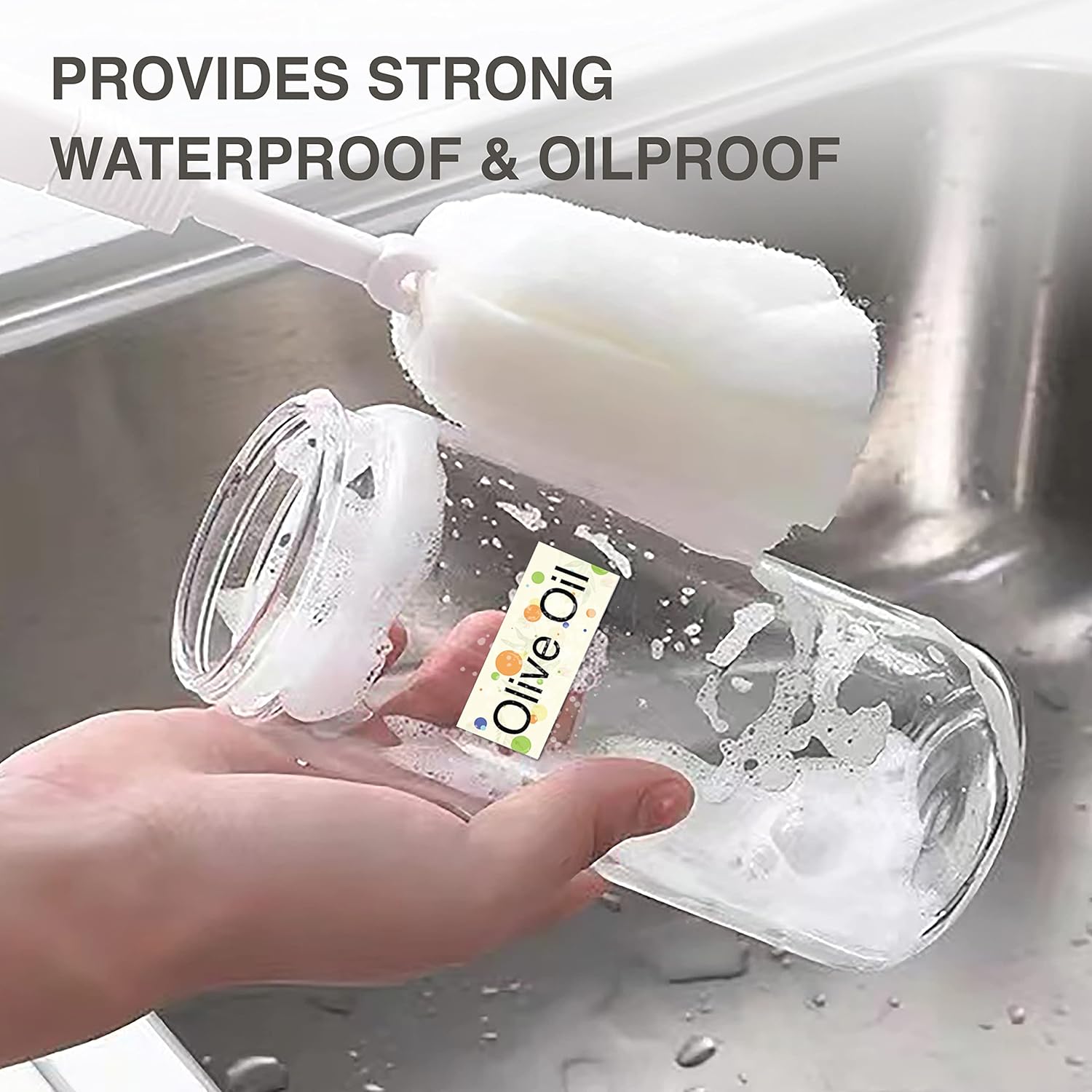
Resim 3.2: A label applied to a bottle being washed, illustrating the waterproof and oilproof characteristics of the SUPVAN labels.

Resim 3.3: Food storage containers with labels, demonstrating practical applications for organizing and identifying contents.
4. Kurulum
4.1 Cihazı Şarj Etme
Before initial use, fully charge the E10 Label Maker. Connect the provided USB cable to the charging port on the device and to a standard USB power adapter (not included) or a computer's USB port. The charging indicator light will provide status feedback (refer to device indicators for specific light behaviors).
4.2 Loading Label Rolls
- Open the label compartment cover on the E10 Label Maker.
- Insert a label roll into the compartment, ensuring the printing side of the label faces upwards and the leading edge extends slightly out of the slot.
- Close the label compartment cover. The device's RFID auto-detection feature will identify the label type and size.
4.3 Uygulama Kurulumu ve Bağlantısı
- Download the official SUPVAN labeling application from your smartphone's app store (iOS App Store or Google Play Store).
- Akıllı telefonunuzda Bluetooth'un etkinleştirildiğinden emin olun.
- Turn on the E10 Label Maker by pressing and holding the power button.
- Open the SUPVAN app and follow the on-screen instructions to connect to your E10 device via Bluetooth. The app will typically display available devices for pairing.
5. Kullanım Talimatları
Once the E10 Label Maker is set up and connected to the app, you can begin creating and printing labels.
5.1 Designing Labels
- In the SUPVAN app, select the 'New Label' or 'Edit' option.
- Utilize the various design tools available in the app, which typically include:
- Metin: Add and format text with different fonts, sizes, and styles.
- Çerçeve: Apply decorative borders around your label content.
- Simge: Insert pre-designed icons or symbols.
- Taslak: Draw custom elements directly on the label.
- Resim: Import images from your device.
- Barcode/QR Code: Barkod veya QR kodları oluşturun ve ekleyin.
- Excel: Integrate data from spreadsheets for batch printing.
- Adjust the layout and content to fit the label size detected by the E10.

Resim 5.1: A smartphone displaying the SUPVAN app interface, demonstrating the various tools available for designing labels, including text, frames, icons, and image insertion, followed by the print command.

Resim 5.2: A close-up of the Dots Continuous Label roll and various example labels printed using the SUPVAN E10, showcasing different design elements like text, icons, and barcodes.

Resim 5.3: A close-up of the Cosmetic Continuous Label roll and various example labels printed using the SUPVAN E10, demonstrating different design elements like text, icons, and barcodes.
5.2 Etiket Yazdırma
After designing your label:
- Review the label design in the app's preview mod.
- Yazdırmak istediğiniz kopya sayısını seçin.
- Tap the 'Print' button in the app. The E10 Label Maker will then print the labels.
- Carefully tear off the printed label from the device's output slot.
6. Bakım
Regular maintenance ensures optimal performance and extends the lifespan of your E10 Label Maker.
6.1 Baskı Kafasının Temizlenmesi
If print quality degrades (e.g., faint lines, smudges), the print head may need cleaning.
- Etiket yazıcısını kapatın ve herhangi bir güç kaynağından ayırın.
- Etiket bölmesini açın.
- Yazıcı kafasını pamuklu bir çubukla hafifçe silin.ampened with isopropyl alcohol. Allow it to dry completely before closing the cover and resuming use.
6.2 Pil Bakımı
- Pilin sık sık tamamen boşaltılmasından kaçının.
- Pil ömrünü korumak için, sürekli kullanılmasa bile cihazı düzenli olarak şarj edin.
- Uzun süre kullanılmayacaksa cihazı serin ve kuru bir yerde saklayın.
6.3 Etiket Depolama
Store label rolls in a cool, dry place away from direct sunlight and extreme temperatures to prevent degradation of the thermal material.
7. Sorun Giderme
If you encounter issues with your E10 Label Maker, refer to the following common problems and solutions:
| Sorun | Olası Neden | Çözüm |
|---|---|---|
| Cihaz açılmıyor. | Pil zayıf veya cihaz arızası. | Charge the device for at least 30 minutes. If it still doesn't power on, contact support. |
| Uygulamaya Bluetooth üzerinden bağlanılamıyor. | Bluetooth off, device not discoverable, or app issue. | Ensure Bluetooth is enabled on your phone and the E10 is powered on. Restart both the device and the app. Try re-pairing in the app. |
| Baskı kalitesi düşük (soluk, boş satırlar). | Dirty print head, incorrect label orientation, or low battery. | Clean the print head (see Section 6.1). Ensure the label roll is inserted correctly with the printing side up. Charge the device. |
| Label not recognized or misaligned. | Label roll not inserted correctly, or RFID sensor issue. | Re-insert the label roll, ensuring it is seated properly. Close the cover firmly. |
| Uygulama çöküyor veya donuyor. | Software bug or compatibility issue. | Restart the app and your smartphone. Ensure the app is updated to the latest version. |
8. Özellikler
| Özellik | Detay |
|---|---|
| Model Adı | E10 |
| Marka | SÜPVAN |
| Baskı Teknolojisi | Termal |
| Bağlantı Teknolojisi | Bluetooth (App-controlled), USB (for charging) |
| Renk | Yeşil |
| Donanım Arayüzü | USB |
| Ek Yazıcı İşlevleri | Yalnızca Yazdır |
| Basılı Medya | Termal Kağıt |
| Maksimum Giriş Sayfası Kapasitesi | 1 (rulo) |
| Çift Taraflı Baskı | HAYIR |
9. Garanti ve Destek
For warranty information and technical support, please refer to the warranty card included with your product or visit the official SUPVAN website. You may also contact SUPVAN customer service directly through the contact information provided on their website or within the SUPVAN application.


