1. Ürün Bittiview
The BUGANI Luster Bluetooth Speaker is a portable wireless stereo speaker designed for high-quality audio output with dynamic colorful lighting. It features Bluetooth 5.3 connectivity, IPX6 waterproofing, and extended playtime, making it suitable for various indoor and outdoor environments.

Image: The BUGANI Luster Bluetooth Speaker, showcasing its design and the vibrant light effects, surrounded by water splashes to highlight its waterproof capabilities.
2. Kutuda Neler Var?
- BUGANI Luster Bluetooth Speaker
- USB-C Şarj Kablosu
- AUX Giriş Kablosu
- Hızlı Başlangıç Kılavuzu
- Ayrılabilir Kordon
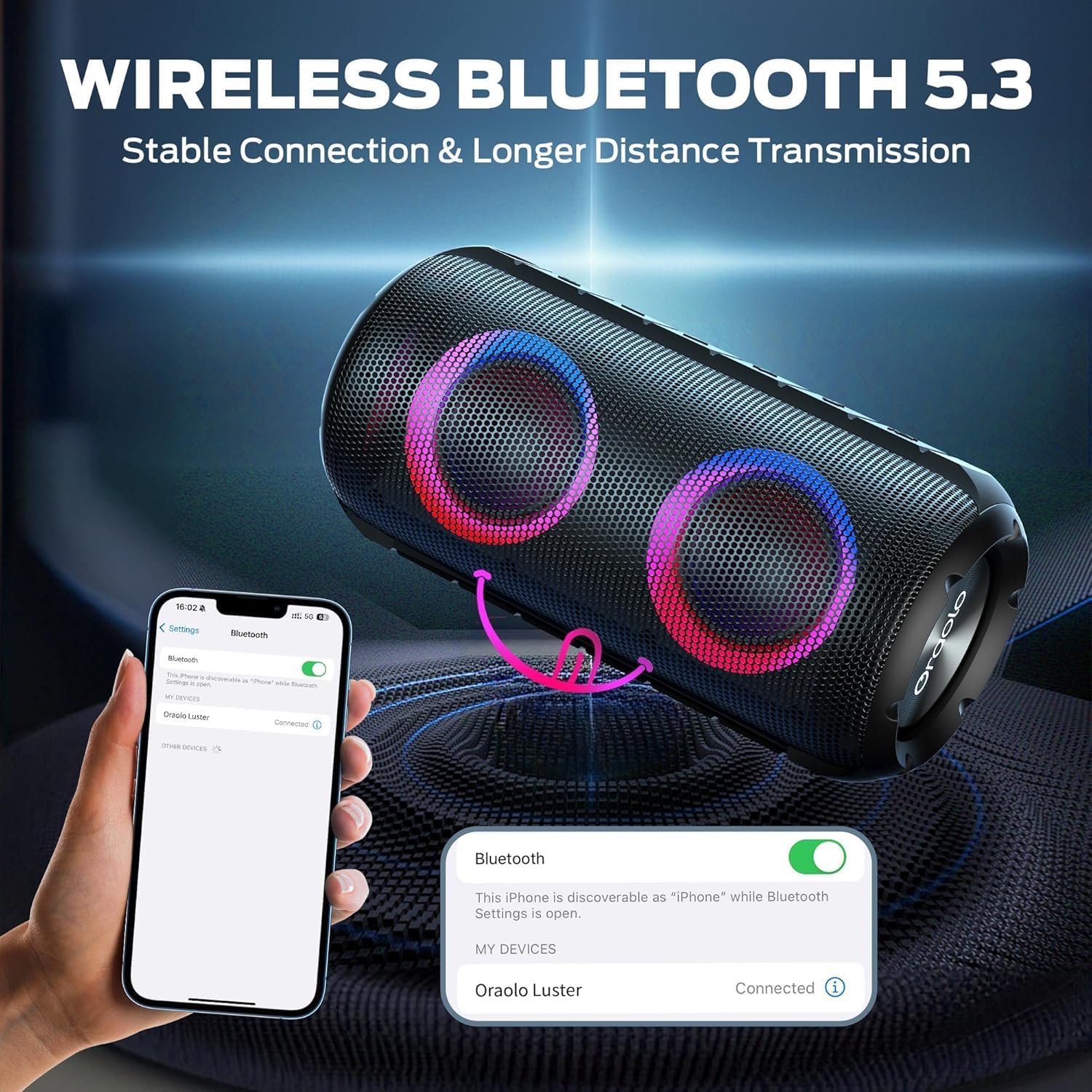
Image: The BUGANI Luster Bluetooth Speaker with its detachable lanyard, illustrating its portability and ease of carrying.
3. Kurulum
3.1 İlk Şarj
Before first use, fully charge the speaker. Connect the provided USB-C cable to the speaker's charging port and the other end to a USB power adapter (not included) or a computer's USB port. The charging indicator light will show the charging status.
3.2 Güç Açma/Kapatma
- Güç Açık: Güç düğmesini basılı tutun (⏻) for 2-3 seconds until you hear an audible prompt and the lights illuminate.
- Kapat: Güç düğmesini basılı tutun (⏻) for 2-3 seconds until you hear an audible prompt and the lights turn off.
3.3 Bluetooth Eşleştirme
- Hoparlörün açık ve Bluetooth eşleştirme modunda olduğundan emin olun (yanıp sönen mavi ışıkla gösterilir).
- Cihazınızda (akıllı telefon, tablet vb.) Bluetooth'u etkinleştirin ve kullanılabilir cihazları arayın.
- Select "BUGANI Luster" from the list of devices.
- Once connected, you will hear a confirmation sound, and the Bluetooth indicator light will become solid blue.
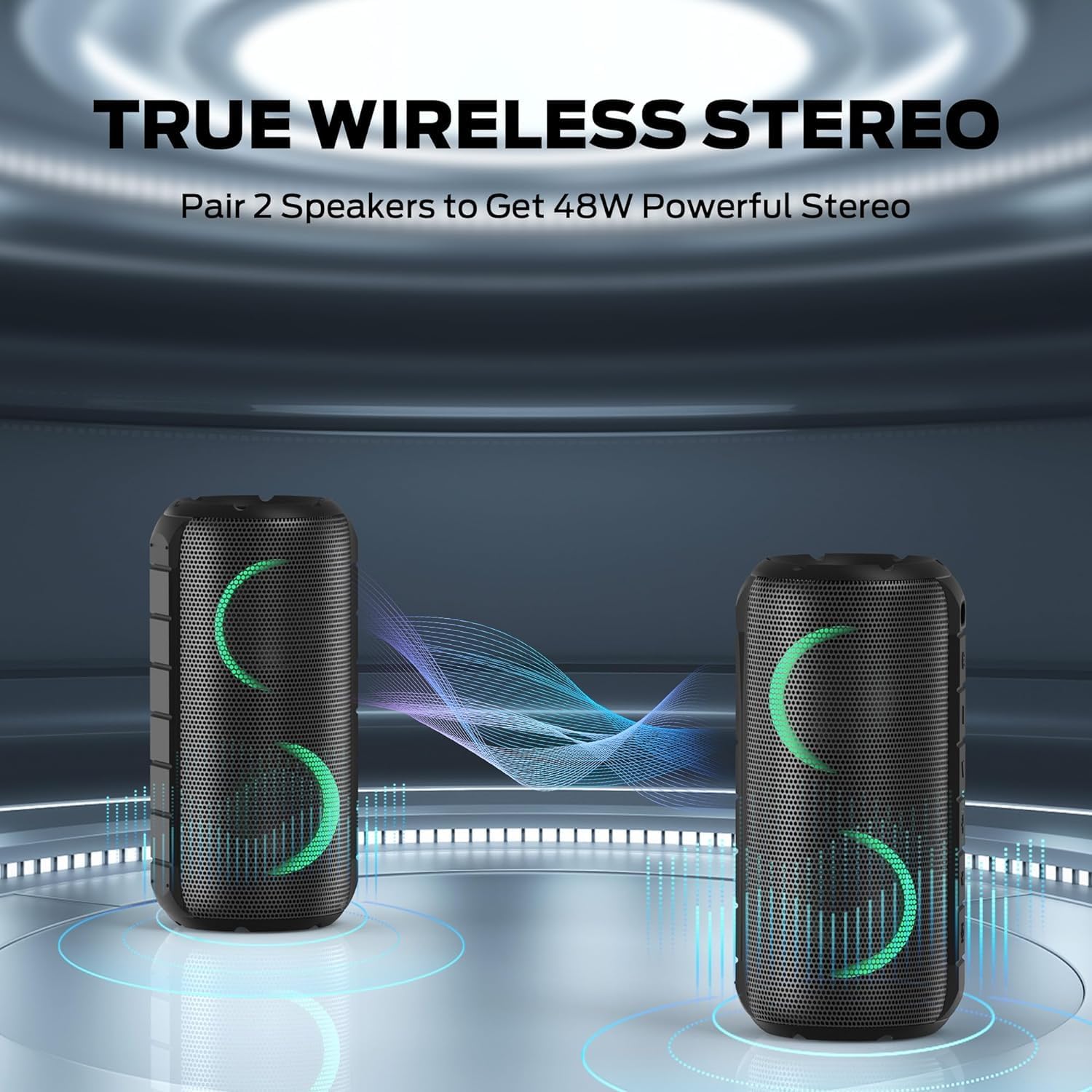
Image: A smartphone displaying its Bluetooth settings, showing a successful connection to the "Oraolo Luster" (BUGANI Luster) speaker, demonstrating the ease of Bluetooth 5.3 pairing.
3.4 Gerçek Kablosuz Stereo (TWS) Eşleştirme
To achieve a more immersive stereo sound, you can pair two BUGANI Luster speakers together.
- Her iki hoparlörün de açık olduğundan ve herhangi bir Bluetooth cihazına bağlı olmadığından emin olun.
- On one speaker (this will be the primary speaker), press the TWS button (often indicated by two interlocking circles or a dedicated TWS icon). The speaker will enter TWS pairing mode.
- The primary speaker will automatically search for the secondary speaker. Once connected, you will hear a confirmation sound, and the lights on both speakers will synchronize.
- Şimdi cihazınızı 3.3. bölümde anlatıldığı gibi Bluetooth aracılığıyla birincil hoparlöre bağlayın. Ses her iki hoparlörden de stereo olarak çalınacaktır.

Image: Two BUGANI Luster speakers positioned to illustrate their True Wireless Stereo (TWS) pairing capability, creating a wider soundstage.
3.5 AUX Girişi Bağlantısı
For non-Bluetooth devices, use the provided 3.5mm AUX-in cable.
- 3.5 mm AUX giriş kablosunun bir ucunu hoparlörün AUX giriş portuna bağlayın.
- Kabloyu diğer ucundan cihazınızın ses çıkış jakına bağlayın.
- The speaker will automatically switch to AUX-in mode.
4. Kullanım Talimatları
4.1 Düğme Fonksiyonları

Resim: Yakın çekim view of the BUGANI Luster speaker's top panel, clearly showing the control buttons for various functions.
| Düğme | Fonksiyon (Kısa Basış) | İşlev (Uzun Basış) |
|---|---|---|
| ⏻ (Güç) | Yok | Güç Açık/Kapalı |
| + (Sesi aç) | Sesi Aç | Sonraki Parça |
| - (Sesi kıs) | Sesi Azalt | Önceki Parça |
| ▶‖ (Oynat/Duraklat) | Oynat durdur; Aramayı Cevapla/Bitir | Reject Call; Activate Voice Assistant |
| 💡 (Light Mode) | Cycle through Light Modes | Işıkları Açma/Kapatma |
| TWS (TWS Pairing) | Yok | TWS Eşleştirme Moduna Girin |
4.2 Colorful Light Show
The speaker features a dynamic RGB light system with 7 colors and 5 light modes. Press the Light Mode button (💡) to cycle through the available modes. Long press the button to turn the lights on or off.

Image: The BUGANI Luster speaker showcasing its vibrant and dynamic colorful light patterns, which enhance the listening experience.
4.3 Eller Serbest Arama
Bluetooth ile bağlandığında, hoparlörün dahili mikrofonu eller serbest görüşme yapılmasına olanak tanır.
- Çağrıyı Cevapla/Sonlandır: Oynat/Duraklat düğmesine kısa süre basın (▶‖).
- Çağrıyı Reddet: Long press the Play/Pause button (▶‖).
4.4 Sesli Asistan Aktivasyonu
Long press the Play/Pause button (▶‖) to activate your phone's voice assistant (e.g., Siri, Google Assistant).
5. Bakım
5.1 Temizlik
Hoparlörü yumuşak bir bezle silin.amp Bez kullanın. Aşındırıcı temizleyiciler, alkol veya kimyasal çözücüler kullanmayın, çünkü bunlar yüzeye veya iç bileşenlere zarar verebilir.
5.2 Su Geçirmezlik (IPX6)
The speaker has an IPX6 waterproof rating, meaning it is protected against powerful water jets. It is suitable for use in rainy conditions or near water bodies like pools and beaches. However, it is Olumsuz designed for submersion in water. Ensure the charging port cover is securely closed before exposing the speaker to water.
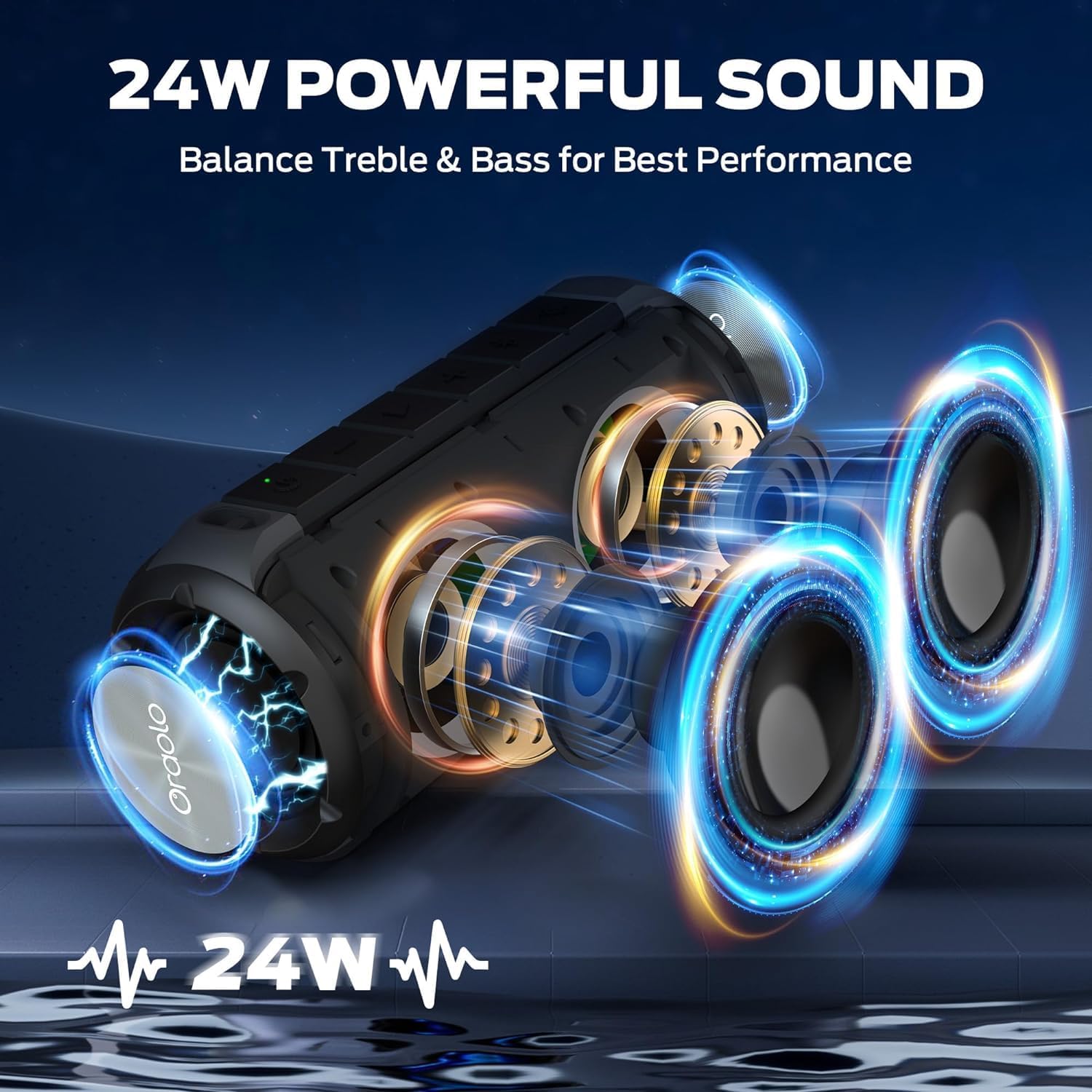
Image: The BUGANI Luster speaker resting on a wet rock with water droplets, visually confirming its IPX6 waterproof rating for outdoor use.
5.3 Depolama
Hoparlörü doğrudan güneş ışığından ve aşırı sıcaklıklardan uzak, serin ve kuru bir yerde saklayın. Uzun süre saklayacaksanız, pil sağlığını korumak için pili birkaç ayda bir yaklaşık %50 oranında şarj edin.
6. Sorun Giderme
6.1 Güç Yok
- Hoparlörün tamamen şarj olduğundan emin olun.
- Güç tuşuna 2-3 saniye basılı tutun.
6.2 Ses Yok
- Hem hoparlörünüzün hem de bağlı cihazınızın ses seviyesini kontrol edin.
- Ensure the speaker is correctly paired via Bluetooth or the AUX-in cable is securely connected.
- Bluetooth kullanıyorsanız, cihazın bağlantısını kesip tekrar eşleştirmeyi deneyin.
6.3 Bluetooth Eşleştirme Sorunları
- Ensure the speaker is within the effective range (up to 33 feet/10 meters) of your device.
- Cihazınızdaki Bluetooth eşleştirme geçmişini temizleyin ve tekrar eşleştirmeyi deneyin.
- Hem hoparlörü hem de cihazınızı kapatıp tekrar açın.
- Başka hiçbir Bluetooth cihazının karışmadığından emin olun.
6.4 TWS Pairing Fails
- Her iki hoparlörün de tamamen şarj olduğundan ve başka bir Bluetooth cihazına bağlı olmadığından emin olun.
- Place the speakers close to each other during the TWS pairing process.
- Follow the TWS pairing steps precisely as described in section 3.4.
7. Özellikler
| Özellik | Detay |
|---|---|
| Marka | BUGANI |
| Model Adı | M166 |
| Hoparlör Tipi | Taşınabilir Stereo Hoparlör |
| Hoparlör Maksimum Çıkış Gücü | 24 Watt |
| Bağlantı Teknolojisi | Bluetooth 5.3, Auxiliary (3.5mm AUX-in) |
| Su Geçirmezlik Derecesi | IPX6 |
| Oyun zamanı | 24 saate kadar ( %50 ses seviyesinde, ışıklar kapalıyken) |
| Ürün Boyutları | 4"D x 8"G x 4"Y |
| Ürün Ağırlığı | 1.34 pound (0.61 Kilogram) |
| Piller | 1 adet AA pil gereklidir (dahil) |
8. Garanti ve Destek
BUGANI products are manufactured to high-quality standards. For specific warranty information and support, please refer to the warranty card included with your product or visit the official BUGANI webSite. Satın alma fişinizi, garanti talepleriniz için satın alma belgeniz olarak saklayın.
For technical assistance or customer service inquiries, please contact BUGANI customer support through their official channels.


