1. Giriş
The EDIFIER MP330 is a portable Bluetooth speaker designed to deliver a high-quality audio experience with its retro aesthetic and advanced features. It supports Hi-Res audio and offers versatile connectivity options.

Image: The EDIFIER MP330 portable Bluetooth speaker, showcasing its brown finish and integrated leather handle.
2. Paket İçeriği
Lütfen aşağıdaki öğelerin kutucuğunu işaretleyin:
- EDIFIER MP330 Speaker x 1
- USB-C - USB-C Kablosu x 1
- Hızlı Başlangıç Kılavuzu x 1
- Important Safety Information x 1

Image: A visual representation of the EDIFIER MP330 speaker and its included accessories: USB-C cable, quick start guide, and safety information.
3. Ürün Bittiview
3.1 Kontroller ve Bağlantı Noktaları
The EDIFIER MP330 features intuitive controls and essential ports for various audio sources.
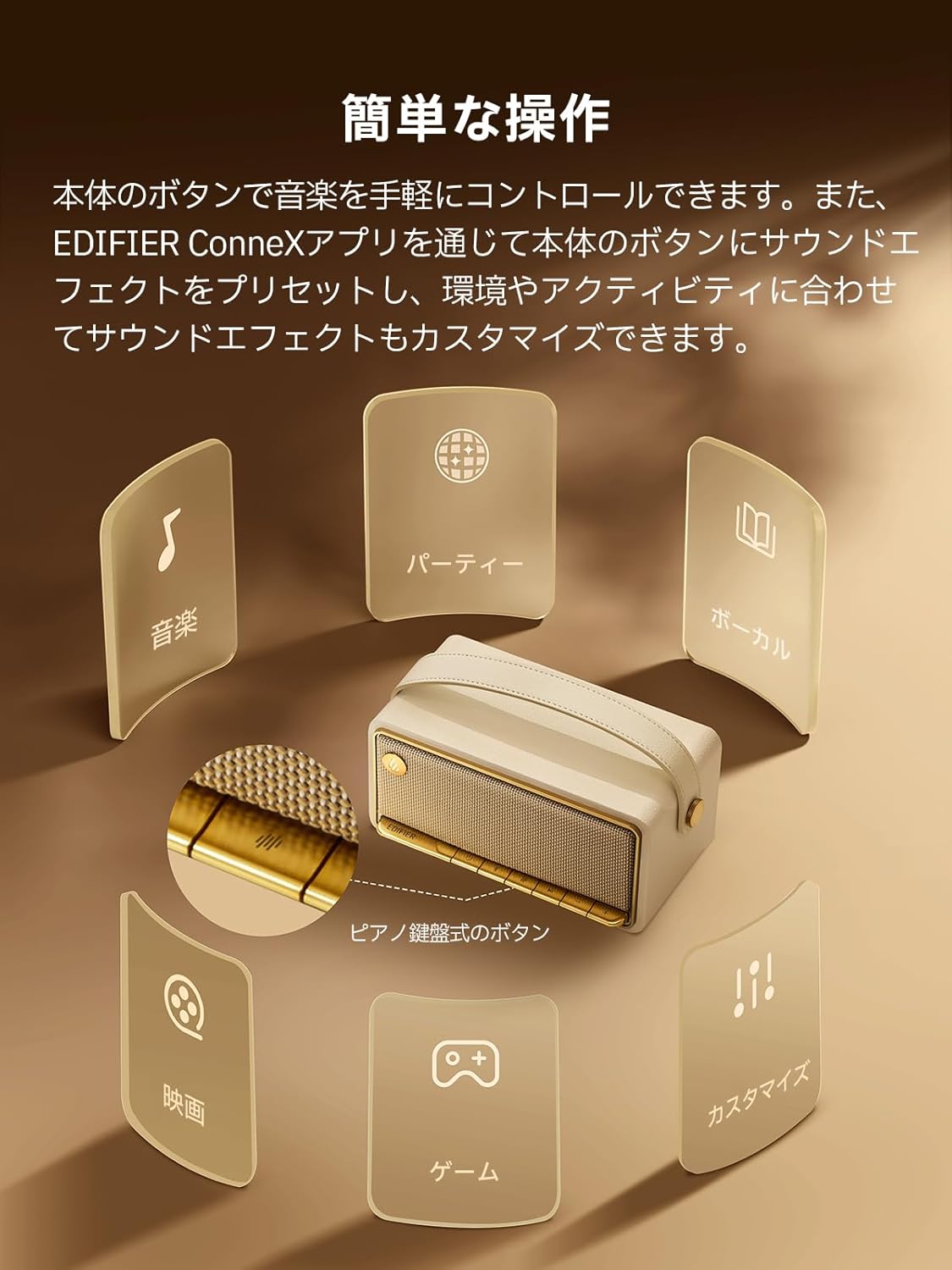
Image: A diagram illustrating the control buttons and indicator lights on the EDIFIER MP330 speaker, showing their functions for power, mode selection, playback, and volume.
- Güç Düğmesi: Açmak/kapatmak için basılı tutun.
- Mod Düğmesi: Short press to cycle through Bluetooth, USB-C, and microSD card input modes.
- Oynat/Duraklat Düğmesi: Sesi oynatmak veya duraklatmak için kısa basın.
- Sesi Aç/Sonraki Parça Düğmesi: Kısa basışla sesi açabilir, uzun basışla bir sonraki parçaya geçebilirsin.
- Sesi Azaltma/Önceki Parça Düğmesi: Kısa basışta ses kısılır, uzun basışta önceki parçaya geçilir.
- USB-C Bağlantı Noktası: For charging and audio input.
- microSD Kart Yuvası: Ses oynatmak için files directly from a microSD card.
4. Kurulum
4.1 Hoparlörü Şarj Etme
Before first use, fully charge the speaker using the provided USB-C cable and a compatible power adapter (not included). The indicator light will show charging status.
4.2 Güç Açma/Kapatma
- Açmak için: Gösterge ışığı yanana kadar Güç düğmesini basılı tutun.
- Kapatmak için: Gösterge ışığı sönene kadar Güç düğmesini basılı tutun.
4.3 Bluetooth Eşleştirme
Cihazınızı Bluetooth aracılığıyla bağlamak için:
- Power on the MP330 speaker. The Bluetooth indicator will flash, indicating it is in pairing mode.
- Cihazınızda (akıllı telefon, tablet vb.) Bluetooth'u etkinleştirin ve kullanılabilir cihazları arayın.
- Select "EDIFIER MP330" from the list of devices.
- Bağlantı sağlandığında Bluetooth göstergesi sabit kalacaktır.
4.4 Çok Noktalı Bağlantı
The MP330 supports connecting to two Bluetooth devices simultaneously. After connecting the first device, put the speaker back into pairing mode and connect the second device. You can then switch between audio sources by pausing playback on one device and starting it on the other.

Image: Two mobile phones displaying music playback interfaces, indicating a multipoint Bluetooth connection to the EDIFIER MP330 speaker.
4.5 Stereo Pairing (TWS)
For an enhanced stereo sound experience, you can pair two MP330 speakers together:
- Ensure both MP330 speakers are powered on and not connected to any Bluetooth device.
- On one speaker, press and hold the Bluetooth button until it enters TWS pairing mode (indicator light will flash a specific pattern).
- The two speakers will automatically connect to each other. One speaker will become the left channel and the other the right.
- Eşleştirme işlemi tamamlandıktan sonra, cihazınızı 4.3 bölümünde açıklandığı gibi Bluetooth aracılığıyla ana hoparlöre bağlayın.

Image: Two EDIFIER MP330 speakers, one black and one ivory, positioned to illustrate stereo pairing, with a Bluetooth logo and arrows indicating connection.
5. Kullanım Talimatları
5.1 Giriş Modlarını Değiştirme
Short press the Mode button to switch between Bluetooth, USB-C, and microSD card input modes. The indicator light will change color to reflect the active mode.
5.2 USB-C Audio Playback
Connect the MP330 to your computer using the provided USB-C cable. The speaker will automatically switch to USB-C audio mode. Select "EDIFIER MP330" as the audio output device on your computer.

Image: A diagram showing the EDIFIER MP330 speaker connected to a computer via a USB-C cable, indicating USB-C audio playback.
5.3 microSD Card Playback
Ses içeren bir microSD kart takın files into the microSD card slot. The MP330 will automatically switch to microSD card mode and begin playback.

Image: A diagram illustrating how to insert a microSD card into the dedicated slot on the EDIFIER MP330 speaker.
5.4 Using the EDIFIER Connex App
Download the EDIFIER Connex app to unlock extended features and customize your listening experience. The app allows you to:
- Giriş kaynaklarını değiştirin.
- Oynatmayı kontrol et.
- Customize sound effects (equalizer presets or custom settings).
- Access the electronic user manual and other settings.

Image: Multiple smartphone screens displaying the EDIFIER Connex app interface, highlighting various control and customization options for the speaker.
6. Bakım
To ensure the longevity and optimal performance of your EDIFIER MP330 speaker, follow these maintenance guidelines:
- Temizlik: Use a soft, dry cloth to clean the speaker's surface. Avoid using abrasive cleaners, solvents, or strong chemicals, as they may damage the finish.
- Depolamak: Hoparlörü serin, kuru ve doğrudan güneş ışığından, aşırı sıcaklıklardan ve yüksek nemden uzak bir yerde saklayın.
- Suya Maruz Kalma: The speaker is not waterproof. Avoid exposing it to water, rain, or excessive moisture.
- İşleme: Hoparlörü dikkatli kullanın. Düşürmekten veya sert darbelere maruz bırakmaktan kaçının.
- Pil Bakım: For optimal battery life, avoid fully discharging the battery frequently. If storing for an extended period, charge the battery to about 50% every few months.
7. Sorun Giderme
If you encounter issues with your EDIFIER MP330 speaker, refer to the following common troubleshooting steps:
- Güç Yok:
- Hoparlörün tamamen şarj olduğundan emin olun.
- Check if the power button is pressed and held correctly to turn on the device.
- Ses Yok:
- Verify the volume level on both the speaker and your connected device.
- Ensure the correct input mode (Bluetooth, USB-C, microSD) is selected.
- Bluetooth kullanıyorsanız, hoparlörün cihazınızla doğru şekilde eşleştirildiğinden ve bağlandığından emin olun.
- If using a microSD card, ensure the card is inserted correctly and contains playable audio files.
- Bluetooth Eşleştirme Sorunları:
- Hoparlörün Bluetooth eşleştirme modunda olduğundan emin olun (gösterge ışığı yanıp sönüyor).
- Cihazınızda Bluetooth'u devre dışı bırakın ve tekrar etkinleştirin.
- Hoparlörü cihazınıza daha yakın ve olası parazit kaynaklarından uzaklaştırın.
- Cihazınızın Bluetooth ayarlarından hoparlörün eşleştirmesini kaldırıp tekrar eşleştirmeyi deneyin.
- Stereo Pairing Not Working:
- Ensure both speakers are not connected to any other Bluetooth device before initiating TWS pairing.
- TWS eşleştirme adımlarını dikkatlice izleyin (Bölüm 4.5).
- Uygulama Bağlantı Sorunları:
- Ensure Bluetooth is enabled and the speaker is connected to your device.
- Update the EDIFIER Connex app to the latest version.
- Hem hoparlörü hem de cihazınızı yeniden başlatın.
If the problem persists after trying these steps, please contact Edifier customer support for further assistance.
8. Özellikler
Detailed technical specifications for the EDIFIER MP330 speaker:

Image: A comparison chart highlighting key specifications of the EDIFIER MP330 and MP230 models, including output power, Bluetooth version, battery capacity, playback time, and Hi-Res audio support.
| Özellik | Şartname |
|---|---|
| Model Adı | MP330 |
| Hoparlör Tipi | Taşınabilir Hoparlör |
| Malzeme | Ahşap (MDF) |
| Renk | Kahverengi |
| Çıkış Gücü | 40W RMS |
| Bluetooth Sürümü | 6.0 |
| Pil Kapasitesi | 4800mAh |
| Oynatma Süresi | 19 saate kadar (% 50 ses seviyesinde) |
| Frekans Tepkisi | 53Hz-40kHz |
| Yüksek Çözünürlüklü Ses | Supported (up to 24bit/96kHz) |
| Bağlantı | Bluetooth, USB-C, microSD card |
| Boyutlar (G x D x Y) | 20.7x11.6x10.1 cm |
| Ağırlık | 1.13 kilo |
| Kontrol Yöntemi | Uygulama, Basmalı Düğme |
| Sinyal Gürültü Oranı (S/N) | 85 dB |

Image: A technical drawing showing the dimensions (width, depth, height) and weight of the EDIFIER MP330 speaker.
9. Garanti ve Destek
For warranty information, please refer to the warranty card included in your product packaging or visit the official Edifier website. If you require technical support or have questions about your EDIFIER MP330 speaker, please contact Edifier customer service through their official channels.
Edifier Official Webalan: www.edifier.com


