1. Giriş
This manual provides essential information for the proper use and maintenance of your Picun F5 Active Noise Cancelling Headphones. Please read it thoroughly before operating the device.
2. Paket İçeriği
Paketinizde tüm öğelerin mevcut olduğundan emin olun:
- 1 x Picun F5 Kulaklık
- 1 x 3.5 mm Ses Kablosu
- 1 x USB Şarj Kablosu
- 1 x Kullanım Kılavuzu

3. Ürün Özellikleri
- Aktif Gürültü Önleme (ANC): Advanced technology to reduce ambient noise for an immersive audio experience.
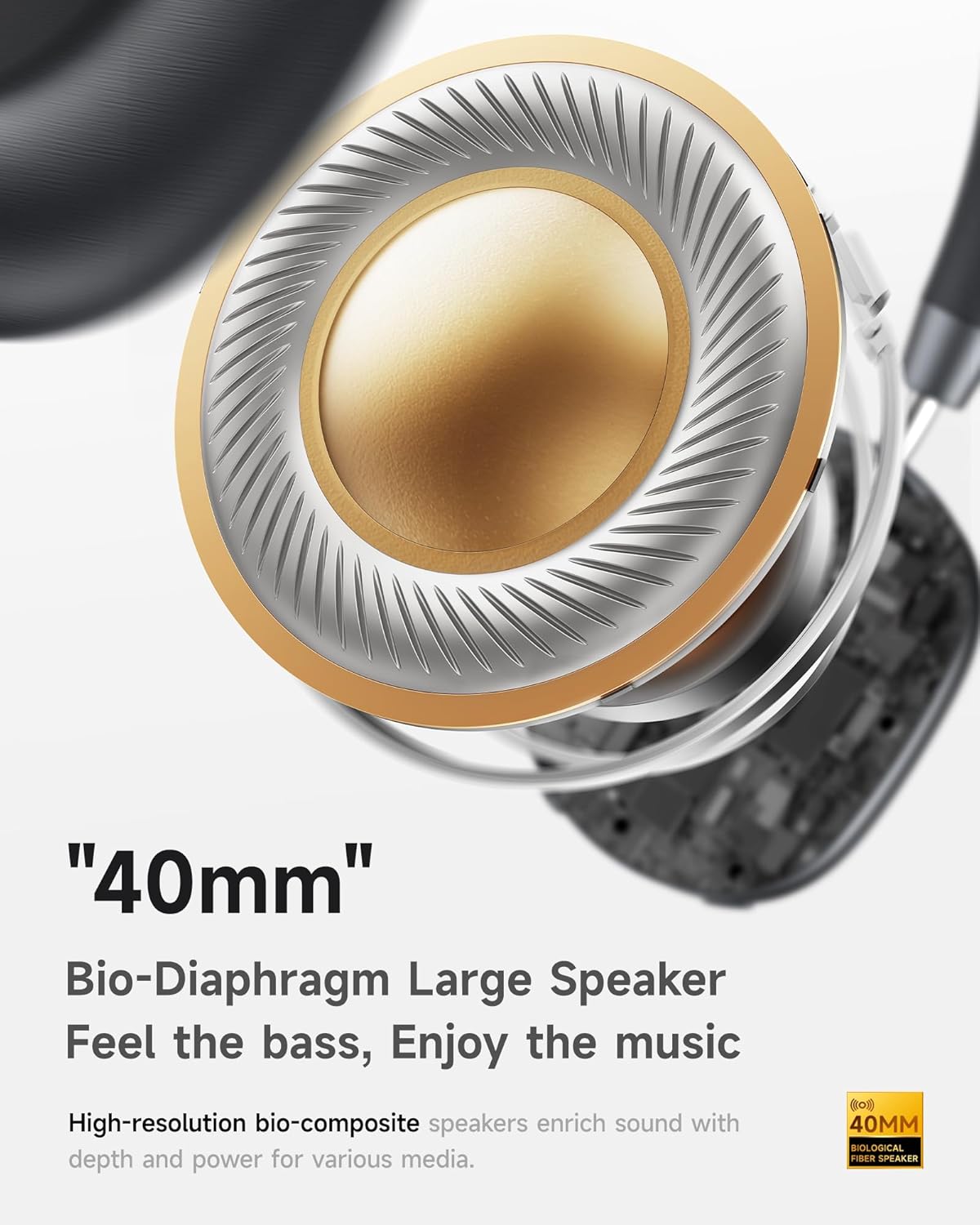
- Hi-Fi Audio with Deep Bass: Delivers clear sound with enhanced bass.
- App-Controlled EQ: Customize audio settings via a dedicated companion application.
- Dahili Mikrofon: Ensures clear voice calls.
- Çok Noktalı Bağlantı: Allows seamless switching between two connected Bluetooth devices.
- Ergonomik Tasarım: Lightweight build with soft memory-foam earcups for extended comfort.
- Uzun Oynatma Süresi ve Hızlı Şarj: Up to 30 hours of playback on a single charge, with quick recharge capabilities.



4. Kurulum
4.1 Kulaklıkların Şarj Edilmesi
Before first use, fully charge your Picun F5 headphones. Connect the provided USB charging cable to the headphone's charging port and a compatible USB power source. The charging indicator light will show the charging status.
4.2 Bluetooth Eşleştirme
- Kulaklıkların kapalı olduğundan emin olun.
- Eşleştirme modunun aktif olduğunu gösteren gösterge ışığı yanıp sönene kadar Güç düğmesini basılı tutun.
- Cihazınızda (akıllı telefon, tablet, bilgisayar) Bluetooth'u etkinleştirin ve kullanılabilir cihazları arayın.
- Select "Picun F5" from the list of devices to connect.
- Bağlantı kurulduktan sonra, modele bağlı olarak gösterge ışığı sabit mavi renkte yanacak veya sönecektir.
4.3 Çok Noktalı Bağlantı
The Picun F5 supports connecting to two Bluetooth devices simultaneously. After pairing with the first device, disable Bluetooth on that device. Pair the headphones with the second device. Then, re-enable Bluetooth on the first device. The headphones should now be connected to both devices, allowing seamless audio switching.

5. Operasyon
5.1 Temel Kontroller
Kulaklıklar, ses ve aramaları yönetmek için sezgisel kontrollere sahiptir:
- Güç Açma/Kapatma: Güç düğmesine basın ve basılı tutun.
- Ses Ayarı: Use the dedicated volume knob/buttons on the earcup.
- Oynat/Duraklat: Çok fonksiyonlu düğmeye tek basış.
- Sonraki Parça: Çok fonksiyonlu düğmeye iki kez basın.
- Önceki parça: Çok fonksiyonlu düğmeye üç kez basın.
- Çağrıyı Cevapla/Sonlandır: Gelen arama sırasında çok fonksiyonlu düğmeye bir kez basın.
- Çağrıyı Reddet: Gelen bir arama sırasında Çok Fonksiyonlu düğmeye basılı tutun.
5.2 Aktif Gürültü Engelleme (ANC) Modları
The ANC feature can be toggled or adjusted using a dedicated button on the headphones. Refer to the specific button layout on your device for exact functionality. Some models may offer different ANC levels or transparency modes.
5.3 App Control and Custom EQ
Download the companion app for your Picun F5 headphones to unlock personalized features. The app allows you to:
- Customize Equalizer (EQ) settings to match your audio preferences.
- Adjust ANC levels or switch between different noise control modes.
- Access additional smart features and settings.


6. Bakım
To ensure the longevity and optimal performance of your Picun F5 headphones, follow these maintenance guidelines:
- Temizlik: Kulaklıkların iç ve dış kısımlarını temizlemek için yumuşak, kuru bir bez kullanın. Sert kimyasallar veya aşındırıcı malzemeler kullanmaktan kaçının.
- Depolamak: Store the headphones in a cool, dry place, away from direct sunlight and extreme temperatures. When not in use, consider storing them in a protective case.
- Nemden Kaçının: Kulaklıkları suya veya aşırı neme maruz bırakmayın.
- Dikkatli Kullanın: Kulaklığınızı düşürmekten veya sert darbelere maruz bırakmaktan kaçının.

7. Sorun Giderme
If you encounter issues with your Picun F5 headphones, refer to the following common solutions:
- Güç Yok: Kulaklıkların tamamen şarj olduğundan emin olun. Kulaklıkları bir güç kaynağına bağlayın ve şarj göstergesini kontrol edin.
- Eşleştirilemiyor: Make sure the headphones are in pairing mode (indicator flashing). Disable and re-enable Bluetooth on your device, then try pairing again. Ensure the headphones are not already connected to another device.
- Ses Yok: Check the volume levels on both the headphones and your connected device. Ensure the headphones are properly paired. If using a wired connection, ensure the 3.5mm audio cable is securely plugged in.
- Kötü Ses Kalitesi: Move closer to your connected device to avoid interference. Check for any obstructions between the headphones and the device. Ensure the audio source is of good quality.
- ANC Çalışmıyor: Ensure the ANC feature is activated. Check for any physical obstructions around the microphones.
If the issue persists, try resetting the headphones (refer to the full user manual for specific reset instructions) or contact customer support.
8. Özellikler
| Marka | Resim |
| Model Adı | F5 |
| Bağlantı Teknolojisi | Kablosuz (Bluetooth 4.0) |
| Gürültü Kontrolü | Ses Yalıtımı (Aktif Gürültü Engelleme) |
| Frekans Tepkisi | 20 KHz |
| Hassasiyet | 42 dB |
| Kulaklık Girişi | 3.5 mm Jak |
| Pil Ömrü | 30 Saat |
| Ses Sürücüsü Türü | Dinamik Sürücü |
| Kulaklık Şekli | Yuvarlak |
| Empedans | 32 Ohm |
| Ürün Ağırlığı | 14 ons (0.4 Kilogram) |
| Malzeme | Akrilonitril Bütadien Stiren (ABS) |
9. Garanti ve Destek
Picun products are designed for reliability and performance. For warranty information, product support, or technical assistance, please refer to the warranty card included in your package or visit the official Picun webalan. Garanti talepleri için satın alma makbuzunuzu saklayın.


