1. Giriş
This manual provides essential information for setting up, operating, maintaining, and troubleshooting your Roku Smart TV 2025 – 24-Inch Select Series 720p HD TV. Please read these instructions carefully before using your television.
The Roku Select Series HD TV offers a streamlined entertainment experience. It features bright HD picture quality, auto speech clarity, and a night mode. Access free live television directly from the home screen and utilize the voice remote for content discovery across various applications. This television is suitable for various rooms including bedrooms, living rooms, kitchens, or children's rooms.
2. Kutuda Neler Var?
Ambalajda tüm bileşenlerin mevcut olduğunu doğrulayın:
- Roku Select Series 24" HD TV
- Stands and screws
- Roku Voice Remote with batteries
- Hızlı Başlangıç Kılavuzu

Image: The Roku Select Series TV box contents, showing the television, remote, and stand components.
3. Kurulum
3.1 TV Sehpalarının Takılması
- Çizilmeleri önlemek için televizyonunuzu ekranı alta gelecek şekilde yumuşak ve temiz bir yüzeye dikkatlice yerleştirin.
- Her bir standı, televizyonun altındaki ilgili vida delikleriyle hizalayın.
- Verilen vidaları kullanarak standları sabitleyin. Vidaların iyice sıkıldığından emin olun.
3.2 Çevre Birimlerini Bağlama
Your Roku TV includes multiple ports for connecting external devices:
- HDMI Bağlantı Noktaları: Connect devices such as cable boxes, gaming consoles, or Blu-ray players. The HDMI 1 (ARC) port supports Audio Return Channel for simplified audio connections.
- USB Bağlantı Noktası: For media playback from a USB drive or powering compatible devices.
- Anten/Kablo Girişi: Havadan yayınlar için bir anten veya kablolu TV bağlantısı kurun.
- Optik Ses Çıkışı: Bir soundbar'a veya ses alıcısına bağlanmak için.
- AV Girişi: Kompozit video ve stereo ses kablolarını kullanarak eski cihazları bağlamak için.

Image: Close-up of the back of the Roku TV, highlighting the HDMI, USB, optical, and AV input ports.
3.3 İlk Açılış ve Ağ Bağlantısı
- Güç kablosunu televizyona ve ardından duvardaki prize takın.
- Insert the included AAA batteries into the voice remote.
- Televizyonu açmak için uzaktan kumandadaki güç düğmesine basın.
- Ekranda gösterilen yönergeleri izleyerek dilinizi seçin, Wi-Fi ağınıza bağlanın ve Roku hesabınızı etkinleştirin.
4. Operating Your Roku TV
4.1 Sesli Uzaktan Kumandanın Kullanımı
The Roku Voice Remote simplifies navigation and content search. It features dedicated buttons for popular streaming services and voice control capabilities.
- Ses Düğmesi: Press and hold to speak commands for searching content, launching apps, or controlling playback.
- Navigasyon Pedi: Menülerde gezinmek ve öğeleri seçmek için yön oklarını ve Tamam düğmesini kullanın.
- Uygulama Kısayolları: Dedicated buttons provide quick access to services like Netflix, Disney+, and Prime Video.
- Ses Kontrolleri: Adjust TV volume directly from the remote.
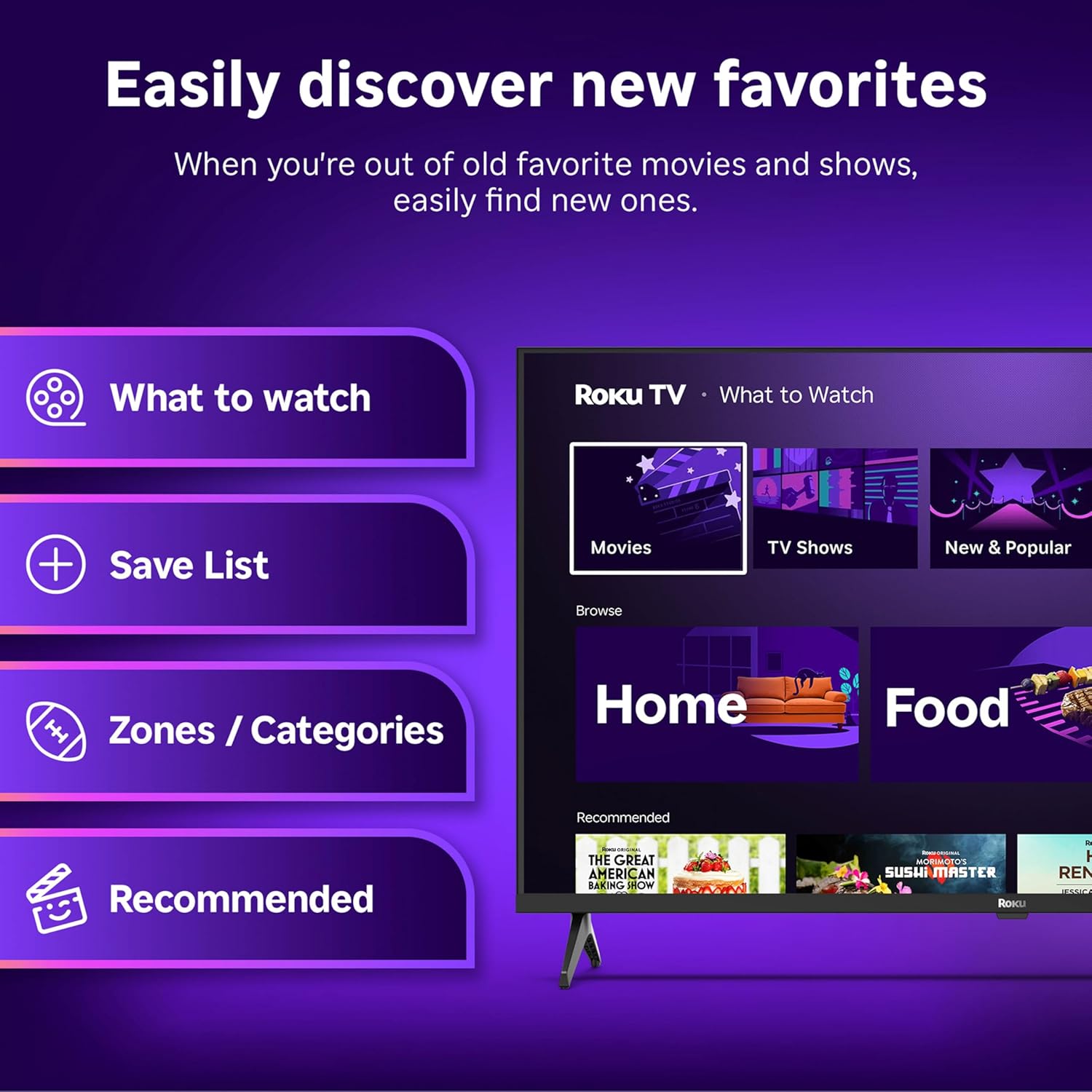
Image: The Roku Voice Remote, showing its layout and key functions.
4.2 Streaming and App Navigation
The Roku TV home screen provides quick access to all your streaming channels and inputs. You can customize the order of your apps for personalized access.
- Ana Ekran: Displays your installed apps, recommended content, and TV inputs.
- Yayın Mağazası: Yeni yayın kanallarını inceleyin ve ekleyin.
- Canlı TV: Access free live television channels directly from the home screen.
- Aramak: Use the search function or voice remote to find movies, shows, actors, or directors across various services.

Image: The Roku TV user interface, showing the home screen with app tiles and menu options.
4.3 Görüntü ve Ses Ayarları
Your Roku TV features Smart Picture technology to optimize viewing and offers enhanced audio features.
- Smart Picture: Automatically adjusts picture settings based on the content being viewed (e.g., movie, sports, vivid, standard).
- Ses Netliği: Designed for clear speech and louder sound.
- Bluetooth Headphone Mode: Connect your wireless headphones for private listening.

Image: A vibrant nature scene displayed on the Roku TV, demonstrating the clear picture quality.
4.4 Akıllı Ev Entegrasyonu
The Roku TV integrates with various smart home ecosystems for convenient voice control and content sharing.
- Ses Kontrolü: Compatible with Roku Voice, Siri, Alexa, and Google Assistant for hands-free operation.
- Apple AirPlay: Effortlessly share videos, photos, and music from your Apple devices to your TV.

Image: A Roku TV screen with a smart speaker nearby, illustrating voice control integration with smart home systems.
5. Bakım
5.1 TV'nizin Temizlenmesi
- Televizyonu temizlemeden önce mutlaka fişini çekin.
- Ekranı ve kasayı yumuşak, tiftiksiz bir bezle nazikçe silin.
- İnatçı izler için hafifçe silinampBezi su veya hafif, aşındırıcı olmayan bir ekran temizleyici ile silin. Temizleyiciyi asla doğrudan ekrana püskürtmeyin.
- Sert kimyasallar, aşındırıcı pedler veya çözücüler kullanmaktan kaçının.
5.2 Yazılım Güncellemeleri
Your Roku TV receives automatic software updates to provide new features and improve performance. Ensure your TV is connected to the internet to receive these updates.
6. Sorun Giderme
If you encounter issues with your Roku TV, try the following basic troubleshooting steps:
- Güç Yok: Güç kablosunun hem televizyona hem de çalışan bir elektrik prizine sağlam bir şekilde takılı olduğundan emin olun. Farklı bir priz deneyin.
- Görüntü/Ses Yok: Verify that the correct input source is selected. Check all cable connections (HDMI, AV, etc.) are secure.
- Uzaktan Kumanda Yanıt Vermiyor: Uzaktan kumandanın pillerini değiştirin. Uzaktan kumanda ile televizyon arasında herhangi bir engel olmadığından emin olun.
- Ağ Bağlantı Sorunları: Restart your Wi-Fi router. Go to the TV's network settings to reconnect to your Wi-Fi.
- App Not Loading: Try restarting the app. If the issue persists, remove the app and reinstall it from the Streaming Store.
- Fabrika ayarları: As a last resort, a factory reset can resolve many software issues. This will erase all personal settings and installed apps. Access this option through the TV's Settings menu.
7. Özellikler
| Özellik | Şartname |
|---|---|
| Marka | Roku |
| Model Numarası | 24R2D5 |
| Ekran Boyutu | 24 inç |
| Ekran Teknolojisi | NEDEN OLMUŞ |
| Çözünürlük | 720p |
| Yenileme Hızı | 60 Hz |
| En Boy Oranı | 16:9 |
| Bağlantı Teknolojisi | Bluetooth, Wi-Fi |
| Özel Özellikler | Bluetooth Headphone Mode, Dolby Audio, Voice Remote |
| Ürün Ağırlığı | 5.7 Pound |
| Ürün Boyutları | 7 x 21.1 x 14.3 inç |
| Piller Gerekli | 2 AAA pil (uzaktan kumanda için) |
8. Garanti ve Destek
For warranty information and technical support, please refer to the documentation included with your product or visit the official Roku support webalan. Garanti talepleri için satın alma makbuzunuzu saklayın.
Roku offers various support resources, including online FAQs, troubleshooting guides, and customer service contact options.


