1. Giriş
This manual provides essential information for the safe and effective operation of your WZATCO Yuva Blaze Smart Home Projector. Please read it thoroughly before using the device and retain it for future reference.

Image 1: WZATCO Yuva Blaze Projector Overview
2. Kutuda Neler Var?
Carefully unpack your WZATCO Yuva Blaze projector and ensure all items are present:
- WZATCO Yuva Blaze Projector
- Uzaktan kumanda
- Güç Kablosu
- AV Kablosu
- Kullanım Kılavuzu (bu belge)
- Garanti Kartı
Video 1: Unboxing the WZATCO Yuva Blaze Projector, showing included accessories like the power cable, remote, AV cable, and documentation.

Image 2: The WZATCO Yuva Blaze projector with its stand.
3. Kurulum Kılavuzu
3.1 Güç Bağlantısı
- Connect the provided power cord to the power port on the projector.
- Güç kablosunun diğer ucunu uygun bir elektrik prizine takın.

Resim 3: Arka view of the projector showing the power input.
3.2 İlk Güç Açma
- Press the power button located on the projector or the remote control to turn on the device.
- The projector will boot up, displaying the Android 13 OS interface.
3.3 Ağ Bağlantısı (Wi-Fi 6)
To access online content and features, connect your projector to a Wi-Fi network:
- Navigate to the 'Settings' menu on the projector's home screen.
- 'Ağ ve İnternet'i ve ardından 'Wi-Fi'yi seçin.
- Wi-Fi'yi açın ve listeden istediğiniz ağı seçin.
- İstenirse şifreyi girin ve bağlanın.

Image 4: Wi-Fi 6 offers improved streaming performance compared to Wi-Fi 5.
3.4 Bluetooth Eşleştirme
Connect external Bluetooth devices like speakers or headphones for enhanced audio:
- Go to 'Settings' and select 'Remotes & accessories'.
- Turn on Bluetooth and select 'Add accessory'.
- Bluetooth cihazınızı eşleştirme moduna alın.
- Eşleştirmek istediğiniz cihazı listeden seçin.

Image 5: Bi-directional Bluetooth allows connecting external speakers or using the projector as a Bluetooth speaker.
4. Kullanım Talimatları
4.1 Temel Gezinme
Use the provided remote control to navigate the Android 13 OS interface. The directional buttons, OK button, and back button are primary for menu selection and content playback.
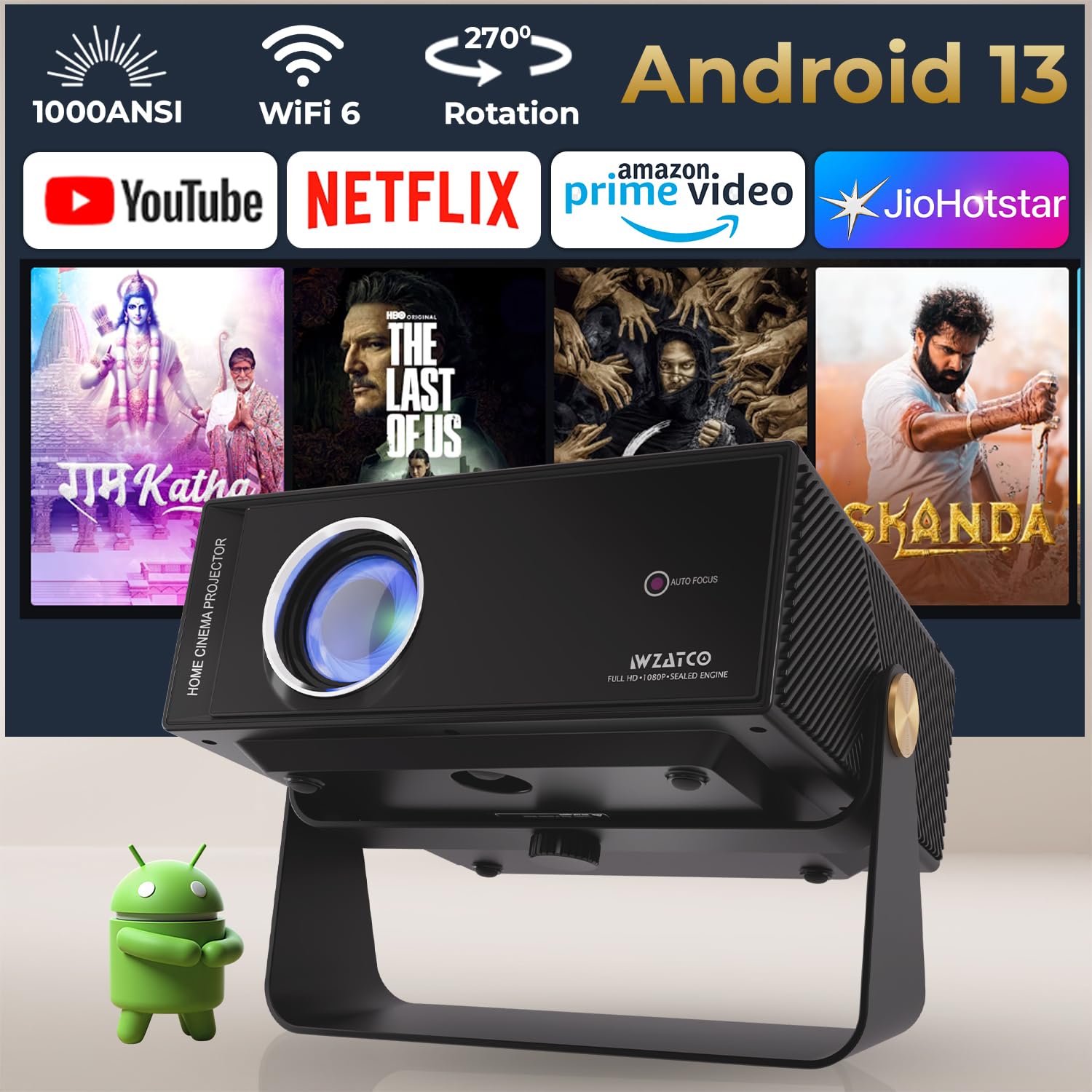
Image 6: The Android 13 OS home screen with various streaming applications.
4.2 Intelligent Image Adjustment
The Yuva Blaze projector features fully automatic intelligent screen adjustments for optimal viewTürkçe:
- Otomatik odaklama: The projector automatically adjusts the image clarity. This can be set to activate on startup or manually.
- Otomatik Çarpıklık Düzeltme: Automatically corrects trapezoidal distortion to ensure a rectangular image, even when the projector is not perfectly aligned with the screen.
- Otomatik Ekran Uyumu: Adjusts the image size to fit the projection surface.
- Otomatik Engellerden Kaçınma: Detects obstacles on the projection surface and automatically adjusts the image to avoid them.

Image 7: Visual representation of the intelligent image adjustment features.
Video 2: Demonstration of auto keystone, auto focus, and auto obstacle avoidance features.
4.3 Flexible Projection
The projector's design allows for 270° rotation, enabling projection onto walls, ceilings, or floors. Adjust the projector's angle as needed for your desired viewyüzey.

Image 8: The projector's 270-degree rotation capability.
5. Bağlantı
The WZATCO Yuva Blaze offers versatile connectivity options:
- HDMI ARK: Connect to Blu-ray players, gaming consoles, laptops, or soundbars. HDMI ARC supports audio return channel functionality.
- USB (U1, U2): Connect USB drives for media playback or external devices.
- LAN: Sabit kablolu internet bağlantısı için.
- AV: Eski cihazları, birlikte verilen AV kablosunu kullanarak bağlayın.
- Aux (3.5mm Audio Out): Harici hoparlör veya kulaklık bağlayın.
- Kablosuz 6: High-speed wireless internet for streaming.
- Bluetooth: Connect wireless audio devices or use for screen mirroring.

Resim 9: Ayrıntılı view of the projector's input and output ports.
6. Ekran ve Ses Özellikleri
6.1 Ekran Kalitesi
The Yuva Blaze projector delivers a native 1080P resolution with support for 4K HDR and HLG. It features 1000 ANSI Lumens brightness, a 7000:1 static contrast ratio, and 98% NTSC wide color gamut for vibrant and clear images.

Image 10: High-quality display features including 4K support and wide color gamut.
6.2 Sürükleyici Ses
Equipped with Hi-Fi stereo dual speakers, the projector provides powerful bass and clear audio. For an enhanced cinematic experience, connect external speakers via Bluetooth or the Aux port.

Image 11: The projector's Bluetooth connectivity for external audio devices.
7. Bakım
Proper maintenance ensures the longevity and performance of your projector:
- Lens Temizliği: Projeksiyon merceğini nazikçe silmek için optik lensler için özel olarak tasarlanmış, yumuşak ve tüy bırakmayan bir bez kullanın. Aşındırıcı malzemelerden veya sert kimyasallardan kaçının.
- Toz Önleme: The projector features a sealed optical engine designed for dust-free performance. However, regularly clean the exterior vents with a soft brush or compressed air to prevent dust buildup.
- Depolamak: Uzun süre kullanılmayacaksa projektörü serin, kuru, doğrudan güneş ışığından ve aşırı sıcaklıklardan uzak bir yerde saklayın.

Image 12: The sealed optical engine helps maintain image quality by preventing dust intrusion.
8. Sorun Giderme
Projeksiyon cihazınızla ilgili sorunlarla karşılaşırsanız, aşağıdaki yaygın sorunlar ve çözümlerine göz atın:
- Güç Yok: Ensure the power cord is securely connected to both the projector and the power outlet. Check if the power outlet is functioning.
- Resim Yok: Doğru giriş kaynağının seçildiğinden emin olun. Tüm kablo bağlantılarını (HDMI, AV) kontrol edin. Objektif kapağının çıkarıldığından emin olun.
- Bulanık Görüntü: Allow the auto-focus feature to complete its adjustment. If manual adjustment is needed, navigate to projection settings. Ensure the projection surface is flat and smooth.
- Ses Yok: Check the volume settings on both the projector and any connected external audio devices. Ensure Bluetooth audio is correctly paired if used.
- Wi-Fi Bağlantı Sorunları: Restart the projector and your Wi-Fi router. Ensure you are within range of your Wi-Fi network. Re-enter the Wi-Fi password if necessary.
9. Özellikler
| Özellik | Detay |
|---|---|
| Marka | WZATCO |
| Model Adı | Yuva Blaze |
| Yerel Çözünürlük | 1920 x 1080 (Orijinal 1080P) |
| Desteklenen Çözünürlük | 4K Pixels (4K HDR Support) |
| Parlaklık | 1000 ANSI Lümenleri |
| Kontrast Oranı | 7000:1 |
| İşletim Sistemi | Android TV OS 13.0 (1GB+8GB) |
| Bağlantı | HDMI ARC, WiFi 6, Bluetooth, USB, LAN, AV |
| Özel Özellikler | Fully Automatic (Auto Focus, Auto Keystone, Auto Screen Fit, Auto Obstacle Avoidance), 270° Rotate, 5 Watt HiFi Speakers, Voice Assistant |
| Lamp Hayat | 50,000 Saat |
| Ürün Boyutları | 13x28x27.5 cm |
| Ürün Ağırlığı | 2.5 kilo |
10. Garanti ve Destek
Your WZATCO Yuva Blaze projector comes with a 1 Yıl garanti from the date of purchase. Product registration is mandatory to avail warranty benefits.
10.1 Ürün Kaydı
To register your product and activate your warranty, scan the QR code provided on the warranty card or visit the official WZATCO webalan.

Video 3: The warranty card with QR codes for demo video, ticket submission, and customer support information.
10.2 Müşteri Desteği
For any assistance, please contact WZATCO customer support:
- Telefon: +91 8070977097 (Available Monday to Saturday, 10:00 AM - 5:00 PM IST)
- E-posta: destek@wzatco.com


