giriiş
This manual provides detailed instructions for the Kinglucky A8 Upgraded Clip-On Open-Ear Earbuds. Please read this manual thoroughly before using the product to ensure proper operation and to maintain optimal performance.
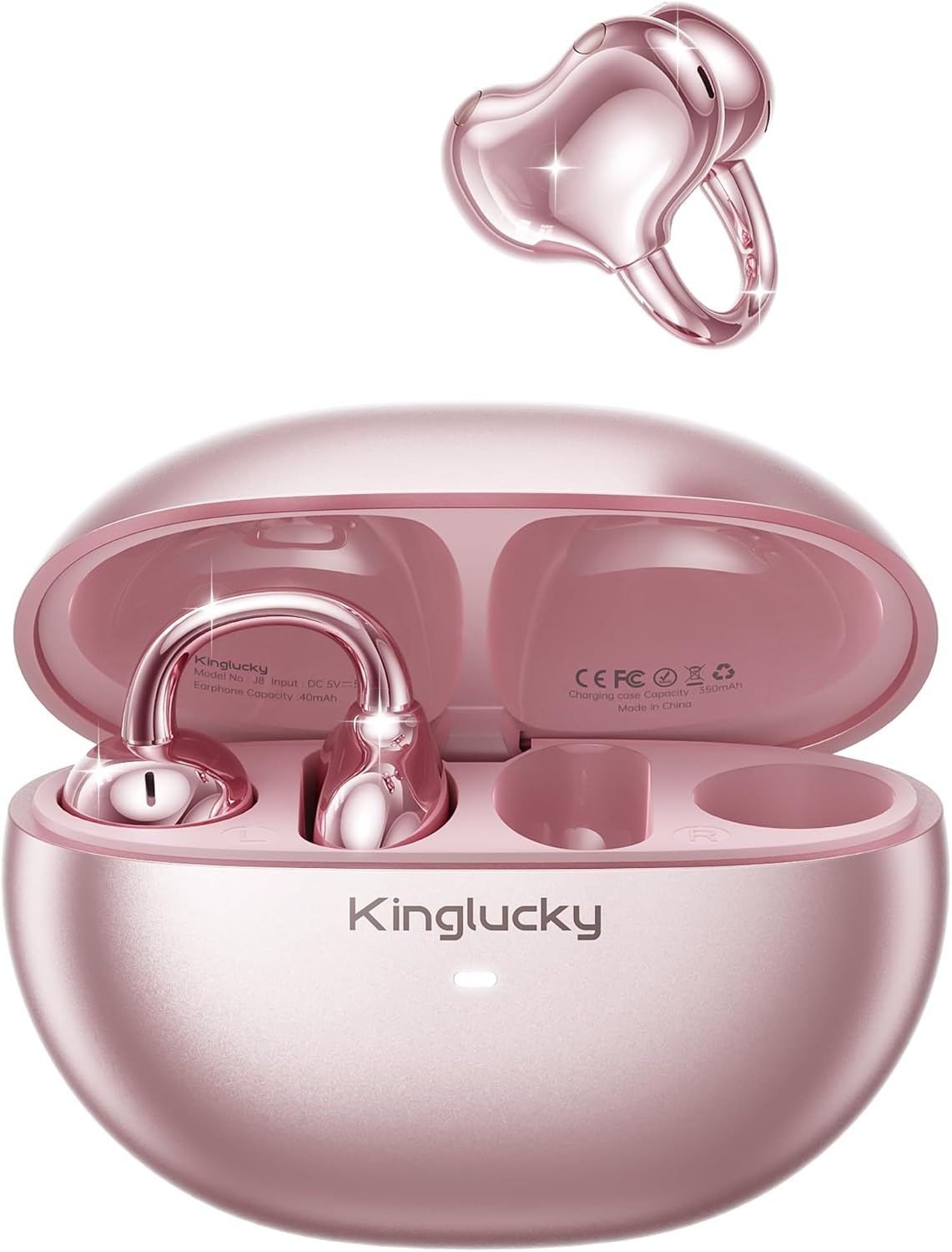
Image: Kinglucky A8 Clip-On Open-Ear Earbuds and their charging case. The earbuds are shown both inside and outside the case, highlighting their rose gold pink color and unique clip-on design.
Kutuda Neler Var?
Paketin içinde tüm öğelerin mevcut olduğundan emin olun:
- Kinglucky A8 ClipFree Earbuds
- Şarj Kutusu
- USB-C Şarj Kablosu
- Kullanım Kılavuzu (bu belge)

Image: A visual representation of the package contents, showing the gift wrapping box, the charging case, the ClipFree A8 earbuds, and a USB-C charging cable.
Kurmak
1. Kulaklıkları ve Kutuyu Şarj Etme
Before first use, fully charge the earbuds and the charging case. Place the earbuds into the charging case. Connect the USB-C charging cable to the charging port on the case and plug the other end into a USB power source. The indicator light on the case will show charging status.
- Tam şarj, kulaklıklara 6 saate kadar kullanım süresi sağlar.
- The charging case extends total playtime to approximately 50 hours.
2. Kulaklıkların Takılması
The Kinglucky A8 earbuds feature a flexible C-shaped clip design for comfortable and secure placement. Each earbud weighs approximately 4.0g.
- Gently clip the earbud onto the top edge of your ear.
- Adjust the earbud slightly up or down to find your most comfortable and secure fit. The open-ear design allows you to remain aware of your surroundings.

Image: A two-panel diagram illustrating the correct way to wear the clip-on earbuds. The first panel shows gently clipping the earbud onto the ear, and the second shows adjusting it for a perfect fit.
3. Bluetooth Eşleştirme
The earbuds utilize Bluetooth 5.4 for stable and efficient connection.
- Şarj kutusunu açın. Kulaklıklar otomatik olarak eşleştirme moduna geçecektir.
- Cihazınızda (akıllı telefon, tablet vb.) Bluetooth ayarlarına gidin.
- Select "Kinglucky A8" from the list of available devices.
- Once connected, you will hear an audio confirmation, and the indicator light on the earbuds will change.
Kullanım Talimatları
Dokunmatik Kontroller
The Kinglucky A8 earbuds feature intuitive touch controls on each earbud for managing audio playback and calls.

Image: A visual guide to the touch controls. It shows icons for music and calls, detailing single taps for volume/answer, double taps for play/pause, and press-and-hold for rejecting calls.
| Aksiyon | İşlev |
|---|---|
| Tek Dokunuş | Volume Up / Volume Down (depending on earbud) or Answer Call |
| Çift Dokunma | Müzik Çal / Duraklat |
| Basılı tutun (2 saniye) | Reject Call / Activate Voice Assistant |
Çok Noktalı Eşleştirme
The Kinglucky A8 earbuds support MultiPoint Pairing, allowing simultaneous connection to two devices. This enables seamless switching between your phone, tablet, smartwatch, or computer without needing to manually disconnect and reconnect.

Image: A visual showing the Kinglucky A8 earbuds connected to both a smartphone and a laptop simultaneously, illustrating the MultiPoint Pairing feature.
Bakım
Temizlik
To maintain optimal performance and hygiene, regularly clean your earbuds and charging case. Use a soft, dry, lint-free cloth. Avoid using abrasive materials, alcohol, or chemical cleaners.
Suya Dayanıklılık (IP56)
The Kinglucky A8 earbuds are rated IP56 for water resistance. This means they are protected against dust ingress and high-pressure water jets from any direction. They are suitable for use during workouts, light rain, and daily activities where sweat or splashes may occur. They are not designed for submersion in water.

Image: A graphic depicting the Kinglucky A8 earbuds with water droplets, emphasizing their IP56 water-resistant rating and suitability for active use.
Sorun giderme
If you encounter issues with your Kinglucky A8 earbuds, refer to the following common solutions:
- Kulaklıklar eşleşmiyor:
- Her iki kulaklığın da şarjlı olduğundan emin olun.
- Kulaklıklarınızı tekrar kutuya yerleştirin, kutuyu kapatın, ardından eşleştirme moduna yeniden girmek için kutuyu tekrar açın.
- Cihazınızın Bluetooth özelliğini kapatıp açın.
- Forget "Kinglucky A8" from your device's Bluetooth list and try pairing again.
- Ses yok veya ses seviyesi düşük:
- Check the volume levels on both your device's and the earbuds.
- Kulaklıkların cihazınıza doğru şekilde bağlı olduğundan emin olun.
- Kulaklık hoparlörlerindeki kalıntıları temizleyin.
- Şarj sorunları:
- Şarj kablosunun ve adaptörün doğru çalıştığını doğrulayın.
- Kulaklıkların ve kutunun içindeki şarj temas noktalarının temiz ve engelsiz olduğundan emin olun.
- Aralıklı bağlantı:
- Cihazınızın, önemli engeller olmadan, Bluetooth'un etkili menzili (genellikle 10 metre/33 fit) içinde olduğundan emin olun.
- Güçlü elektromanyetik girişimlerden kaçının.
If problems persist, please contact Kinglucky customer support for further assistance.
Özellikler
| Özellik | Detay |
|---|---|
| Model Adı | A8 |
| Bağlantı Teknolojisi | Kablosuz (Bluetooth 5.4) |
| Kulak Yerleşimi | Açık Kulak (Klipsli) |
| Form Faktörü | Gerçek Kablosuz |
| Çalma Süresi (Kulaklık) | Şarj başına 6 saate kadar |
| Toplam Oynatma Süresi (Şarj Kutusuyla) | 50 saate kadar |
| Kulaklık Ağırlığı | Approximately 4.0g each |
| Suya Dayanıklılık Derecesi | IP56 |
| Mikrofonlar | Dual beamforming with ENC noise cancelling |
| Malzeme | Plastik |
| Empedans | 32 Ohm |
| Uyumlu Cihazlar | Cellphones and other Bluetooth-enabled devices |
Garanti ve Destek
Kinglucky products are designed for reliability and performance. For warranty information or technical support, please refer to the official Kinglucky websiteye gidin veya doğrudan müşteri hizmetleriyle iletişime geçin.
You can visit the Kinglucky store for more information: Kinglucky Official Store


