giriiş
Welcome to the PRT MT610 Pro Thermal Printer user manual. This document provides essential information for setting up, operating, and maintaining your portable thermal printer. The MT610 Pro is a compact, inkless, wireless thermal printer designed for convenience and efficiency, ideal for travel, office, and school use. It supports both Bluetooth and USB connectivity for versatile printing options.
The accompanying carrying case is made of durable, high-quality EVA material, offering excellent shock resistance to protect your printer from bumps and scratches during transport.
Ürün Özellikleri
- Taşınabilir Tasarım: Weighs only 1.1 pounds, making it easy to carry in a schoolbag or backpack.
- Mürekkepsiz Termal Baskı: Utilizes thermal technology, eliminating the need for ink cartridges.
- Kablosuz bağlantı: Supports Bluetooth connection for iOS and Android devices via the HerePrint mobile app.
- USB Bağlantısı: Allows printing from computers via USB (driver download required).
- Dayanıklı Taşıma Çantası: Lightweight, shock-resistant EVA material protects the printer.
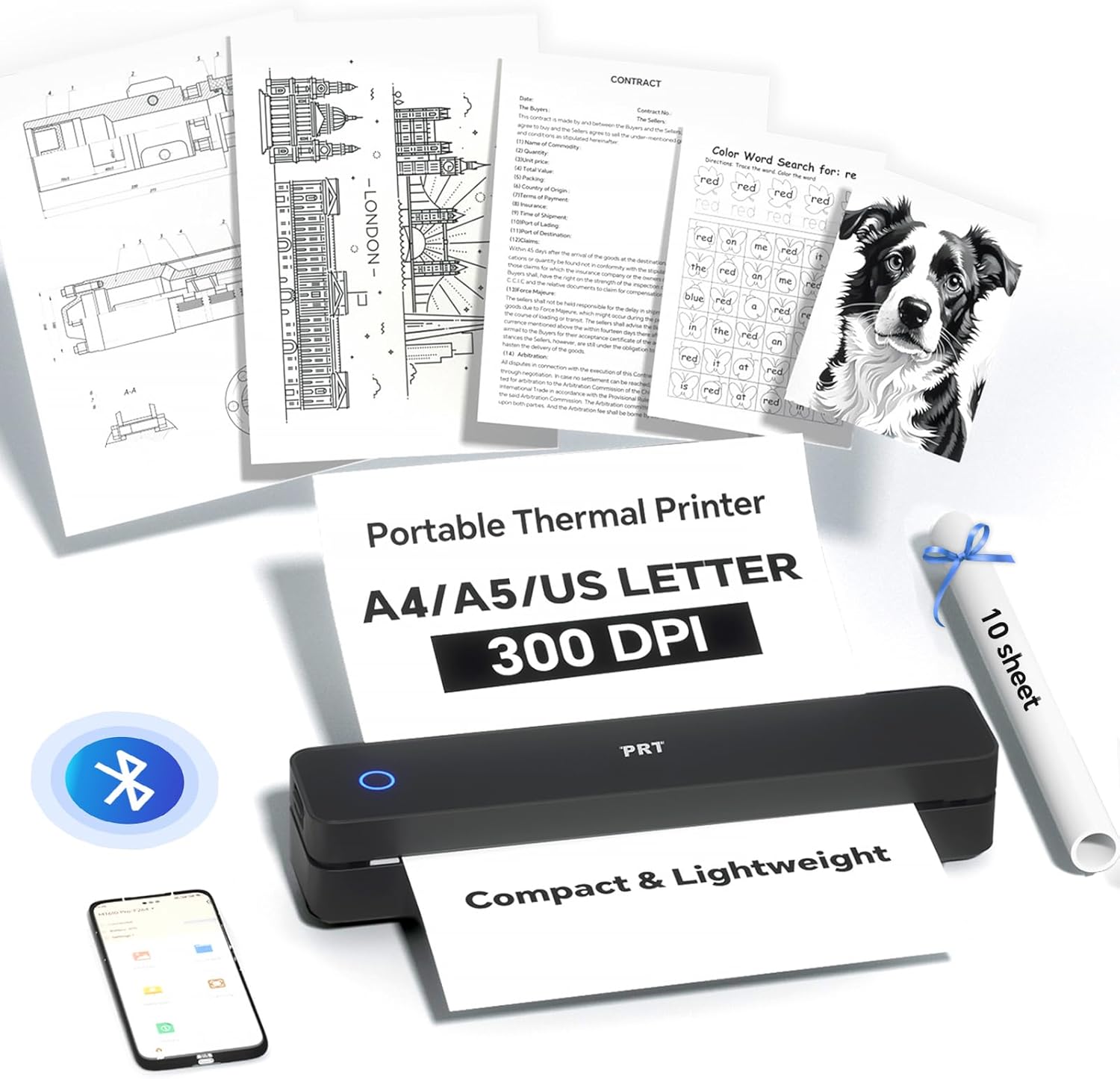
Image: The PRT MT610 Pro Thermal Printer shown with various documents it can print, including text, images, and forms. A roll of thermal paper and a carrying case are also visible, highlighting its versatility and portability.

Image: A close-up of the sleek black carrying case for the PRT MT610 Pro Thermal Printer, featuring a textured exterior and a branded logo.

Image: The PRT MT610 Pro Thermal Printer neatly placed inside its custom-fit carrying case, alongside accessories like charging cables and extra paper rolls.

Resim: Ayrıntılı view of the carrying case's interior, highlighting its anti-scratch lining, easy organization compartments, and durable construction.

Image: The compact and lightweight carrying case for the PRT MT610 Pro Thermal Printer is shown being easily placed into a backpack, demonstrating its portability.
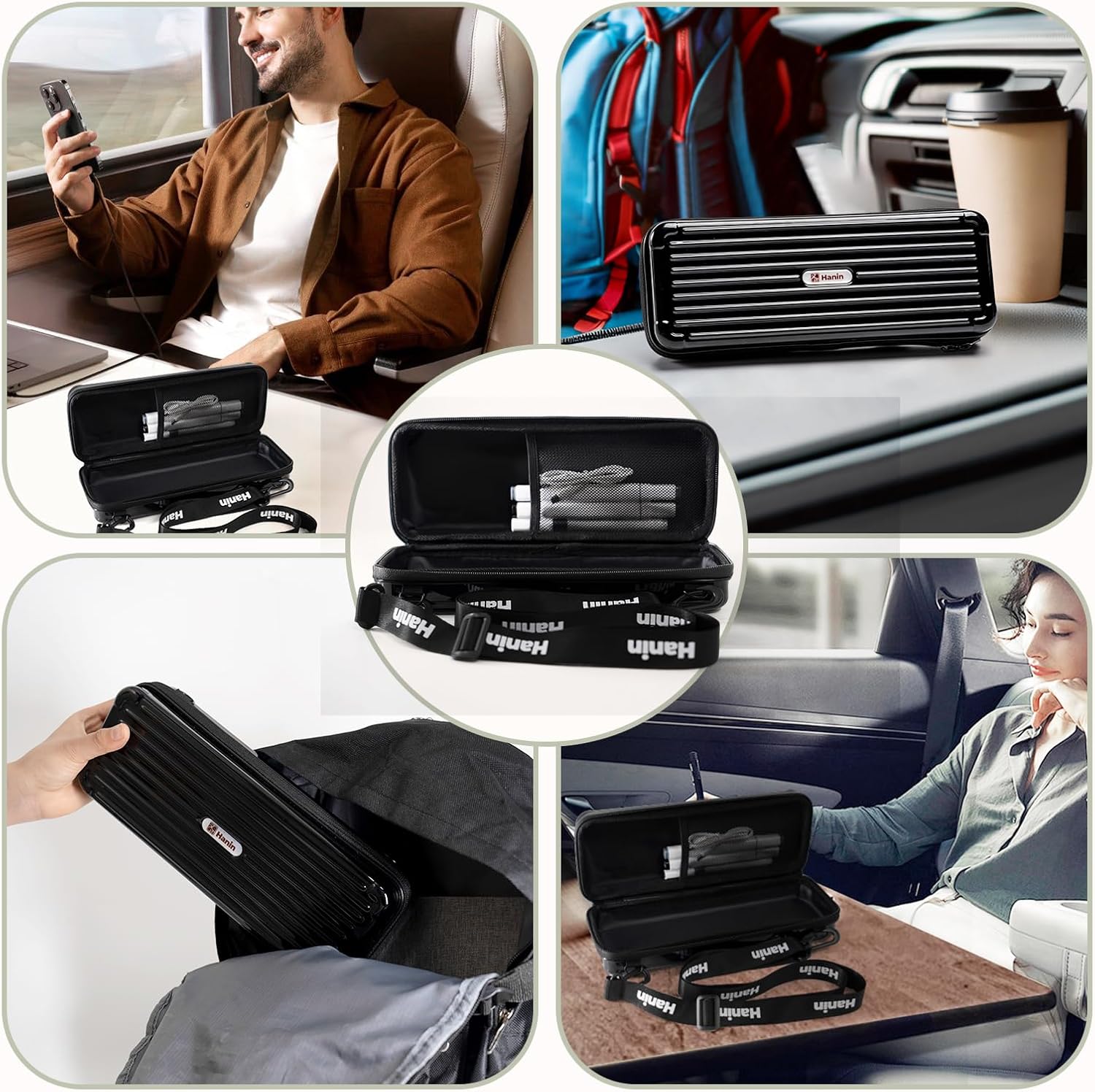
Image: A collage showing the PRT MT610 Pro Thermal Printer being used in different settings: on a train, in a car, at a desk, and being stored in a bag, emphasizing its versatility for mobile printing.

Image: The dimensions of the PRT MT610 Pro Thermal Printer carrying case are displayed, showing it measures 11.2 inches (28.5cm) in length, 4.3 inches (11cm) in width, and 2.7 inches (7cm) in height.

Image: The PRT MT610 Pro Thermal Printer is shown with illustrations of phone printing via Bluetooth (Android/iOS app) and computer printing via USB, along with QR codes for the HerePrint mobile app and driver downloads.
Kurmak
Follow these steps to set up your PRT MT610 Pro Thermal Printer for first-time use.
- Check Accessory List: Paket içerisinde tüm bileşenlerin mevcut olduğunu doğrulayın.
- Familiarize with Printer: Identify the power button, indicator light, cover open buttons, paper output slot, reset hole, and Type-C charger port.
- Remove Protective Paper: If your printer contains disposable protective paper, press the cover open buttons and remove it in the direction of the arrow. Close the cover securely until it clicks.
- Turn On Printer: Press and hold the power button for 3 seconds. The indicator light will turn red if no paper is loaded, or green if paper is loaded.
- Gücü bağlayın: Use the original USB cable for charging and data transmission. The printer's light will turn on when successfully connected to a power source.
- Kağıt Besleme: The printer requires specialized thermal paper. Place the non-printing side of the paper facing downwards. Insert the paper into the paper guide slot until the printer automatically pulls it in and the indicator light turns green.
- İndir uygulaması: Download the "HerePrint" app from Google Play or the App Store.
- Connect Printer to App: Open the HerePrint app and follow the on-screen instructions to connect your printer via Bluetooth.
Video: This quick start guide video demonstrates the unboxing, identification of printer components, removal of protective paper, powering on, connecting the power cable, loading thermal paper, and connecting the printer to the mobile app for printing.
Kullanım Talimatları
Once your PRT MT610 Pro Thermal Printer is set up, you can begin printing documents and images.
- Printing via Bluetooth (Mobile App):
- Ensure your printer is connected to the "HerePrint" app via Bluetooth.
- Within the app, select the document or image you wish to print.
- Adjust print settings such as density, paper size, and number of copies.
- Tap "Print" to send the job to your printer.
- Printing via USB (Computer):
- Download the necessary printer drivers from the official PRT website (refer to the QR code on the printer or in the app for the link).
- Connect your printer to your computer using the provided USB-C cable.
- Open the document or image on your computer and select the PRT MT610 Pro as your printer.
- Yazdırma ayarlarını gerektiği gibi düzenleyin ve yazdırma işlemini başlatın.
Bakım
To ensure optimal performance and longevity of your PRT MT610 Pro Thermal Printer, follow these maintenance guidelines:
- Yazdırma Kafasını Temizleme: Termal baskı kafasını düzenli olarak yumuşak, tüy bırakmayan bir bezle hafifçe temizleyin.ampİzopropil alkol ile temizleyin. Temizlemeden önce yazıcının kapalı ve soğumuş olduğundan emin olun.
- Kağıt İşleme: Always use high-quality thermal paper recommended for the MT610 Pro. Store thermal paper in a cool, dry place away from direct sunlight or excessive heat to prevent premature discoloration.
- Pil Bakım: Pil ömrünü korumak için, sık kullanılmasa bile yazıcıyı düzenli olarak şarj edin. Pilin uzun süre tamamen boşalmasından kaçının.
- Depolamak: When not in use, store the printer in its protective carrying case to prevent dust accumulation and physical damage.
Sorun giderme
If you encounter issues with your PRT MT610 Pro Thermal Printer, refer to the following common troubleshooting tips:
- Yazıcı Bağlanmıyor:
- Ensure Bluetooth is enabled on your device and the printer is powered on.
- Hem yazıcınızı hem de cihazınızı yeniden başlatın.
- Bluetooth ayarlarınızdan cihazı unutun ve yeniden eşleştirin.
- Verify the HerePrint app is up to date.
- Kötü Baskı Kalitesi:
- Check if the thermal paper is loaded correctly with the non-printing side facing the print head.
- Bakım bölümünde açıklandığı gibi yazıcı kafasını temizleyin.
- Ensure the thermal paper is not old or damaged.
- Adjust print density settings in the app or computer driver.
- Kağıt Sıkışmaları:
- Turn off the printer. Open the top cover and carefully remove any jammed paper.
- Ensure the paper is inserted straight and aligned with the paper guides.
- Use only recommended thermal paper.
- Yazıcı Açılmıyor:
- Ensure the battery is charged. Connect the printer to a power source using the provided USB cable.
- If the issue persists, try resetting the printer using the reset hole (refer to printer diagram).
Daha fazla yardım için lütfen müşteri destek ekibiyle iletişime geçin.
Özellikler
| Bağlanmak | Detay |
|---|---|
| Marka | PRT |
| Örnek | MT610 Pro |
| Baskı Teknolojisi | Termal (Mürekkepsiz) |
| Bağlantı | Bluetooth, USB Tip-C |
| Ağırlık | 1.1 pound |
| ASIN | B0F83JQKWW |
| İlk Mevcut Tarih | 18 Mart 2025 |
Garanti ve Destek
Your PRT MT610 Pro Thermal Printer comes with a standard manufacturer's warranty. Please refer to the product packaging or the official PRT webBelirli garanti şartları ve koşulları için siteyi ziyaret edin.
For technical support, troubleshooting, or warranty claims, please contact PRT customer service:
- E-posta: destek@phomemo.com
- WhatsApp: +86 15338193665
- Ofis Saatleri: Pazartesi-Cum 9:5-XNUMX:XNUMX (EST)


