1. Giriş
Satın aldığınız için teşekkür ederizasing the ZEBRONICS Juke BAR 200A Soundbar. This manual provides essential information for the safe and correct operation of your device. Please read it thoroughly before use and retain it for future reference.
Paket İçeriği
- Sound Bar - 1 unit
- Subwoofer - 1 unit
- QR Code Guide - 1 unit
- Power Adapter - 1 unit
- Remote Control - 1 unit
2. Güvenlik Talimatları
Güvenli çalışmayı sağlamak ve hasarı önlemek için lütfen aşağıdaki güvenlik önlemlerine uyun:
- Cihazı yağmura veya neme maruz bırakmayın.
- Havalandırma açıklıklarını kapatmayın.
- Cihazı düz ve sabit bir zemine yerleştirin.
- Yalnızca üretici tarafından sağlanan güç adaptörünü kullanın.
- C'yi açmayınasing; tüm servis işlemlerini kalifiye personele yaptırın.
- Cihazı doğrudan güneş ışığından, ısı kaynaklarından ve güçlü manyetik alanlardan uzak tutun.
- Sadece kuru bezle temizleyin.
3. Ürün Bittiview
The ZEBRONICS Juke BAR 200A is a compact soundbar system designed to enhance your audio experience. It features a soundbar with dual drivers and a dedicated subwoofer for powerful bass.
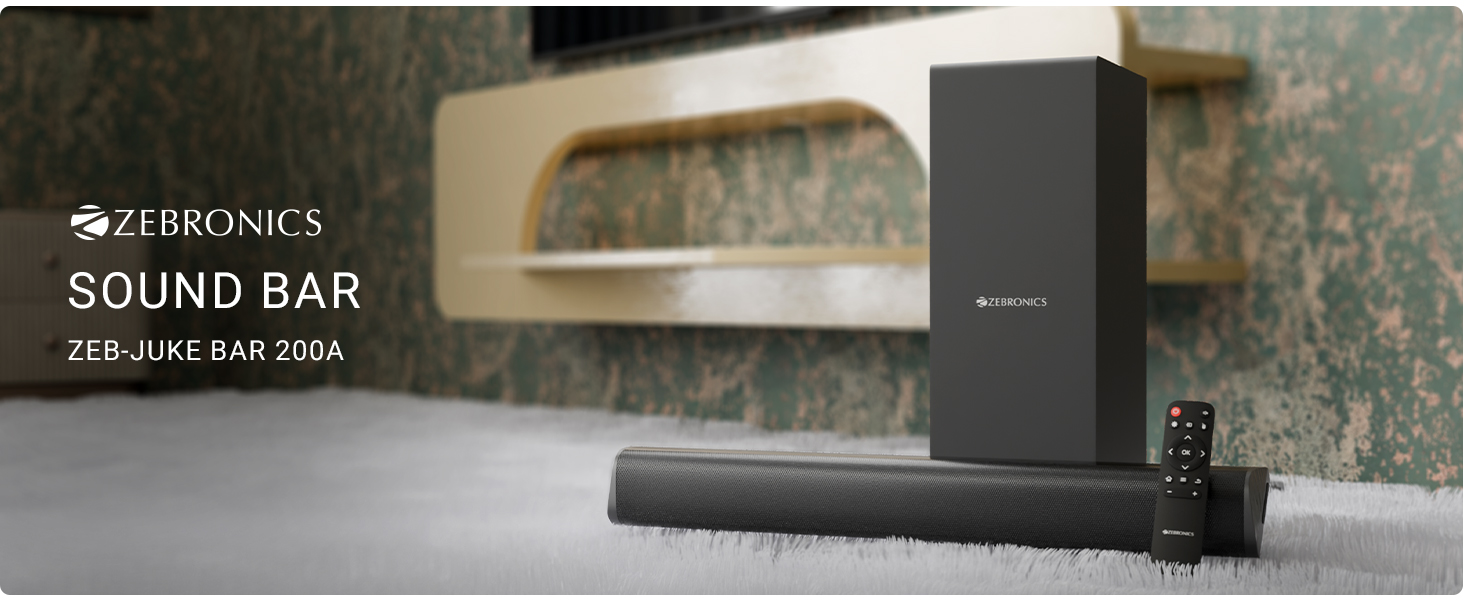
Şekil 3.1: ZEBRONICS Juke BAR 200A Soundbar, Subwoofer, and Remote Control. This image displays the complete sound system, including the main soundbar unit, the separate subwoofer, and the remote control, providing a visual representation of all primary components.
Temel Özellikler
- 90W RMS Çıkış Gücü: Güçlü ve net ses kalitesi sunar.
- Dual Driver Soundbar: Equipped with 5.08cm x 2 drivers for balanced sound.
- 11.43cm Subwoofer: Provides deep, rich bass.
- Çoklu bağlantı: Supports Bluetooth v5.1, HDMI ARC, and USB.
- Dolby Audio Decoding: Built-in Dolby Digital and Dolby Digital+ decoding for versatile audio.
- Duvara Monte Edilebilir: Designed for flexible placement options.
- Uzaktan kumanda: Full control over audio settings.

Şekil 3.2: Soundbar Media and Volume Controls and Remote Control. This image highlights the physical control buttons on the soundbar for power, volume up, and volume down, alongside a detailed view of the included remote control, illustrating all available buttons for comprehensive audio management.

Şekil 3.3: Soundbar Rear Panel with Connectivity Ports. This image provides a close-up view of the soundbar's rear panel, clearly labeling the HDMI ARC, USB, DC IN, and SW OUT ports, essential for understanding connection options.
4. Kurulum
4.1 Yerleştirme
Place the soundbar on a stable surface in front of your television or mount it on the wall below your TV. Position the subwoofer on the floor, ideally near the soundbar, for optimal bass performance.
4.2 Subwoofer'ın Bağlanması
Connect the subwoofer to the soundbar using the provided SW OUT cable. Ensure a secure connection.
4.3 Güç Bağlantısı
- Güç adaptörünü ses çubuğundaki DC IN bağlantı noktasına bağlayın.
- Güç adaptörünü uygun bir duvar prizine takın.
4.4 Ses Bağlantıları
Ses kaynağınızı bağlamak için aşağıdaki yöntemlerden birini seçin:
- HDMI ARK: For optimal audio quality and control, connect an HDMI cable from your TV's HDMI ARC port to the HDMI ARC port on the soundbar. This allows your TV remote to control the soundbar's volume.
- Bluetooth: For wireless connection, refer to the "Bluetooth Pairing" section in Operating Instructions.
- USB BAĞLANTI: Ses dosyaları içeren bir USB bellek takın. fileDoğrudan oynatma için USB bağlantı noktasına takın.
5. Kullanım Talimatları
5.1 Güç Açma/Kapatma
- Basın Güç Ses çubuğundaki veya uzaktan kumandadaki düğmeyi kullanarak cihazı açıp kapatabilirsiniz.
- The LED indicator on the soundbar will illuminate when powered on.
5.2 Giriş Modu Seçimi
Basın Giriş button on the remote control to cycle through available input modes: Bluetooth (BT), HDMI ARC, and USB.
5.3 Bluetooth Eşleştirme
- Turn on the soundbar and select Bluetooth mode. The LED indicator will flash, indicating pairing mode.
- Enable Bluetooth on your mobile device or computer and search for "ZEB-JUKE BAR 200A".
- Select the device to pair. Once connected, the LED indicator will glow steadily.
5.4 Ses Kontrolü
- Kullanın Sesi Aç (+) Ve Sesi kıs (-) Ses seviyesini ayarlamak için ses çubuğundaki veya uzaktan kumandadaki düğmeler kullanılır.
- Basın Sesini kapatmak button on the remote to mute or unmute the audio.
5.5 USB Oynatma
USB bağlantı noktasına bir USB flash sürücü takın. Ses çubuğu otomatik olarak USB moduna geçecek ve uyumlu ses dosyalarını çalmaya başlayacaktır. files. Use the remote control for playback functions (Play/Pause, Next/Previous Track).
6. Duvara Montaj
The ZEBRONICS Juke BAR 200A is designed to be wall-mountable. Ensure you use appropriate screws and wall plugs for your wall type. It is recommended to consult a professional for wall mounting to prevent damage or injury.
- Measure the distance between the mounting holes on the back of the soundbar.
- Mark the corresponding positions on the wall.
- Delikleri delin ve dübelleri takın (gerekirse).
- Secure the soundbar to the wall using suitable screws.
7. Bakım
- Temizlik: Ses çubuğu ve subwoofer'ın yüzeylerini temizlemek için yumuşak, kuru bir bez kullanın. Sıvı temizleyiciler veya aşındırıcı malzemeler kullanmayın.
- Depolamak: Cihazı uzun süre saklayacaksanız, güç kaynağından ayırın ve serin, kuru bir yerde muhafaza edin.
- Havalandırma: Aşırı ısınmayı önlemek için havalandırma açıklıklarının kapalı olmadığından emin olun.
8. Sorun Giderme
| Sorun | Olası Neden | Çözüm |
|---|---|---|
| Güç yok | Güç adaptörü bağlı değil veya priz arızalı. | Güç bağlantılarını kontrol edin. Farklı bir priz deneyin. |
| Ses yok | Incorrect input mode, low volume, or incorrect cable connection. | Select the correct input mode. Increase volume. Check audio cables. |
| Bluetooth bağlanmıyor | Soundbar not in pairing mode, device too far, or previously paired. | Ensure soundbar is in BT pairing mode. Move device closer. Forget device on your phone and re-pair. |
| Uzaktan kumanda çalışmıyor | Pil zayıf veya engel. | Uzaktan kumandanın pillerini değiştirin. Uzaktan kumanda ile ses çubuğu arasında herhangi bir engel olmadığından emin olun. |
9. Özellikler
| Özellik | Detay |
|---|---|
| Model Adı | Zeb - Juke Bar 200A |
| Hoparlör Tipi | Subwoofer'lı Soundbar |
| Toplam Çıkış Gücü | 90 Watts RMS (Soundbar: 20W x 2, Subwoofer: 50W) |
| Subwoofer Çapı | 11.43 Santimetre |
| Soundbar Driver Size | 5.08cm x 2 |
| Bağlantı | Bluetooth v5.1, HDMI ARC, USB |
| Surround Ses Kanalı | 2.1 |
| Ses Kod Çözme | Dolby Digital, Dolby Digital+ |
| Kontrol Yöntemi | Remote, Control Buttons |
| Ürün Boyutları | 6.3D x 50G x 6.3Y Santimetre (Ses Çubuğu) |
| Ürün Ağırlığı | 2.5 kilo |
| Dahil Bileşenler | Sound Bar, Subwoofer, QR Code Guide, Power Adapter, Remote |
10. Garanti Bilgileri
This product is covered by a manufacturer's warranty. Please refer to the QR Code Guide included in your package or visit the official ZEBRONICS website for detailed warranty terms and conditions. Retain your purchase receipt as proof of purchase for warranty claims.
For extended warranty options, please check with your retailer or the ZEBRONICS official channels.
11. Destek
For technical assistance, product inquiries, or service requests, please contact ZEBRONICS customer support:
- Resmi Webalan: www.zebronics.com
- Müşteri Hizmetleri: Refer to the QR Code Guide or the official website for the latest contact information (phone numbers, email support).
Please have your product model number (Juke BAR 200A) and purchase details ready when contacting support.


