giriiş
Thank you for choosing the llano NP-W126S USB-C Battery and Dual Fast Charger. This device is designed to provide efficient and versatile power solutions for your Fujifilm cameras and other USB-C compatible devices. It features a built-in 12400mAh power bank, allowing you to charge on the go. Please read this manual carefully to ensure proper use and maintenance of your product.
Ürün Bittiview
The llano NP-W126S charger is a multi-functional device that combines a dual battery charger for NP-W126S batteries with a high-capacity power bank. Key features include:
- Çift Pil Şarjı: Simultaneously charges two NP-W126S camera batteries.
- Dahili Power Bank: Integrated 12400mAh power bank for charging camera batteries or external devices.
- Hızlı Şarj Teknolojisi: Supports QC3.0 and PD3.0 for ultra-fast 20W charging.
- USB-C Bağlantısı: Versatile USB-C input/output for charging the power bank and external devices.
- Akıllı Dijital Ekran: Provides real-time charging status and battery percentage.
- Kapsamlı Koruma: 10 layers of safety features including overcharge, over-current, short circuit, and thermal protection.
- Geniş Uyumluluk: Designed for Fujifilm cameras using NP-W126S batteries and various USB-C mobile devices.
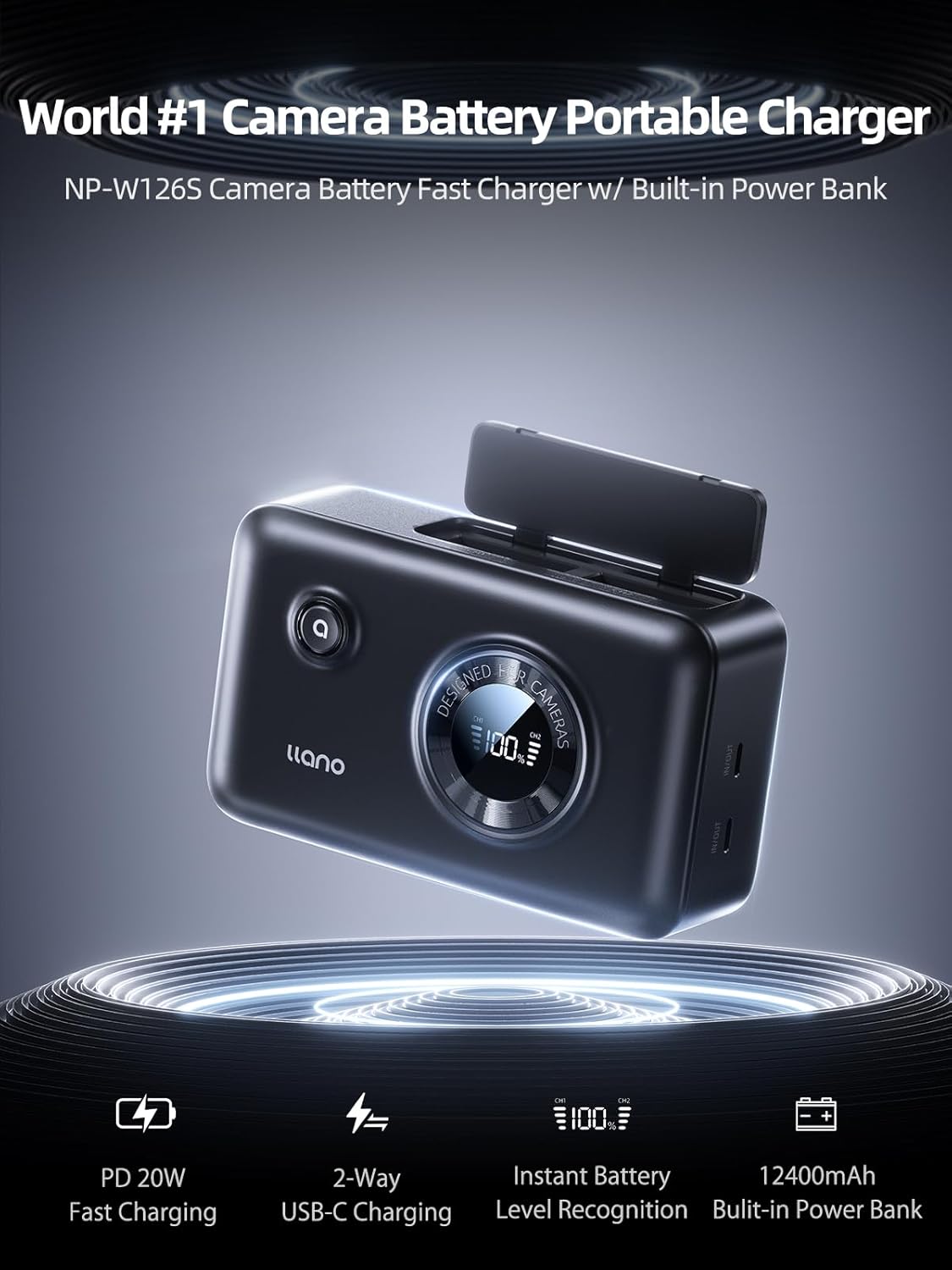
Image: The llano NP-W126S Dual Charger, highlighting its features including PD 20W Fast Charging, 2-Way USB-C Charging, Instant Battery Level Recognition, and 12400mAh Built-in Power Bank.
Kurmak
1. Power Bank'in İlk Şarjı
Before first use, it is recommended to fully charge the built-in 12400mAh power bank. This ensures maximum capacity for on-the-go charging.
- Connect the provided USB-A to Dual USB-C cable to a compatible USB power source (e.g., wall adapter, laptop, car adapter).
- Insert the USB-C end of the cable into the "IN/OUT" port on the llano charger.
- The digital display will show the charging progress of the internal power bank. Charge until the display indicates 100%.

Image: The llano charger demonstrating convenient USB-C charging from a wall outlet, laptop, and car adapter.
2. Inserting Camera Batteries
The charger has two slots for NP-W126S batteries.
- Open the battery slot covers.
- Align the NP-W126S battery with the contacts in the charging slot. Ensure the battery is inserted in the correct direction as indicated on the charger.
- Gently push the battery into the slot until it is securely seated.
- Close the battery slot cover.
Kullanım Talimatları
1. Charging Camera Batteries
The llano charger can charge NP-W126S batteries using its internal power bank or when connected to an external power source.
- Using Internal Power Bank: After inserting the camera batteries, press the power button on the charger. The digital display will activate and show the charging status for each battery (CH1, CH2) and the internal power bank's remaining percentage.
- Using External Power Source: Connect the charger to an external USB power source via the USB-C "IN/OUT" port. Insert the camera batteries. The charger will prioritize charging the camera batteries first, then the internal power bank.
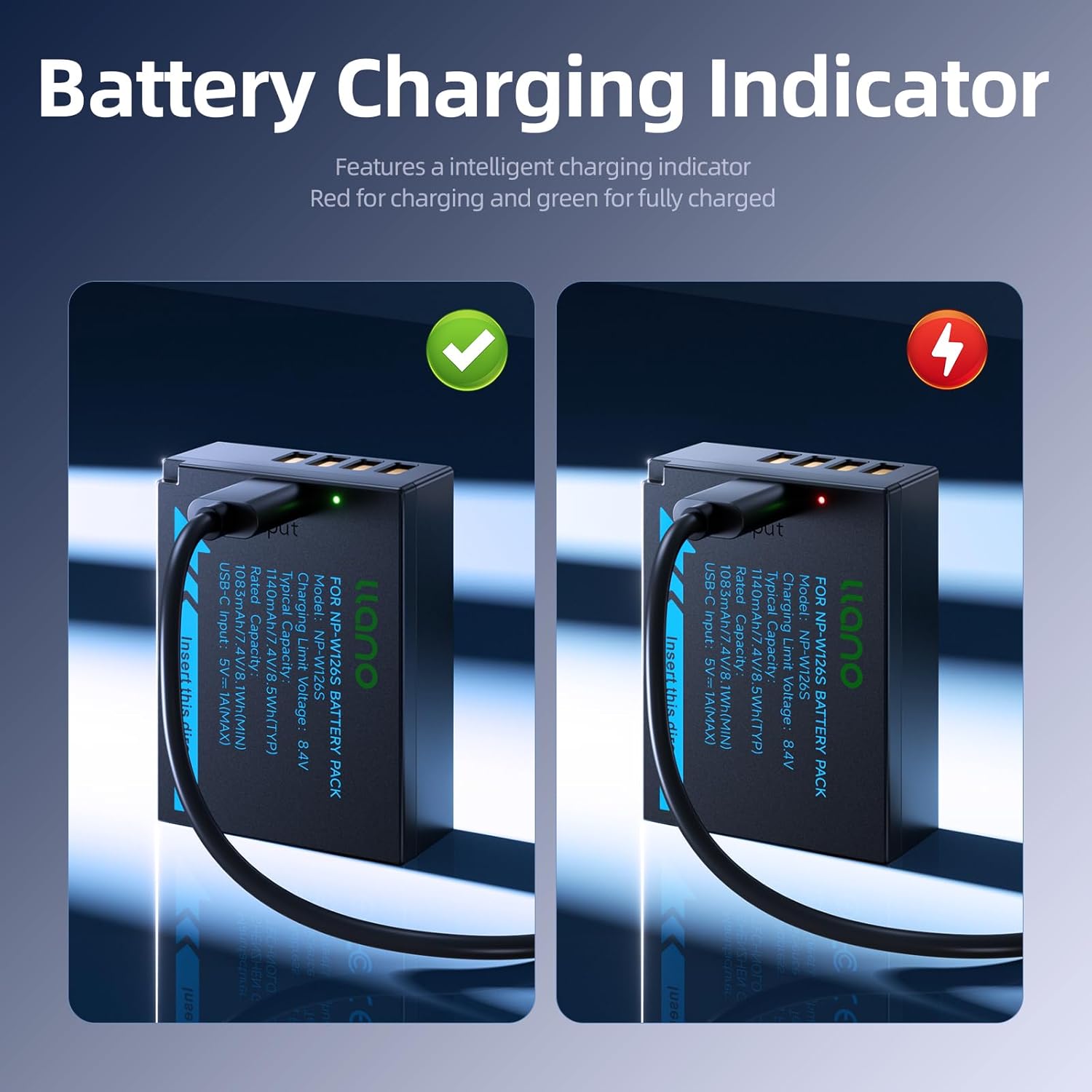
Image: A llano NP-W126S battery showing a red indicator for charging and a green indicator for fully charged status.
2. Harici Cihazları Şarj Etme (Power Bank Fonksiyonu)
The built-in 12400mAh power bank can charge other USB-C compatible devices.
- Ensure the llano charger's internal power bank has sufficient charge.
- Connect your external device (e.g., smartphone, tablet) to the USB-C "IN/OUT" port on the llano charger using a compatible USB-C cable.
- The charger will automatically begin charging your device. The digital display will show the internal power bank's remaining charge.
3. Dijital Ekranı Anlamak
The smart digital display provides crucial information:
- Internal Power Bank Percentage: Shows the remaining charge of the built-in 12400mAh power bank.
- CH1/CH2 Indicators: Displays the charging status for the battery in Channel 1 and Channel 2.
- Şarj Durumu: Indicators (e.g., red/green lights or specific icons) will show if a battery is charging or fully charged.
4. Direct USB-C Charging for Individual Batteries
Each llano NP-W126S battery also features a direct USB-C charging port, allowing you to charge them individually without the dual charger unit.
- Connect a USB-C cable directly to the USB-C port on the battery.
- Kablo ucunu uyumlu bir USB güç kaynağına bağlayın.
- The battery's indicator light will show its charging status.
Bakım
- Keep the charger and batteries dry. Do not expose to moisture or extreme temperatures outside the specified operating range (-20°C to 40°C).
- Clean the charger and battery contacts with a soft, dry cloth. Do not use harsh chemicals or abrasive materials.
- Şarj cihazını ve pilleri kullanılmadığı zamanlarda serin ve kuru bir yerde saklayın.
- Cihazı düşürmekten veya güçlü darbelere maruz bırakmaktan kaçının.
- Do not attempt to disassemble or modify the charger or batteries. This will void the warranty and may cause damage or injury.
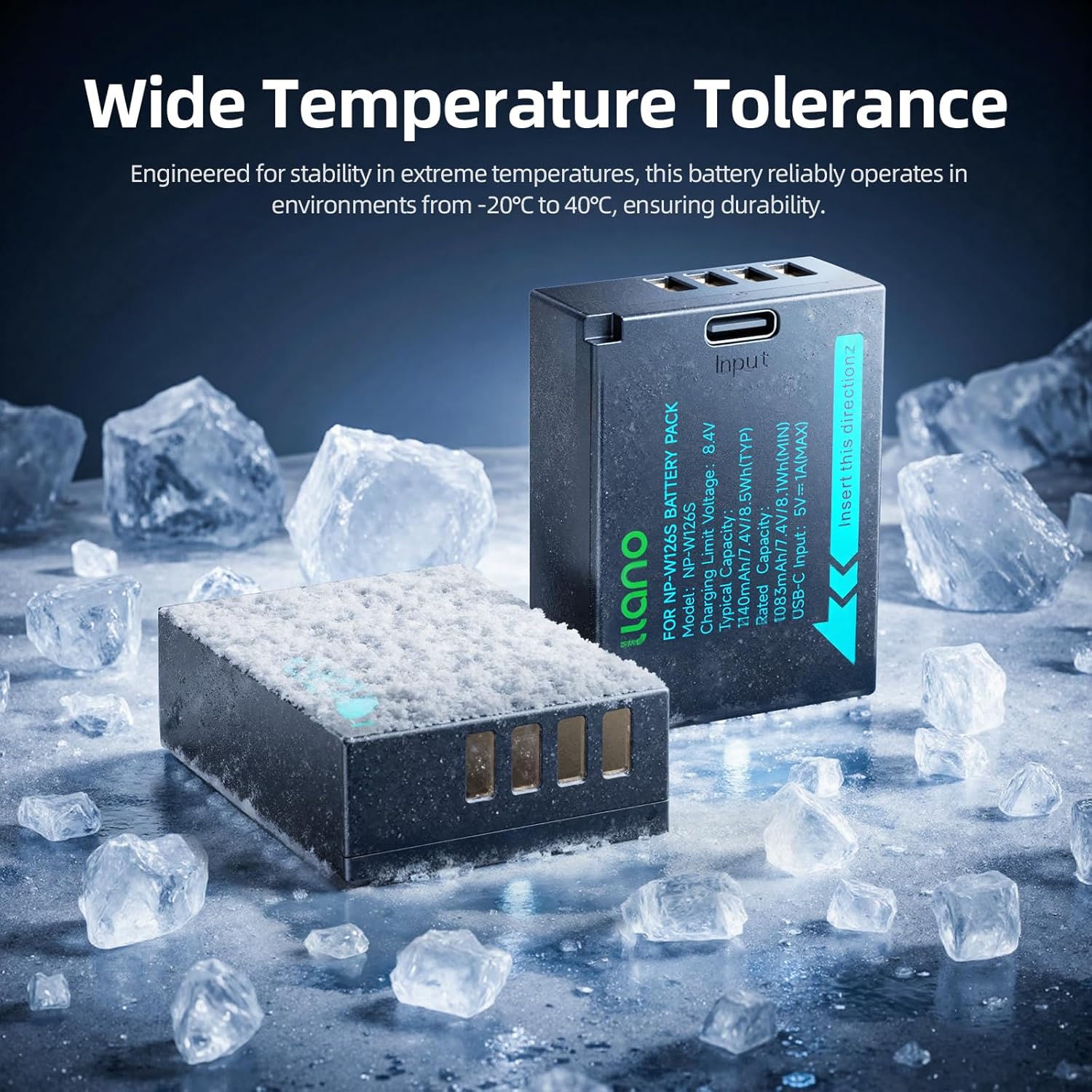
Image: A llano NP-W126S battery shown in a cold environment, illustrating its wide temperature tolerance from -20°C to 40°C.
Sorun giderme
- Şarj cihazı açılmıyor: Ensure the internal power bank is charged or the charger is connected to an external power source. Press the power button firmly.
- Piller şarj olmuyor:
- Verify batteries are correctly inserted into the slots.
- Check if the charger is powered on or connected to a working power source.
- Pil temas noktalarının temiz olduğundan emin olun.
- If using direct USB-C charging on the battery, ensure the cable and power source are functional.
- Harici cihazlar şarj olmuyor:
- Confirm the llano charger's internal power bank has sufficient charge.
- Ensure the USB-C cable connecting the device to the charger is functional and properly connected.
- Check if the external device is compatible with USB-C charging.
- Yavaş şarj oluyor: Ensure you are using a QC3.0 or PD3.0 compatible power adapter and cable to achieve optimal fast charging speeds.
Özellikler
| Özellik | Detay |
|---|---|
| Örnek | NP-W126S Dual Charger with Power Bank |
| Internal Power Bank Capacity | 12400mAh |
| Battery Capacity (each) | 1140mAh, 7.4V, 8.5Wh (Typical) |
| Şarj Teknolojisi | QC3.0, PD3.0 |
| Maksimum Şarj Gücü | 20W |
| Giriş / Çıkış Portu | USB-C |
| Compatibility (Cameras) | Fujifilm X100VI, X100V, XM5, X-T30II, X-T3, X100F, X-T2, X-E4, X-Pro3, X-S10, X-T200, X-A7, X-H1, XT30, XT20, XT10, XT100 (and other models using NP-W126S batteries) |
| Uyumluluk (Cihazlar) | iPhone 15, Galaxy 23, iPad Pro 11", Apple Watch, AirPods (and other USB-C compatible devices) |
| Güvenlik Özellikleri | Overcharge protection, Over-current protection, Short circuit protection, Thermal Protection, TSA-Approved |
| Çalışma Sıcaklığı | -20°C ila 40°C |
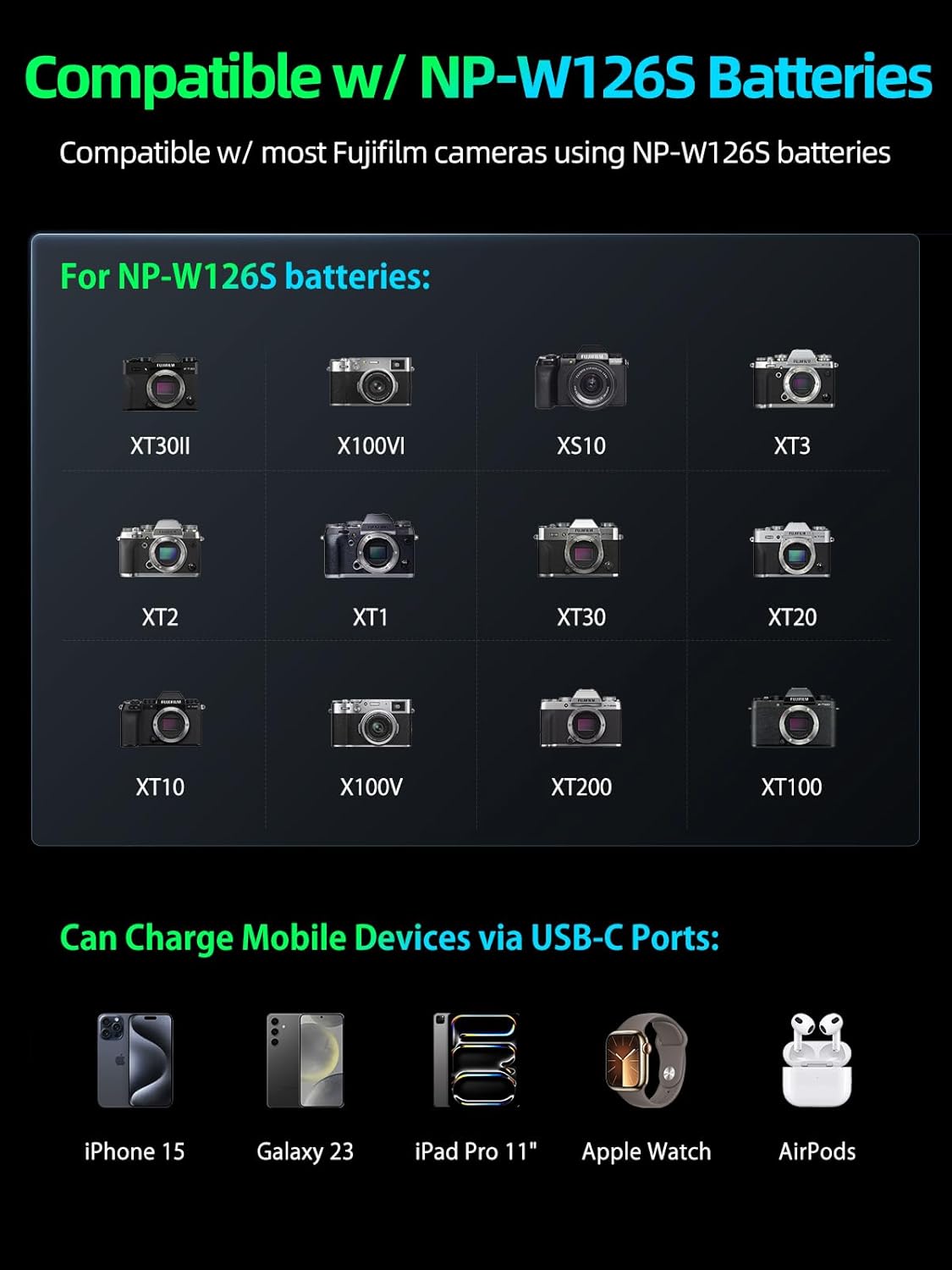
Image: A visual representation of the llano charger's compatibility with various Fujifilm camera models and mobile devices like iPhone, Galaxy, iPad, Apple Watch, and AirPods.

Image: The llano charger highlighting its advanced safety features including overcharge, over-current, short circuit, and thermal protection, and being TSA-approved.
Garanti ve Destek
llano products are manufactured with high-quality standards. For warranty information, technical support, or customer service inquiries, please refer to the contact information provided with your purchase or visit the official llano webLütfen garanti talepleriniz için satın alma belgenizi saklayın.


