1. Giriş
Thank you for choosing the ProtoArc EM15 Bluetooth Wireless Mouse. This manual provides detailed instructions for setting up, operating, and maintaining your new mouse. Please read this manual thoroughly before use to ensure optimal performance and longevity of your device.
2. Ürün Bittiview
The ProtoArc EM15 is a versatile wireless mouse designed for enhanced productivity and comfort. It offers multiple connectivity options and a compact, ergonomic design.
- Çoklu Cihaz Bağlantısı: Connects to up to three devices simultaneously via Bluetooth, USB, and Type-C.
- Rechargeable & Energy Saving: Features a built-in Lithium-Ion battery, rechargeable via USB-C, offering extended use and standby times.
- Ayarlanabilir DPI: Three DPI levels (1000/1600/2400) for precise and smooth tracking across various surfaces.
- Sessiz Tıklama: Designed for silent operation, minimizing disturbance (note: scroll wheel is not silent).
- Ergonomic & Slim Design: Provides maximum hand support and comfort, ideal for travel.
- Geniş Uyumluluk: Compatible with Windows 7/8/10/XP, Vista, Mac OS X 10.10 or later, and all Type-C devices.

Figure 1: ProtoArc EM15 Wireless Mouse (Gray)
3. Başlangıç (Kurulum)
The ProtoArc EM15 mouse offers flexible connection options to suit your devices.
3.1. Paketin Açılması ve Bileşenler
Inside the package, you will find the ProtoArc EM15 mouse, a USB-C charging cable, a USB receiver, and a Type-C receiver. The USB and Type-C receivers are conveniently stored in a dedicated compartment on the back of the mouse.
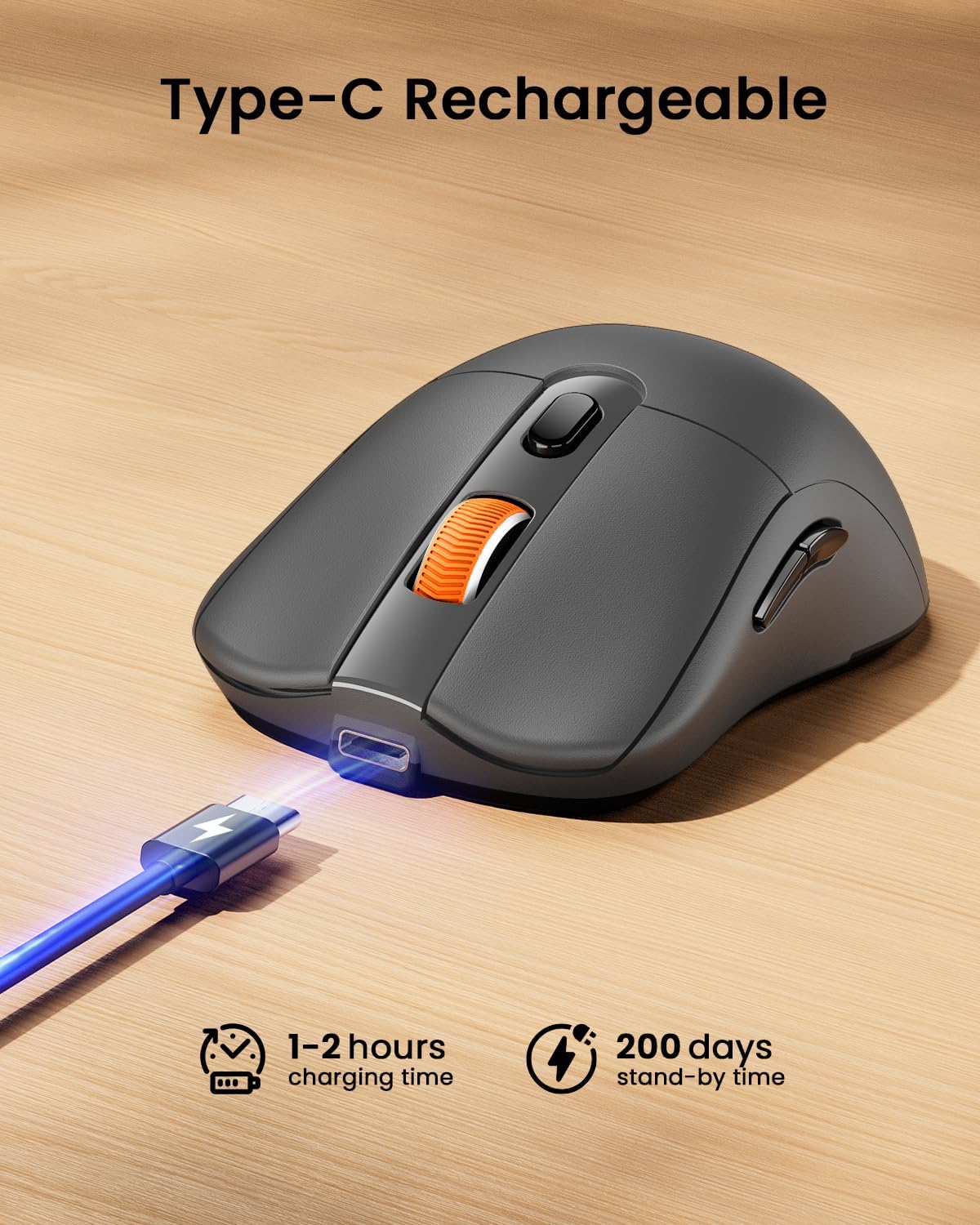
Figure 2: Mouse with integrated USB and Type-C receivers.
3.2. Cihazınıza Bağlanma
The EM15 mouse supports three connection modes: 2.4G USB Wireless, Type-C Wireless, and Bluetooth. You can switch between connected devices using the mode switch button on the bottom of the mouse.
Video 1: Demonstrates connecting the EM15 mouse via Bluetooth and 2.4G wireless receivers to multiple devices.
3.2.1. 2.4G USB or Type-C Wireless Connection
- Open the receiver compartment on the back of the mouse.
- Remove the appropriate receiver (USB or Type-C) for your device.
- Plug the receiver into an available USB or Type-C port on your computer, laptop, or tablet.
- Alt kısımdaki güç anahtarını kullanarak fareyi açın.
- Fare otomatik olarak cihazınıza bağlanmalıdır.
3.2.2. Bluetooth Bağlantısı
- Alt kısımdaki güç anahtarını kullanarak fareyi açın.
- Press the mode switch button on the bottom of the mouse until the Bluetooth indicator light flashes.
- On your device (laptop, tablet, PC), go to Bluetooth settings.
- Arama new devices and select "ProtoArc EM15" from the list.
- Eşleştirme işlemini tamamlamak için ekrandaki talimatları izleyin.

Figure 3: Multi-device connection setup with the EM15 mouse.
4. Kullanım Talimatları
Familiarize yourself with the mouse's controls for efficient use.
4.1. Düğmeler ve İşlevler

Figure 4: Key buttons and features of the ProtoArc EM15 mouse.
- Sol/Sağ Tıklama: Standart fare fonksiyonları.
- Kaydırma tekerleği: Dikey kaydırma için.
- DPI Anahtarı: Press to cycle through DPI settings (1000/1600/2400).
- İleri/Geri Düğmeleri: Gezinme web pages or documents (not compatible with Mac OS).
- Mod Değiştirme Düğmesi: Located on the bottom, cycles between Bluetooth, 2.4G USB, and Type-C connections.
- Güç düğmesi: On/Off control for the mouse.
4.2. DPI Ayarlaması
The mouse features three adjustable DPI levels: 1000, 1600, and 2400. Press the DPI switch button located near the scroll wheel to change the sensitivity. A higher DPI provides faster cursor movement, while a lower DPI offers more precise control.
4.3. Quiet Click Feature
The left and right click buttons are designed for quiet operation, reducing noise in quiet environments. Please note that the middle scroll wheel does not have this silent click feature.
4.4. Ergonomik Tasarım
The mouse is shaped to provide maximum support and comfort for your hand, reducing strain during prolonged use. Its slim profile also makes it convenient for portability.
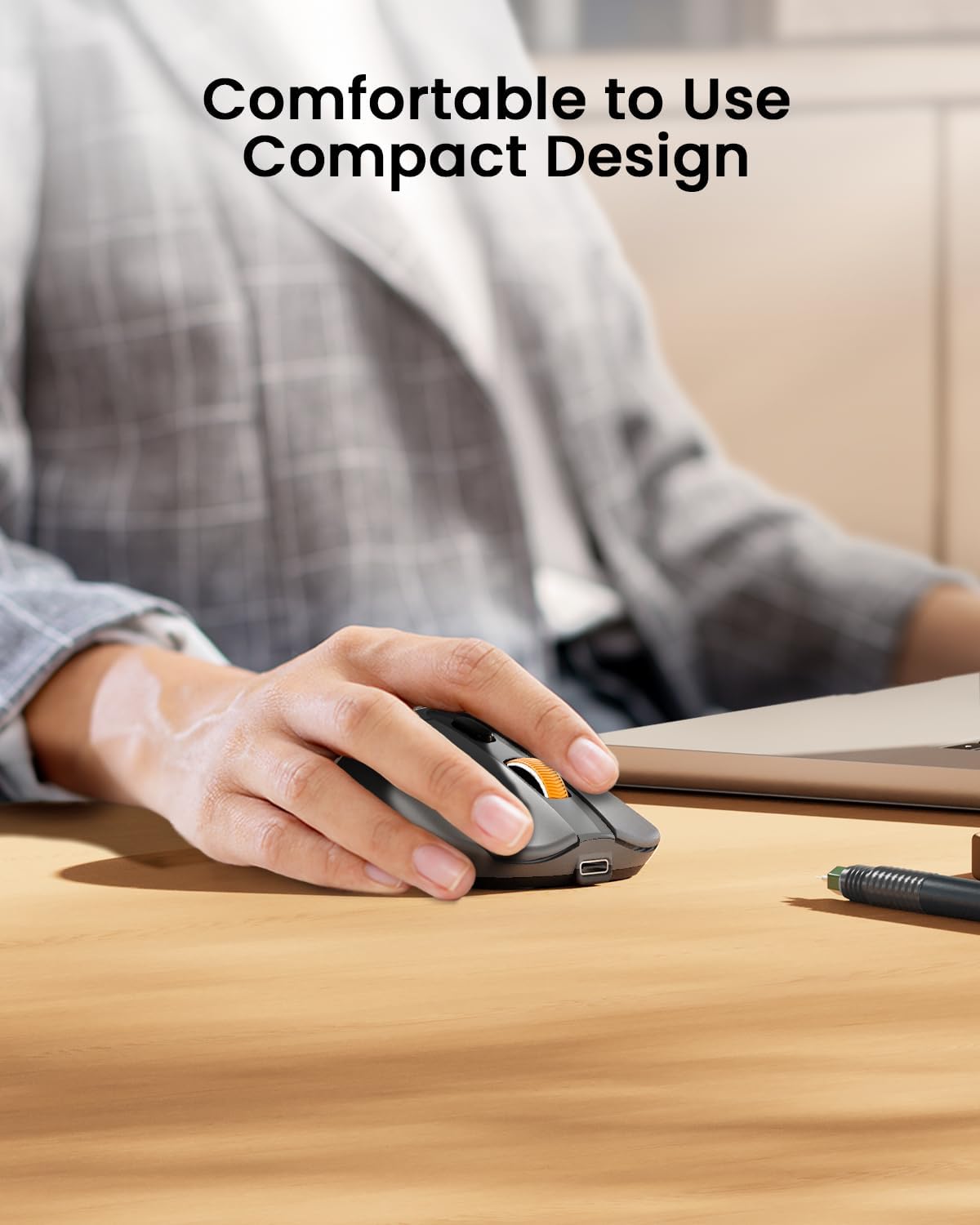
Figure 5: The ergonomic design of the mouse provides comfortable hand support.
5. Charging and Power Management (Maintenance)
The ProtoArc EM15 mouse is equipped with a built-in rechargeable Lithium-Ion battery.
5.1. Fareyi Şarj Etme
- Farenin ön tarafında bulunan Type-C şarj bağlantı noktasını bulun.
- Connect the included USB-C charging cable to the mouse and a power source (e.g., computer USB port, USB wall adapter).
- Tam şarj genellikle 1-2 saat sürer.

Figure 6: Charging the EM15 mouse with the Type-C cable.
5.2. Battery Life and Energy Saving
Once fully charged, the mouse can be used for approximately 15 days. It features an energy-saving sleep mode, which it enters after a few minutes of inactivity, extending its standby time up to 200 days.
6. Sorun Giderme
If you encounter issues with your ProtoArc EM15 mouse, please refer to the following common solutions:
- Fare Yanıt Vermiyor: Ensure the mouse is powered on and fully charged. Check the connection mode (Bluetooth, USB, Type-C) and ensure it matches your device's connection. For wireless connections, ensure the receiver is properly plugged in.
- Bluetooth Bağlantı Sorunları: Make sure your device's Bluetooth is enabled. Try unpairing and re-pairing the mouse in your device's Bluetooth settings. Ensure the mouse is in Bluetooth pairing mode (flashing indicator light).
- İmleç Hareketleriyle İlgili Sorunlar: Adjust the DPI settings using the DPI switch button. Ensure the mouse is used on a suitable surface.
- Forward/Backward Buttons Not Working on Mac OS: These buttons are not compatible with Mac OS systems.
- Şarj Sorunları: Verify the Type-C cable is securely connected to both the mouse and the power source. Try a different USB port or charging adapter.
7. Özellikler
| Özellik | Detay |
|---|---|
| Örnek | EM15 |
| Marka | Protoarc |
| Bağlantı Teknolojisi | 2.4G USB Wireless, Bluetooth, Type C Wireless |
| Hareket Algılama Teknolojisi | Optik |
| DPI Seviyeleri | 1000/1600/2400 |
| Özel Özellikler | Ergonomic Design, Lightweight, Portable, Rechargeable, Soundless |
| Pil Türü | Dahili Lityum İyon |
| Şarj Portu | Tip-C |
| Ürün Ağırlığı | 7 ons |
| Paket Boyutları | 7.24 x 5.31 x 2.83 inç |
| Uyumluluk | Windows 7/8/10/XP, Vista, Mac OS X 10.10+, Type-C devices |
8. Garanti ve Destek
For warranty information and customer support, please refer to the documentation included with your product or visit the official ProtoArc webalan. Garanti talepleri için satın alma makbuzunuzu saklayın.


