giriiş
This manual provides detailed instructions for the assembly, operation, and maintenance of your FLEXISPOT Standing Desk with a 40x24 inch one-piece desktop. Please read this manual thoroughly before assembly and use to ensure proper function and safety.
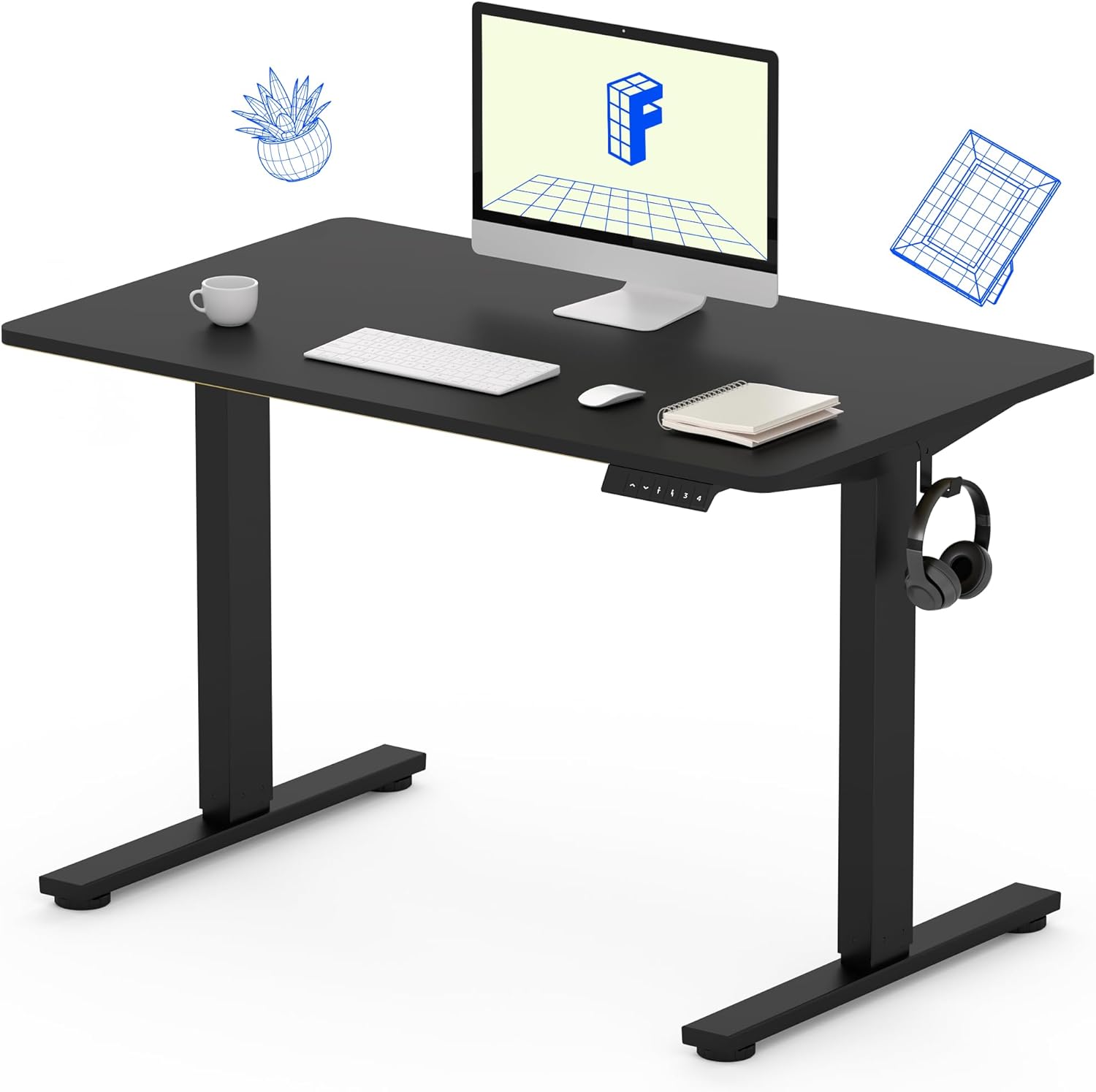
Image 1: The FLEXISPOT Standing Desk, showcasing its black desktop, black frame, and integrated control panel with a headphone hook.
Güvenlik Bilgileri
UYARI:
- Always use caution when assembling the desk, especially when using a drill.
- Lütfen azami ağırlık sınırını aşmayın. 154 lbs (70 kg).
- Keep hands and body parts away from moving parts during height adjustment to prevent injury.
- Ensure all cables are properly managed to avoid entanglement during desk movement.
Paket İçeriği
Montaj işlemine başlamadan önce, tüm bileşenlerin eksiksiz ve hasarsız olduğundan emin olun. Herhangi bir parça eksik veya hasarlıysa, lütfen müşteri hizmetleriyle iletişime geçin.
- One-Piece Desktop (40" x 24", Black)
- Desk Legs (Black Frame, Dual-Stage)
- Motor ve Kontrol Kutusu
- Bellek Ön Ayarlarına Sahip Kontrol Paneli
- Kulaklık Kancası
- Montaj Donanımı (vidalar, Allen anahtarı)
- Güç kablosu

Image 2: Illustration highlighting the seamless design of the FLEXISPOT one-piece desktop, contrasting it with multi-piece alternatives.
Kurulum ve Montaj
Assembly typically requires 30 minutes to an hour. It is recommended to have two people for assembly due to the weight of the package. A power drill (not included) may be needed for some steps.
- Bileşenleri Paketinden Çıkarın: Carefully remove all parts from the packaging. Inspect for any damage. Note that the packaging can be heavy.
- Masa Çerçevesini Birleştirin: Attach the crossbar to the lifting columns (legs) using the provided hardware. Ensure all screws are tightened securely.
- Ayakları takın: Masa ayaklarını kaldırma kolonlarının alt kısmına sabitleyin.
- Masaüstünü Bağla: Carefully place the one-piece desktop upside down on a soft, clean surface. Position the assembled frame onto the desktop. Align the pre-drilled holes (if present) or mark positions for screws. Secure the frame to the desktop using the provided screws. A power drill may be helpful for this step.
- Install Control Box and Panel: Mount the control box and control panel to the underside of the desktop in the designated locations. Connect the motor cables and control panel cable to the control box.
- Aksesuarları Takın: Install the headphone hook to the side of the desktop as desired.
- Kablo yönetimi: Route all cables neatly using cable ties or management clips (not included) to prevent interference with desk movement.
- Son Yerleştirme: With assistance, carefully flip the desk upright and place it in its desired location. Ensure it is stable and level.

Image 3: The FLEXISPOT Standing Desk integrated into a home office setup, demonstrating its spacious desktop and functionality.
Kullanım Talimatları
Your FLEXISPOT Standing Desk features an electric motor for smooth height adjustments and a control panel with memory presets.
Yükseklik Ayarı
- Basın Yukarı (▲) masayı kaldırmak için düğmeye basın.
- Basın Aşağı (▼) masayı indirmek için düğmeye basın.
- The desk moves smoothly and quietly (under 50 dB) between 28.7 inç (73 cm) Ve 46.5 inç (118 cm).
Bellek Ön Ayarları
Kontrol paneli, en fazla dört adet tercih ettiğiniz yükseklik ayarını kaydetmenize olanak tanır.
- Yükseklik Ayarlayın: Yukarı/Aşağı düğmelerini kullanarak masayı istediğiniz oturma veya ayakta durma yüksekliğine ayarlayın.
- Ön Ayarı Kaydet: Basın "M" düğmeye bastıktan hemen sonra numaralı ön ayar düğmelerinden birine basın (1, 2, 3 veya 4). The display will show "S-" followed by the number, indicating the height is saved.
- Ön Ayarı Geri Çağır: Press the corresponding numbered preset button (1, 2, 3 veya 4Masayı kaydedilen yüksekliğe otomatik olarak hareket ettirmek için.

Image 4: Visual representation of the desk's adjustable height range, showing it at its lowest (29") and highest (46.6") positions.
Bakım
- Temizlik: Masaüstünü ve çerçeveyi yumuşak bir bezle silin.amp Bez. Sert kimyasallardan veya aşındırıcı temizleyicilerden kaçının.
- Kablo Kontrolü: Periodically inspect all cables for wear or damage. Ensure they are securely connected and not pinched.
- Vida Sıkılığı: Ara sıra çerçeve veya masaüstü bağlantılarındaki gevşek vidaları kontrol edin ve sıkın.
Sorun giderme
| Sorun | Olası Neden | Çözüm |
|---|---|---|
| Masa hareket etmiyor. | Power cable disconnected, control box cable loose, overload. | Check power connection. Ensure all cables to the control box and motor are secure. Reduce weight on the desk if exceeding 154 lbs. |
| Masa dengesiz hareket ediyor veya alışılmadık sesler çıkarıyor. | Loose connections, obstruction, uneven weight distribution. | Check all assembly screws. Ensure no objects are obstructing the legs. Distribute weight evenly on the desktop. |
| Control panel display shows an error code. | Belirli hata durumu. | Refer to the specific error code in the full product manual (if available) or contact customer support. Often, a power cycle (unplug for 10 seconds, then plug back in) can resolve temporary errors. |
Özellikler
| Özellik | Detay |
|---|---|
| Marka | ESNEKLİK |
| Örnek | B0F747SWWB |
| Masaüstü Ölçüleri (Çap x Genişlik) | 24" x 40" (One-Piece) |
| Yükseklik Aralığı | 28.7" - 46.5" (73 cm - 118 cm) |
| Maksimum Ağırlık Kapasitesi | 154 lbs (70 kg) |
| Gürültü Seviyesi | 50 dB'den az |
| Çerçeve Malzemesi | Alaşımlı Çelik |
| Üst Malzeme | Mühendislik Ahşap |
| Renk | Black Frame / Black Top |
| Montaj Gerekli | Evet |

Image 5: Details of the desk's construction, including the dual-stage lifting columns and the convenient backpack/headphone hook.
Garanti ve Destek
Your FLEXISPOT Standing Desk is backed by a comprehensive warranty:
- Şasi ve Motor: 5 yıl sınırlı garanti.
- Elektronik: 2 yıl sınırlı garanti.
For warranty claims, technical assistance, or any questions regarding your product, please contact FLEXISPOT customer support through their official webÜrünün satın alındığı site veya perakendeci.


