giriiş
This manual provides comprehensive instructions for the setup, operation, maintenance, and troubleshooting of your KOORUI GN10 27-inch QHD 240Hz Mini-LED Gaming Monitor. Please read this manual thoroughly before using the product to ensure proper functionality and to prevent damage.
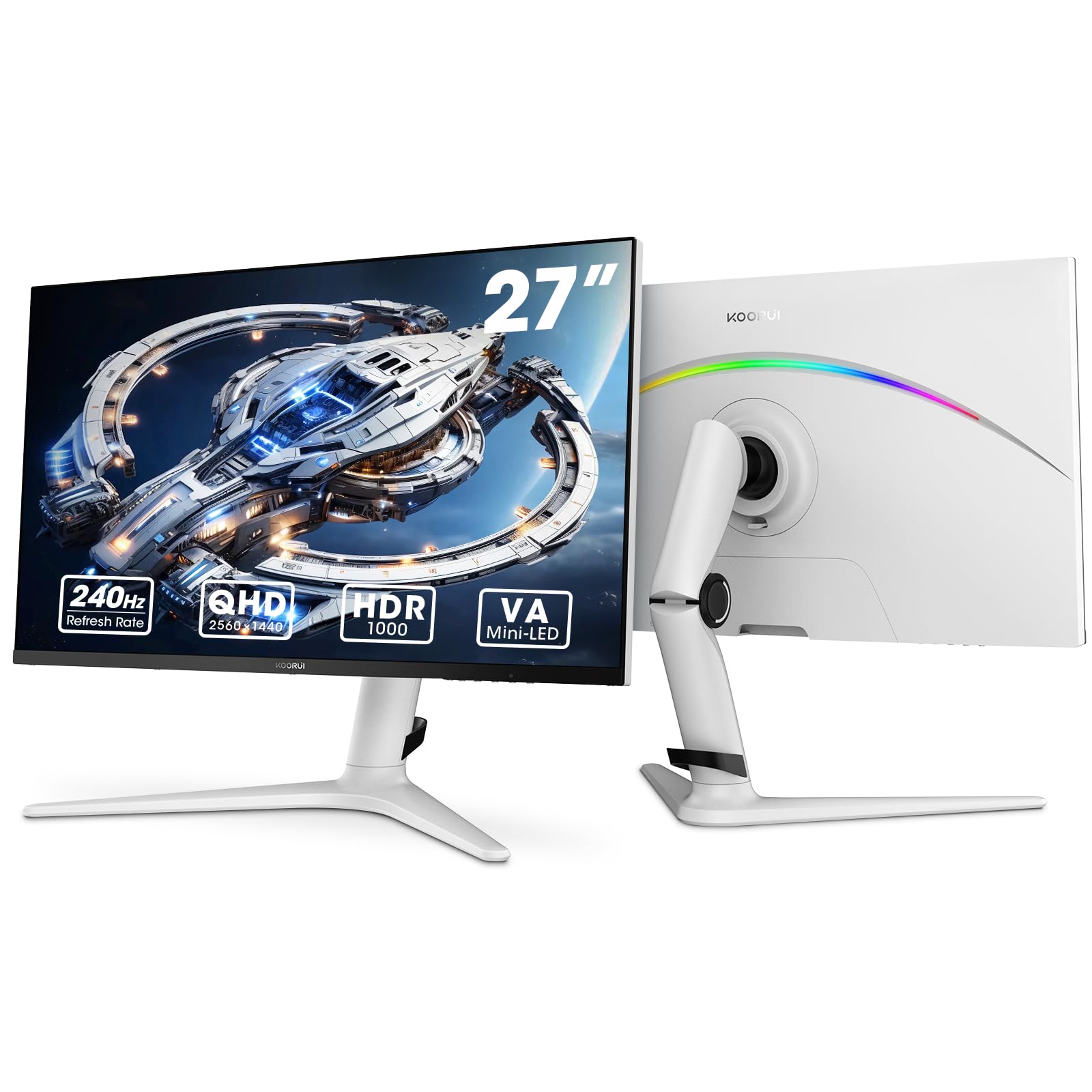
Figure 1: KOORUI GN10 27-inch QHD 240Hz Mini-LED Gaming Monitor.
1. Kurulum
1.1 Kutudan Çıkarma ve Paket İçeriği
Tüm bileşenleri ambalajından dikkatlice çıkarın. Aşağıda listelenen tüm öğelerin mevcut olduğundan emin olun:
- KOORUI GN10 Monitor
- Monitör Sehpası (Taban ve Kol)
- Güç kablosu
- HDMI Kablosu (x2)
- DisplayPort (DP) Kablosu
- Kullanım Kılavuzu (bu belge)
1.2 Stand Montajı
Monitör standını monte etmek için şu adımları izleyin:
- Attach the stand arm to the monitor panel. Ensure it clicks securely into place or is fastened with screws if provided.
- Connect the stand base to the stand arm. Tighten any screws to secure the base.
- Montajı tamamlanmış monitörü sağlam, düz bir yüzeye yerleştirin.

Figure 2: Monitor stand showing height, tilt, swivel, and pivot adjustments.
The ergonomic stand allows for height, tilt, swivel, and pivot adjustments to optimize your viewaçı.

Figure 3: Monitor dimensions for placement planning.
1.3 Cihazlara Bağlanma
The monitor supports multiple input sources. Connect your computer or gaming console using the provided cables.
- Ekran Bağlantı Noktası (DP): For optimal performance, especially at 240Hz refresh rate and QHD resolution, use the DisplayPort cable.
- HDMI: Two HDMI 2.0 ports are available for connecting other devices such as gaming consoles (PS5, Xbox, Switch) or additional computers.
- Ses çıkışı: Harici hoparlörleri veya kulaklıkları 3.5 mm ses çıkış jakına bağlayın.

Şekil 4: Arka view of the monitor showing available ports (Audio Out, DP 1.4, HDMI 2.0 x2) and VESA mount points.
1.4 İlk Güç Açma
- Güç kablosunu monitöre ve ardından bir elektrik prizine bağlayın.
- Press the power button, usually located on the back or bottom of the monitor, to turn it on.
- The monitor will automatically detect the input source. If not, use the OSD menu to select the correct input.
2. Kullanım Talimatları
2.1 Ekran Üstü Görüntüleme (OSD) Menüsü
The OSD menu allows you to adjust various monitor settings. Access the OSD menu using the joystick or buttons typically located on the back or bottom of the monitor.
Common OSD menu options include:
- Resim Ayarları: Parlaklık, Kontrast, Keskinlik, Gama.
- Renk ayarları: Color Temperature, Hue, Saturation, Color Space (sRGB, DCI-P3).
- Giriş Seçimi: DisplayPort ve HDMI girişleri arasında manuel olarak geçiş yapın.
- Ses: Ses çıkışı için ses seviyesi kontrolü.
- Oyun Özellikleri: Adaptive Sync, Response Time (Overdrive), Game Modes.
- OSD Ayarları: Dil, OSD Zaman Aşımı, Şeffaflık.
2.2 Ekran Ayarları
The KOORUI GN10 monitor offers advanced display features for an enhanced visual experience.
- Çözünürlük: The native resolution is QHD (2560 x 1440). Ensure your connected device is set to this resolution for optimal clarity.
- Yenileme Hızı: Supports up to 240Hz. Configure your graphics card settings to utilize this high refresh rate for smoother motion.
- Yanıt Süresi: Features a 1ms (GtG) response time, reducing motion blur and ghosting in fast-paced content.
- HDR 1000: High Dynamic Range 1000 provides superior contrast and color depth. Enable HDR in your operating system and monitor settings for compatible content.

Figure 5: Visual comparison illustrating the enhanced contrast and detail with HDR 1000 enabled.

Figure 6: Comparison of QHD (2560x1440) and FHD (1920x1080) resolutions, highlighting increased detail with QHD.
2.3 Oyun Özellikleri
The monitor includes features designed to enhance your gaming experience:
- Adaptive Sync (G-Sync Compatible): Synchronizes the monitor's refresh rate with your GPU's frame rate to eliminate screen tearing and stuttering. Ensure this feature is enabled in both the monitor OSD and your graphics card control panel.
- Game Display Modes: Access specific on-screen overlays via the OSD menu, such as:
- Nişangah: Provides an on-screen crosshair for improved aiming.
- Zamanlayıcı: Displays a countdown timer.
- FPS Sayacı: Shows your current frames per second.
- RTS Counter: A specific counter for Real-Time Strategy games.

Figure 7: Illustration of various exclusive game display modes and Adaptive Sync functionality.

Figure 8: Visual representation of smooth gaming experience with 240Hz refresh rate and 1ms response time.
2.4 RGB Aydınlatma
The monitor features a crescent RGB light strip on the back. This lighting can be customized through the OSD menu to match your preference or gaming setup.

Şekil 9: Arka view of the monitor highlighting the customizable RGB light strip.
3. Bakım
3.1 Monitörün Temizlenmesi
Monitörün görünümünü ve performansını korumak için aşağıdaki temizlik yönergelerini izleyin:
- Temizlemeden önce daima monitörü kapatın ve güç kablosunu çıkarın.
- Yumuşak, tiftiksiz bir bez kullanın ve hafifçe kurulayın.ampSu veya aşındırıcı olmayan bir ekran temizleyicisi ile temizleyin.
- Temizleyiciyi doğrudan ekrana püskürtmeyin. Önce bir beze uygulayın.
- Avoid using alcohol, ammonia, or abrasive cleaners, as these can damage the screen surface.
- Ekrandaki toz ve lekeleri gidermek için ekranı nazikçe silin.
- Clean the monitor casinYumuşak ve kuru bir bezle silin.
3.2 Genel Bakım
- Monitörün veya kablolarının üzerine ağır cisimler koymaktan kaçının.
- Monitörü doğrudan güneş ışığına, aşırı sıcağa veya aşırı soğuğa maruz bırakmayın.
- Monitörü sıvılardan ve yüksek nemli ortamlardan uzak tutun.
- Aşırı ısınmayı önlemek için monitörün etrafında yeterli havalandırma olduğundan emin olun.
4. Sorun Giderme
Monitörünüzde sorunlarla karşılaşırsanız, aşağıdaki yaygın sorunlara ve çözümlere bakın:
| Sorun | Olası Neden | Çözüm |
|---|---|---|
| Ekranda görüntü yok |
|
|
| Titreyen veya bo distorted görüntü |
|
|
| Ses çıkışından ses gelmiyor. |
|
|
| Adaptive Sync not working |
|
|
Bu çözümleri denedikten sonra sorun devam ederse lütfen müşteri desteğiyle iletişime geçin.
5. Özellikler
| Özellik | Detay |
|---|---|
| Marka | KOORUI |
| Model Numarası | GN10 |
| Ekran Boyutu | 27 inç |
| Çözünürlük | QHD Wide 1440p (2560 x 1440) |
| En Boy Oranı | 16:9 |
| Ekran Yüzeyi | Mat |
| Kontrast Oranı | 20,000,000:1 |
| Yenileme Hızı | 240 Hz |
| Ekran Teknolojisi | Mini LED |
| ViewAçı | 178 Derece |
| Parlaklık | 350 Candela |
| Renk Gamı | %100 sRGB, %95 DCI-P3 |
| Tepki Süresi | 1 Millisecond (GtG) |
| HDMI Bağlantı Noktaları | 2 (HDMI 2.0) |
| Ekran Bağlantı Noktası | 1 (DP 1.4) |
| Ses Çıkışı | Evet |
| Uyarlanabilir Senkronizasyon | G-Sync Uyumlu |
| Ek Özellikler | Flicker-Free, Frameless, Height Adjustable, Tilt Adjustable, Swivel Adjustable, Rotatable |
| Renk | Beyaz/Gri |
| Montaj Tipi | Desk Mount, VESA 75x75mm compatible |
6. Garanti ve Destek
6.1 Garanti Bilgileri
The KOORUI GN10 monitor comes with a 3 yıllık sınırlı garanti. The display screen is backed for 1 year, and other accessories for 3 years. A 12-month replacement service is also provided for eligible issues.
This warranty covers manufacturing defects and malfunctions under normal use. It does not cover damage caused by misuse, accidents, unauthorized modifications, or external factors.
6.2 Müşteri Desteği
For technical assistance, warranty claims, or inquiries regarding missing accessories, please contact KOORUI customer support. Have your product model (GN10) and purchase information ready when contacting support.
Contact information can typically be found on the KOORUI official webWeb sitesi üzerinden veya satıcınızın destek kanalları aracılığıyla.
7. Ürün Videosu Tanıtımı
Video 1: Resmi ürün video gösterimiasing the KOORUI GN10 Gaming Monitor's features and design.


