1. Giriş
The IRRADIO IR-203 Sound+ is a compact and portable wireless speaker designed for high-quality audio playback. Featuring Bluetooth 5.0 connectivity and a USB port for external media, it offers versatile listening options. Its robust design and long-lasting battery make it ideal for both home use and on-the-go entertainment.

Şekil 1.1: IRRADIO IR-203 Sound+ Wireless Speaker. This image shows the speaker from an angled perspective, highlighting its compact size and fabric grille.
2. Güvenlik Bilgileri
Cihazı kullanmadan önce lütfen tüm güvenlik talimatlarını dikkatlice okuyun. Bu kılavuzu ileride başvurmak üzere saklayın.
- Hoparlörü suya veya aşırı neme maruz bırakmayın. Bu ürün su geçirmez değildir.
- Avoid extreme temperatures. Do not place near heat sources or in direct sunlight.
- Cihazı sökmeyin, tamir etmeyin veya üzerinde değişiklik yapmayın. Bu, garantiyi geçersiz kılacak ve hasara veya yaralanmaya neden olabilir.
- Yalnızca belirtilen şarj hacmini kullanıntage (DC 5V/2A).
- Çocukların erişemeyeceği yerde saklayınız.
3. Paket İçeriği
Paketin içerisinde tüm ürünlerin mevcut olduğundan emin olun:
- IRRADIO IR-203 Sound+ Wireless Speaker
- USB Şarj Kablosu
- Kullanım Kılavuzu (bu belge)
4. Ürün Bittiview
4.1. Kontroller ve Bağlantı Noktaları

Şekil 4.1: Taraf view of the speaker showing control buttons. From left to right: Mode button (M), Volume Down (-), Volume Up (+), Play/Pause/Next Track button (▶).

Şekil 4.2: Geri view of the speaker showing connectivity ports. From left to right: TF (MicroSD) card slot, USB-A port, ON/OFF switch, DC 5V charging port.
The speaker features intuitive controls on its top edge and essential connectivity ports on its rear panel.
- Mod Düğmesi (M): Press to switch between Bluetooth and USB playback modes.
- Sesi kıs (-): Sesi azaltmak için basın.
- Sesi Aç (+): Sesi artırmak için basın.
- Play/Pause/Next Track (▶): Press to play or pause audio. Long press to skip to the next track.
- TF Kart Girişi: Insert a MicroSD card for direct audio playback.
- USB-A Bağlantı Noktası: Doğrudan ses oynatımı için bir USB flash sürücü takın.
- Açma / kapama düğmesi: Slide to power the speaker on or off.
- DC 5V Bağlantı Noktası: Connect the USB charging cable here to charge the speaker.
5. Kurulum
5.1. Hoparlörü Şarj Etme
Before first use, fully charge the speaker. The battery capacity is 400 mAh.
- Kutuda bulunan USB şarj kablosunu hoparlör üzerindeki DC 5V portuna bağlayın.
- Connect the other end of the USB cable to a compatible USB power adapter (DC 5V/2A recommended) or a computer USB port.
- Şarj gösterge ışığı yanarak (rengi değişebilir) hoparlörün şarj olduğunu gösterecektir.
- Charging typically takes approximately 2 hours for a full charge. The indicator light will change or turn off once charging is complete.
A full charge provides approximately 2 hours and 40 minutes of continuous playback at 50% volume.
5.2. Açma/Kapama
To power on the speaker, slide the ON/OFF switch to the 'ON' position. You will hear an audible prompt. To power off, slide the switch to the 'OFF' position.
6. Kullanım Talimatları
6.1. Bluetooth Eşleştirme
The speaker uses Bluetooth 5.0 for stable wireless connection up to 10 meters.
- Ensure the speaker is powered on and in Bluetooth mode. If not, press the 'M' (Mode) button to switch to Bluetooth mode. The speaker will enter pairing mode, indicated by a flashing LED light and an audible prompt.
- Cihazınızda (akıllı telefon, tablet, dizüstü bilgisayar) Bluetooth'u etkinleştirin ve kullanılabilir cihazları arayın.
- Select "IRRADIO IR-203 Sound+" from the list of found devices.
- Eşleştirme işlemi tamamlandığında, hoparlör sesli bir onay verecek ve LED ışığı yanıp sönmeyi durduracaktır.
- Artık cihazınızdaki sesleri hoparlörünüz aracılığıyla oynatabilirsiniz.
Not: Hoparlör açıldığında, en son eşleştirilen cihaza otomatik olarak yeniden bağlanmayı deneyecektir.
6.2. USB/TF Kart Oynatma
The speaker supports direct audio playback from a USB flash drive or a MicroSD (TF) card.
- Insert a USB flash drive into the USB-A port or a MicroSD card into the TF card slot.
- The speaker will automatically switch to USB/TF card mode and begin playing audio files (MP3, WAV, etc.) from the inserted storage device. If it does not switch automatically, press the 'M' (Mode) button to select the correct mode.
- Use the Play/Pause/Next Track button (▶) to control playback.
6.3. Ses Kontrolü
Hoparlör üzerindeki '+' ve '-' düğmelerini kullanarak ses seviyesini ayarlayabilirsiniz. Ayrıca, bağlı cihazınızdan da ses seviyesini kontrol edebilirsiniz.
7. Bakım
Hoparlörünüzün uzun ömürlü olmasını ve optimum performans göstermesini sağlamak için aşağıdaki bakım yönergelerini izleyin:
- Temizlik: Hoparlörün yüzeyini silmek için yumuşak ve kuru bir bez kullanın. Aşındırıcı temizleyiciler, alkol veya kimyasal çözücüler kullanmayın.
- Depolamak: Uzun süre kullanılmayacaksa hoparlörü serin, kuru ve doğrudan güneş ışığından ve aşırı sıcaklıklardan uzak bir yerde saklayın.
- Pil Bakım: Pil ömrünü korumak için pili sık sık tamamen boşaltmaktan kaçının. Hoparlörü, kullanılmasa bile düzenli olarak şarj edin.
8. Sorun Giderme
If you encounter issues with your IRRADIO IR-203 Sound+ speaker, refer to the following common problems and solutions:
| Sorun | Olası Neden | Çözüm |
|---|---|---|
| Hoparlör açılmıyor. | Pil bitmiş. | Hoparlörü en az 30 dakika şarj edin. |
| Ses yok. | Ses seviyesi çok düşük veya tamamen kısık. Yanlış mod seçildi. | Increase volume on both speaker and connected device. Press 'M' button to switch modes. |
| Bluetooth üzerinden eşleştirme yapılamıyor. | Hoparlör eşleştirme modunda değil. Cihaz çok uzakta. Parazit. | Ensure speaker is in Bluetooth pairing mode (flashing LED). Move device closer to speaker (within 10m). Turn off other Bluetooth devices. |
| USB/TF kartı çalışmıyor. | Yanlış file biçimlendirme. Kart/sürücü doğru şekilde takılmamış. | Sesi sağlayın files are in supported format (e.g., MP3). Reinsert the USB drive or TF card firmly. Press 'M' button to select USB/TF mode. |
Bu çözümleri denedikten sonra sorun devam ederse lütfen müşteri desteğiyle iletişime geçin.
9. Özellikler
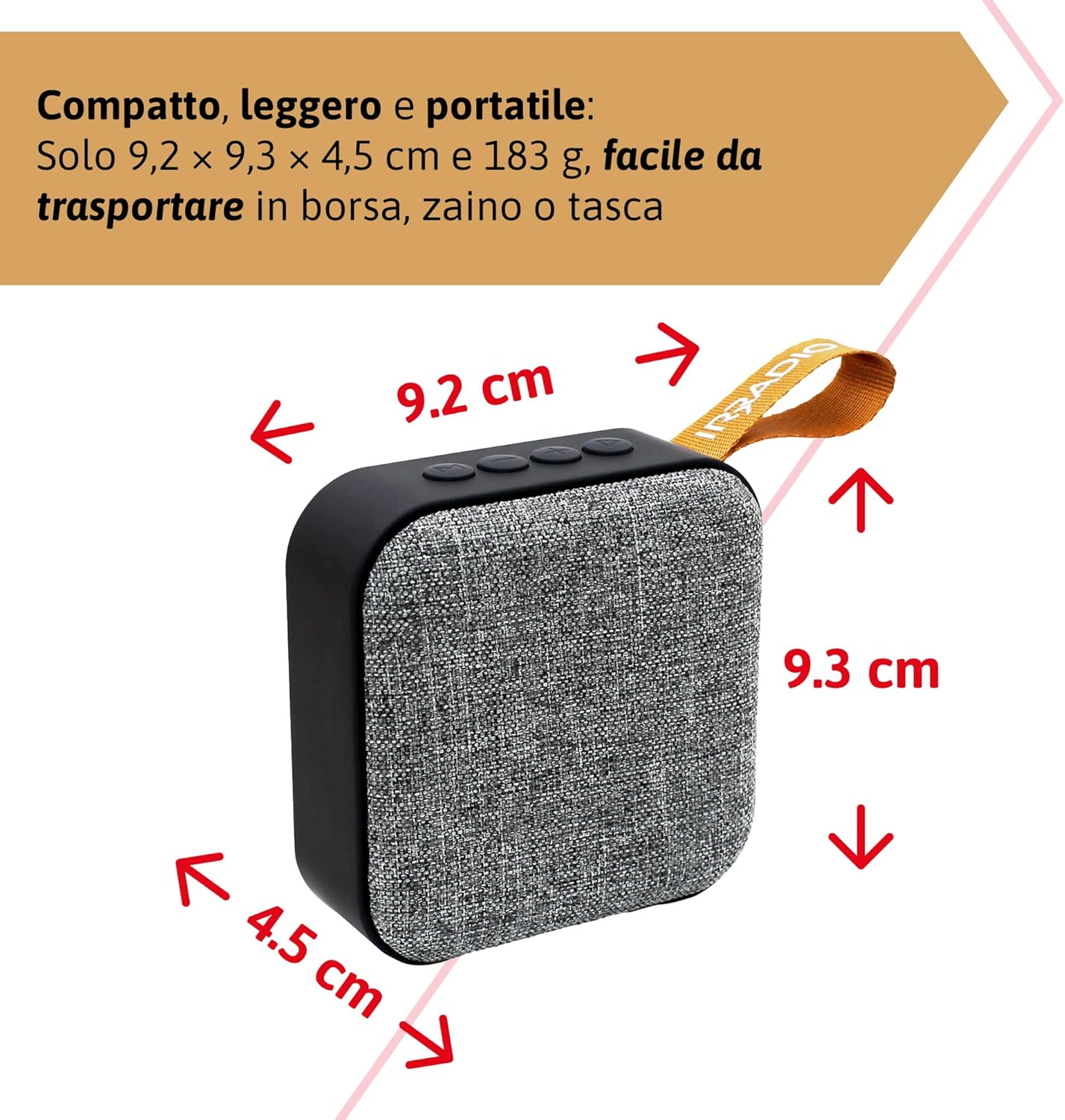
Şekil 9.1: Dimensions of the IRRADIO IR-203 Sound+ speaker: 9.2 cm (width) x 9.3 cm (height) x 4.5 cm (depth).
| Özellik | Detay |
|---|---|
| Model Adı | IR-203 Sound+ |
| Ürün Model Numarası | 550922126 |
| Marka | RADYO |
| Ürün Boyutları | 9.2x9.3x4.5 cm |
| Ağırlık | 183 gram |
| Hoparlör Tipi | Woofer (Full Range 50mm Driver + Passive Radiator) |
| Maksimum Hoparlör Çıkış Gücü | 3.5 Watt RMS |
| Bağlantı Teknolojisi | Bluetooth 5.0, USB |
| Kablosuz İletim Mesafesi | 10 metreye kadar (engelsiz) |
| Ses Çıkışı Modu | Stereo |
| Pil Kapasitesi | 400 mAh (3.7V, 1.48 Wh) |
| Pil Ömrü | Approx. 2 hours 40 minutes (at 50% volume) |
| Şarj Süresi | Yaklaşık 2 saat |
| Şarj Girişi | DC 5V/2A |
| Uyumlu Cihazlar | Smartphones, Tablets, Laptops, Desktop Computers, MP3 Players, USB Flash Drives |
| Renk | Gri |
| Su geçirmez | HAYIR |
10. Garanti ve Destek
10.1. Garanti Bilgileri
For information regarding warranty and returns, please refer to the purchase platform's policies. Typically, products purchased on Amazon.it can be returned within 30 days of receipt if you change your mind. For defective or damaged products, specific return policies apply.
For specific information on purchases made through the Marketplace, please consult the relevant help page on the platform.
10.2. Müşteri Desteği
For further assistance, technical support, or inquiries about your IRRADIO IR-203 Sound+ speaker, please visit the official IRRADIO store page:


