1. Giriş
This manual provides essential information for the proper use and maintenance of your Logic B10L 4G Bar Phone. Please read it carefully to ensure optimal performance and longevity of your device. The Logic B10L is designed for reliable communication with modern 4G connectivity, a user-friendly interface, and essential features.
2. Paket İçeriği
Ürün paketinizde tüm öğelerin mevcut olduğunu doğrulayın:
- Logic B10L 4G Bar Phone
- 1800mAh Li-ion Pil
- Güç Adaptörü
- Kullanım Kılavuzu (bu belge)
3. Phone Layout and Components
Familiarize yourself with the physical components of your Logic B10L phone.

Resim 3.1: Ön ve arka view of the Logic B10L 4G Bar Phone. The front displays the 2.4-inch LCD screen and alphanumeric keypad. The back shows the VGA camera with flash and the Logic B10L branding.
- 2.4-inch Curved LCD Display: Main screen for viewbilgi.
- Alfanümerik Tuş Takımı: Numara çevirme ve metin girişi için.
- Navigation Key (D-pad): Menü gezintisi için.
- Çağrı/Sonlandırma Tuşları: To initiate and end calls.
- VGA Camera with Flash: Located on the rear for capturing photos.
- Mikro USB Bağlantı Noktası: Şarj ve veri aktarımı için.
- 3.5 mm Ses Jakı: Kulaklıklar için.
- Torchlight: Integrated flashlight, accessible via a dedicated key.
4. Kurulum
4.1. Pil Kurulumu
- Remove the back cover of the phone by gently prying it from the designated notch.
- Align the 1800mAh Li-ion battery with the contacts inside the battery compartment.
- Press the battery down until it is securely in place.
- Arka kapağı yerine takın ve yerine oturduğundan emin olun.
4.2. SIM Kart Kurulumu
The Logic B10L supports Dual Nano SIM cards.
- Arka kapağı ve pili çıkardıktan sonra, SIM kart yuvalarını bulun.
- Insert your Nano SIM card(s) into the designated slot(s) with the gold contacts facing down, following the orientation indicated on the phone.
- Ensure the SIM card(s) are fully seated.
4.3. MicroSD Kart Takılması (İsteğe Bağlı)
You can expand the phone's storage up to 32GB using a MicroSD card.
- With the back cover and battery removed, locate the MicroSD card slot.
- Insert the MicroSD card into the slot with the gold contacts facing down, following the indicated orientation.
- Yerine oturana kadar hafifçe bastırın.
4.4. Pilin Şarj Edilmesi
- Connect the Micro USB end of the power adapter to the Micro USB port on your phone.
- Güç adaptörünün diğer ucunu duvar prizine takın.
- Ekrandaki pil göstergesi şarj durumunu gösterecektir.
- Tamamen şarj olduktan sonra şarj cihazının bağlantısını kesin.
5. Kullanım Talimatları
5.1. Güç Açma/Kapatma
- Açmak İçin: Basılı tutun Çağrıyı Sonlandır/Güç Ekran ışığı yanana kadar tuşa basın.
- Kapatmak İçin: Basılı tutun Çağrıyı Sonlandır/Güç key until the power-off options appear, then select 'Power Off'.
5.2. Temel Gezinme
Use the navigation key (D-pad) to move through menus and options. The center key typically acts as a selection button.
5.3. Arama Yapma
- Ana ekrandan, tuş takımını kullanarak istediğiniz telefon numarasını çevirin.
- Basın Arama aramayı başlatmak için tuşuna basın.
- Bir aramayı bitirmek için tuşuna basın. Çağrı Sonu anahtar.
5.4. Mesaj Gönderme
- 'Mesajlar' menüsüne gidin.
- Select 'New Message' or 'Create Message'.
- Alıcının numarasını girin veya kişilerden seçin.
- Alfasayısal tuş takımını kullanarak mesajınızı yazın.
- 'Gönder'e basın.
5.5. Kamera Kullanımı
The Logic B10L features a VGA camera with flash for capturing photos.
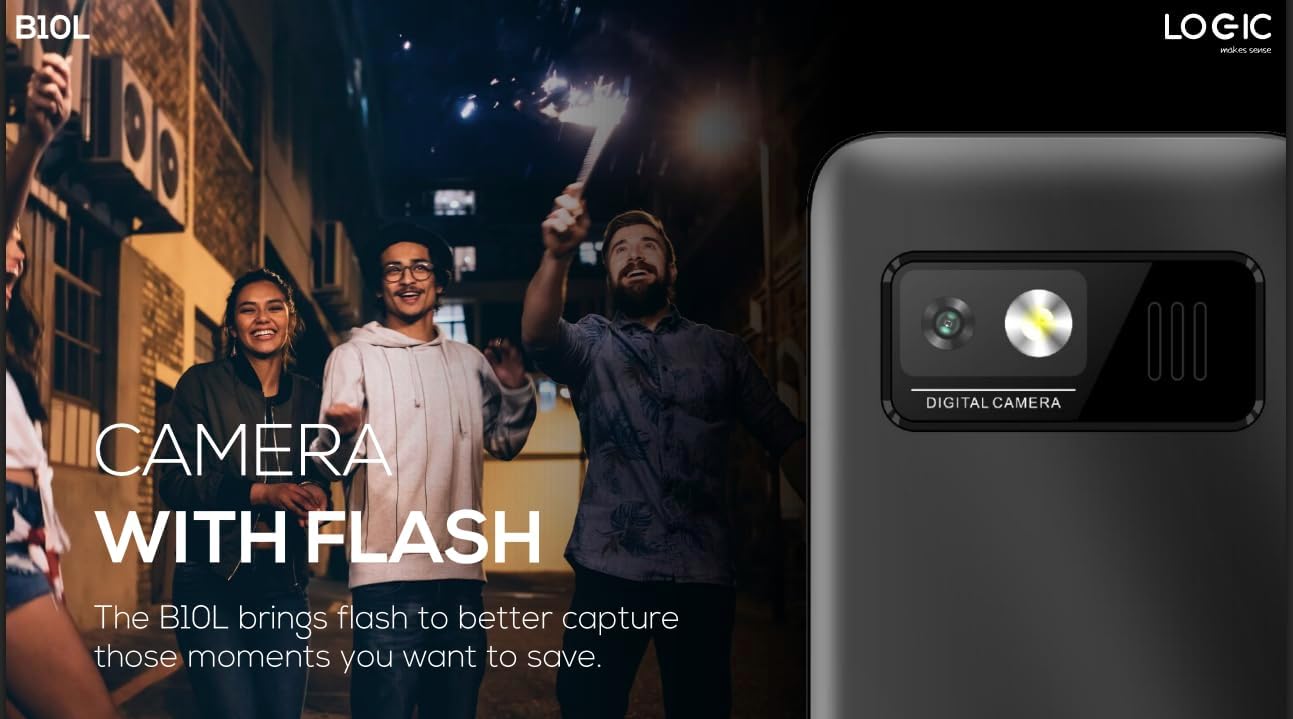
Resim 5.1: Arka view of the Logic B10L phone, highlighting the VGA camera and flash module. This feature allows for capturing images even in low-light conditions.
- Navigate to the 'Camera' application from the main menu.
- Ekranı bir çerçeve olarak kullanarak çekiminizi kadrajlayın. viewbulucu.
- Fotoğraf çekmek için belirtilen 'Çek' veya 'Tamam' tuşuna basın.
- Photos are saved to the phone's memory or MicroSD card.
5.6. Kablosuz FM Radyo
Enjoy your favorite radio stations without needing headphones.
- Go to the 'FM Radio' application in the menu.
- Use the navigation keys to scan for available stations.
- Select a station to listen.
5.7. Meşale Işığı
The phone includes a direct access key for the torchlight function.

Resim 5.2: Yan profesyonelfile of the Logic B10L phone, illustrating the dedicated direct access key for activating the built-in torchlight. This provides quick illumination.
- Press the dedicated torchlight key on the side of the phone to turn the flashlight on or off.
5.8. Bluetooth Bağlantısı
Telefonunuzu Bluetooth özellikli diğer cihazlara bağlayın.
- Go to 'Settings' and then 'Bluetooth'.
- Bluetooth'u açın.
- Arama available devices and select the one you wish to pair with.
- Enter the passkey if prompted.
5.9. 4G LTE and VoLTE
The Logic B10L supports 4G LTE for faster data speeds and VoLTE for clearer voice calls.

Resim 5.3: The Logic B10L phone screen showing the 'VoLTE' logo, indicating support for Voice over LTE for enhanced call quality and simultaneous voice and data usage.
- Ensure your SIM card and network provider support 4G LTE and VoLTE services.
- These features are typically enabled by default when available.
5.10. Curved LCD Display
The phone features a 2.4-inch curved LCD screen for clear visuals.
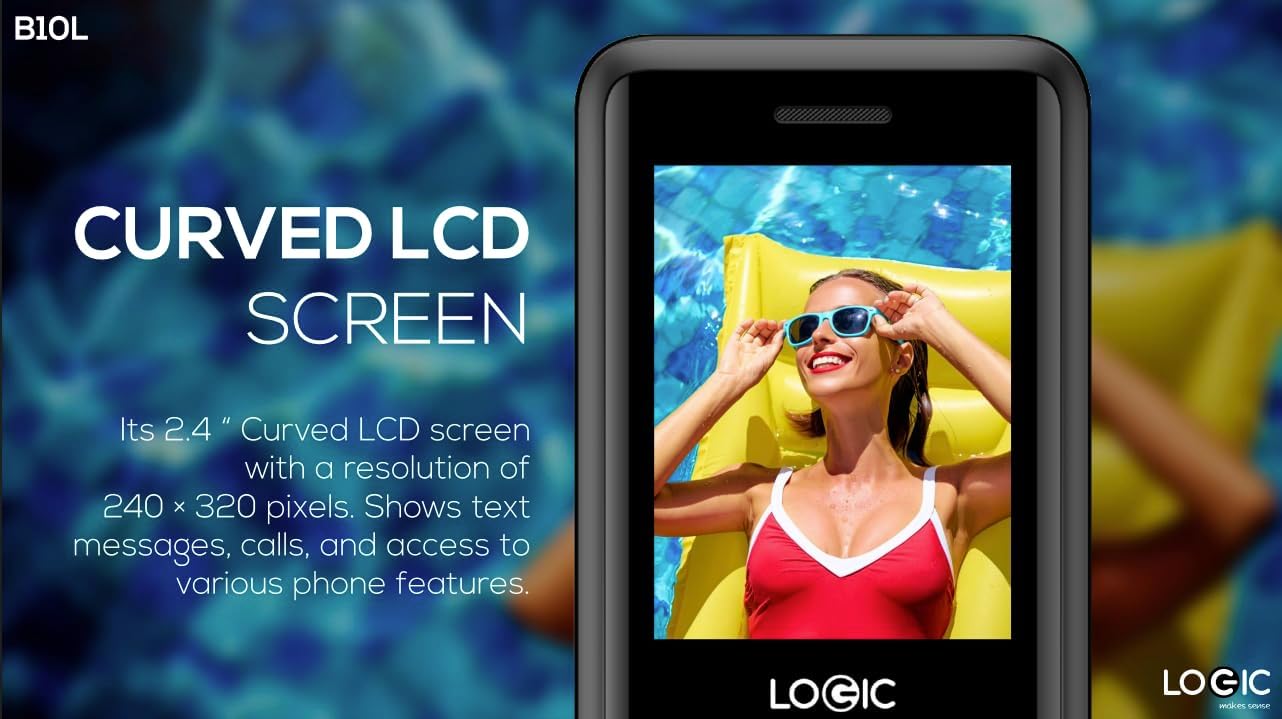
Resim 5.4: Close-up of the Logic B10L's 2.4-inch curved LCD screen, displaying a colorful image. The curved design enhances viewing comfort and aesthetics.
6. Bakım
6.1. Telefonunuzu Temizleme
- Use a soft, dry, lint-free cloth to clean the phone's screen and body.
- Sert kimyasallar, temizleme çözücüleri veya aşındırıcı malzemeler kullanmaktan kaçının.
6.2. Pil Bakımı
- Pili aşırı sıcaklıklara maruz bırakmayın.
- Pilin sık sık tamamen boşaltılmasından kaçının.
- Telefon uzun süre kullanılmayacaksa, saklamadan önce pilini yaklaşık %50'ye kadar şarj edin.
6.3. Depolama
- Telefonu serin, kuru ve doğrudan güneş ışığından ve nemden uzak bir yerde saklayın.
- Çocukların ve evcil hayvanların erişemeyeceği yerde saklayınız.
7. Sorun Giderme
This section addresses common issues you might encounter with your Logic B10L phone.
| Sorun | Olası Çözüm |
|---|---|
| Telefon açılmıyor | Pilinin doğru takıldığından ve şarj edildiğinden emin olun. Şarj cihazını bağlayın ve tekrar deneyin. |
| Arama yapılamıyor veya alınamıyor. | Check if the SIM card is properly inserted. Verify network signal strength. Contact your service provider. |
| Pil şarj olmuyor | Ensure the charger is correctly connected to the phone and a working power outlet. Try a different charger or cable if available. |
| Kötü çağrı kalitesi | Move to an area with better network coverage. Check for obstructions around the phone's antenna. |
| MicroSD card not detected | Ensure the MicroSD card is correctly inserted. Try reinserting it or using a different card to check for card malfunction. |
8. Özellikler
Detailed technical specifications for the Logic B10L 4G Bar Phone.
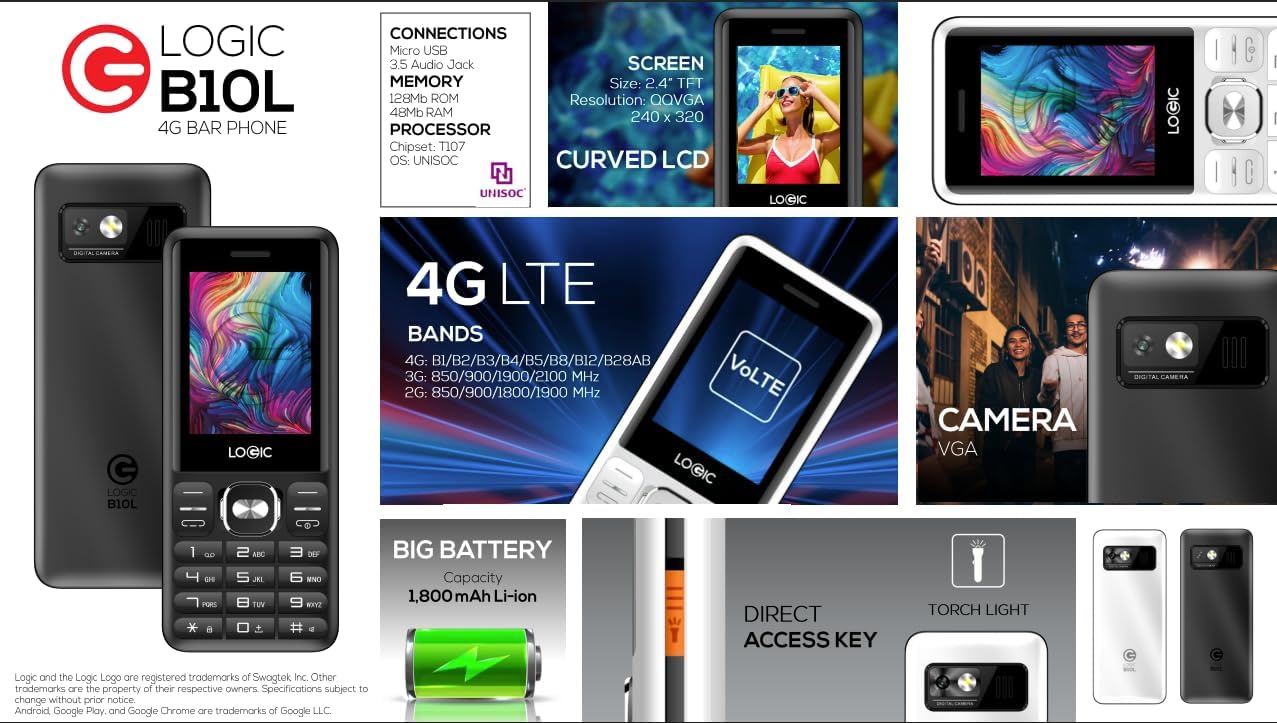
Resim 8.1: A visual summary of the Logic B10L's key features and specifications, including screen size, memory, processor, 4G LTE bands, battery capacity, and direct access torchlight.
- Model Adı: B10L
- Ürün Model Numarası: LO-27B10L90-C
- İşletim Sistemi: Çekirdek İşletim Sistemi
- Hücresel Teknoloji: 4G LTE, VoLTE
- Kablosuz taşıyıcı: Kilidi Açıldı
- Görüntülemek: 2.4-inch Curved LCD (240x320 resolution)
- Kamera: VGA Rear Camera with Flash
- Pil: 1800mAh Li-ion (3.7 Volt)
- RAM Bellek: 48 MB
- Dahili Depolama: 0.13 GB (MicroSD ile 32 GB'a kadar genişletilebilir)
- SIM Desteği: Çift Nano SIM
- Bağlantı: Bluetooth, Micro USB, 3.5mm Audio Jack
- Özel Özellikler: Wireless FM Radio, Direct Access Torchlight
- Form Faktörü: Bar Telefonu
- Ürün Ağırlığı: 7 ons
- Paket Boyutları: 5.67 x 2.8 x 2.44 inç
9. Garanti ve Destek
For warranty information and technical support, please refer to the warranty card included in your package or visit the official Logic webSite. Satın alma belgeniz olarak satın alma fişinizi saklayın.
If you encounter issues not covered in this manual, please contact Logic customer support for assistance.