1. Giriş
Thank you for choosing the SENECESLI Bluetooth Retro Car Speaker WS-980. This portable speaker combines a vintage car design with modern audio technology, offering versatile music playback options and colorful LED lighting. Please read this manual thoroughly before use to ensure proper operation and to maximize your enjoyment of the product.
2. Ürün Bittiview
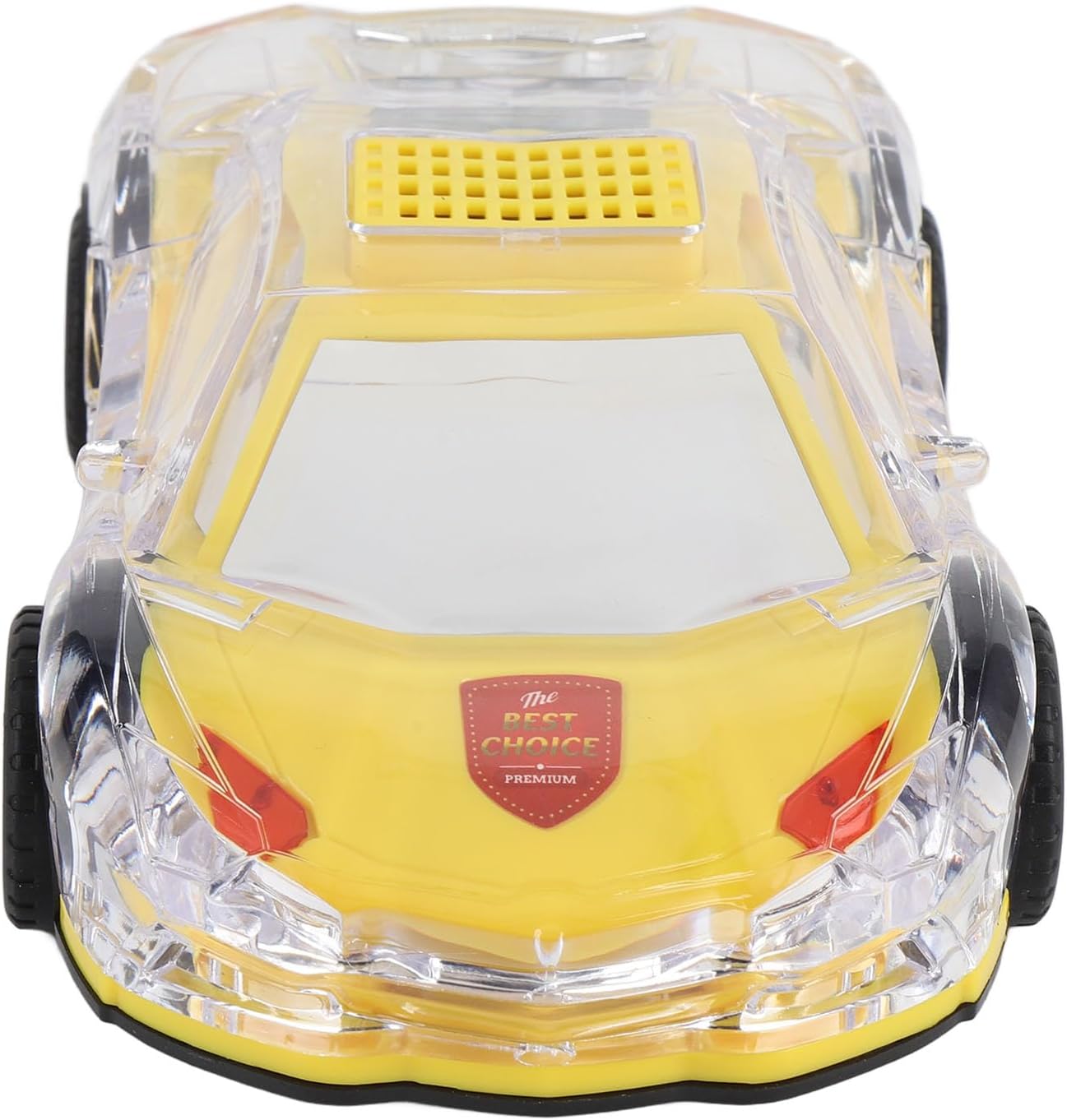
The SENECESLI Bluetooth Retro Car Speaker is designed to deliver an immersive auditory experience with its stereo sound and captivating LED lights. Its unique car replica design features chrome accents and real moving wheels, blending classic aesthetics with contemporary functionality.
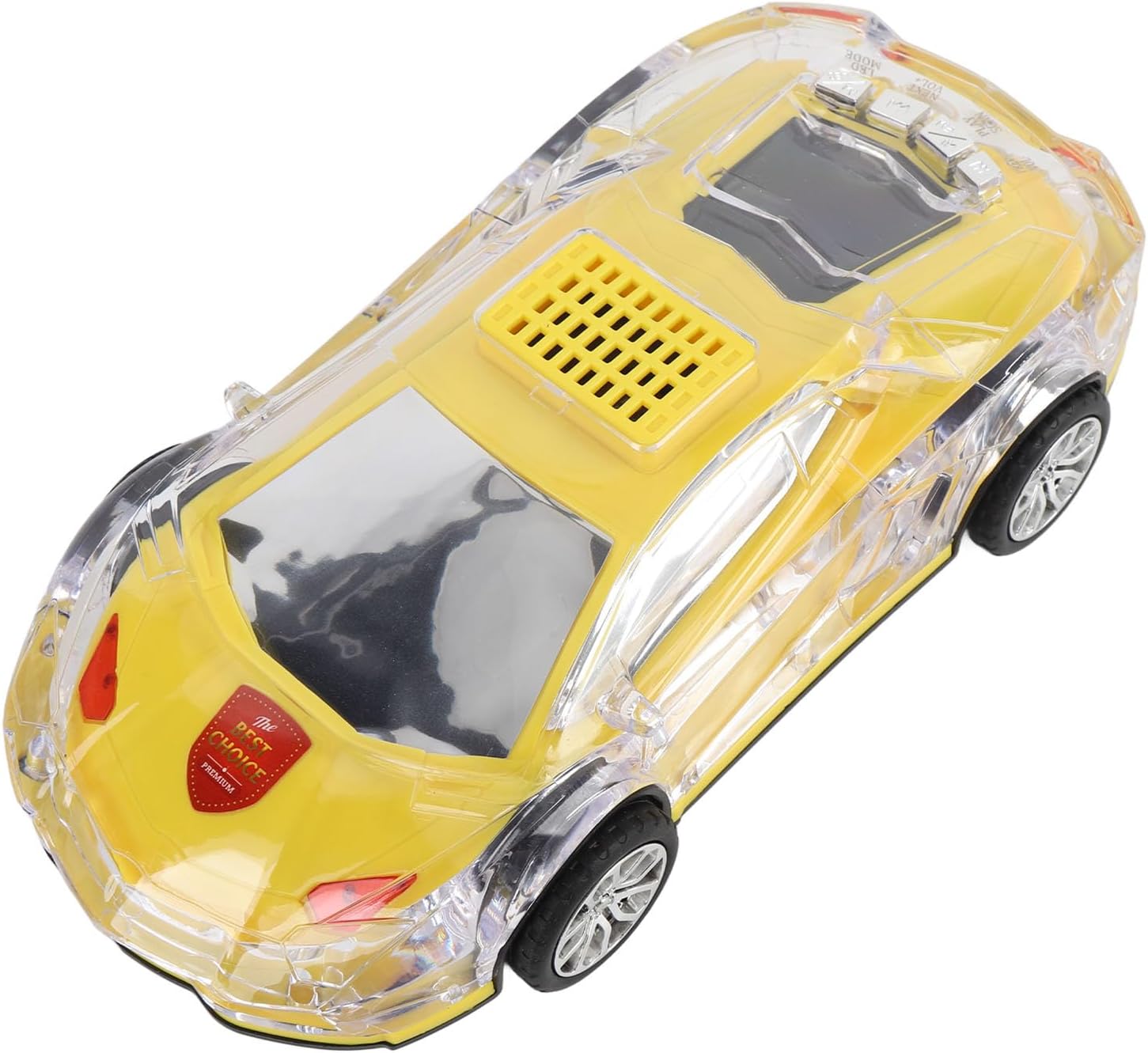
Image: The SENECESLI Bluetooth Retro Car Speaker in yellow.

Image: Speaker with colorful LED lights and stereo sound.
3. Paket İçeriği
- 1 x Car Model Bluetooth Speaker (WS-980)
- 1 x Charging Cable (USB-C to USB-A)
4. Özellikler
| Özellik | Tanım |
|---|---|
| Öğe Türü | Car Model Bluetooth Speaker |
| Malzeme | ABS |
| Renk | Yellow (as shown in images) |
| Uzunluk | Yaklaşık 220 mm / 8.7 inç |
| Çıkış Gücü | 2.3W |
| Konuşmacı | 52 mm x 2 |
| Titreşim Modu | Evet |
| Dahili Pil | 1500mAh Polymer Li Battery |
| Small Memory Card Support | Maximum 32GB (card not included) |
| Bağlantı | Bluetooth, USB, TF Card, AUX input |
| Ek Özellikler | Selfie function, LED display, LED lights |
5. Kurulum
5.1 Hoparlörü Şarj Etme
Before first use, fully charge the speaker. Use the included USB-C to USB-A charging cable.
- Connect the USB-C end of the cable to the speaker's USB Type-C port (DC5V/ANT).
- Kablo ucunu USB-A uyumlu bir USB güç kaynağına (örneğin, duvar adaptörü, bilgisayar USB portu) bağlayın.
- Şarj gösterge ışığı yanacaktır. Tamamen şarj olduğunda ışık renk değiştirebilir veya sönebilir.

Resim: Yukarıdan aşağıya view showing the speaker and charging cable.
5.2 Güç Açma/Kapatma
The power button is located on the rear of the speaker, behind the cabin.
- To power on: Press and hold the power button until the speaker activates and the LED lights illuminate.
- To power off: Press and hold the power button again until the speaker deactivates.
Resim: Arka view showing control buttons and ports.
5.3 Bluetooth Eşleştirme
Pair the speaker with your Bluetooth-enabled device to stream audio wirelessly.
- Ensure the speaker is powered on and in Bluetooth mode (it will typically announce 'Bluetooth mode' or show a Bluetooth icon on its LED display).
- Mobil cihazınızda Bluetooth'u etkinleştirin ve mevcut cihazları arayın.
- Select 'WS-980' (or similar identifier) from the list of found devices.
- Once paired, the speaker will indicate a successful connection.
6. Kullanım Talimatları
6.1 Müzik Oynatma
The speaker supports multiple playback methods:
- Bluetooth: Eşleştirme işlemi başarıyla tamamlandıktan sonra, bağlı cihazınızdan ses dosyalarını oynatın.
- USB sürücüsü: USB bağlantı noktasına bir USB flash sürücü takın. Hoparlör sesi otomatik olarak algılayıp çalacaktır. files.
- TF (Mikro SD) Kartı: Insert a TF card (up to 32GB) with audio files into the TF card slot. The speaker will automatically detect and play audio files.
- AUX Girişi: 3.5 mm ses kablosunu (dahil değildir) kullanarak harici bir ses cihazını AUX portuna bağlayın.

Image: Multiple connection options for music playback.
6.2 Controls (Located on the rear of the speaker)
- Güç Düğmesi: Press and hold to power on/off. Short press to switch between modes (Bluetooth, USB, TF, AUX).
- Oynat/Duraklat Düğmesi: Sesi oynatmak veya duraklatmak için kısa basın.
- Önceki Parça/Sesi Kısma: Önceki parçaya geçmek için kısa süre basılı tutun. Sesi azaltmak için basılı tutun.
- Sonraki Parça/Sesi Yükseltme: Sonraki parçaya geçmek için kısa süre basılı tutun. Sesi artırmak için basılı tutun.
6.3 LED Işık Modu
The speaker features colorful LED lights that can be controlled. Refer to the specific button (often integrated with mode or a dedicated light button) for cycling through different light patterns or turning them off.
Video: Demonstration of the SENECESLI Bluetooth Retro Car Speaker's colorful LED lights and sound output.
6.4 Selfie Fonksiyonu
This speaker includes a selfie function. When connected via Bluetooth, you may be able to use a specific button on the speaker (refer to the product's quick start guide or experiment with the play/pause button) to trigger your phone's camera shutter.
7. Bakım
- Hoparlörü yumuşak ve kuru bir bezle temizleyin. Aşındırıcı temizleyiciler veya çözücüler kullanmayın.
- Hoparlörü sudan, nemden ve aşırı sıcaklıklardan uzak tutun.
- Kullanmadığınız zaman serin ve kuru bir yerde saklayınız.
8. Sorun Giderme
| Sorun | Çözüm |
|---|---|
| Hoparlör açılmıyor. | Pilin şarjlı olduğundan emin olun. USB-C kablosunu kullanarak bir güç kaynağına bağlayın. |
| Bluetooth üzerinden eşleştirme yapılamıyor. | Ensure the speaker is in Bluetooth pairing mode. Turn off and on your device's Bluetooth. Move closer to the speaker. |
| No sound from USB/TF card. | ses olup olmadığını kontrol edin files are in a compatible format. Ensure the card/drive is inserted correctly. Switch modes to USB/TF card. |
| LED ışıklar çalışmıyor. | Check if the light function is enabled or cycle through light modes using the appropriate button. |
9. Güvenlik Bilgileri
- Hoparlörü kendiniz sökmeyin veya tamir etmeye çalışmayın. Bu, garantiyi geçersiz kılabilir ve hasara neden olabilir.
- Keep out of reach of children to prevent accidental ingestion of small parts.
- İşitme hasarını önlemek için yüksek ses seviyelerine uzun süre maruz kalmaktan kaçının.
- Ürünü ve pilini yerel yönetmeliklere uygun şekilde sorumlu bir şekilde atın.
10. Garanti ve Destek
For warranty information or technical support, please refer to the product packaging or contact SENECESLI customer service directly. Keep your purchase receipt as proof of purchase.


