giriiş
Thank you for choosing the Caydo Cordless Electric Diamond Painting Pen. This innovative tool is designed to enhance your diamond art experience with its vacuum technology, ergonomic design, and cordless operation. This manual provides detailed instructions for setup, operation, and maintenance to ensure optimal performance and enjoyment.
Güvenlik Bilgileri
- Cihazı su ve nemden uzak tutunuz.
- Cihazı kendiniz sökmeye veya onarmaya çalışmayın. Sorun yaşarsanız müşteri desteğiyle iletişime geçin.
- Ensure airflow vents are not covered during operation to prevent overheating.
- Keep out of reach of children and pets. Small parts can be a choking hazard.
- Şarj etmek için yalnızca birlikte verilen USB kablosunu kullanın.
Paket İçeriği
Your Caydo Cordless Electric Diamond Painting Pen package includes:
- 1 x Cordless Electric Diamond Painting Pen
- 1 x USB Şarj Kablosu
- 4 x Interchangeable Drill Tips (including Straight Tip and Angled Tip)
- 1 x Taşınabilir Saklama Kutusu
- 1 x Diamond Tray
- Assorted Diamond Drills (for included sticker)

Image: All items included in the Caydo Cordless Electric Diamond Painting Pen package.
Ürün Bittiview
The Caydo Cordless Electric Diamond Painting Pen features a patented dolphin-curve design for ergonomic comfort and vacuum technology for efficient diamond placement without wax. It is designed for portability and ease of use.

Image: Ergonomic design of the Caydo pen for comfortable use.

Image: The cordless electric diamond painting pen in use.
Kurmak
- Charge the Pen: Connect the provided USB charging cable to the pen and a power source. The indicator light will flash red while charging and turn solid blue when fully charged. A full charge takes approximately 2.5 hours and provides about 3 hours of operation.
- Attach a Drill Tip: Select your desired drill tip (Straight, Angled, or Multi-Drill). Gently pull out any existing tip and insert the new tip directly into the device, ensuring there is no gap between the tip and the pen for proper suction.
- Elmasları Hazırlayın: Pour your diamond drills into the provided diamond tray and gently shake to align them.

Image: Charging the Caydo pen with the USB cable.

Image: Attaching a drill tip to the Caydo pen.

Image: Proper insertion of the pen tip.
Kullanım Talimatları
- Güç Açık: Press the power button on the pen to turn it on. The indicator light will illuminate.
- Elmasları Topla: Gently touch the tip of the pen to the top of an aligned diamond in the tray. The vacuum suction will pick up the diamond. For multi-drill tips, align the suction nozzles with multiple diamonds.
- Place Diamonds: Position the pen over the desired symbol on your diamond painting canvas. Gently press down to release the diamond onto the adhesive surface.
- Uygun Hava Akışını Sağlayın: Do not cover the airflow vents on the pen during operation to maintain optimal suction.
- Kapat: Press the power button again to turn off the pen when finished.
Video: Demonstrates how to use the electric diamond painting pen, including picking up and placing diamonds with various tips.

Image: The Caydo pen in action, placing diamonds precisely.
Bakım
- Temizlik: Wipe the pen body with a soft, dry cloth. Ensure no dust or debris obstructs the vacuum tips or airflow vents.
- Depolamak: Store the pen and its accessories in the provided portable storage case to protect them from damage and keep them organized.
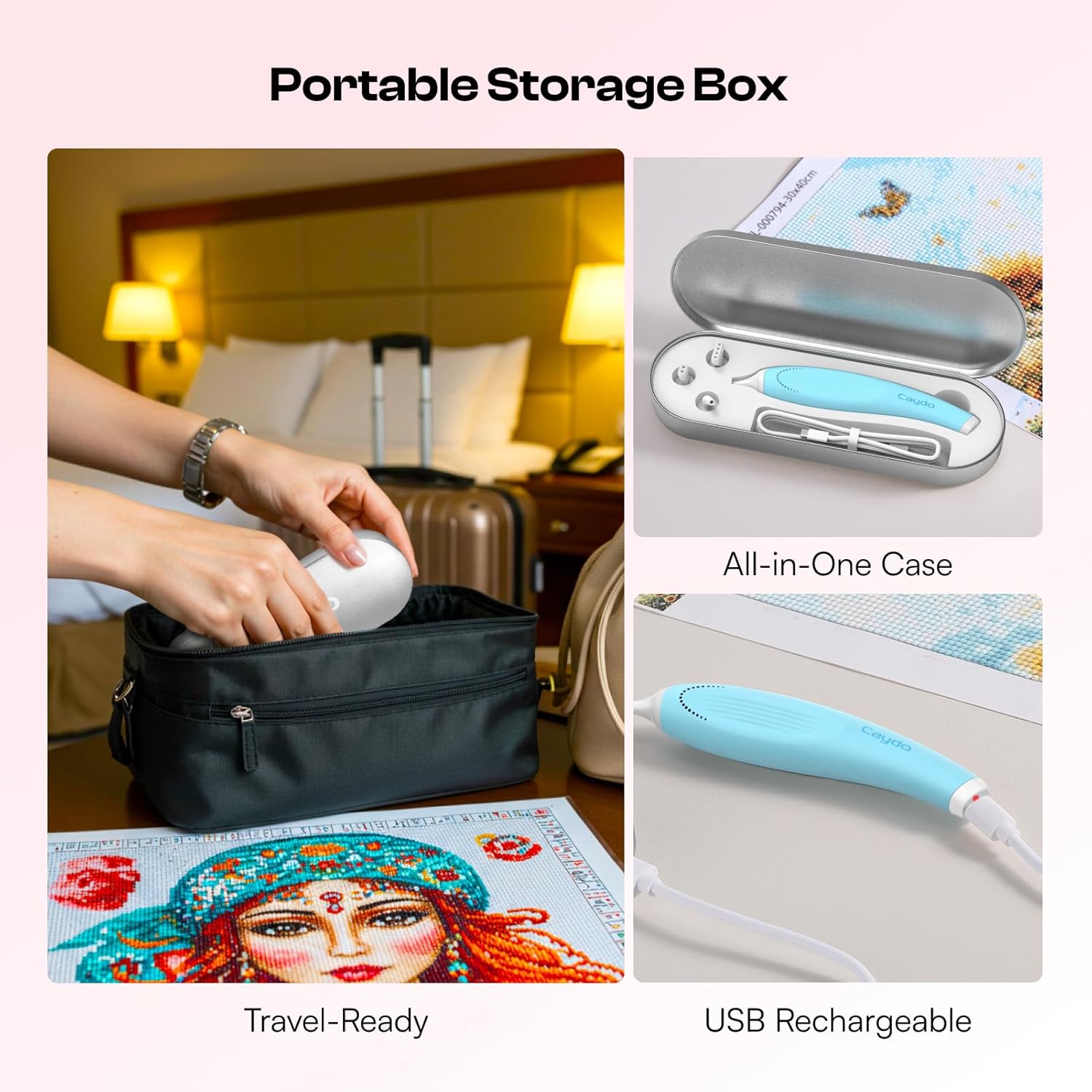
Image: The Caydo pen and accessories stored in its portable case.
Sorun giderme
| Sorun | Olası Neden | Çözüm |
|---|---|---|
| Kalem açılmıyor. | Pil zayıf. | Charge the pen using the USB cable. |
| Zayıf veya hiç emme gücü yok. | Drill tip not properly attached. | Ensure the drill tip is securely inserted without gaps. |
| Zayıf veya hiç emme gücü yok. | Airflow vents are blocked. | Ensure hands or other objects are not covering the airflow vents during use. |
| Diamonds are not picked up consistently. | Diamonds are not properly aligned in the tray. | Gently shake the tray to align diamonds before picking them up. |
| Gösterge ışığı sabit kırmızıdır. | Pil zayıf. | Charge the pen immediately. |
Özellikler
| Özellik | Detay |
|---|---|
| Model Numarası | D-057P |
| Ürün Boyutları | 5.5 x 0.84 x 0.7 inç |
| Ürün Ağırlığı | 1.7 ons |
| Üretici | Caydo |
| Pil Ömrü (Çalışma) | Yaklaşık. şarj başına 3 saat |
| Şarj Süresi | Yaklaşık 2.5 saat |
Garanti ve Destek
Caydo products are designed for quality and durability. For warranty information, technical support, or any questions regarding your Cordless Electric Diamond Painting Pen, please refer to the contact information provided on the product packaging or visit the official Caydo webLütfen garanti talepleriniz için satın alma belgenizi saklayın.


