1. Giriş
Satın aldığınız için teşekkür ederizasing the IRRADIO IR-M5 Classic Portable Speaker. This manual provides essential information for the safe and efficient operation of your device. Please read it thoroughly before use and keep it for future reference.
2. Güvenlik Bilgileri
- Hoparlörü uzun süre aşırı sıcaklıklara veya doğrudan güneş ışığına maruz bırakmayın.
- Hoparlörü düşürmekten veya sert darbelere maruz bırakmaktan kaçının.
- Cihazı kendiniz sökmeyin, tamir etmeyin veya üzerinde değişiklik yapmayın. Yetkili servis personeline başvurun.
- Hoparlörü mıknatıs içerdiğinden tıbbi cihazlardan uzak tutun.
- Şarj kablosunu bağlamadan önce şarj portunun kuru olduğundan emin olun.
- This device is IPX7 water-resistant, meaning it can be submerged in up to 1 meter of water for 30 minutes. Do not intentionally submerge it for longer periods or deeper than specified.
3. Paket İçeriği
Lütfen paketi aşağıdaki öğeler açısından kontrol edin:
- IRRADIO IR-M5 Classic Portable Speaker
- USB Şarj Kablosu
- Kullanıcı Kılavuzu
4. Ürün Bittiview
Hoparlörün bileşenlerini ve kontrollerini tanıyın.

Şekil 4.1: Ön view of the IRRADIO IR-M5 Classic speaker, showing the speaker grille, IRRADIO logo, and RGB LED light bar.
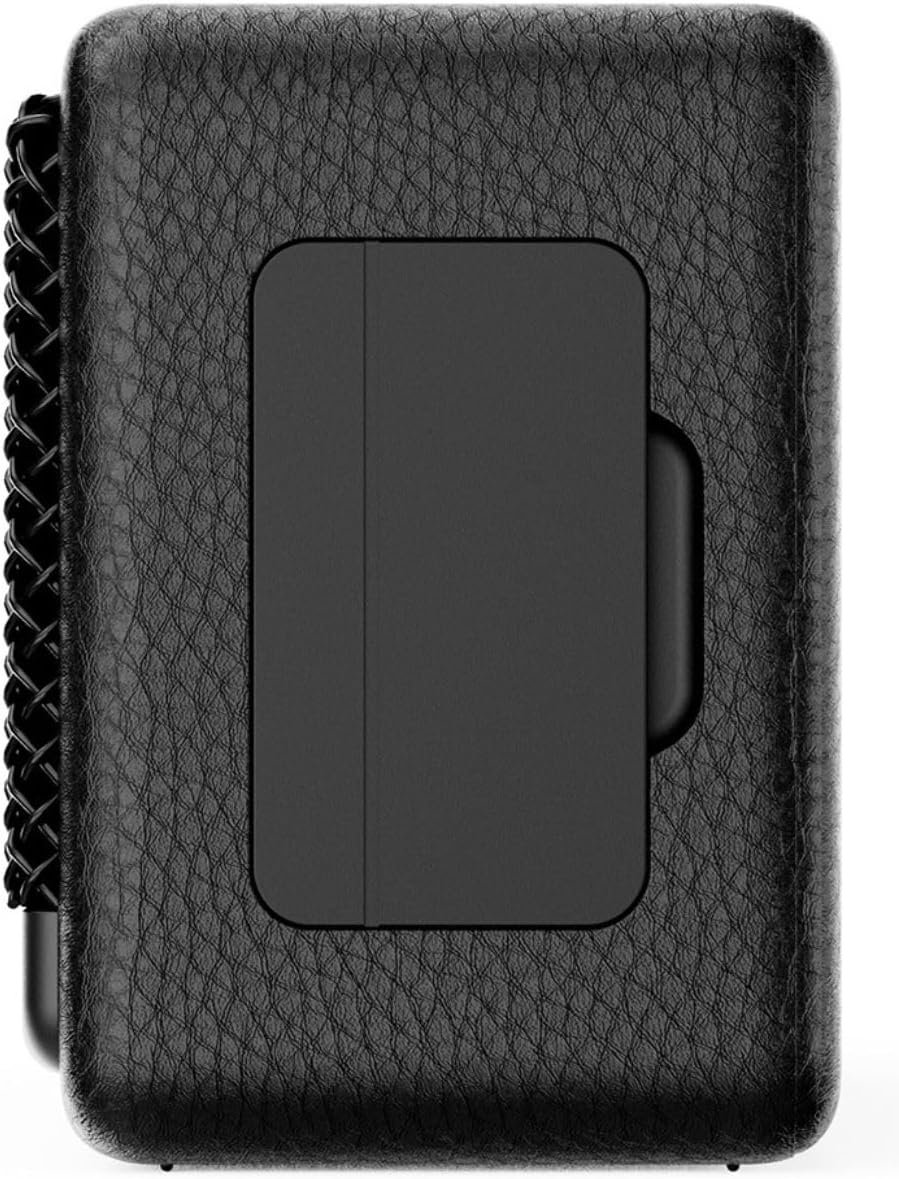
Şekil 4.2: Geri view of the IRRADIO IR-M5 Classic speaker, highlighting the passive subwoofer panel.

Şekil 4.3: Yan view of the IRRADIO IR-M5 Classic speaker, showing the integrated strap for portability.
Kontroller ve Bağlantı Noktaları:
- Güç Düğmesi: Açmak/kapatmak için basılı tutun.
- Sesi Aç/Sonraki Parça: Kısa basışla sesi açabilir, uzun basışla bir sonraki parçaya geçebilirsin.
- Sesi Kısma/Önceki Parça: Kısa basışta ses kısılır, uzun basışta önceki parçaya geçilir.
- Oynat/Duraklat/Ara Düğmesi: Press to play/pause music or answer/end calls.
- Mod Düğmesi (M): Press to switch between Bluetooth and USB playback modes.
- RGB LED Button: Press to cycle through RGB lighting modes or turn off the lights.
- USB-C Şarj Portu: Hoparlörü şarj etmek için.
- USB-A Bağlantı Noktası: For external USB music playback.
- AUX Input (3.5mm Mini Jack): Kablolu ses bağlantısı için.
5. Kurulum
5.1 Hoparlörü Şarj Etme
Before first use, fully charge the speaker. Connect the provided USB charging cable to the USB-C port on the speaker and the other end to a compatible USB power adapter (not included).
- LED göstergesi şarj durumunu gösterecektir.
- Tam şarj yaklaşık 3.5 saat sürüyor.
5.2 Güç Açma/Kapatma
- Cihazı açmak için, sesli bir uyarı duyana kadar Güç düğmesini basılı tutun.
- Cihazı kapatmak için, hoparlör kapanana kadar Güç düğmesine tekrar basılı tutun.
5.3 Bluetooth Eşleştirme
- Hoparlörü açın. Yanıp sönen bir LED ile belirtildiği gibi, otomatik olarak Bluetooth eşleştirme moduna girecektir.
- Cihazınızda (akıllı telefon, tablet, dizüstü bilgisayar) Bluetooth'u etkinleştirin ve kullanılabilir cihazları arayın.
- Select "IR-M5 Classic" from the list of devices.
- Once paired, the LED indicator will stop flashing and remain solid. You are now ready to play music.
6. Kullanım Talimatları
6.1 Müzik Oynatma
- Bluetooth Modu: Eşleştirme işlemi başarıyla tamamlandıktan sonra, bağlı cihazınızdan müzik çalın.
- USB Oynatma: Insert a USB drive with MP3/WAV files into the USB-A port. The speaker will automatically switch to USB mode and begin playback. Use the Mode button to switch if necessary.
- AUX Modu: Connect an audio device using a 3.5mm AUX cable to the AUX input. The speaker will automatically switch to AUX mode.
6.2 Ses Kontrolü
- Press the Volume Up (+) button to increase volume.
- Press the Volume Down (-) button to decrease volume.
6.3 Rota Navigasyonu
- Long press the Volume Up (+) button for the next track.
- Long press the Volume Down (-) button for the previous track.
6.4 Gerçek Kablosuz Stereo (TWS) İşlevi
To pair two IR-M5 Classic speakers for a stereo experience:
- Her iki hoparlörün de açık olduğundan ve herhangi bir Bluetooth cihazına bağlı olmadığından emin olun.
- On one speaker, double-press the Play/Pause button. It will enter TWS pairing mode.
- The speakers will automatically connect to each other. You will hear a confirmation sound.
- Once TWS paired, connect your device to one of the speakers via Bluetooth as described in section 5.3. Both speakers will now play in stereo.
6.5 RGB LED Aydınlatma
Press the RGB LED button to cycle through different lighting modes or to turn the lights off.
7. Bakım
- Hoparlörü yumuşak ve kuru bir bezle temizleyin. Aşındırıcı temizleyiciler veya çözücüler kullanmayın.
- Hoparlörü kullanılmadığı zaman serin ve kuru bir yerde saklayın.
- If the speaker will not be used for an extended period, charge it every 3 months to maintain battery health.
8. Sorun Giderme
| Sorun | Olası Neden | Çözüm |
|---|---|---|
| Hoparlör açılmıyor. | Pil zayıf. | Hoparlörü tam olarak şarj edin. |
| Bluetooth üzerinden eşleştirme yapılamıyor. | Hoparlör eşleştirme modunda değil veya zaten başka bir cihaza bağlı. | Ensure speaker is in pairing mode. Disconnect from other devices. Restart speaker and device. |
| Ses yok. | Ses çok düşük; yanlış giriş modu; cihaz oynatılmıyor. | Increase volume. Check input mode (Bluetooth/USB/AUX). Ensure source device is playing. |
| TWS eşleştirmesi başarısız. | Speakers are already connected to a device or each other. | TWS eşleştirmesine başlamadan önce her iki hoparlörün de tüm cihazlardan bağlantısının kesildiğinden emin olun. |
9. Özellikler
| Özellik | Detay |
|---|---|
| Model Adı | IR-M5 Klasik |
| Marka | RADYO |
| Çıkış Gücü | 20W (Rated), 28W (Music) |
| Sürücüler | 2 x 50mm Full-Range, 1 x Passive Subwoofer |
| Frekans Tepkisi | 85Hz - 20kHz |
| Bluetooth Sürümü | 5.4 |
| kablosuz Menzil | 10 metreye kadar (engelsiz) |
| Pil Kapasitesi | 2000mAh (3.7V, 7.4 Wh) |
| Oynatma Süresi | Yaklaşık. 8 saat (%50 ses seviyesinde) |
| Şarj Süresi | Yaklaşık 3.5 saat |
| Suya Dayanıklılık | IPX7 |
| Boyutlar (U x G x Y) | 17.4 x 8 x 5.3 cm (6.8 x 3.15 x 2.1 inç) |
| Ağırlık | 506 gram (0.506 kg) |
| Desteklenen Ses Biçimleri | MP3, WAV |
10. Garanti ve Destek
This product comes with a standard manufacturer's warranty. For detailed warranty terms and conditions, please refer to the warranty card included in your package or contact your local distributor. For technical support or service inquiries, please visit the official IRRADIO websitesine gidin veya müşteri hizmetleriyle iletişime geçin.
Not: Ürün özellikleri ve tasarımı, iyileştirme amacıyla önceden haber verilmeksizin değiştirilebilir.


