1. Önemli Güvenlik Bilgileri
Please read and understand all instructions before using this product. Failure to follow these instructions may result in electric shock, fire, or other hazards.
- Bu kamera şu amaçla tasarlanmıştır: sadece iç mekanda kullanılabilir. Do not expose it to rain, moisture, or water.
- Yalnızca ürünle birlikte verilen güç adaptörünü veya onaylı bir eşdeğerini kullanın.
- Fotoğraf makinesini doğrudan güneş ışığından, ısı kaynaklarından ve güçlü manyetik alanlardan uzak tutun.
- Kameranın düşmesini önlemek için sabit bir yüzeye yerleştirildiğinden veya güvenli bir şekilde monte edildiğinden emin olun.
- Kamerayı kendiniz sökmeye veya onarmaya çalışmayın. Yardım için müşteri desteğiyle iletişime geçin.
- Çocukların ve evcil hayvanların erişemeyeceği yerde saklayınız.
2. Ürün Bittiview
The Geeni Scope 2K Smart Auto-Tracking Indoor Security Camera offers advanced surveillance features for your home. It provides 2K Quad HD video, motion detection with auto-tracking, night vision, and two-way audio communication.

Image: Geeni Scope 2K Smart Auto-Tracking Indoor Security Camera highlighting its key features such as 2K Live Video, Motion Sensor, Pan & Tilt, Night Vision, 2-Way Audio, App Control, Share Access, microSD Slot, Built-in Siren, and Person Detection.
Temel Özellikler:
- 2K Ultra HD Video: Capture sharp and clear images with 2K HD resolution.
- Smart Auto-Tracking: Camera automatically follows detected movement.
- Hareket Algılama Uyarıları: Receive instant notifications on your smartphone.
- Gelişmiş Gece Görüşü: Clear surveillance in complete darkness up to 20 feet.
- İki Yönlü Ses: Communicate through the camera using the built-in microphone and speaker.
- Geniş Kapsam: 355° horizontal pan and 50° vertical tilt viewaçıları.
- Ses Kontrolü: Amazon Alexa ve Google Asistan ile uyumludur.
- Yerel Depolama: Supports microSD card for video recording.
3. Kutuda Neler Var?
- Geeni Scope 2K Smart Auto-Tracking Indoor Security Camera
- Güç Adaptörü
- Montaj Kiti (vidalar, duvar dübelleri)
- Kullanıcı Kılavuzu
4. Kurulum Kılavuzu
Step 1: Download the Geeni App
Download the Geeni app from the App Store (for iOS devices) or Google Play Store (for Android devices). Register for an account or log in if you already have one.
Adım 2: Kamerayı Açın
Connect the provided power adapter to the camera and plug it into a power outlet. The camera will power on, and an indicator light will begin to flash, indicating it is ready for pairing.
Step 3: Add Device in Geeni App
- Open the Geeni app and tap the "+" icon in the top right corner to add a new device.
- Select "Video Camera" from the device list.
- Follow the on-screen instructions to connect the camera to your 2.4GHz Wi-Fi network. Ensure your Wi-Fi password is correct.
- The app will display a QR code. Hold your phone approximately 6-8 inches (15-20 cm) in front of the camera lens until you hear a prompt.
- Once connected, the indicator light will turn solid blue. You can then name your camera and begin using it.
Step 4: Camera Placement
Place the camera on a flat surface or mount it to a wall using the included mounting kit. Ensure the camera has a clear view of the area you wish to monitor. The camera is designed for indoor use only.

Image: The Geeni Scope 2K camera demonstrating its wide coverage with 355° horizontal pan and 50° vertical tilt capabilities, ensuring no blind spots in indoor monitoring.
5. Kullanım Talimatları
5.1 Canlı View ve Pan & Tilt Kontrolü
Open the Geeni app and select your camera to view the live feed. Use the on-screen controls to pan (move horizontally) and tilt (move vertically) the camera lens to adjust your viewaçı.
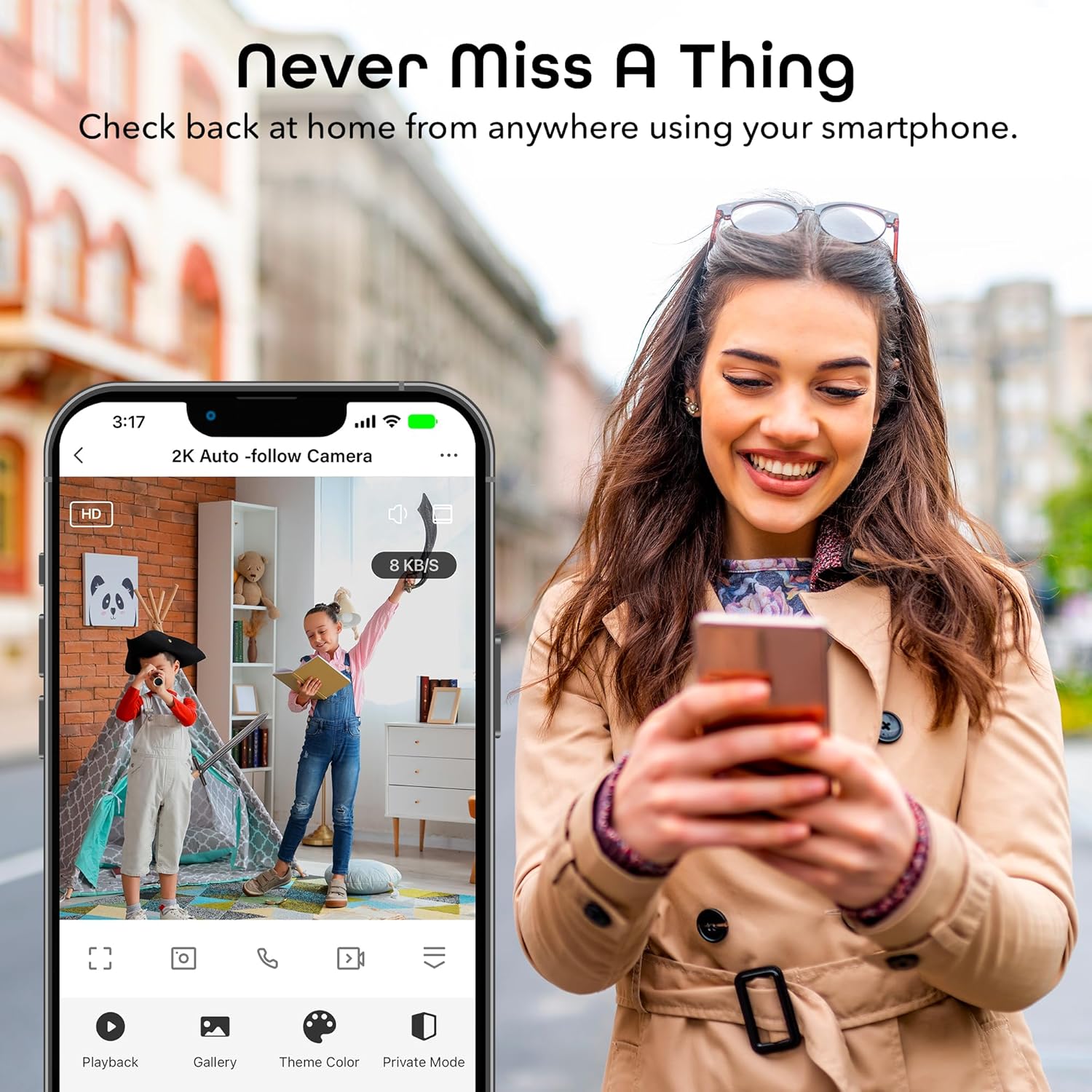
Image: A smartphone displaying the Geeni app's live view interface, allowing users to monitor their space remotely.
5.2 Hareket Algılama ve Otomatik Takip
The camera is equipped with advanced motion detection. When motion is detected, the camera can automatically track the moving object and send an alert to your smartphone.
- To enable/disable motion detection and auto-tracking, navigate to the camera settings in the Geeni app.
- Yanlış uyarıları en aza indirmek için hassasiyet seviyelerini ayarlayın.
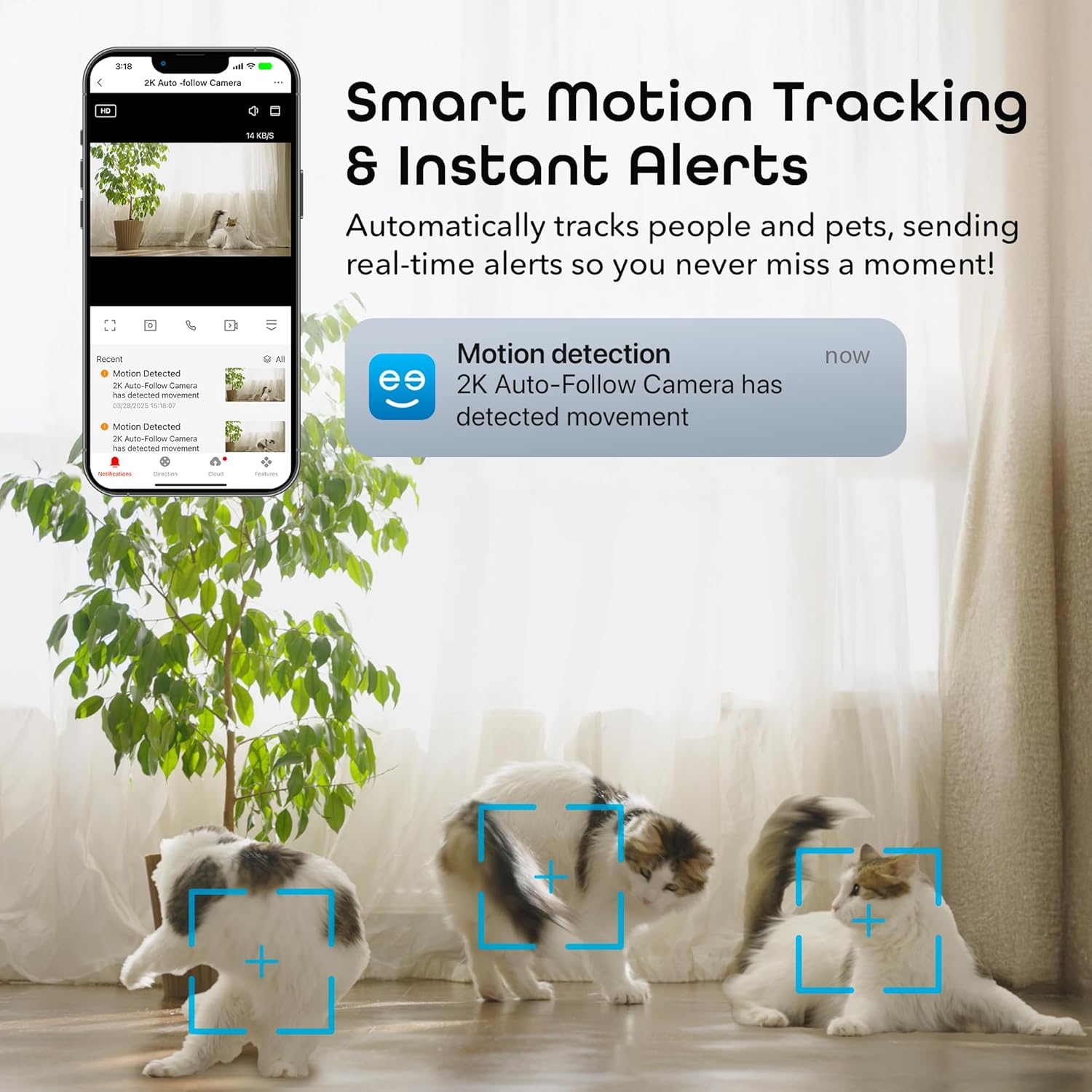
Image: A smartphone displaying a motion detection notification from the Geeni app, indicating movement detected by the 2K Auto-Follow Camera, with cats visible in the camera's field of view.
5.3 Gece Görüşü
The camera automatically switches to enhanced night vision in low-light conditions, providing clear black-and-white video up to 20 feet.
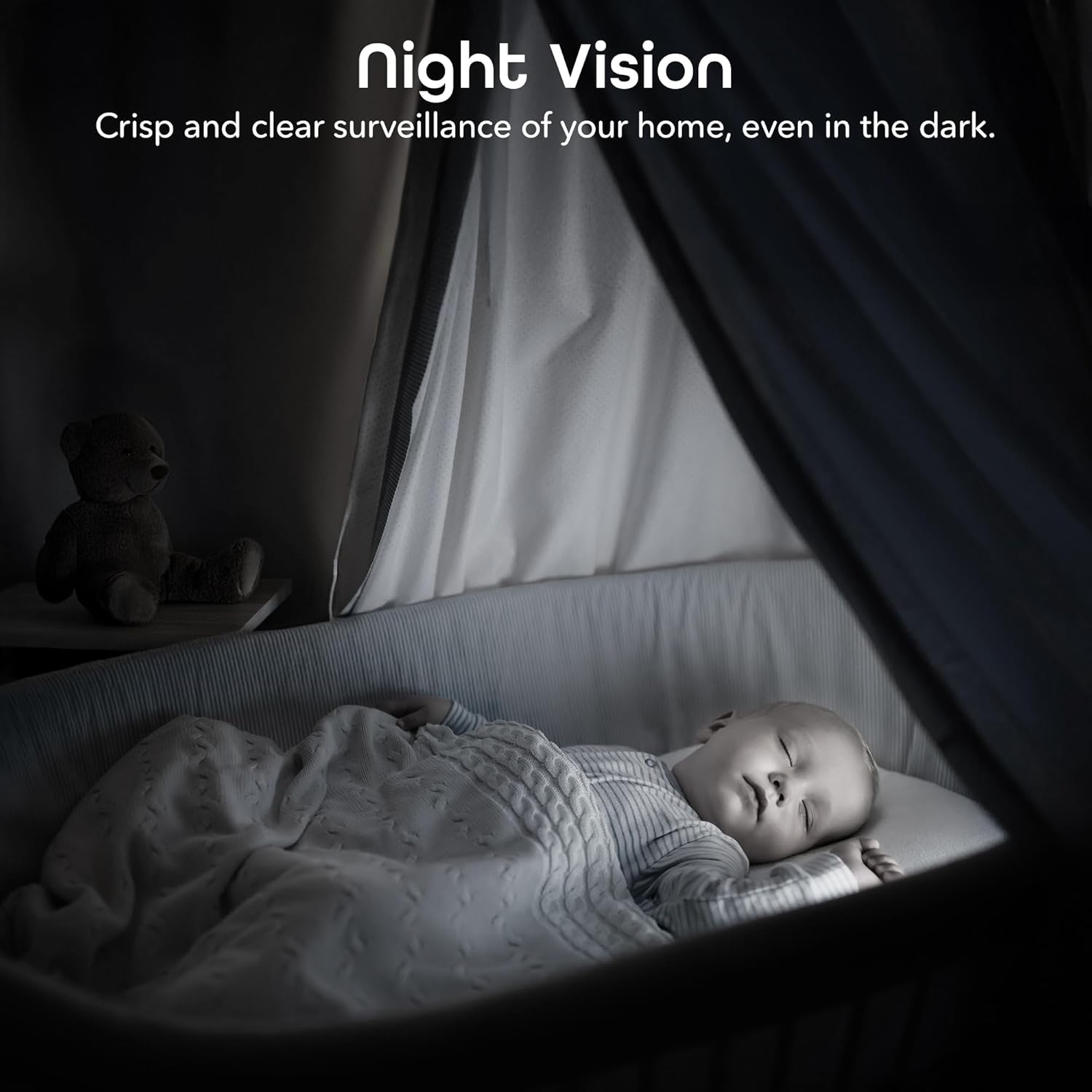
Image: A bedroom scene at night, showcasing the Geeni camera's crisp and clear night vision capability, allowing for surveillance even in complete darkness.
5.4 İki Yönlü Ses
Kameranın yakınındaki kişilerle iletişim kurmak için çift yönlü ses özelliğini kullanın. Canlı yayında mikrofon simgesine dokunun. view to speak, and the camera's built-in speaker will transmit your voice.

Image: A person speaking into a smartphone, with a child reacting, demonstrating the instant two-way audio feature that allows communication through the camera's built-in microphone and speaker.
5.5 Kayıt ve Depolama
The camera supports local storage via a microSD card (not included). Insert a microSD card (up to 128GB, Class 10 or higher recommended) into the designated slot on the camera for continuous or event-based recording. You can also subscribe to cloud storage services through the Geeni app for additional backup.
5.6 Ses Kontrol Entegrasyonu
Integrate your Geeni Scope 2K camera with Amazon Alexa or Google Assistant for convenient voice control. Follow the instructions in the Geeni app to link your account with your preferred smart assistant. Once linked, you can use voice commands such as, "Alexa, show me the baby room camera" or "Hey Google, show me the living room camera."

Image: A tablet displaying a live camera feed of a baby in a crib, with logos for Google Home, Alexa, and the Geeni App, illustrating the camera's compatibility with voice control platforms.
5.7 Erişim Paylaşımı
You can share access to your camera's live feed and features with family members or trusted individuals through the Geeni app. Go to the camera settings and select the sharing option to invite others.
6. Bakım
- Temizlik: Gently wipe the camera lens with a soft, dry cloth to remove dust or smudges. Do not use liquid cleaners or abrasive materials.
- Donanım Yazılımı Güncellemeleri: Periodically check the Geeni app for available firmware updates. Keeping your camera's firmware up-to-date ensures optimal performance and security.
7. Sorun Giderme
Yaygın Sorunlar ve Çözümleri:
- Kamera Wi-Fi'ye bağlanmıyor:
- Wi-Fi ağınızın 2.4 GHz olduğundan emin olun. Kamera 5 GHz ağları desteklemiyor.
- Wi-Fi şifrenizin doğru olduğundan emin olun.
- Kamerayı Wi-Fi yönlendiricinize daha yakın bir yere taşıyın.
- Reset the camera (refer to the app for specific reset instructions) and try pairing again.
- Kötü video kalitesi:
- İnternet bağlantı hızınızı kontrol edin. 2K yayın için istikrarlı ve hızlı bir bağlantı gereklidir.
- Kamera lensinin temiz ve herhangi bir engel içermediğinden emin olun.
- In night vision mode, ensure there are no reflective surfaces close to the camera that could cause glare.
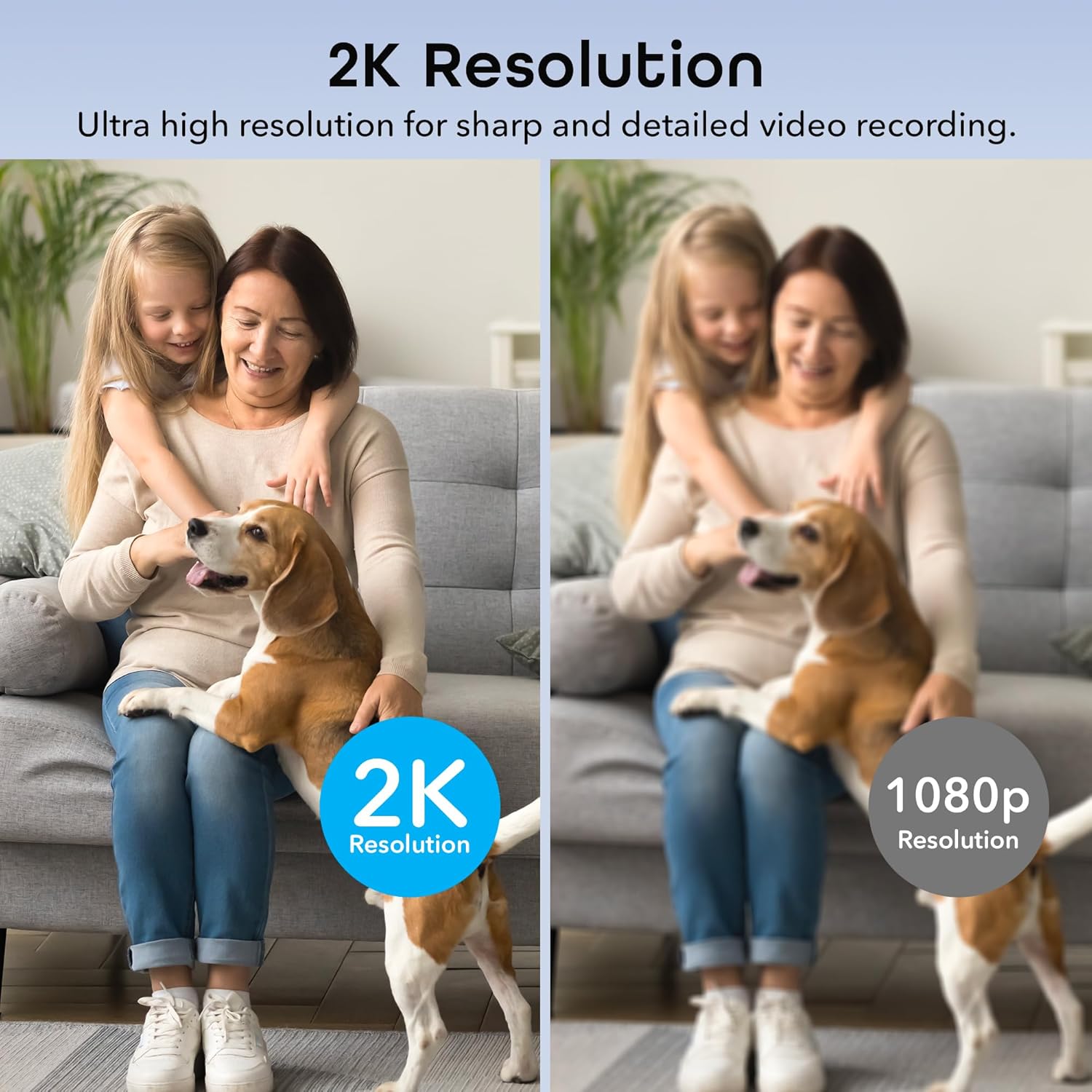
Image: A side-by-side comparison illustrating the superior sharpness and detail of 2K resolution video compared to 1080p resolution.
- Hareket algılama özelliği çalışmıyor:
- Verify motion detection is enabled in the Geeni app settings.
- Check your phone's notification settings to ensure the Geeni app is allowed to send notifications.
- Hareket hassasiyetini ayarlayın.
- Çift yönlü ses sorunları:
- Ensure your phone's microphone is enabled for the Geeni app.
- Telefonunuzdaki ve uygulamadaki ses ayarlarını kontrol edin.
For further assistance, please refer to the help section within the Geeni app or visit the Geeni support webalan.
8. Özellikler
| Model Numarası | GNC-CW068-199 |
| İç/Dış Mekan Kullanımı | Kapalı |
| Güç Kaynağı | Kablolu Elektrik |
| Bağlantı Protokolü | Wi-Fi (sadece 2.4 GHz) |
| Denetleyici Türü | Amazon Alexa, Google Assistant, Geeni App |
| Montaj Tipi | Duvara Monte, Serbest Duran |
| Video Yakalama Çözünürlüğü | 2K Quad HD (4MP Effective Still Resolution) |
| ViewAçı | 100 Degrees (Fixed), 355° Pan, 50° Tilt |
| Gece Görüş Aralığı | 20 Ayak |
| Malzeme | Polikarbonat (PC) |
| Boyutlar (U x G x Y) | 2.8 x 2.68 x 4.33 inç |
| Ürün Ağırlığı | 5.6 ons |
| Video Kodlama | H.264 |
| Uyarı Tipi | Yalnızca Hareket |
| Su Direnç Seviyesi | Suya dayanıklı değil |
9. Resmi Ürün Videosu
Video: Resmi bir ürün videosu gösterimiasing the features and functionality of the Geeni Scope 2K Smart Auto Tracking Indoor Camera.
10. Garanti ve Destek
Geeni products are designed for reliability and performance. For information regarding product warranty, please refer to the warranty card included with your purchase or visit the official Geeni webalan.
For technical support, troubleshooting, or any questions about your Geeni Scope 2K camera, please contact Geeni Customer Support through the Geeni app's help section or their official webalan.


