1. Giriş
The KZ AE01 Pro is a true wireless Bluetooth earhook adapter designed to transform your detachable KZ in-ear monitors into a wireless experience. Featuring a Qualcomm Gen3 chip, it offers enhanced transmission efficiency, stable connections, and reduced power consumption. This manual provides comprehensive instructions for setup, operation, maintenance, and troubleshooting to ensure optimal performance of your AE01 Pro.
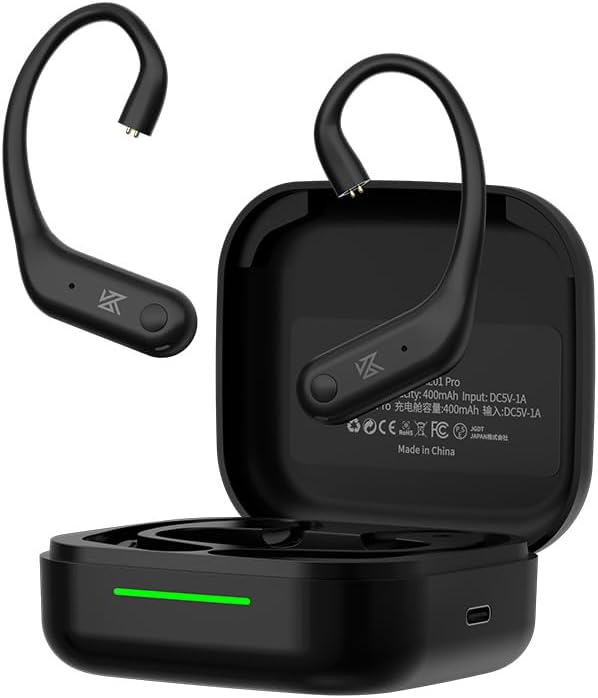
Figure 1.1: The KZ AE01 Pro earhooks shown with their charging case. The earhooks are black with a sleek design, and the charging case is also black, featuring a charging indicator light.
Kutuda Neler Var?
- KZ AE01 Pro True Wireless Bluetooth Earhooks (Left and Right)
- Şarj Kutusu
- Kullanıcı Kılavuzu

Figure 1.2: The KZ AE01 Pro earhooks and charging case displayed alongside their simple, environment-friendly packaging, indicating the typical contents of the product box.
2. Kurulum ve İlk Kullanım
2.1 Cihazı Şarj Etme
Before first use, fully charge the KZ AE01 Pro earhooks and their charging case. Place the earhooks into the charging case, ensuring proper alignment with the charging pins. Connect the charging case to a USB power source using a compatible cable (not included). The indicator light on the case will show charging status.

Figure 2.1: The KZ AE01 Pro earhooks resting in their charging case, illustrating the charging process. A green light indicates charging status, and the image highlights the 9 hours of single battery life and 36 hours of combined battery life with the case.
A single charge provides approximately 9 hours of playback. With the fully charged charging case, the total combined battery life in Standard Mode reaches approximately 36 hours.
2.2 Attaching to In-Ear Monitors
The AE01 Pro earhooks are designed for KZ in-ear monitors with a 0.75mm 2-pin connector. Carefully align the pins on the earhook with the sockets on your in-ear monitor and gently push them together until they are securely connected. Ensure the correct left and right earhook are attached to their respective earpieces.
2.3 Bluetooth Eşleştirme
- Ensure the earhooks are charged and placed in the charging case.
- Open the charging case. The earhooks will automatically enter pairing mode, indicated by a flashing LED light (refer to LED indicator section for specific patterns).
- Cihazınızda (akıllı telefon, tablet, bilgisayar) Bluetooth'u etkinleştirin ve kullanılabilir cihazları arayın.
- Select "KZ AE01 Pro" from the list of found devices to connect.
- Once connected, the LED indicator on the earhooks will change (e.g., solid blue) and a voice prompt may confirm the connection.
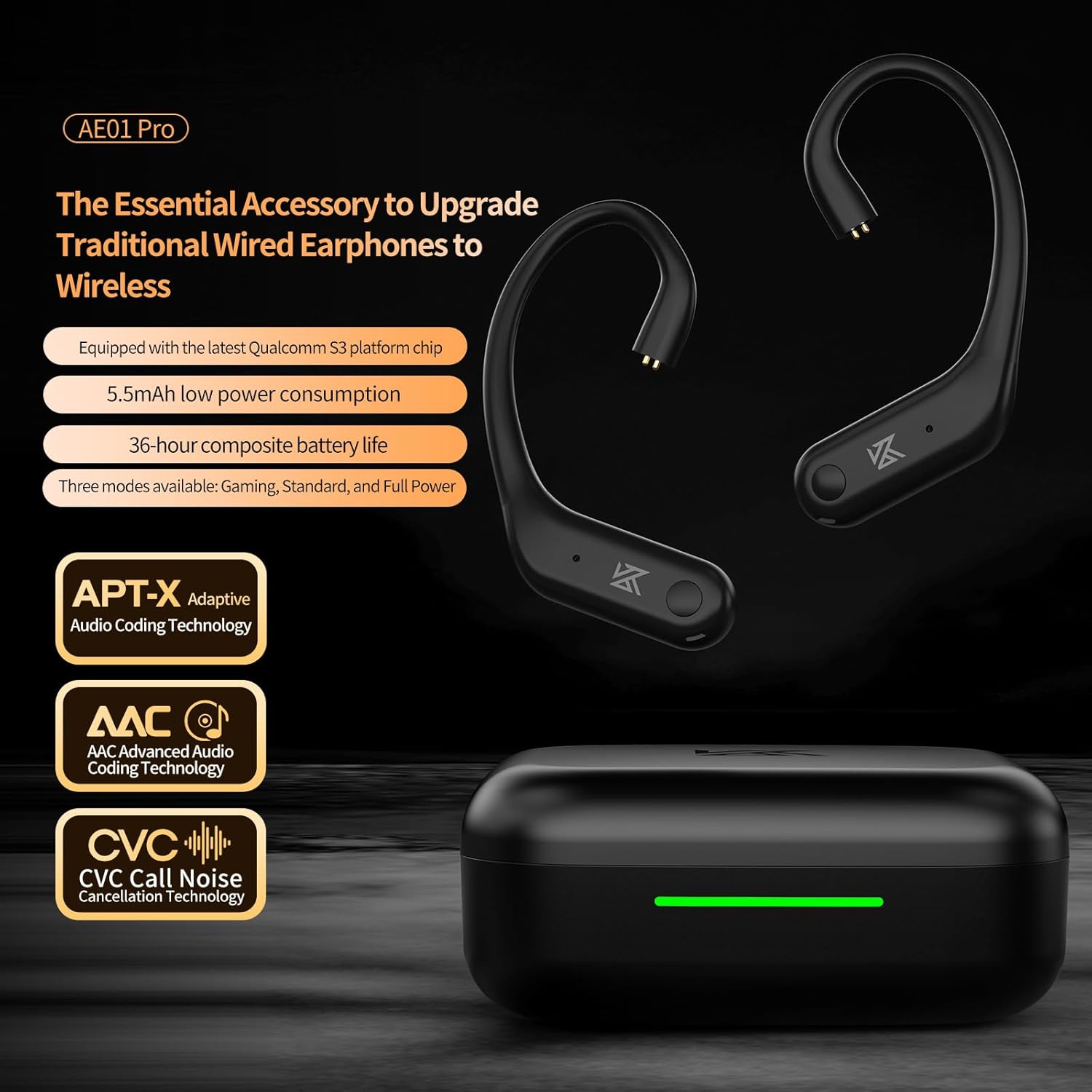
Figure 2.2: An illustrative image of the KZ AE01 Pro earhooks and charging case, highlighting key features such as Qualcomm S3 platform chip, 5.5mAh low power consumption, 36-hour battery life, APT-X Adaptive, AAC, and CVC technologies. This image provides an an overview Ürünün yetenekleri.
3. Operasyon
3.1 Dokunmatik Kontroller
The KZ AE01 Pro features intuitive touch controls on each earhook for managing playback, calls, and voice assistant activation. Specific touch gestures and their functions are detailed below:
| Jest yapmak | İşlev |
|---|---|
| Tek Dokunuş | Müziği çal/duraklat, Çağrıyı cevapla/bitir |
| Çift Dokunma (Sol) | Önceki Parça |
| Çift Dokunma (Sağ) | Sonraki Parça |
| Üçlü Musluk | Sesli Asistanı Etkinleştir |
| Uzun Basma (2 saniye) | Çağrıyı Reddet |
3.2 Sound Quality and Technologies
The AE01 Pro incorporates advanced audio technologies for a superior listening and communication experience:
- APTX Adaptive & AAC Codec: Provides high sound quality, efficient decoding, and stable audio transmission, whether for music, videos, or calls.
- Qualcomm's CVC Technology: Clear Voice Capture (cVc) noise echo cancelling and noise suppression technology ensures crystal clear voice quality during calls, even in noisy environments.

Figure 3.1: An image illustrating the benefit of Qualcomm's CVC (Clear Voice Capture) technology, showing a person making a call with the earhooks. The CVC logo is prominently displayed, emphasizing its role in clear voice transmission by suppressing background noise.

Şekil 3.2: Yakın çekim view of the KZ AE01 Pro earhook, highlighting the integration of AAC (Advanced Audio Coding) technology. This technology is crucial for high-quality, low-loss audio transmission, ensuring an excellent listening experience.
3.3 Power Consumption and Battery Life
The AE01 Pro is designed for ultra-low energy consumption, ensuring extended battery life. With only 5.5mAh power consumption, every listening session becomes a worry-free journey. The device offers three modes: Gaming, Standard, and Full Power, allowing users to optimize performance based on their needs.

Figure 3.3: An internal diagram of the AE01 Pro earhook, emphasizing its low power consumption of 5.5mAh. The image also includes a comparison chart showing improved latency and battery life over previous generations, powered by the S3 platform chip.
4. Bakım ve Özen
Proper maintenance ensures the longevity and optimal performance of your KZ AE01 Pro earhooks.
- Temizlik: Regularly wipe the earhooks and charging case with a soft, dry, lint-free cloth. Avoid using abrasive cleaners, solvents, or aerosols.
- Suya Dayanıklılık: The AE01 Pro has an IPX4 water resistance rating, meaning it is resistant to splashing water from any direction. Do not submerge the device in water or expose it to strong jets of water. Dry thoroughly if exposed to moisture.
- Depolamak: When not in use, store the earhooks in their charging case to protect them from dust and physical damage. Store in a cool, dry place away from direct sunlight and extreme temperatures.
- Pil Bakım: Pil ömrünü korumak için pili sık sık tamamen boşaltmaktan kaçının. Cihaz sürekli kullanılmasa bile düzenli olarak şarj edin.
5. Sorun Giderme
If you encounter issues with your KZ AE01 Pro, refer to the following common problems and solutions:
5.1 Ses Yok veya Bağlantı Kesilmesi
- Bluetooth Bağlantısını Kontrol Edin: Ensure Bluetooth is enabled on your device and the AE01 Pro is connected. Try disconnecting and reconnecting.
- Cihazı yeniden onarın: If connection issues persist, remove "KZ AE01 Pro" from your device's Bluetooth list and re-pair it following the instructions in Section 2.3.
- Pil Seviyesi: Ensure both earhooks and the charging case have sufficient battery charge.
- Mesafe: Make sure the earhooks are within the effective Bluetooth range of your device (typically 10 meters/33 feet).
5.2 Şarj Sorunları
- Kabloyu ve Adaptörü Kontrol Edin: USB şarj kablosunun ve güç adaptörünün doğru çalıştığından emin olun. Farklı bir kablo veya adaptör deneyin.
- Şarj Bağlantı Noktalarını Temizleyin: Inspect the charging pins on the earhooks and in the case for any debris or obstruction. Gently clean with a dry cotton swab if necessary.
- Doğru Yerleştirme: Ensure the earhooks are correctly seated in the charging case.
5.3 Düşük Çağrı Kalitesi
- Çevre: While CVC technology reduces noise, extremely loud environments can still affect call clarity. Try moving to a quieter location.
- Mikrofon Engellenmesi: Ensure the microphone on the earhooks is not covered or obstructed.
6. Özellikler
| Özellik | Detay |
|---|---|
| Model Adı | AE01 Pro |
| Bağlantı Teknolojisi | Kablosuz (Bluetooth) |
| Bluetooth Sürümü | 5.0 |
| Kablosuz İletişim Teknolojisi | Bluetooth |
| Desteklenen Ses Kodekleri | APTX Adaptive, AAC |
| Gürültü Kontrolü | Sound Isolation, Qualcomm's CVC Technology (for calls) |
| Uyumlu Cihazlar | KZ ZAR/AS24/AST/ZAS/ZSN/ZSN PRO/ZS10 PRO/AS16/AS12/ZSX/ZSN PRO-X/ZAX/ASF/ASX/DQ6/EDX PRO/EDS/DQ6S/ZES/EDA/EDX or other 2PIN 0.75mm interface headphones |
| Pil Ömrü (Tek Şarj) | Approx. 9 hours (Standard Mode) |
| Combined Battery Life (with Charging Case) | Approx. 36 hours (Standard Mode) |
| Su Direnç Seviyesi | IPX4 (Suya Dayanıklı) |
| Kontrol Yöntemi | Dokunmak |
| Frekans Aralığı | 20Hz - 20,000Hz |
| Empedans | 26 Ohm |
| Ürün Ağırlığı | 60 Gram (2.12 ons) |
| Renk | Siyah |
7. Garanti ve Destek
For information regarding warranty coverage and terms for your KZ AE01 Pro, please refer to the warranty card included with your product or visit the official KZ website. For technical support, troubleshooting assistance beyond this manual, or service inquiries, please contact KZ customer support through their official channels.
Ayrıca ziyaret edebilirsiniz KZ Store on Amazon Ek ürün bilgileri ve destek kaynakları için.