1. Giriş
Satın aldığınız için teşekkür ederizasing the Gembird GMB Audio TWS-LCD-ANC-01-W Wireless In-Ear Headphones. These headphones are designed to provide a high-quality audio experience for music and calls, featuring Active Noise Cancellation (ANC) and an integrated microphone. This manual provides essential information for setting up, operating, maintaining, and troubleshooting your device.
2. Paket İçeriği
- 1x Pair of Gembird GMB Audio TWS-LCD-ANC-01-W Wireless In-Ear Headphones
- 1x Şarj Kutusu
- 1x USB Type-C Şarj Kablosu
3. Ürün Bittiview
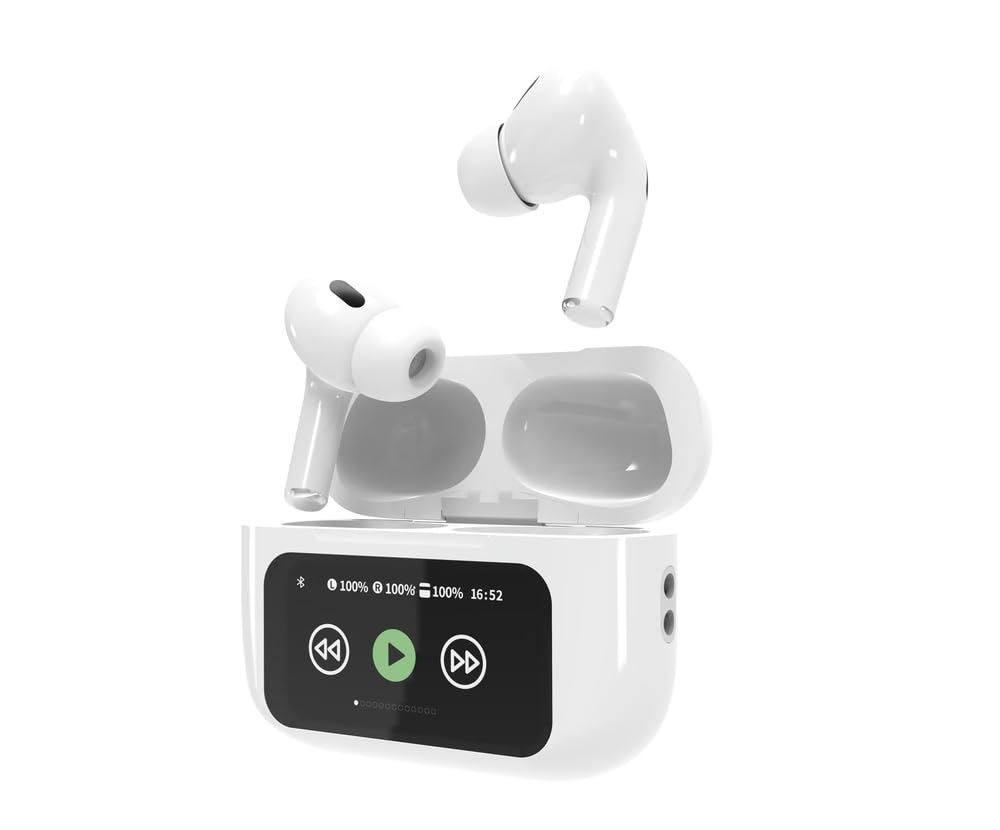
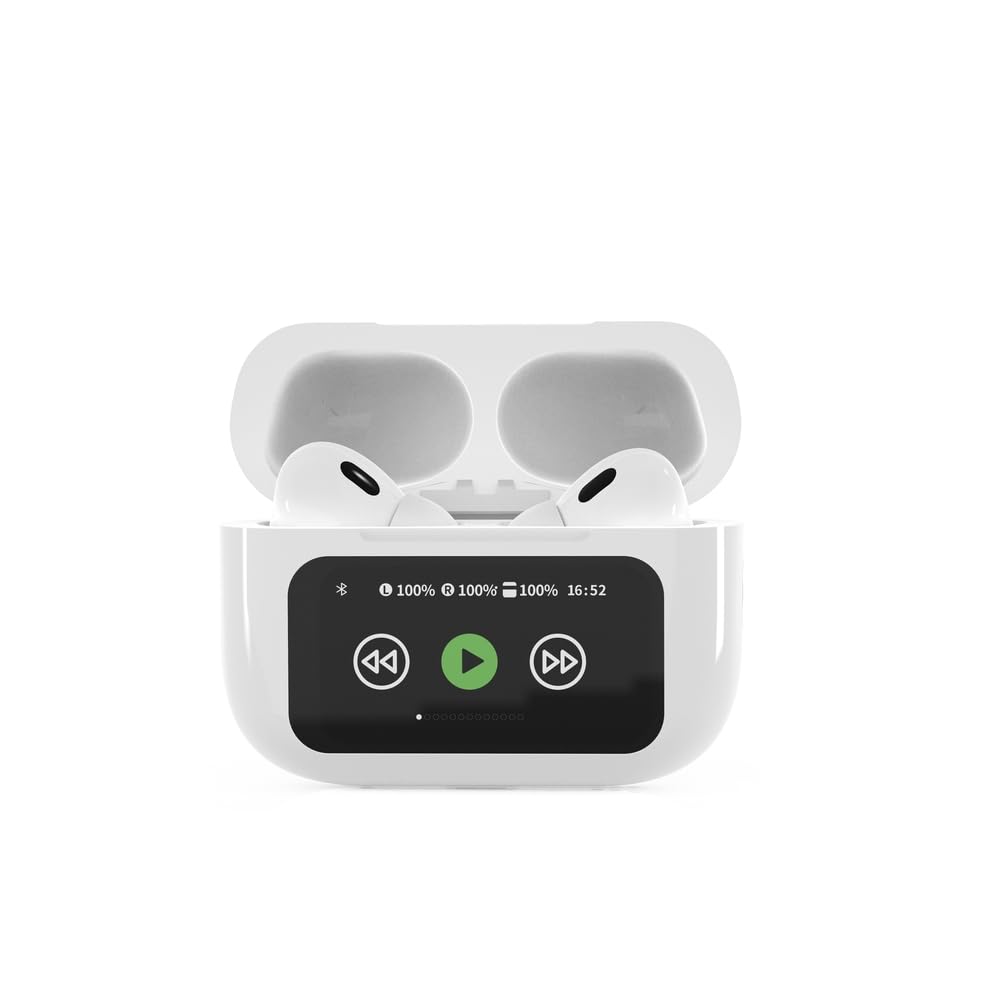

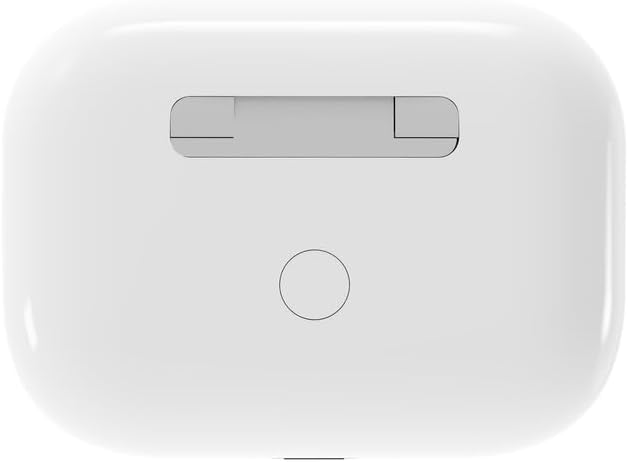

4. Kurulum
4.1 İlk Şarj
Before first use, fully charge the headphones and the charging case. Connect the supplied USB Type-C cable to the charging port on the case and plug the other end into a compatible USB power source (e.g., computer, wall adapter). The LED indicator on the case will show charging status. A full charge typically takes approximately 2 hours.
4.2 Bluetooth Eşleştirme
- Ensure the headphones are in the charging case and the case is open. The headphones will automatically enter pairing mode.
- Mobil cihazınızda (akıllı telefon, tablet, dizüstü bilgisayar) Bluetooth'u etkinleştirin.
- Arama available Bluetooth devices and select 'Gembird TWS-LCD-ANC-01-W' from the list.
- Once connected, the headphones will indicate successful pairing, and the device name will appear as 'Connected' on your mobile device.
5. Kullanım Talimatları
5.1 Güç Açma/Kapatma
- Güç Açık: The headphones automatically power on when removed from the charging case.
- Kapat: The headphones automatically power off and begin charging when placed back into the charging case and the lid is closed.
5.2 Müzik Oynatma
Control music playback using the touch-sensitive areas on the earbuds or the display on the charging case.
- Oynat/Duraklat: Single tap on either earbud or press the play/pause icon on the case display.
- Sonraki Parça: Double tap on the right earbud or press the 'next' icon on the case display.
- Önceki parça: Double tap on the left earbud or press the 'previous' icon on the case display.
5.3 Çağrı Yönetimi
When an incoming call is received, music playback will automatically pause.
- Cevap Çağrısı: Her iki kulaklığa da bir kez dokunun.
- Çağrı Sonu: Single tap on either earbud during a call.
- Çağrıyı Reddet: Kulaklıklardan birini 2 saniye basılı tutun.
5.4 Aktif Gürültü Önleme (ANC)
Activate or deactivate the Active Noise Cancellation feature to reduce ambient noise.
- ANC'yi açıp kapat: Press and hold the touch-sensitive area on the left earbud for 2 seconds, or use the dedicated ANC control on the charging case display.
5.5 Ses Kontrolü
Adjust the volume directly from your connected device or through the touch controls on the earbuds (if supported by the specific model's firmware) or the charging case display.
6. Bakım
6.1 Temizlik
- Kulaklıklarınızı ve şarj kutusunu yumuşak, kuru ve tiftiksiz bir bezle silin.
- Aşındırıcı temizleyiciler, çözücüler veya sert kimyasallar kullanmayın.
- Her iki kulaklığın ve kutunun şarj temas noktalarının temiz ve kuru olduğundan emin olun.
6.2 Depolama
- Always store the headphones in their charging case when not in use to protect them and keep them charged.
- Doğrudan güneş ışığından ve aşırı sıcaklıklardan uzakta, serin ve kuru bir yerde saklayın.
6.3 Pil Bakımı
- Pil sağlığını korumak için, sık kullanmasanız bile cihazınızı düzenli olarak şarj edin.
- Pilin sık sık tamamen boşaltılmasından kaçının.
7. Sorun Giderme
| Sorun | Olası Neden | Çözüm |
|---|---|---|
| Kulaklık açılmıyor. | Pil şarjı düşük veya hiç yok. | Place headphones in the charging case and ensure the case is charged. Charge the case fully. |
| Kulaklıktan ses gelmiyor. | Not connected via Bluetooth; volume too low; media paused. | Verify Bluetooth connection. Increase volume on both headphones and connected device. Check if media is playing. |
| Cihazla eşleştirilemiyor. | Headphones not in pairing mode; device already connected to another Bluetooth device; interference. | Ensure headphones are in pairing mode (open case). Turn off Bluetooth on other nearby devices. Forget the device in your phone's Bluetooth settings and try re-pairing. |
| Active Noise Cancellation (ANC) is ineffective. | ANC not activated; improper earbud fit. | Ensure ANC is toggled on. Adjust earbud position for a secure and sealed fit in your ear canal. |
| Görüşmeler sırasında mikrofon çalışmıyor. | Mikrofon engellendi; cihaz ayarları. | Ensure the microphone port on the earbuds is not obstructed. Check your device's audio input settings to ensure the headphones are selected. |
8. Özellikler
- Modeli: TWS-LCD-ANC-01-W
- Bağlantı: Kablosuz, Bluetooth 5.3
- Bluetooth Profesyonelifiles: A2DP, AVRCP, HPF, HSP
- Şarj Portu: USB Tip-C
- Ses Frekans Aralığı: 20 - 20000 Hz
- Mikrofon: Entegre
- Kulaklık Tipi: In-ear, Binaural
- Kontrol Yöntemi: Dokunmak
- Gürültü kontrolü: Aktif Gürültü İptal (ANC)
- Pil Tipi: Integrated Lithium Polymer (LiPo)
- Şarj Kutusu Pil Kapasitesi: 300 mAh
- Kulaklık Pil Kapasitesi: 30 mAh (her biri)
- Continuous Audio Playback: 8 saate kadar
- Şarj Süresi: Yaklaşık 2 saat
- Ürün Ağırlığı: 66 gr
- Product Dimensions (Case): 40 mm (Genişlik) x 60 mm (Derinlik) x 25 mm (Yükseklik)
- Uyumlu Cihazlar: Dizüstü bilgisayar, Tablet, Cep telefonu
- Suya Dayanıklılık: Su geçirmez
- Sertifikalar: RoHS
9. Garanti ve Destek
9.1 Garanti Bilgileri
This product comes with a three-year warranty against manufacturing defects from the date of purchase. Please retain your proof of purchase for warranty claims. The warranty does not cover damage caused by misuse, accidents, unauthorized modifications, or normal wear and tear.
9.2 Müşteri Desteği
For technical support, warranty claims, or further assistance, please contact your retailer or visit the official Gembird website. Contact information can typically be found on the product packaging or the Gembird corporate webalan.


