Ürün Bittiview
The ATTACK SHARK R5Ultra is a high-performance wireless gaming mouse designed for speed and precision. It features an ultra-lightweight carbon fiber composite construction, weighing only 39g, ensuring durability and comfort during extended use. Equipped with the advanced PixArt PAW3950 MAX sensor and Nordic 52840 MCU chip, it offers exceptional accuracy and a high polling rate for competitive gaming.
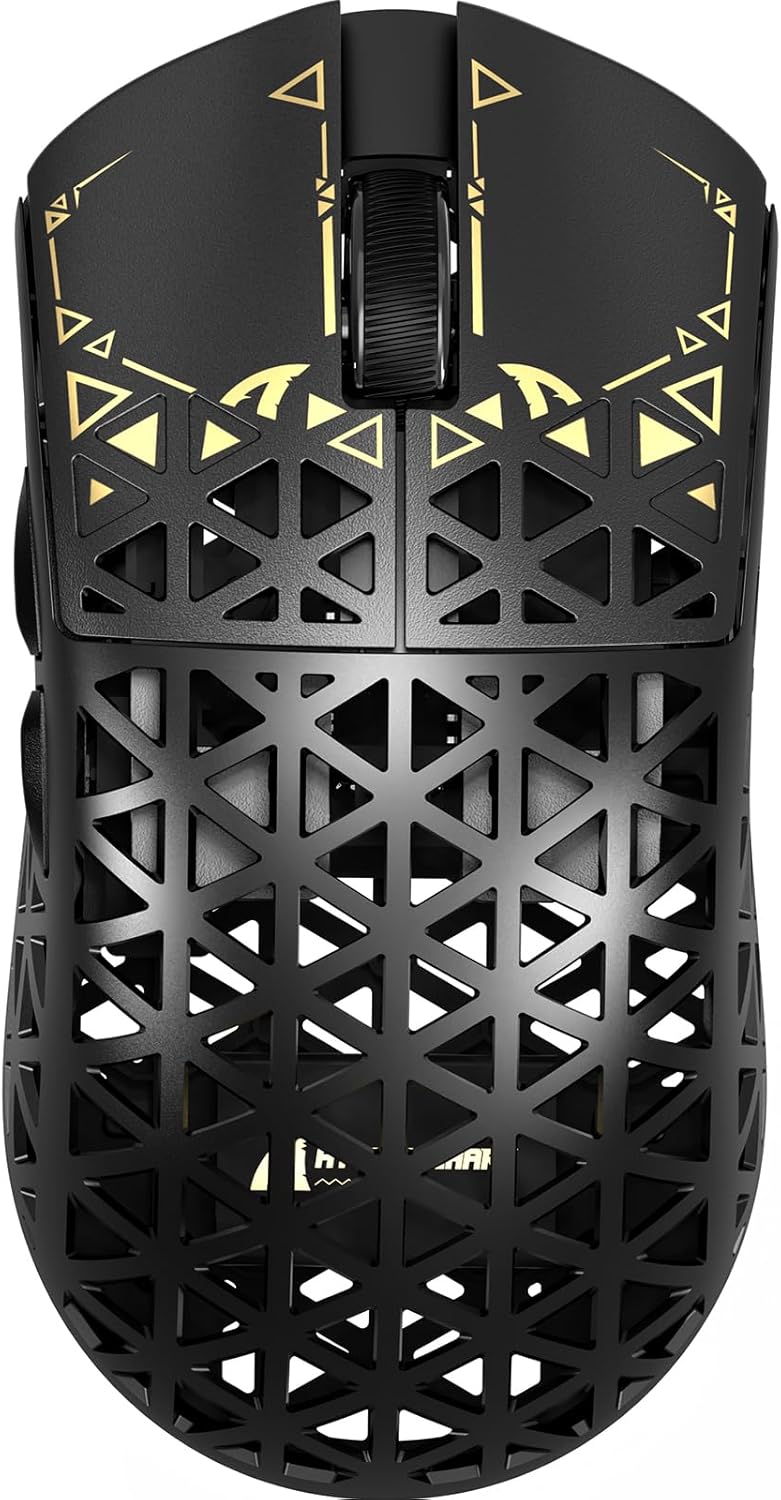
Resim: Üst view of the ATTACK SHARK R5Ultra gaming mouse, showcasing its lightweight carbon fiber design and intricate patterns.
This mouse supports tri-mode connectivity, allowing seamless switching between 2.4GHz wireless, Bluetooth, and wired USB connections. Its programmable features are managed via an innovative cloud-driven webpage, eliminating the need for traditional software installations.
Paket İçeriği
- ATTACK SHARK R5Ultra Wireless Gaming Mouse
- USB-C Şarj Kablosu
- 8K Mini Receiver (USB Dongle)
- Kullanım Kılavuzu (bu belge)
- Additional PTFE feet (may be included)
Kurulum Kılavuzu
1. İlk Şarj
Before first use, it is recommended to fully charge the mouse. Connect the provided USB-C cable to the mouse's charging port and the other end to a USB power source (e.g., computer USB port, USB wall adapter).
2. Bağlantı Modları
The R5Ultra mouse supports three connection modes: 2.4GHz Wireless, Bluetooth, and Wired USB. A switch on the back of the mouse allows you to select your preferred mode.

Image: Diagram illustrating the tri-mode connectivity options: 2.4G Wireless with receiver, Bluetooth, and USB-C wired connection, along with charging.
2.1. 2.4GHz Kablosuz Modu
- Locate the 8K Mini Receiver (USB dongle) included in the package.
- USB alıcısını bilgisayarınızdaki uygun bir USB bağlantı noktasına takın.
- Switch the mode selector on the bottom of the mouse to the 2.4GHz wireless icon.
- Fare otomatik olarak alıcıya bağlanmalıdır.
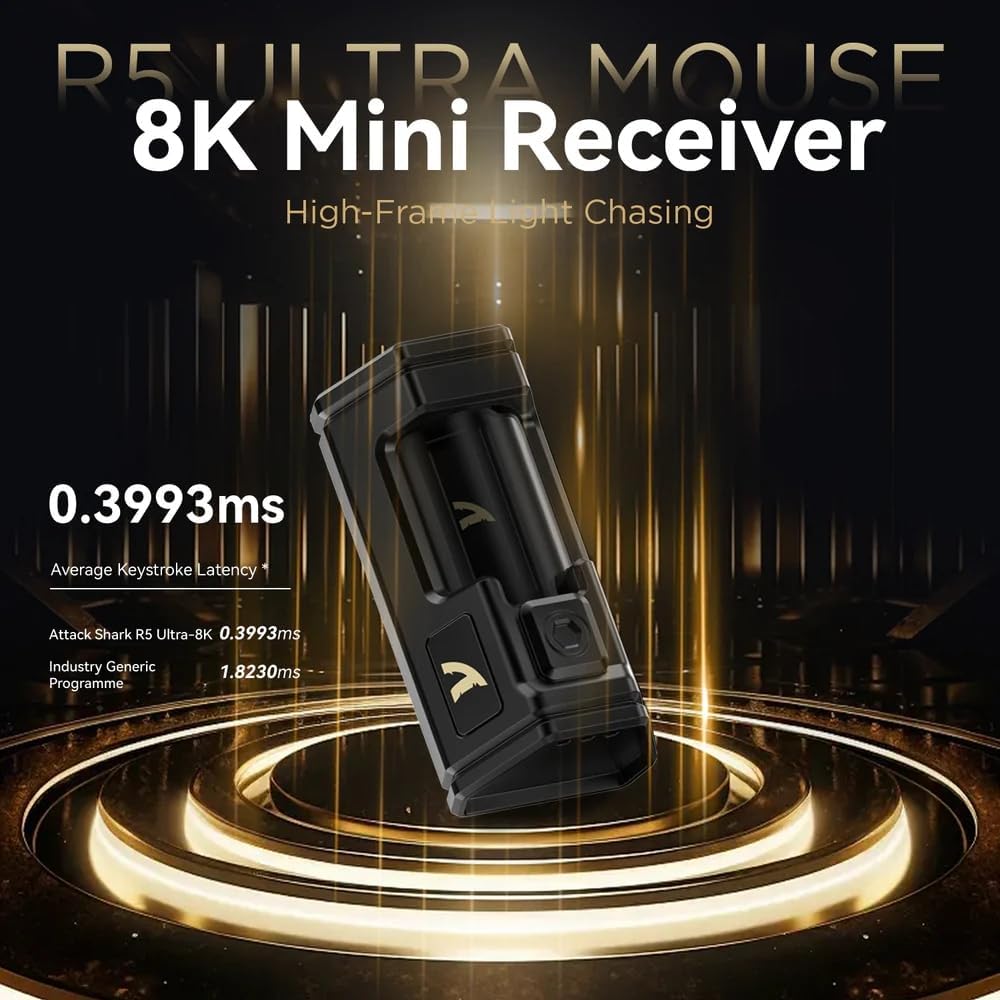
Image: Close-up of the compact 8K Mini Receiver, highlighting its low latency capabilities.
2.2. Bluetooth Modu
- Farenin altındaki mod seçiciyi Bluetooth simgesine çevirin.
- Bilgisayarınızda veya cihazınızda Bluetooth ayarlarını açın ve yeni cihazları arayın.
- Select "ATTACK SHARK R5Ultra" from the list of available devices to pair.
2.3. Wired USB Mode
- Kutuda bulunan USB-C kablosunu fareye ve diğer ucunu bilgisayarınızdaki bir USB portuna bağlayın.
- Fare otomatik olarak kablolu moda geçecek ve şarj olmaya başlayacaktır.
3. Driver and Customization
The R5Ultra utilizes an AI-designed cloud-driven webpage for customization, eliminating the need for traditional software downloads. Access the customization options by visiting the official ATTACK SHARK website and navigating to the R5Ultra product page or driver section. The webpage will automatically detect your system.
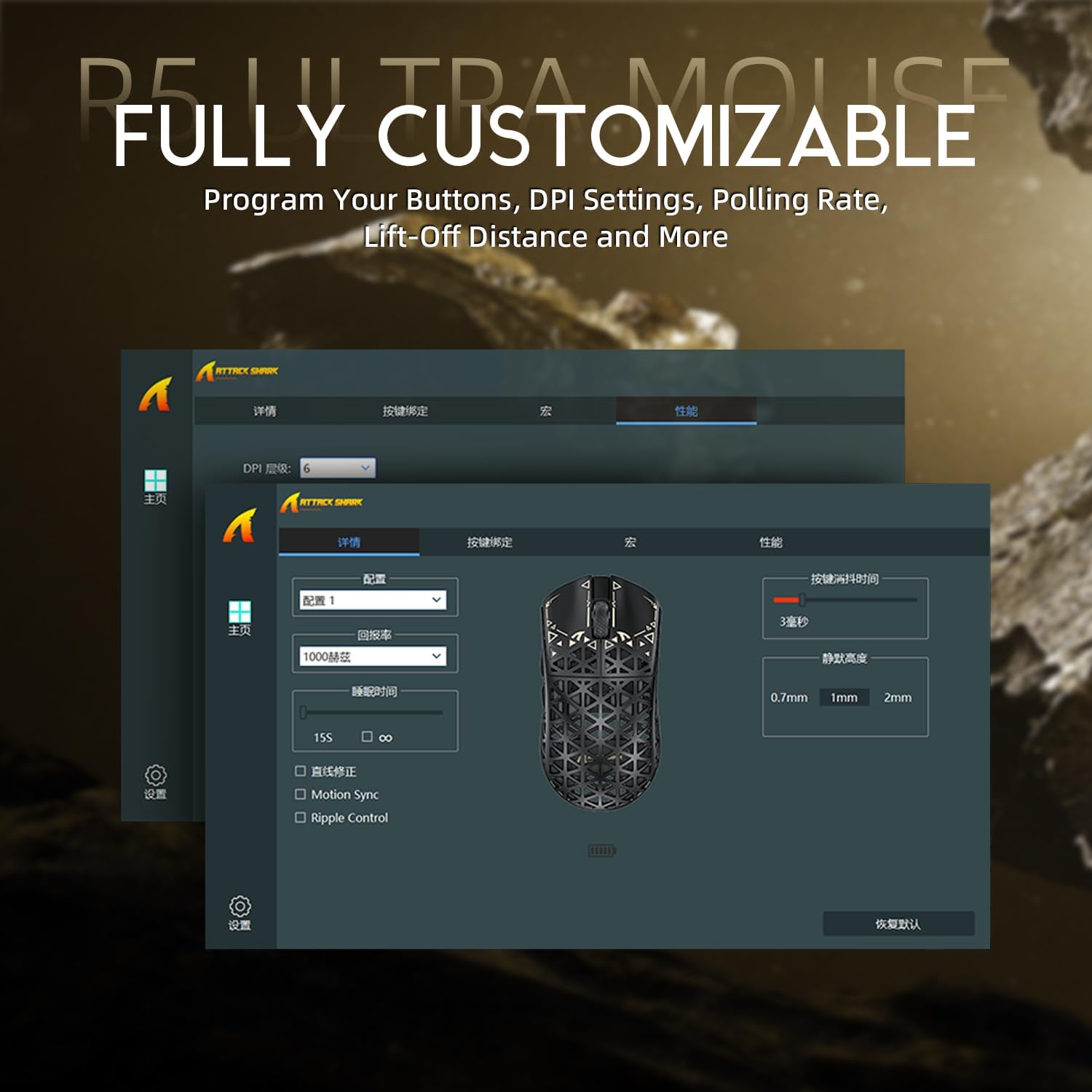
Image: Screenshot of the R5Ultra's web-based customization interface, showing options for DPI, polling rate, and button mapping.
Kullanım Talimatları
DPI Ayarlaması
The R5Ultra mouse features a PixArt PAW3950 MAX sensor capable of up to 42,000 programmable DPI. DPI settings can be adjusted through the cloud-driven customization webpage. You can set multiple DPI stages and switch between them using a dedicated button on the mouse (if configured) or through the software.

Resim: Ayrıntılı view of the PixArt PAW3950 MAX sensor, highlighting its advanced capabilities for high DPI and acceleration.
Anket Oranı
The mouse supports an 8KHz wireless polling rate, providing extremely low latency and fast data transmission. In wired mode, a 1KHz polling rate is maintained. Higher polling rates consume more battery power. You can adjust the polling rate via the customization webpage to balance performance and battery life.
Programlanabilir Düğmeler
The R5Ultra features multiple programmable buttons. Through the cloud-driven customization websayfasında şunları yapabilirsiniz:
- Düğme işlevlerini yeniden eşleme.
- Makrolar oluşturun ve atayın.
- Adjust lift-off distance.
- Configure competitive modes.
Pil Yönetimi
To optimize battery life, consider adjusting the polling rate to a lower setting (e.g., 1KHz or 2KHz) when not engaged in competitive gaming. The mouse can be charged while in wired mode, allowing continuous use.
Temel Özellikler
- Ultra Hafif Tasarım: Weighing only 39g, constructed from injection-molded carbon fiber material with a hollow design for enhanced durability and reduced weight.

Resim: Çoklu views of the R5Ultra mouse, showcasing its carbon fiber composite housing and lightweight structure.
- Gelişmiş Sensör: Features the PixArt PAW3950 MAX sensor, offering up to 42,000 DPI, 750 IPS speed, and 50g acceleration for precise tracking.
- Yüksek Oylama Oranı: Supports an 8KHz wireless polling rate for minimal latency and rapid response, crucial for competitive gaming.
- Üç Modlu Bağlantı: Seamlessly switch between 2.4GHz wireless, Bluetooth, and wired USB connections for versatile use across various devices and platforms.
- Dayanıklı Anahtarlar: Equipped with OMRON microswitches, rated for over 100 million clicks, ensuring long-lasting performance and crisp feedback.
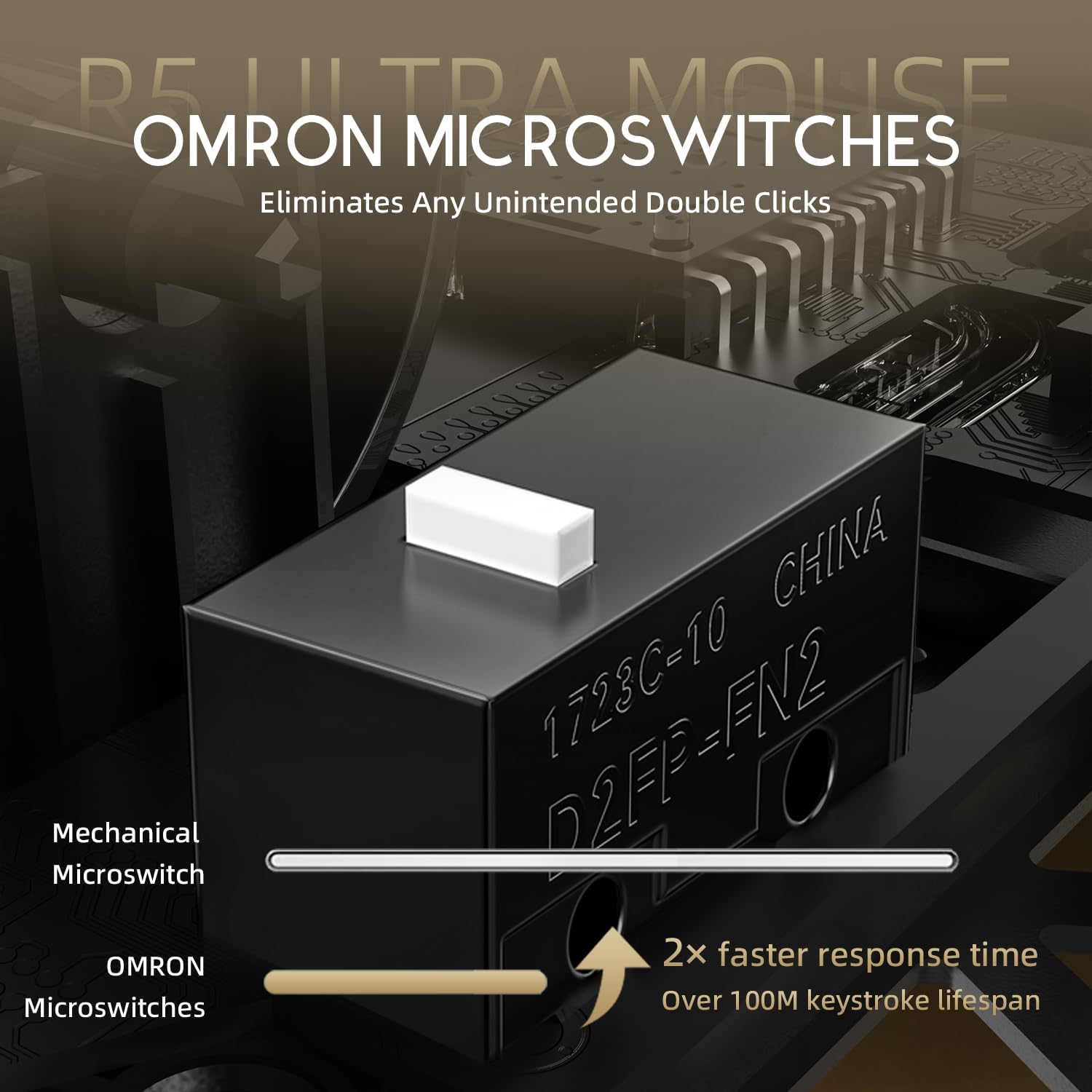
Image: Close-up of the OMRON microswitches, illustrating their mechanical design and durability for over 100 million clicks.
- Cloud-Based Driver: Innovative AI-designed driver accessible via a webpage, allowing for comprehensive customization without software installation.
- PTFE Ayaklar: 100% Virgin Grade PTFE feet provide consistent and smooth glide for optimal mouse movement.
Bakım ve Özen
- Temizlik: Fare yüzeyini silmek için yumuşak, kuru bir bez kullanın. İnatçı kirler için, biraz daha kuru bir bez yeterli olacaktır.amp Fareye sıvı girmemesini sağlamak için bez kullanılabilir. Sert kimyasallardan veya aşındırıcı malzemelerden kaçının.
- Sensör Bakımı: Keep the optical sensor area on the bottom of the mouse clean and free from dust or debris to ensure accurate tracking.
- Depolamak: Fareyi serin, kuru ve doğrudan güneş ışığından ve aşırı sıcaklıklardan uzak bir yerde saklayın.
- Pil Bakım: Avoid fully discharging the battery frequently. For long-term storage, charge the mouse to about 50% to prolong battery life.
Sorun giderme
Bağlantı Sorunları
- 2.4GHz Kablosuz: Ensure the USB receiver is securely plugged in and the mouse is switched to 2.4GHz mode. Try plugging the receiver into a different USB port.
- Bluetooth: Verify Bluetooth is enabled on your device and the mouse is in Bluetooth pairing mode. Remove previous pairings and re-pair if necessary.
- Kablolu: Check the USB-C cable connection at both ends. Try a different USB port or cable if available.
İzleme Sorunları
- Farenin alt kısmındaki optik sensörü temizleyin.
- Ensure you are using the mouse on a suitable surface (e.g., a mouse pad). Highly reflective or uneven surfaces can affect tracking.
- If experiencing issues at higher polling rates (e.g., 8KHz), try reducing the polling rate via the customization webpage to 1KHz, 2KHz, or 4KHz to see if performance improves.
- Check the mouse feet (PTFE skates) for wear or damage. Worn feet can affect glide and tracking consistency.
Pil Hızla Tükeniyor
- Higher polling rates (e.g., 8KHz) consume more power. Reduce the polling rate if extended battery life is desired.
- Farenin tam şarjlı olduğundan emin olun.
- Sorun devam ederse müşteri desteği ile iletişime geçin.
Özellikler
| Özellik | Detay |
|---|---|
| Model Numarası | R5 |
| Bağlantı | 2.4G Kablosuz, Bluetooth, USB Kablolu |
| Sensör | PixArt PAW3950 MAX Optical Sensor |
| DPI Aralığı | Up to 42,000 DPI (Programmable) |
| Anket Oranı | 8000Hz Wireless, 1000Hz Wired |
| Hızlanma | 50 gr |
| IPS Hızı | 750 IPS |
| Anahtarlar | OMRON Microswitches (100 Million Clicks Lifespan) |
| Ağırlık | Approximately 39g (Ultra-lightweight) |
| Malzeme | Karbon Fiber Kompozit |
| Ayak Malzemesi | %100 Saf PTFE |
| Boyutlar | 6.85 x 4.21 x 2.8 inç (Paket Boyutları) |
| Uyumluluk | Windows, macOS, PCs, Laptops, Mac, Tablet Devices, Consoles |
Garanti ve Destek
For warranty information, please refer to the warranty card included with your product or visit the official ATTACK SHARK website. If you encounter any issues not covered in this manual or require further assistance, please contact ATTACK SHARK customer support through their official webSiteye veya satın alma işleminizle birlikte verilen iletişim bilgilerine.
You can visit the ATTACK SHARK Store for more information and support: ATTACK SHARK Mağazası Amazon'da


