1. Giriş
Welcome to the DOOGEE Tab A9 Pro user manual. This guide provides essential information to help you set up, operate, and maintain your new Android tablet. Please read this manual thoroughly before using the device to ensure proper functionality and safety.
2. Kutuda Neler Var?
The DOOGEE Tab A9 Pro package includes the following items:
- 1 x DOOGEE Tab A9 Pro Tablet
- 1 x USB Type-C Kablosu
- 1 x Şarj Cihazı
- 1 x SIM Ejector Pin
- 1 x Ambalaj Kutusu
- 1 x Kullanım Kılavuzu
- 1 x Garanti Kartı
- 1 x Ekran Koruyucu (ön uygulanmış)
3. Ürün Bittiview
The DOOGEE Tab A9 Pro features a sleek design and powerful components for an optimal user experience.
Temel Özellikler:
- Görüntülemek: 10.1-inch IPS HD Ultra-Clear Display (1280x800 pixels, 16.7 million colors, 16:10 aspect ratio, 1200:1 contrast, 2.5D cover glass).
- İşlemci: Unisoc T310 Quad-core, 2 GHz.
- Bellek saklama alanı: 20GB RAM (4GB base + 16GB virtual), 128GB ROM, expandable up to 2TB with microSD.
- Pil: 6580 mAh Lithium battery for extended use.
- Kameralar: 8MP Rear Camera, 5MP Front Camera.
- İşletim Sistemi: Android 15.
- Bağlantı: Wi-Fi (2.4G/5G), Bluetooth 5.0.
- Ses: Dual 1217 BOX Speakers, 3.5mm Audio Jack.
- Güvenlik: Yüz Tanıma Kilidi.
- Boyutlar: 24.53 x 16.33 x 0.99 cm; 478 grams.
Fiziksel Bileşenler:
Familiarize yourself with the tablet's physical layout.
Şekil 3.1: Ön ve arka view of the DOOGEE Tab A9 Pro Tablet.

Şekil 3.2: Yan view showing power button, volume controls, and ports.

Figure 3.3: Available color options for the DOOGEE Tab A9 Pro Tablet.
4. Kurulum
4.1 İlk Güç Açma
- Press and hold the Power button located on the side of the tablet until the DOOGEE logo appears.
- Dilinizi seçmek, bir Wi-Fi ağına bağlanmak ve Google hesabınızı kurmak için ekrandaki talimatları izleyin.
4.2 Pilin Şarj Edilmesi
Before first use, fully charge the tablet's battery.
- USB Type-C kablosunu tabletin şarj portuna bağlayın.
- Connect the other end of the cable to the provided charger, then plug the charger into a power outlet.
- Ekranda şarj göstergesi belirecektir.

Figure 4.1: Illustration of the 6580 mAh high-capacity battery.
4.3 MicroSD Kart Takma
To expand storage, insert a microSD card (sold separately).
- Tabletin yan tarafında bulunan SIM/microSD kart tepsisini bulun.
- SIM kart tepsisini açmak için SIM kart çıkarma pimini tepsinin yanındaki küçük deliğe takın.
- Place the microSD card into the designated slot on the tray.
- Tepsiyi yerine oturana kadar yavaşça tabletin içine doğru itin.

Figure 4.2: Storage capacity details, including expandable memory.
5. Kullanım Talimatları
5.1 Android 15'te Gezinme
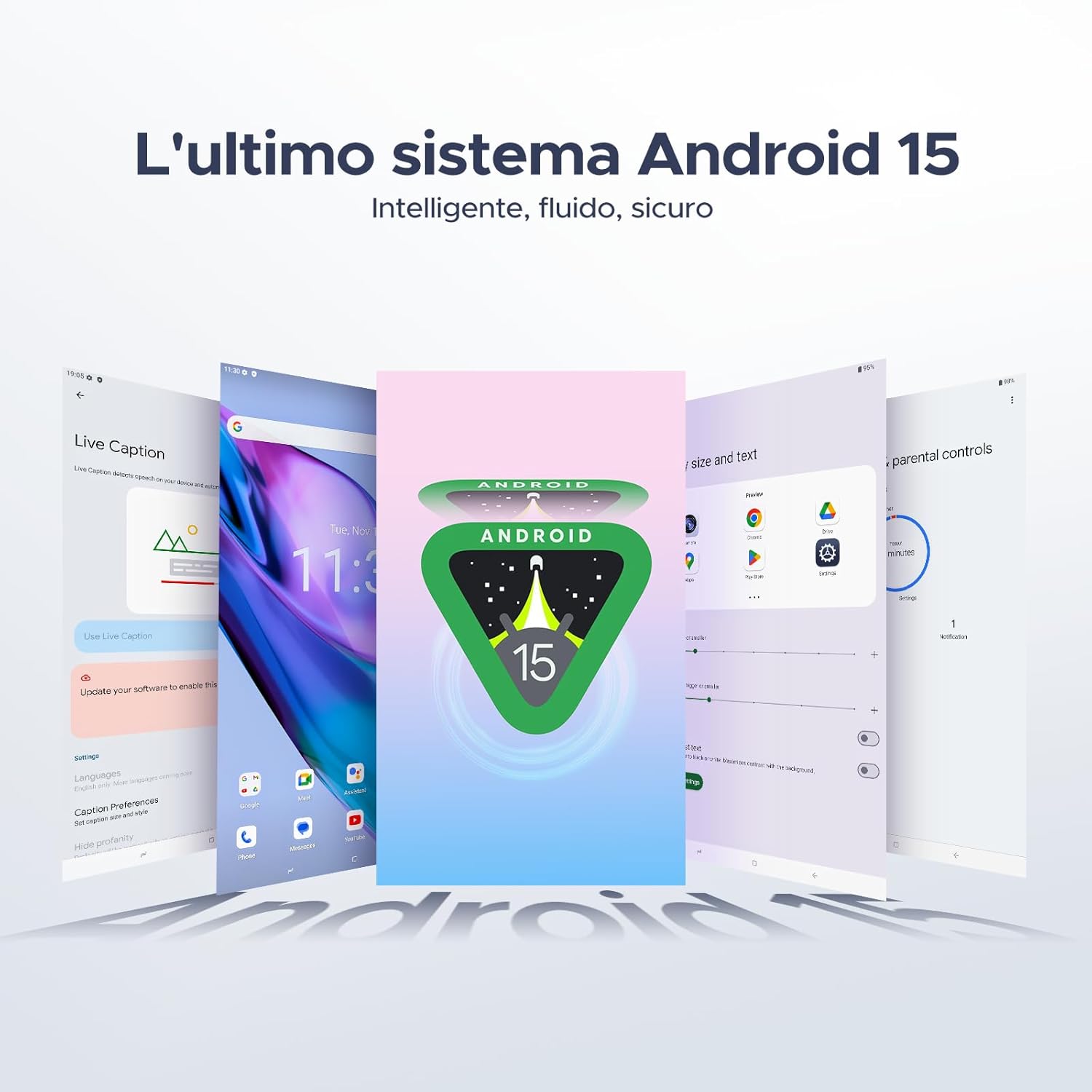
Your tablet runs on the latest Android 15 system, offering an intelligent, fluid, and secure experience.

Şekil 5.1: Android 15 işletim sistemi arayüzü.
5.2 Ekran Özellikleri
The 10.1-inch IPS HD display provides a wide visual field. Utilize features like Eye-Caring Mode and Dark Mode for enhanced viewkonfor.

Figure 5.2: Details of the 10.1-inch IPS HD Ultra-Clear Display.

Şekil 5.3: Görsel konfor için Göz Koruma Modu ve Karanlık Mod.
5.3 Kamera Kullanımı
Capture moments with the 8MP main camera and take clear selfies or video calls with the 5MP front camera. The tablet also supports Beauty Mode and Google Smart Camera features.

Figure 5.4: The 8MP main camera for clear photos.

Figure 5.5: The 5MP front camera for selfies and video calls.

Figure 5.6: Beauty Mode for enhancing photos.

Figure 5.7: Google Smart Camera features for enhanced photography.
5.4 Ses ve Bağlantı
Enjoy clear audio through the dual 1217 BOX speakers or connect headphones via the 3.5mm audio jack. The tablet supports Wi-Fi 5 (2.4G/5G) for stable and fast internet access.

Figure 5.8: Dual 1217 BOX speakers for crystal clear audio.

Figure 5.9: Standard 3.5mm audio jack for stable, distortion-free transmission.

Figure 5.10: Wi-Fi 5 for seamless connectivity.
5.5 Güvenlik ve Gizlilik
Unlock your tablet effortlessly using Face Unlock. Android 15 also provides enhanced privacy features, including precise permission control, robust data encryption, and proactive app screening.

Figure 5.11: Face recognition unlock for easy access.

Figure 5.12: Enhanced privacy shield features of Android 15.
5.6 Üretkenlik Özellikleri
The tablet supports efficient split-screen multitasking and comes with WPS Office integrated for productivity on the go.

Figure 5.13: Efficient split-screen multitasking.

Figure 5.14: WPS Office integrated for PC-level productivity.
5.7 Ek Özellikler
The tablet offers Sleep Mode, Multi-user System, and Parental Control features for a versatile user experience.

Figure 5.15: Discover more with Android 15 features.
5.8 Ürün Videoları
Watch these official videos for a visual guide to the DOOGEE Tab A9 Pro's features.
Video 5.1: DOOGEE Tab A9 Pro product overview (Önview).
Video 5.2: DOOGEE Tab A9 Pro features highlight (Preview).
Video 5.3: DOOGEE Tab A9 Pro design and performance (Preview).
6. Bakım
6.1 Tabletin Temizlenmesi
- Tabletinizin ekranını ve gövdesini temizlemek için yumuşak, tiftiksiz bir bez kullanın.
- Yüzeye zarar verebileceğinden sert kimyasallar veya aşındırıcı malzemeler kullanmaktan kaçının.
6.2 Pil Bakımı
- Tableti aşırı sıcaklıklara maruz bırakmaktan kaçının.
- Pil ömrünün en iyi şekilde uzaması için, pili sık sık tamamen boşaltmaktan kaçının.
6.3 Yazılım Güncellemeleri
Regularly check for and install software updates to ensure your tablet has the latest features and security enhancements. Go to Ayarlar > Sistem > Sistem güncellemesi güncellemeleri kontrol etmek için.
7. Sorun Giderme
If you encounter issues with your DOOGEE Tab A9 Pro, refer to the following common solutions:
| Sorun | Çözüm |
|---|---|
| Tablet açılmıyor. | Ensure the battery is charged. Connect the charger and wait a few minutes before attempting to power on again. If it still doesn't turn on, press and hold the power button for 10-15 seconds to force a restart. |
| Ekran tepkisiz | Tableti yeniden başlatın. Sorun devam ederse, fabrika ayarlarına sıfırlama işlemi gerçekleştirin (not: bu işlem tüm verileri silecektir). |
| Wi-Fi bağlantı sorunları | Wi-Fi yönlendiricinizi ve tabletinizi yeniden başlatın. Tablet ayarlarından ağı unutun ve yeniden bağlanın. Wi-Fi sinyalinin kapsama alanında olduğunuzdan emin olun. |
| Uygulamalar çöküyor veya donuyor | Clear the cache and data for the problematic app (Settings > Apps > [App Name] > Storage > Clear Cache/Clear Data). If the issue continues, uninstall and reinstall the app. Ensure your tablet's software is up to date. |
| Pil çabuk bitiyor | Reduce screen brightness, close unused apps running in the background, disable Wi-Fi/Bluetooth when not in use, and check for power-intensive apps in battery usage settings. |
Bu çözümler sorunu çözmezse lütfen müşteri desteğiyle iletişime geçin.
8. Özellikler
Detailed technical specifications for the DOOGEE Tab A9 Pro:
| Özellik | Şartname |
|---|---|
| Marka | DOOGEE |
| Model Numarası | Tab A9 PRO |
| İşletim Sistemi | Android 15 |
| İşlemci | Unisoc T310 Quad-core, 2 GHz |
| Veri deposu | 20 GB (4 GB temel + 16 GB sanal) |
| Dahili Depolama (ROM) | 128 GB |
| Genişletilebilir Depolama | microSD kart aracılığıyla 2 TB'a kadar (ayrı satılır) |
| Ekran Boyutu | 10.1 inç |
| Ekran Çözünürlüğü | 1280 x 800 piksel |
| Arka Kamera | 8 MP |
| Ön Kamera | 5 MP |
| Bağlantı | Wi-Fi (802.11ac, 2.4G/5G), Bluetooth 5.0 |
| Pil Kapasitesi | 6580 Miliamper-hour (mAh) |
| Ürün Boyutları | 24.53x16.33x0.99 cm |
| Ürün Ağırlığı | 478 gram |
| Renk | BLACK (also available in Glacier Blue, Meteorite Gray) |
9. Garanti ve Destek
Your DOOGEE Tab A9 Pro comes with a manufacturer's warranty. Please refer to the included Warranty Card for details on coverage and terms. For technical support, troubleshooting assistance beyond this manual, or warranty claims, please contact DOOGEE customer service through their official webÜrünün satın alındığı site veya perakendeci.
Daha fazla bilgi için şu adresi ziyaret edin: DOOGEE Mağazası Amazon'da.


