1. Giriş
This manual provides detailed instructions for setting up and operating your GoveeLife WiFi Hygrometer Thermometer system. This system includes multiple H5110 smart sensors and an H5151 WiFi gateway, designed to monitor temperature and humidity in various environments.

Resim 1: Üzeriview of the GoveeLife WiFi Hygrometer Thermometer system, showing the gateway, multiple sensors, and the mobile application interface displaying temperature and humidity data.
2. Paket İçeriği
Kuruluma devam etmeden önce tüm bileşenlerin mevcut olduğundan emin olun:
- GoveeLife WiFi Gateway (H5151)
- GoveeLife Smart Thermo-Hygrometer Sensors (H5110) - 7 units
- Kullanıcı Kılavuzu
- Lanyard Loops (for sensors)
- AAA Batteries (pre-installed or included for sensors)
3. Kurulum Kılavuzu
3.1. Sensor Battery Installation
- Gently slide open the back cover of each H5110 sensor.
- Remove the battery insulation tab if present.
- Ensure two AAA batteries are correctly inserted according to polarity markings.
- Arka kapağı güvenli bir şekilde kapatın.
- If desired, attach a lanyard loop to the sensor for hanging.
3.2. App Download and Gateway Connection
The Govee Home app is required for full functionality. Follow these steps to connect the gateway:
- Download the Govee Home app from the App Store (iOS) or Google Play (Android).
- Govee Home hesabınıza kaydolun veya giriş yapın.
- Plug the H5151 WiFi gateway into a power outlet. The indicator light will flash.
- Open the Govee Home app, tap the "+" icon in the top right corner, and search for "H5151".
- Select the H5151 gateway from the search results and follow the in-app instructions to pair it via Bluetooth.
- Once paired, connect the gateway to your 2.4GHz WiFi network. Not: 5GHz WiFi networks are not supported.
3.3. Sensor Connection to Gateway
After the gateway is connected, add your H5110 sensors:
- In the Govee Home app, navigate to the H5151 gateway device page.
- Tap the "+" icon or the option to add a sub-device.
- The app will search for nearby H5110 sensors. Select the sensors you wish to add.
- When prompted, press the button on each H5110 sensor to complete the pairing process. The sensor's indicator light may flash red during pairing.
- Assign a custom name to each sensor for easy identification (e.g., "Bedroom Sensor", "Wine Cellar Sensor").
3.4. Visual Setup Guide
For a visual demonstration of the connection process, please refer to the video below:
Video 1: GoveeLife H5110 How to Connect. This video demonstrates the steps for preparing the sensors, connecting the gateway to the Govee Home app, and then pairing the H5110 sensors with the H5151 gateway.
4. Operasyon
4.1. İzleme Verileri
Once connected, the H5110 sensors will transmit temperature and humidity data to the H5151 gateway, which then uploads it to the Govee Home app. Data is refreshed approximately every 2 seconds, providing near real-time monitoring.

Image 2: Illustration of whole-house monitoring, demonstrating how one WiFi gateway can connect up to 10 thermometer sensors placed in different rooms, all accessible through the Govee Home app.

Image 3: Depiction of Bluetooth remote monitoring, highlighting the sensor's 262ft maximum Bluetooth connection distance for local data access.
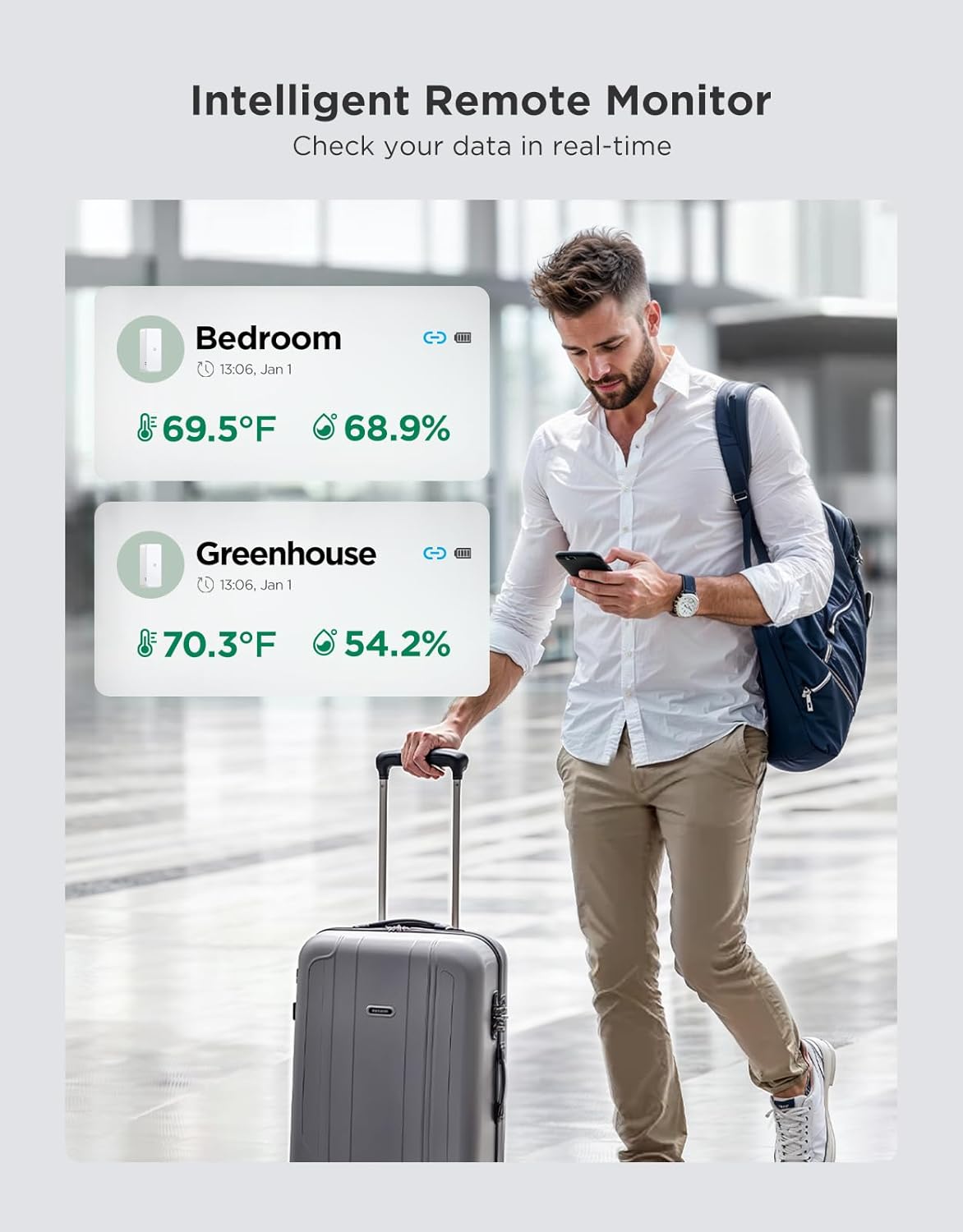
Image 4: An intelligent remote monitor scenario, showing a user checking real-time data for different locations like a bedroom and greenhouse from their smartphone.
4.2. Remote Alarms
You can set custom temperature and humidity thresholds within the Govee Home app. If a sensor detects values outside these preset ranges, you will receive immediate notifications via the app and email, allowing for timely intervention.

Image 5: Timely reminder feature, illustrating app and email alerts for temperature and humidity changes, with customizable alarm settings.
4.3. Data Storage and Export
The system stores historical data, allowing you to view temperature and humidity trend charts for the past 20 days directly in the app. You can also export up to 2 years of data for analysis, which is useful for environments like greenhouses or wine cellars.
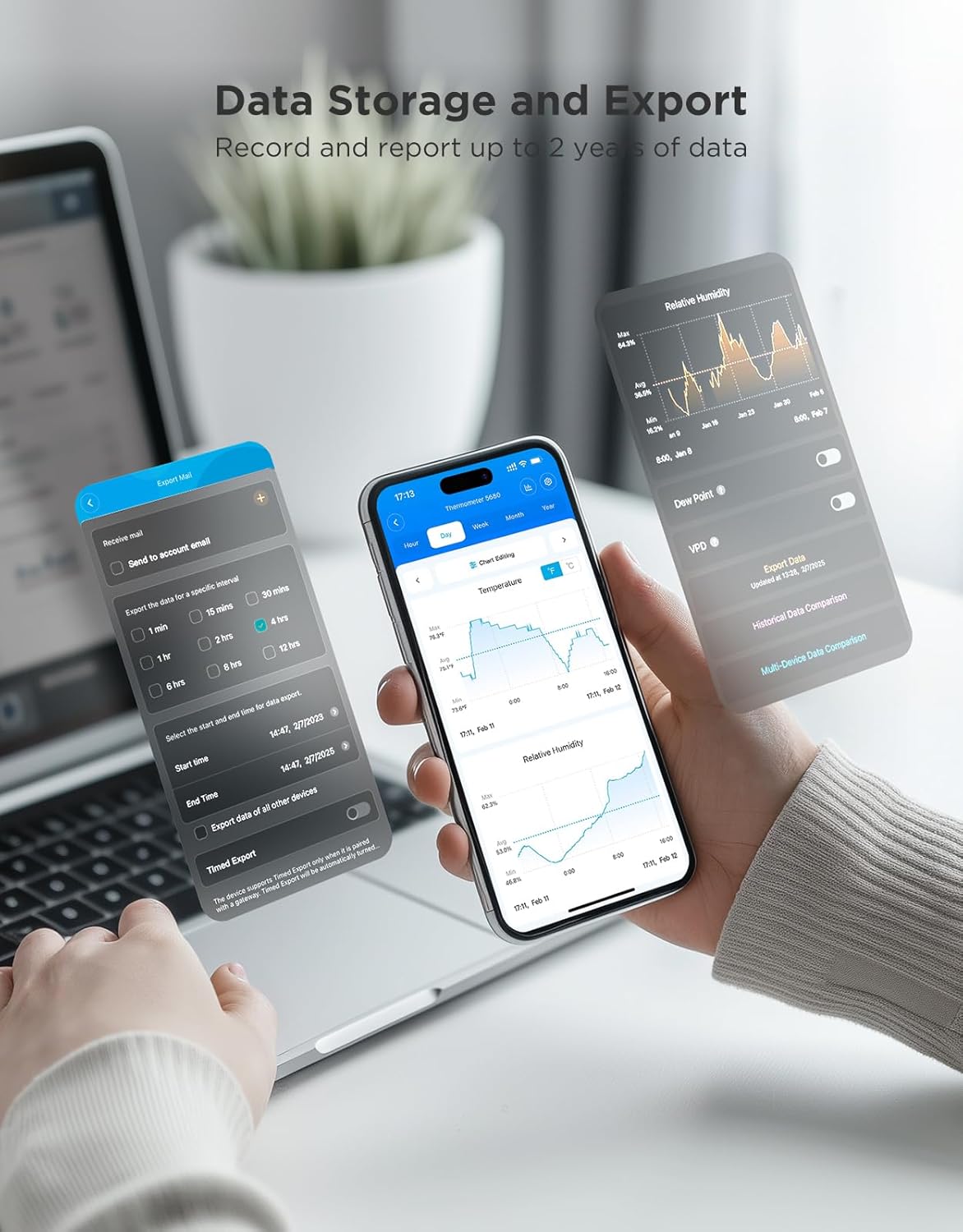
Image 6: Data storage and export functionality, showing the Govee Home app displaying historical data trends and options for exporting data over various timeframes.
4.4. Uzun Pil Ömrü
Each H5110 sensor operates on two AAA batteries, providing up to 2 years of continuous use, minimizing the need for frequent battery replacements.

Image 7: Representation of the long-lasting battery life, showing two AAA batteries powering a sensor for up to 2 years.
4.5. Yerleştirme Hususları
The compact and portable design of the H5110 sensors allows for flexible placement in various locations, including drawers, cigar boxes, wine cabinets, guitar cases, bedrooms, and basements.
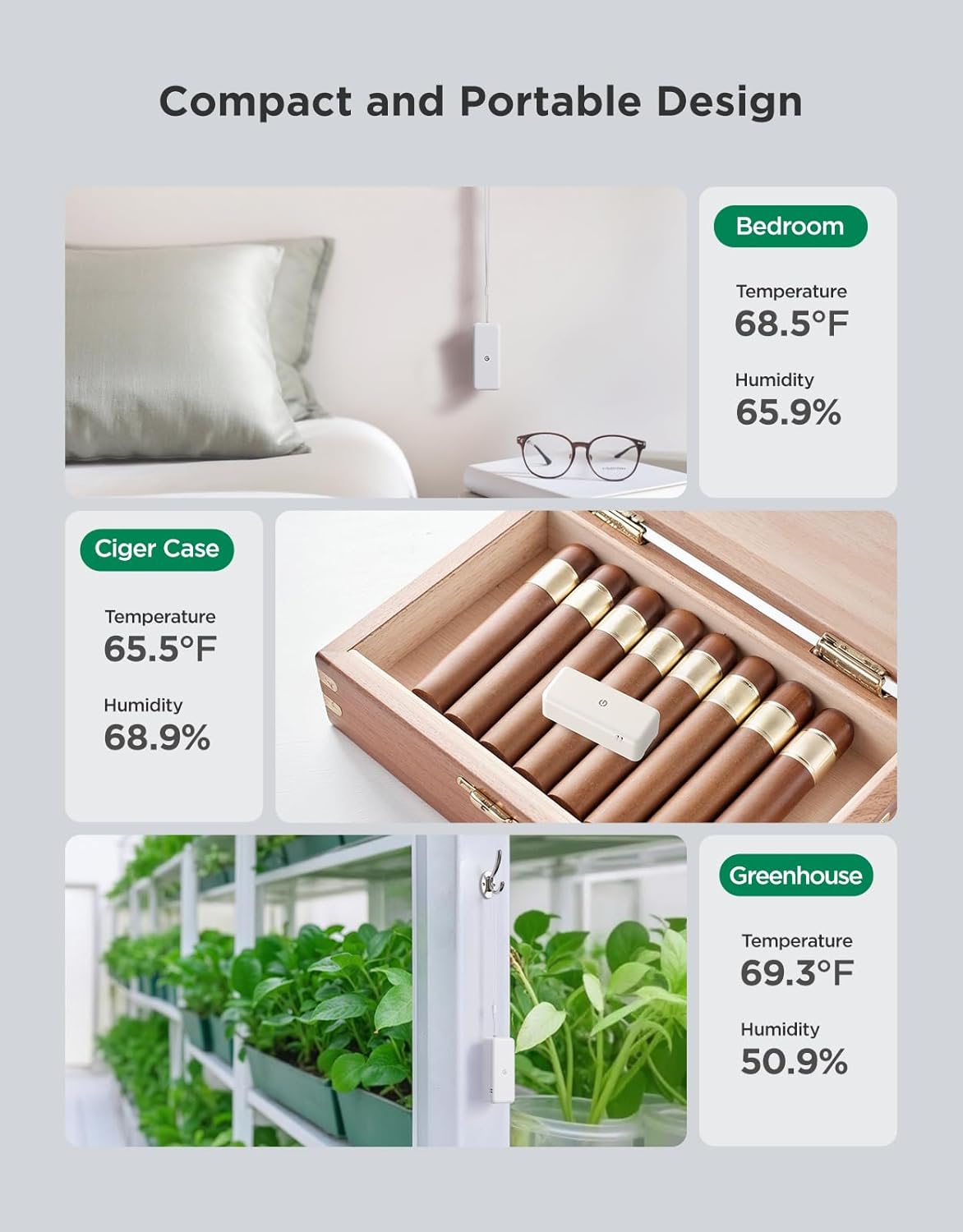
Resim 8: Örn.amples of compact and portable design, illustrating sensor placement in a bedroom, cigar case, and greenhouse, along with their respective temperature and humidity readings.
5. Özellikler
| Özellik | Şartname |
|---|---|
| Marka | GoveeLife |
| Sensör Modeli | H5110 |
| Ağ Geçidi Modeli | H5151 |
| Kontrol Yöntemi | Uygulama |
| Sensör Teknolojisi | Temperature and Humidity Sensors (Swiss-made) |
| Sıcaklık Doğruluğu | ±0.54°F / ±0.3℃ |
| Nem Doğruluğu | ±%3 Bağıl Nem |
| Veri Yenileme Hızı | Her 2 saniyede bir |
| WiFi Desteği | sadece 2.4GHz |
| Ağ Geçidi Kapasitesi | Pairs up to 10 sensors |
| Pil Ömrü (Sensörler) | 2 yıla kadar (2 adet AAA pil) |
| Veri Depolama | 20 days in-app, 2 years exportable |
| Renk | Beyaz |
6. Sorun Giderme
If you encounter issues with your GoveeLife WiFi Hygrometer Thermometer system, consider the following common solutions:
- Sensors Not Connecting: Ensure batteries are correctly installed and charged. Confirm the sensor is within Bluetooth range of the gateway during initial pairing.
- Gateway Offline: Verify the gateway is plugged into a working power outlet. Check your WiFi router to ensure it's broadcasting a 2.4GHz network and the gateway is connected. Restarting the gateway and your router may resolve connectivity issues.
- Uygulama Bildirimleri Alınmadı: Check your phone's notification settings for the Govee Home app. Ensure app permissions are granted. Verify that alarm thresholds are correctly set within the app.
- Yanlış Okumalar: Ensure sensors are placed in an area with good airflow and away from direct heat sources, cold drafts, or high humidity sources (e.g., vents, windows, humidifiers). Allow sensors to stabilize for at least 30 minutes after placement.
- Data Gaps: Ensure a stable WiFi connection for the gateway. If the gateway loses connection, data may not be uploaded to the app.
For further assistance, refer to the Govee Home app's FAQ section or contact GoveeLife customer support.


