1. Giriş
This manual provides essential information for setting up, operating, maintaining, and troubleshooting your Skylight Digital Picture Frame 2. Please read these instructions carefully to ensure optimal performance and longevity of your device.
2. Kurulum
Setting up your Skylight Digital Picture Frame 2 is designed to be straightforward, allowing you to enjoy your memories quickly.
- Plug, Play, and Enjoy: Simply plug in your frame, connect it to your Wi-Fi network, and select a unique Skylight email address. No apps or subscriptions are required for basic photo sharing.

Figure 2.1: The Skylight Digital Picture Frame 2, shown with its packaging and the companion mobile application, ready for initial setup.
3. Kullanım Talimatları
The Skylight Frame 2 offers intuitive features for managing and displaying your photos and videos.
3.1 Fotoğraf ve Video Gönderme
Share moments instantly with your frame from anywhere.
- Email Sharing: Send photos and videos directly to your frame's unique Skylight email address.
- Uygulama Paylaşımı: Use the free Skylight app (available for iOS and Android) to easily upload and manage photos. You can invite family and friends to contribute to your frame.
- Privacy-First Sharing: Your family's photos are always private and secure.

Figure 3.1: The Skylight Frame displaying a photo, with a smartphone showing the companion app for easy photo sharing.

Figure 3.2: A Skylight Frame showcasing a photo, illustrating the secure and private photo sharing capabilities via email or the dedicated app.
3.2 Dokunmatik Ekran Navigasyonu
The 10-inch Full HD touch-screen display provides an intuitive user experience.
- Sezgisel Kontroller: Easily adjust, pinch, and zoom photos directly on the frame.
- Responsive Experience: The 2GHz quad-core processor ensures smooth slideshows and a responsive touch experience.
- Muhteşem Görüntü: Enjoy vivid colors and sharp detail with the 1920x1200 Full HD resolution and auto-brightness adjustment.

Figure 3.3: The touchscreen interface of the Skylight Frame, highlighting intuitive gestures like tapping to reveal new photos and adjusting images.

Figure 3.4: A close-up of the Skylight Frame's display, demonstrating its Full HD resolution and vivid color reproduction.
3.3 Gift Mode
Preload and personalize your digital frame without unboxing it.
- Pre-load Photos: Activate Gift Mode to upload photos before gifting, ensuring the recipient sees cherished memories immediately upon setup.

Figure 3.5: The Skylight Frame in 'Gift Mode', showing how photos can be pre-loaded before gifting, ensuring a personalized experience upon unboxing.
3.4 Adaptive Orientation
The frame automatically adjusts to its position.
- Otomatik Döndürme: Your images auto-rotate and resize to match the frame's position, whether in landscape or portrait orientation.
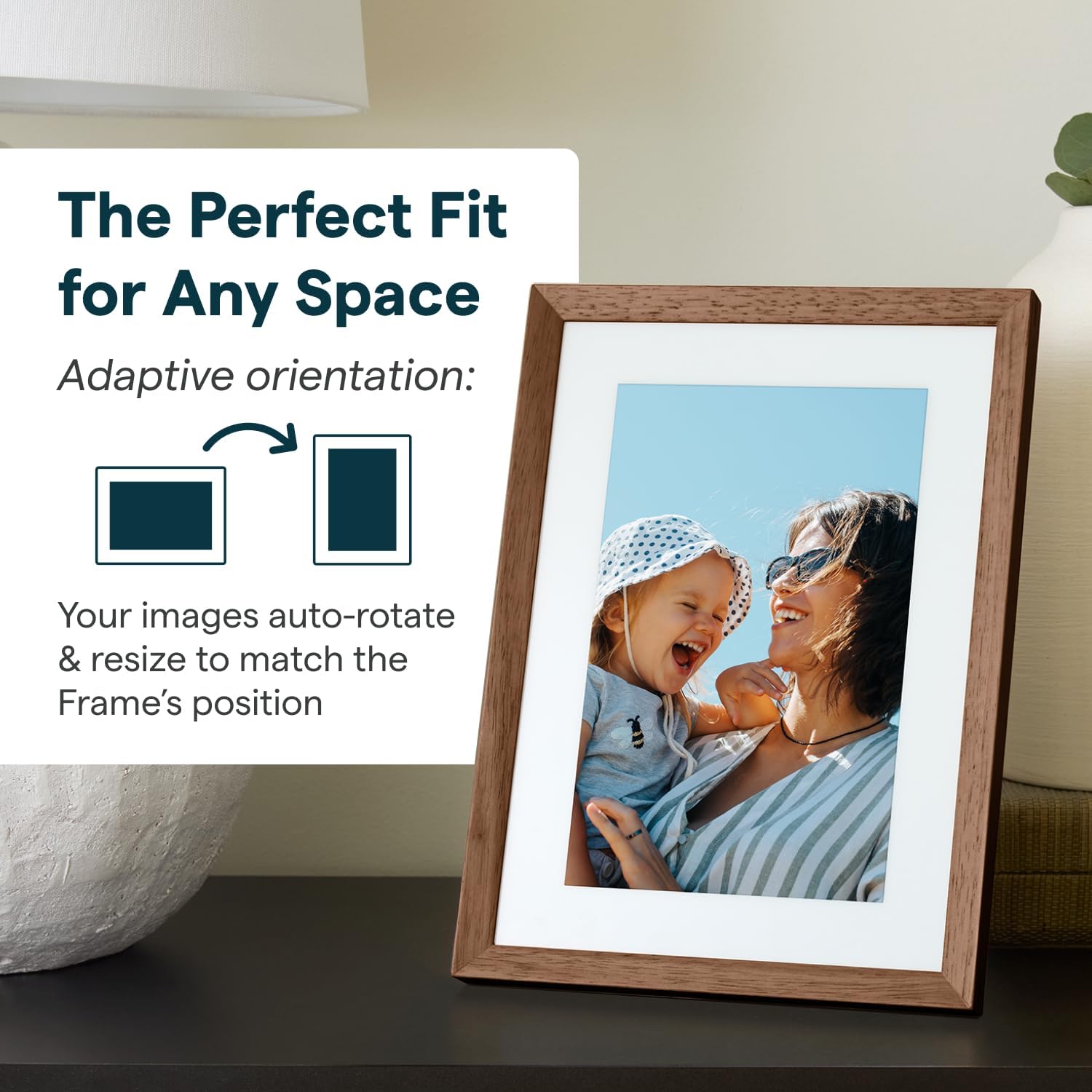
Figure 3.6: The Skylight Frame demonstrating its adaptive orientation feature, automatically adjusting images for both landscape and portrait display.
3.5 Depolama ve Performans
- 16 GB Depolama Alanı: Save thousands of photos and videos directly on the frame. Cloud-based storage eliminates the need for SD cards.
- Hızlı Performans: The 2GHz quad-core processor ensures fast uploads and smooth operation.
3.6 Tasarım Özellikleri
- Şık Tasarım: Features premium wood and interchangeable Snap Frames to match any decor.
- Yansıma Önleyici Ekran: İyileştirir viewçeşitli aydınlatma koşullarında.

Figure 3.7: The Skylight Frame highlighting its upgraded features, including premium wood, interchangeable snap frames, Full HD display, auto-brightness, and anti-glare screen.
4. Bakım
Proper care will ensure your Skylight Frame 2 remains in excellent condition.
- Ekranın Temizlenmesi: Ekranı nazikçe silmek için yumuşak, tiftiksiz bir bez kullanın. İnatçı lekeler için hafifçe silin.ampBezi su veya ekran temizleyicisiyle silin. Sert kimyasallardan kaçının.
- Çerçevenin Temizlenmesi: Çerçeveyi kuru veya hafif nemli bir bezle silin.amp bezle silin. Aşındırıcı temizleyiciler kullanmayın.
- Atama: Place the frame on a stable, flat surface away from direct sunlight, extreme temperatures, and high humidity.
5. Sorun Giderme
If you encounter issues with your Skylight Frame 2, refer to the following common solutions.
| Sorun | Olası Neden | Çözüm |
|---|---|---|
| Çerçeve açılmıyor | Güç adaptörü bağlı değil veya arızalı. | Güç adaptörünün şasiye ve çalışan bir elektrik prizine güvenli bir şekilde takıldığından emin olun. Farklı bir priz deneyin. |
| Wi-Fi'ye bağlanılamıyor | Yanlış Wi-Fi şifresi, zayıf sinyal veya yönlendirici sorunu. | Wi-Fi şifresini tekrar kontrol edin. Çerçeveyi yönlendiriciye daha yakın bir yere taşıyın. Wi-Fi yönlendiricinizi yeniden başlatın. |
| Fotoğraflar görünmüyor. | Incorrect email address used, Wi-Fi disconnected, or server delay. | Verify the Skylight email address. Ensure the frame is connected to Wi-Fi. Allow some time for photos to sync. |
| Dokunmatik ekran yanıt vermiyor | Geçici yazılım hatası. | Restart the frame by unplugging it and plugging it back in after 10 seconds. |
If these steps do not resolve your issue, please contact Skylight customer support.
6. Özellikler
Key technical specifications for the Skylight Digital Picture Frame 2.
- Ürün Ölçüleri: 10 x 10 x 0.99 inç
- Ürün Ağırlığı: 2.81 pound
- Piller: 1 Lityum Metal pil gereklidir (dahil)
- Üretici: Işıklık Çerçevesi
- Menşei ülke: Çin
- Renk: Walnut - 10" Frame 2
- Çözünürlük: 1920x1200
- Uyumlu Cihazlar: Akıllı telefon
- Ekran Boyutu: 10 inç
7. Garanti ve Destek
Skylight is committed to providing excellent customer service.
- Müşteri Desteği: For any questions or assistance, please refer to the contact information provided with your product packaging or visit the official Skylight webalan.
- Garanti Bilgileri: Details regarding the product warranty are typically included in the packaging or available on the manufacturer's webLütfen garanti talepleriniz için satın alma belgenizi saklayın.


