1. Giriş
Thank you for choosing the Happybuy SL288 Thermal Laminator Machine. This portable laminator is designed for hot lamination of documents up to A4 size, providing a protective, durable finish. It features a quick warm-up time, efficient lamination speed, and an ABS anti-jam function for reliable operation. This manual provides essential information for safe and effective use of your laminator.
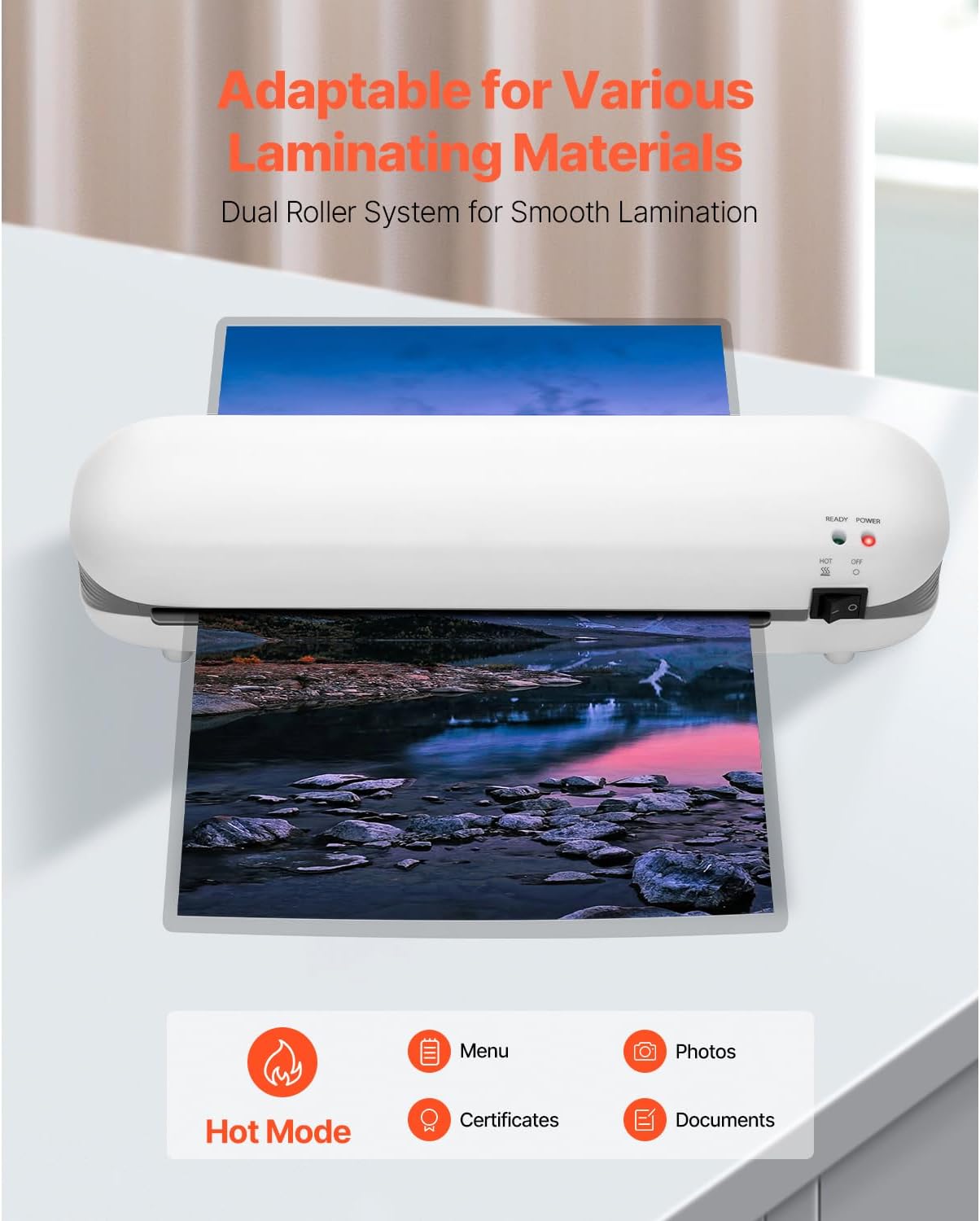
Image 1.1: The Happybuy SL288 laminator is adaptable for various laminating materials, including photos, certificates, and documents, using its dual roller system for smooth lamination.
2. Güvenlik Talimatları
- Read all instructions before using the laminator.
- Güç kablosu veya fişi hasarlıysa laminasyon cihazını çalıştırmayın.
- Laminasyon cihazını sudan veya diğer sıvılardan uzak tutun.
- Do not touch the heated parts of the machine during or immediately after use.
- Ensure proper ventilation around the laminator during operation.
- Kullanılmadığı zaman veya temizlemeden önce laminatörün fişini çekin.
- Bu cihaz, fiziksel, duyusal veya zihinsel yetenekleri kısıtlı olan veya deneyim ve bilgi eksikliği bulunan kişiler (çocuklar dahil) tarafından, güvenliklerinden sorumlu bir kişi tarafından cihazın kullanımıyla ilgili olarak gözetim veya talimat sağlanmadığı sürece kullanılmak üzere tasarlanmamıştır.
3. Ürün Bittiview
3.1 Parça Tanımlama
Familiarize yourself with the components of your Happybuy SL288 laminator:
- Güç düğmesi: Turns the laminator ON/OFF.
- Güç gösterge ışığı: Illuminates when the laminator is powered on.
- Hazır Gösterge Işığı: Illuminates when the laminator has reached optimal operating temperature.
- Film Entry Slot: Where the lamination pouch with the document is inserted.
- Film Exit Slot: Where the laminated document exits the machine.
- ABS Düğmesi: Used to release jammed documents.
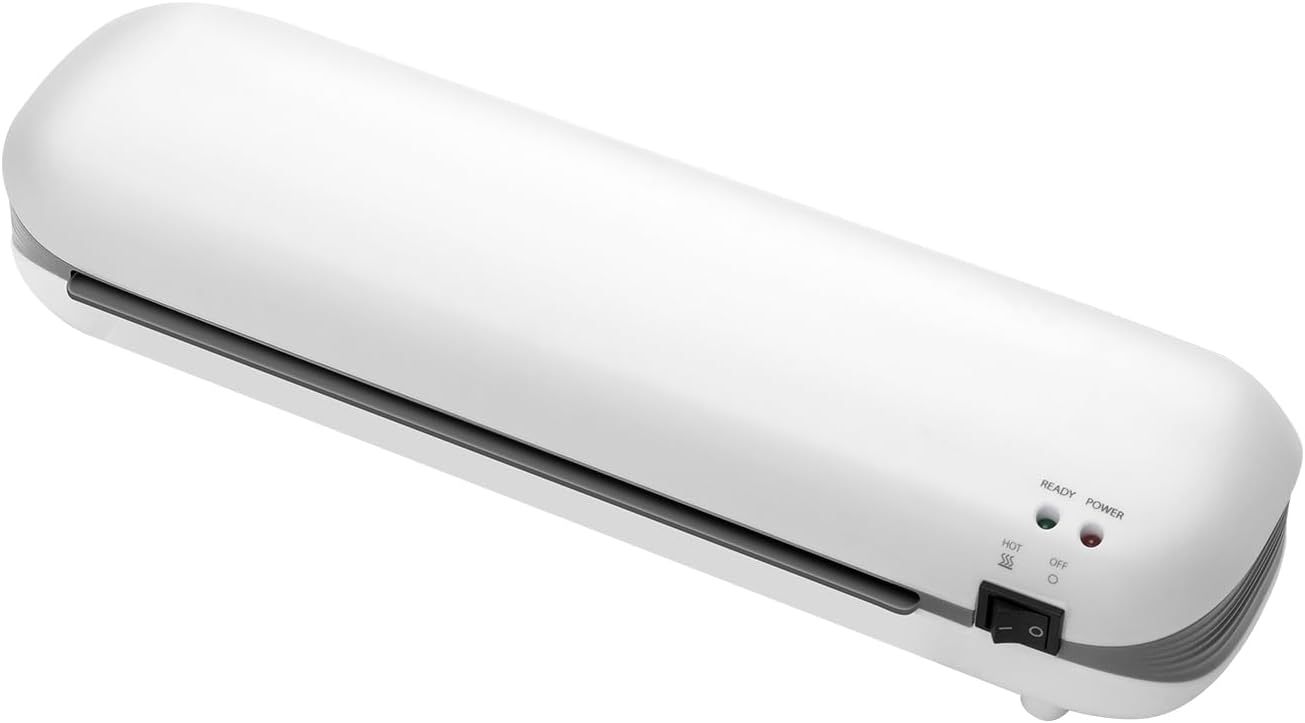
Resim 3.1: Ön view of the Happybuy SL288 laminator, highlighting the power switch, power indicator, and ready indicator lights.
4. Kurulum
- Atama: Place the laminator on a flat, stable surface with adequate space around it for proper ventilation and for documents to pass through.
- Güç Bağlantısı: Plug the power cord into a standard 120Vac, 60Hz electrical outlet.
- Güç Açık: Turn the power switch to the 'ON' position. The Power indicator light will illuminate.
- Ön ısınma: Allow the laminator to preheat for approximately 3-4 minutes. The Ready indicator light will illuminate when the machine has reached its optimal operating temperature and is ready for use.

Image 4.1: The laminator features a quick preheat time of 3-4 minutes and a laminating speed of 13.4 inches per minute for efficient performance.
5. Kullanım Talimatları
5.1 Preparing for Lamination
- Ensure the laminator is preheated and the Ready light is on.
- Select a lamination pouch appropriate for your document size (up to A4) and thickness (3-5 mil).
- Place your document neatly inside the lamination pouch, ensuring it is centered and there is a small margin around the edges.

Image 5.1: The Happybuy SL288 laminator supports A4 and smaller paper sizes, with a maximum lamination width of 9 inches and film thickness of 3-5 mil.
5.2 Lamination Process
- Carefully insert the sealed edge of the lamination pouch into the Film Entry Slot.
- The laminator will automatically feed the pouch through. Do not pull or push the document.
- Once the laminated document exits the Film Exit Slot, place it on a flat surface to cool and harden.
5.3 Using the ABS Anti-Jam Function
In the event of a paper jam or misfeed:
- Press and hold the ABS button located on the side of the laminator.
- While holding the button, gently pull the jammed pouch out of the Film Entry Slot.
- Release the ABS button. Allow the machine to cool if it was overheated, then re-attempt lamination with a new pouch if necessary.

Image 5.2: The one-touch ABS button allows for quick removal of jammed documents, protecting your valuable items.
6. Bakım
6.1 Temizlik
- Ensure the laminator is unplugged and completely cool before cleaning.
- Makinenin dışını yumuşak ve kuru bir bezle silin. Aşındırıcı temizleyiciler veya çözücüler kullanmayın.
- To clean the rollers, run a folded piece of paper through the laminator to pick up any adhesive residue.
6.2 Depolama
When not in use, store the laminator in a dry, dust-free environment. Its compact design allows for easy storage.

Image 6.1: The compact design of the Happybuy SL288 laminator makes it easy to store on a desk or in a small space.
7. Sorun Giderme
| Sorun | Olası Neden | Çözüm |
|---|---|---|
| Laminator not turning on | No power, power switch off | Check power cord connection, ensure switch is ON. |
| Document jammed | Pouch inserted incorrectly, too thick, or misaligned | Press and hold the ABS button to release the pouch. Re-insert correctly. |
| Poor lamination quality (bubbles, wrinkles) | Laminator not fully preheated, incorrect pouch thickness, or old pouches | Wait for Ready light. Ensure pouch thickness is 3-5 mil. Use fresh pouches. |
| Laminator is slow | Normal operation, or machine not fully warmed up | Ensure Ready light is on. The laminating speed is 13.4 in/min. |
8. Özellikler
Detailed technical specifications for the Happybuy SL288 Thermal Laminator:
- Ürün Model Numarası: SL288
- Net ağırlığı: 2 lbs / 0.95 kg
- Ürün Ölçüleri: 13.4 x 4 x 2.8 inç / 340 x 103 x 71 mm
- Lamination Function: Sıcak Laminasyon
- ABS Anti-Jam: Evet
- Hız: 13.4 inç/dak (340 mm/dak)
- Silindirler: 2 Silindirli Sistem
- Ön Isıtma Süresi: 3-4 dakika
- Lamination Film Thickness: 3-5 mil
- Film Genişliği: Maximum A4 (up to 9 inches wide)
- Maksimum Güç Tüketimi: 300W
- Cilttage & Frekans: 120Vac, 60Hz

Image 8.1: Visual representation of the Happybuy SL288 laminator with its dimensions and a summary of key specifications.
9. Garanti ve Destek
For warranty information, product support, or to purchase accessories, please refer to the official Happybuy website or contact Happybuy customer service directly. Keep your purchase receipt as proof of purchase for any warranty claims.
Happybuy Customer Service: Please visit the Happybuy official webİletişim bilgileri ve destek kaynakları için siteyi ziyaret edin.


