giriiş
This manual provides detailed instructions for the setup, operation, maintenance, and troubleshooting of your toocki Flip Bluetooth 5.3 Wireless Earbuds, Model TTWS-YL02. Please read this manual thoroughly before using the product to ensure optimal performance and longevity.

Image: The toocki Flip Bluetooth 5.3 Wireless Earbuds, black, resting inside their open charging case. A small LED indicator is visible on the front of the case.
Paket İçeriği
Paketin içerisinde tüm ürünlerin mevcut olduğundan emin olun:
- toocki Flip Bluetooth 5.3 Wireless Earbuds (Left and Right)
- Şarj Kutusu
- USB Şarj Kablosu
- Çeşitli Boyutlarda Kulak Ucu (S, M, L)
- Kullanıcı Kılavuzu
Ürün Bittiview
Familiarize yourself with the components of your earbuds.

Image: A detailed diagram highlighting various parts of the toocki Flip Wireless Earbuds and their charging case, including touch control area, microphone, charging contacts, and LED indicators.
- Earbud Touch Control Area: For managing playback, calls, and other functions.
- Mikrofon: Çağrı ve sesli asistan entegrasyonu.
- Şarj Kişileri: Located at the bottom of each earbud for charging within the case.
- Şarj Kutusu LED Göstergesi: Şarj durumunu ve pil seviyesini gösterir.
- USB-C Şarj Portu: Located on the charging case.
Kurmak
1. Kulaklıkları ve Kutuyu Şarj Etme
İlk kullanımdan önce kulaklıklarınızı ve şarj kutusunu tamamen şarj edin.
- Kulaklıkları şarj kutusuna yerleştirin.
- USB şarj kablosunu kasanın üzerindeki şarj portuna ve bir güç kaynağına bağlayın.
- Kutunun üzerindeki LED gösterge şarj durumunu gösterecektir. Tamamen şarj olduğunda gösterge değişecek veya kapanacaktır.

Image: An illustration showing the earbuds in their charging case, with a visual representation of the 4.5 hours of single-use battery life and the charging case capacity.
2. Bir Cihazla Eşleştirme
Kulaklıklar şarj kutusundan çıkarıldığında otomatik olarak eşleştirme moduna geçecektir.
- Şarj kutusunu açın ve her iki kulaklığı da çıkarın. Kulaklıklar otomatik olarak açılacak ve eşleştirme moduna girecektir.
- Cihazınızda (akıllı telefon, tablet vb.) Bluetooth’u etkinleştirin.
- Arama "toocki Flip" (or similar name) in the list of available Bluetooth devices and select it to connect.
- Bağlantı kurulduktan sonra bir onay sesi duyacaksınız ve kulaklık gösterge ışıkları sönecektir.
Otomatik Yeniden Bağlanma: After the initial pairing, the earbuds will automatically reconnect to the last paired device when removed from the case, provided Bluetooth is enabled on the device.

Image: A graphic illustrating the earbuds' compatibility with various devices (cell phones, tablets) and the auto-reconnect function shown with a smartphone's Bluetooth settings.
Kullanım Talimatları
The toocki Flip earbuds feature intuitive touch controls. The touch control area is located on the outer surface of each earbud.
Dokunmatik Kontrol Fonksiyonları

Image: A visual guide detailing the various touch control gestures for the earbuds, including play/pause, volume, call management, song switching, voice assistant, game mode, and reset.
| İşlev | Jest yapmak |
|---|---|
| Müzik Çal/Duraklat | Double-tap Left or Right earbud |
| Sesi Aç | Single-tap Right earbud |
| Sesi Azalt | Single-tap Left earbud |
| Sonraki Şarkı | Sağ kulaklığa üç kez dokunun |
| Önceki Şarkı | Sol kulaklığa üç kez dokunun |
| Aramayı Cevaplama/Kapatma | Double-tap Left or Right earbud |
| Çağrıyı Reddet | Long press Left or Right earbud for 2 seconds |
| Sesli Asistanı Etkinleştir | Four taps on the Right earbud |
| Oyun Modu Açık/Kapalı | Long press Left earbud for 2 seconds to enter; long press again for 2 seconds to exit. |
| Kulaklık Sıfırlama | Tap the headset 7 times in a row |
Gürültü Önleme
The earbuds feature Hybrid Active Noise Cancellation (ANC) with AI, capable of reducing background noise by up to 99% (40dB depth, +4000Hz bandwidth).
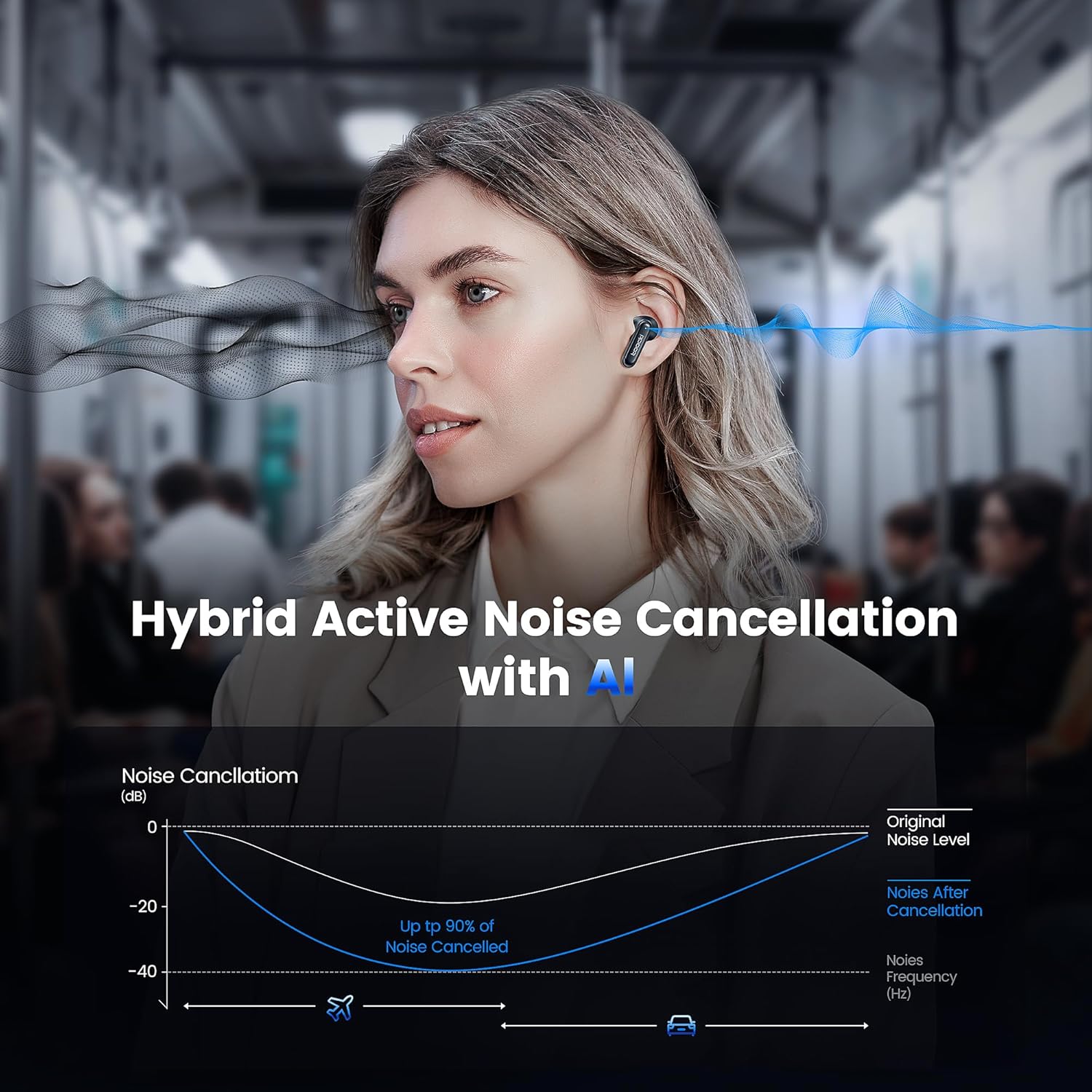
Image: A graph illustrating the effectiveness of Hybrid Active Noise Cancellation with AI, showing a significant reduction in noise levels across various frequencies, applicable in environments like airplanes and cars.
This technology is designed to enhance your listening experience by minimizing distractions from your surroundings, whether you are indoors, outdoors, or commuting.

Image: A person studying indoors with earbuds, illustrating how noise cancellation weakens sounds from turning books, air conditioners, and other machines.

Image: A person walking outdoors with earbuds, demonstrating the ability to block out crowd noise.

Image: A person commuting on public transport with earbuds, showing how noise cancellation blocks out airplane, high-speed train, and subway noise.
Yönetim Çağrı
The earbuds are equipped with 4 microphones and advanced algorithms to enhance call clarity, ensuring your voice is heard clearly even in noisy environments.

Image: A person smiling while holding a smartphone and wearing the earbuds, with an overlay indicating "4 Mic + AI Call Noise Cancellation" to highlight enhanced call quality.
Ses Deneyimi
Experience 360° panoramic sound with stereo dual-channel audio and 10mm drivers, delivering rich bass and clear treble for an immersive listening experience.
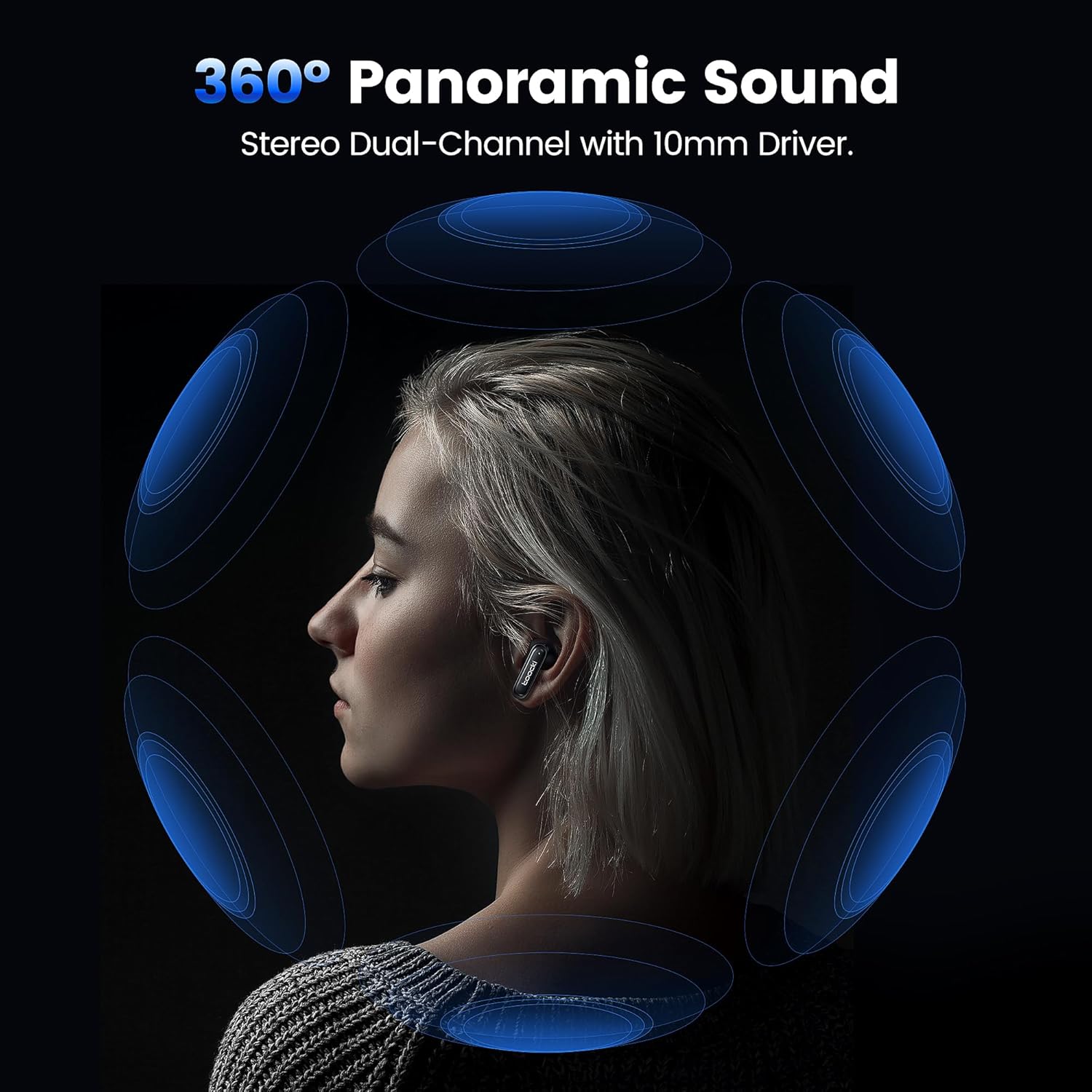
Image: A visual representation of 360° panoramic sound emanating from an earbud, with text indicating "Stereo Dual-Channel with 10mm Driver."

Image: A cutaway diagram of a 10mm moving coil unit, illustrating its internal components and emphasizing its role in delivering extraordinary sound performance with larger vibration area, pure bass, and treble.
Bakım
Doğru bakım, kulaklığınızın uzun ömürlü olmasını ve optimum performans göstermesini sağlar.
- Temizlik: Kulaklıklarınızı, özellikle de kulak uçlarını ve şarj bağlantı noktalarını düzenli olarak yumuşak, kuru ve tiftiksiz bir bezle temizleyin. Aşındırıcı temizleyiciler veya çözücüler kullanmayın.
- Kulaklık uçları: The earbuds come with multiple sizes of eartips (S, M, L). Choose the size that provides the best seal and comfort for your ears. This also helps with noise cancellation effectiveness.
- Depolamak: Kullanmadığınız zamanlarda kulaklıklarınızı şarj kutusunda saklayarak hem koruyun hem de şarjlı kalmasını sağlayın.
- Suya Dayanıklılık: The earbuds are waterproof. However, avoid prolonged exposure to water and ensure they are dry before placing them back in the charging case to prevent damage to the charging contacts.
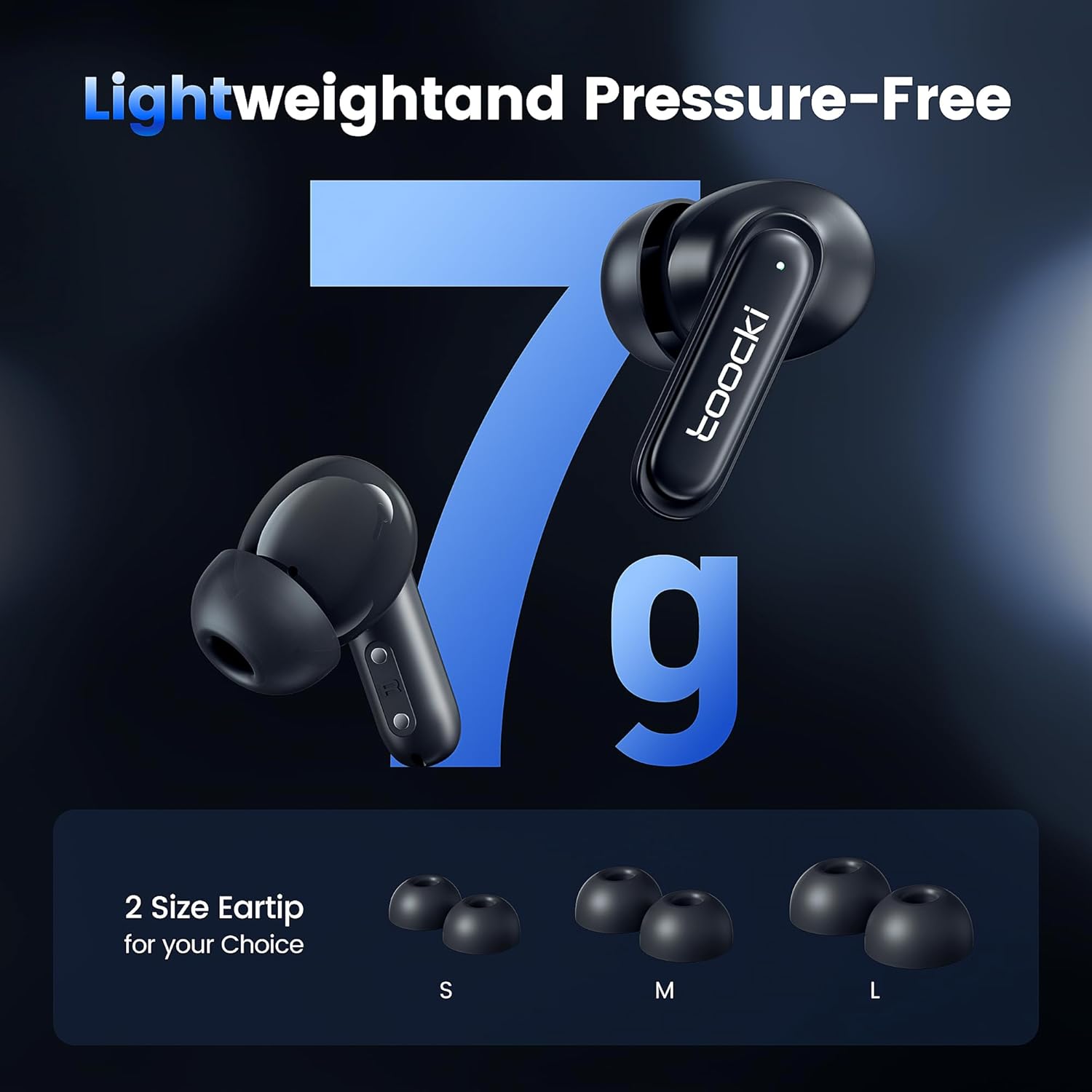
Image: The earbuds displayed alongside three pairs of eartips in small (S), medium (M), and large (L) sizes, emphasizing the lightweight design and choice of eartips for comfort.
Sorun giderme
Sorunlarla karşılaşırsanız aşağıdaki çözümleri deneyin:
- Kulaklıklar eşleşmiyor:
- Her iki kulaklığın da şarjlı olduğundan emin olun.
- Cihazınızın Bluetooth özelliğini kapatın ve tekrar açın.
- Forget the "toocki Flip" device from your device's Bluetooth settings and try pairing again.
- Perform a headset reset (tap 7 times in a row).
- Sadece bir kulaklık çalışıyor:
- Her iki kulaklığın da şarjlı olduğundan emin olun.
- Her iki kulaklığı da şarj kutusuna geri yerleştirin, kapağı kapatın, birkaç saniye bekleyin ve ardından tekrar çıkarın.
- Kulaklıkları sıfırlamayı deneyin.
- Düşük ses seviyesi veya zayıf ses kalitesi:
- Hem cihazınızın hem de kulaklığınızın sesini ayarlayın.
- Ensure the eartips are properly seated in your ear to create a good seal. Try different eartip sizes.
- Kulaklık hoparlörlerinden ve uçlarından tüm kalıntıları temizleyin.
- Şarj sorunları:
- Şarj kablosunu ve güç adaptörünü kontrol edin. Farklı bir kablo veya adaptör deneyin.
- Hem kulaklıktaki hem de kutudaki şarj temas noktalarının temiz ve engelsiz olduğundan emin olun.
Özellikler
| Model Adı | TTWS-YL02 |
| Marka | toocki |
| Bağlantı Teknolojisi | Kablosuz (Bluetooth 5.3) |
| Kulak Yerleşimi | Kulak içi |
| Form Faktörü | Kulak içi |
| Gürültü Kontrolü | Active Noise Cancellation (up to 40dB depth, 99% background noise reduction) |
| Sürücü Boyutu | 10mm |
| Playtime (Single Use) | Yaklaşık 4.5 saat |
| Şarj Kutusu Kapasitesi | 400mAh (estimated from image) |
| Kontrol Yöntemi | Dokunmak |
| Özel Özellikler | Fast Charging, Waterproof, 4 Microphones + AI for Call Noise Cancellation |
| Renk | Siyah |
| Kulaklık başına ağırlık | Yaklaşık 7g |
Garanti ve Destek
For warranty information or technical support, please refer to the documentation included with your purchase or contact toocki customer service through their official webÜrünün satın alındığı site veya perakendeci.