1. Giriş
This manual provides detailed instructions for the proper setup, operation, and maintenance of your Omegon GUIDE 462 M Mono Camera. Please read this manual thoroughly before using the device to ensure optimal performance and longevity.
2. Ürün Bittiview
2.1 Temel Özellikler
- Low noise CMOS sensor for enhanced imaging.
- Standard 1.25" eyepiece form factor for broad compatibility.
- CS-mount with a 5mm extender for versatile lens attachment.
- USB 2.0, Type C interface for reliable data transfer.
2.2 Paket İçeriği
Aşağıda listelenen tüm öğelerin paketinizde mevcut olduğundan emin olun:
- Omegon GUIDE 462 M Mono Camera
- Adapter with 1.25" filter thread
- USB kablosu
- ST4 Kablosu
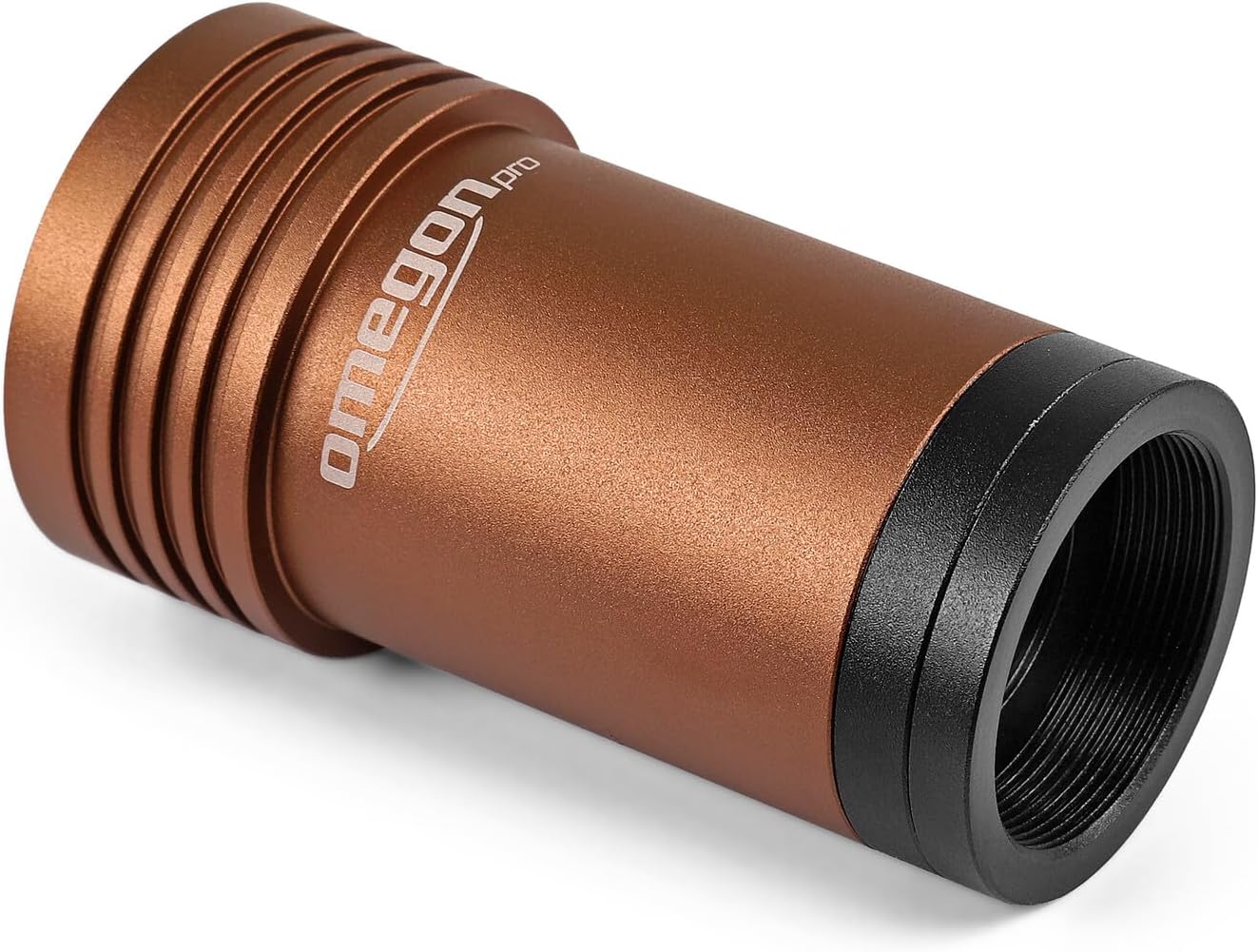
Şekil 1: The Omegon GUIDE 462 M Mono Camera. This image shows the main camera unit, which features a robust anodized aluminum housing designed to fit standard 1.25-inch telescope focusers.
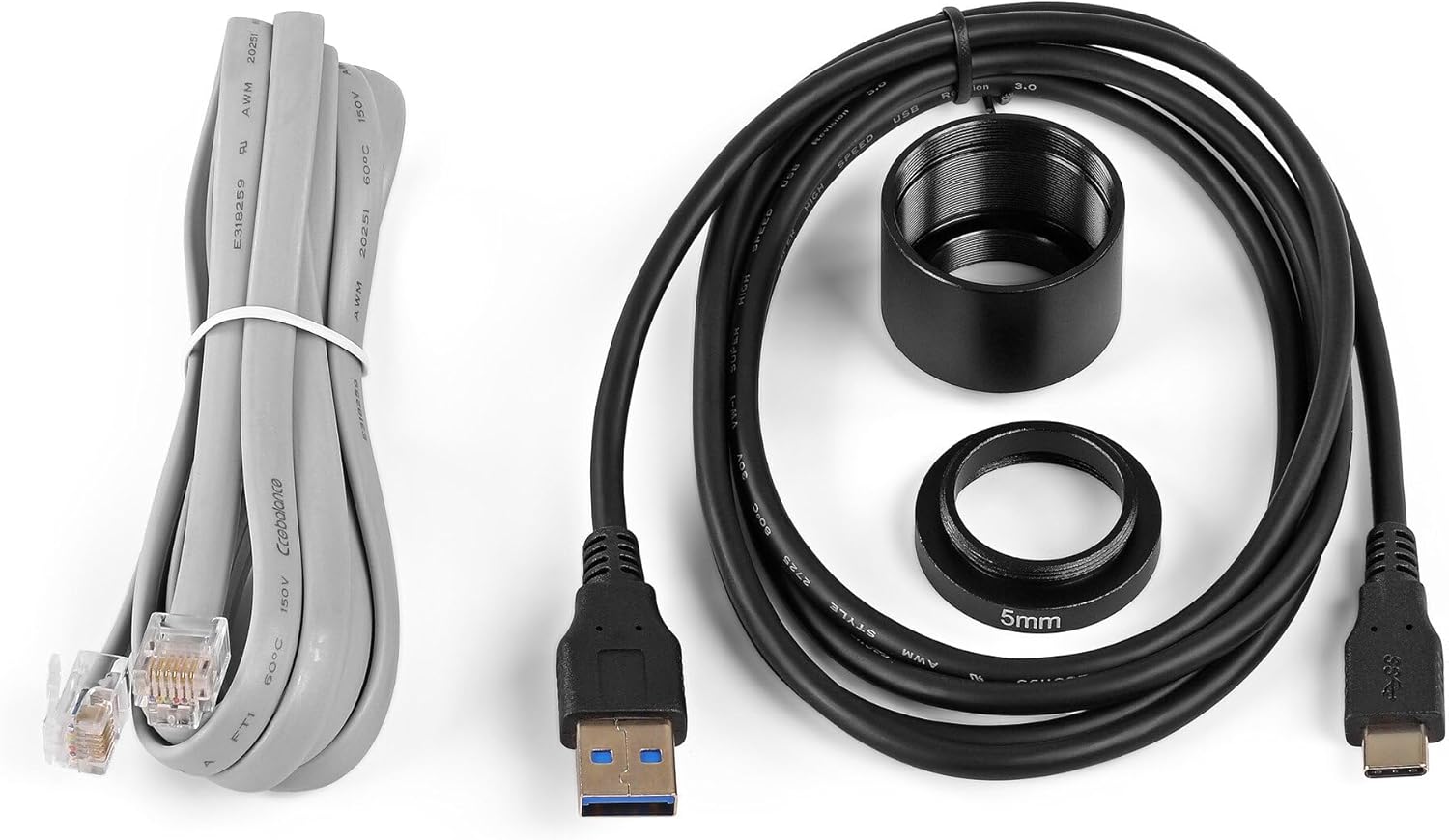
Şekil 2: Included accessories for the Omegon GUIDE 462 M Mono Camera. This image displays the USB cable, ST4 guiding cable, 1.25-inch adapter, and a 5mm extender, which are essential for connecting and operating the camera.
3. Kurulum
3.1 Fiziksel Bağlantı
- Kameranın Montajı: The camera's robust anodized aluminum housing is designed in the shape of a 1.25" eyepiece. Insert the camera directly into your telescope's 1.25" focuser. Ensure it is securely fastened.
- Attaching Lenses/Filters: The camera is equipped with a C and CS mount thread. Use the provided 1.25" filter thread adapter to attach standard astronomical filters or small CCTV lenses.
- Bağlantı Kabloları:
- Connect the USB cable from the camera's USB 2.0 Type C port to your computer.
- For autoguiding, connect the ST4 cable from the camera's ST4 port to your equatorial mount's autoguiding port.

Şekil 3: Son view of the Omegon GUIDE 462 M Mono Camera showing the USB-C and ST4 ports. These ports are used for connecting the camera to a computer for data transfer and to an equatorial mount for autoguiding.
3.2 Yazılım Kurulumu ve Uyumluluğu
The Omegon GUIDE 462 M Mono Camera is compatible with a wide range of astronomical software. It supports common ASCOM and INDI interfaces, allowing control via various capture programs. Native compatibility is also provided for popular applications such as PHD2 and N.I.N.A.
- Sürücü Kurulumu: Install the necessary drivers for your camera. These are typically available on the Omegon support webalan.
- Yazılım Yapılandırması: Configure your preferred capture or guiding software (e.g., PHD2, N.I.N.A) to recognize and communicate with the Omegon GUIDE 462 M Mono Camera. Refer to the software's documentation for specific setup instructions.
4. Kullanım Talimatları
4.1 Autoguiding
The Omegon GUIDE 462 M Mono Camera is an effective autoguider due to its high sensitivity and compatibility with PHD2 software. Modern CMOS sensors allow for the identification of faint guide stars, ensuring precise tracking corrections.
- PHD2 Compatibility: Utilize PHD2 software for autoguiding. The camera's ST4 port facilitates direct connection to your mount for guiding commands.
- Tracking Correction: Short exposure times and a high guiding frequency enable the camera to compensate for minor to significant tracking errors of your mount, resulting in sharper long-exposure images.
4.2 Deep Sky Astrophotography
With its sensitive CMOS sensor, the camera simplifies deep-sky astrophotography, making it easier to capture nebulae and galaxies. The sensor's high quantum efficiency and low read noise allow for the detection of subtle details that are often imperceptible through visual observation.
- Pozlama Ayarları: Experiment with various exposure times to capture sufficient light from faint deep-sky objects.
- Image Stacking: For best results, capture multiple exposures and stack them using specialized astrophotography software to reduce noise and enhance detail.
4.3 Planetary Photography
This camera is suitable for capturing images of solar system objects such as Jupiter, Saturn, and the Moon. It also supports real-time observation on a computer screen.
- Yüksek Kare Hızı: Utilize the camera's ability to capture video at high frame rates for planetary imaging. This allows for the selection of the sharpest frames from a video sequence to overcome atmospheric turbulence.
- İşleme: Use planetary imaging software to stack and process the captured video frames into a single, detailed image.
4.4 Filter Usage and Transmission
The camera's sensor chamber is protected by a filter against dust and humidity. As a mono camera, it features an anti-reflective window that transmits ultraviolet, visible, and infrared light. This design provides full control over the transmission curve when using external filters, which is crucial for advanced photographic and photometric applications.
- External Filters: Employ specific astronomical filters (e.g., LRGB, narrowband) with the 1.25" filter thread adapter to achieve desired imaging results for different celestial objects.
- Transmission Control: The broad spectral response of the mono sensor, combined with external filters, allows for precise control over the light reaching the sensor, enabling specialized scientific or artistic imaging.
5. Bakım
- Temizlik: Keep the camera's optical window and housing clean. Use a soft, lint-free cloth for the exterior. For the optical window, use specialized optical cleaning solutions and cloths to avoid scratches.
- Depolamak: Store the camera in a dry, dust-free environment when not in use. Use the original packaging or a padded case for protection.
- Çevresel Koşullar: Avoid exposing the camera to extreme temperatures or high humidity, which can affect performance and lifespan.
6. Sorun Giderme
If you encounter issues with your Omegon GUIDE 462 M Mono Camera, consider the following:
- Bağlantı Sorunları: Ensure all cables (USB, ST4) are securely connected. Try a different USB port or cable if connectivity problems persist.
- Yazılım Kamerayı Algılmıyor: Verify that the correct drivers are installed. Check your imaging software's settings to ensure the camera is selected and configured properly. Restart the software and your computer.
- No Image/Faint Image: Confirm that the telescope is properly focused and that the camera's exposure settings are appropriate for the target object. Check for any obstructions in the optical path.
- Guiding Errors: Review your PHD2 settings, including calibration, guide star selection, and mount parameters. Ensure the ST4 cable is correctly connected to both the camera and the mount.
- Image Noise: High noise levels can be reduced by adjusting gain settings, increasing exposure time (if applicable), and stacking multiple images during post-processing.
For further assistance, consult the documentation for your imaging software or contact Omegon customer support.
7. Özellikler
| Özellik | Şartname |
|---|---|
| Marka | Omegon |
| Örnek | GUIDE 462 M Mono |
| Renk | Bronz |
| Sensör Tipi | CMOS (Low Noise) |
| Montaj Çapı | 1.25" |
| Lens Yuvası | CS-mount + 5mm extender |
| Filtre Konusu | 1.25" (via adapter) |
| Arayüz | USB 2.0, Tip C |
| Guiding Port | ST4 |
| Üretici Referansı | 4049467837398 |
| ASIN | B0DVGMWRGF |
| Menşei ülke | Çin |
8. Garanti ve Destek
For information regarding warranty coverage, technical support, or service, please refer to the official Omegon webYetkili satıcınızla iletişime geçin veya siteyi ziyaret edin. Satın alma belgeniz olarak satın alma fişinizi saklayın.


