giriiş
Thank you for choosing Raycon Bone Conduction Headphones. This manual provides essential information for the proper use, setup, and maintenance of your device. Please read it thoroughly before use.
These headphones utilize bone conduction technology, allowing you to hear audio while keeping your ears open to your surroundings. They are designed for active lifestyles, featuring a lightweight, water-resistant build and a secure fit.
Paket İçeriği
- Raycon Bone Conduction Headphones
- Manyetik Şarj Kablosu
- Kullanım Kılavuzu (bu belge)
Ürün Bittiview
Familiarize yourself with the components of your Raycon Bone Conduction Headphones.

Şekil 1: Ön view of the Raycon Bone Conduction Headphones. The image shows the purple headphones with the Raycon logo visible on the left side, highlighting the open-ear design and the flexible band connecting the two ear pieces.

Şekil 2: Yan view of the Raycon Bone Conduction Headphones. This image displays the control buttons located on the right ear piece, along with the charging port area. The overall lightweight and ergonomic design is visible.
Temel Özellikler:
- Açık Kulak Tasarımı: Allows situational awareness.
- Kemik İletimi Teknolojisi: Delivers audio through cheekbones.
- IP68 Suya Dayanıklılık: Protection against sweat, rain, and spills.
- Hafif Yapı: Comfortable for extended wear.
- Adjustable Conduction Buds: For personalized sound and awareness balance.
- Bluetooth 5.3: Stable wireless connectivity.
- 13 Saatlik Çalma Süresi: Extended battery life.
Kurmak
1. Kulaklıkları Şarj Etme
İlk kullanımdan önce kulaklıklarınızı tamamen şarj edin.
- Manyetik şarj kablosunu kulaklığınızdaki şarj portuna bağlayın.
- Kablonun diğer ucunu bir USB güç adaptörüne (dahil değildir) veya bir bilgisayarın USB portuna bağlayın.
- LED göstergesi şarj durumunu gösterecektir (örneğin, kırmızı şarj oluyor, mavi tamamen şarj oluyor).
- Tam şarj genellikle yaklaşık 1.5-2 saat sürer.
2. Açma/Kapama
- Açmak İçin: Press and hold the Power button for 3 seconds until the LED indicator flashes blue and you hear a power-on prompt.
- Kapatmak İçin: Press and hold the Power button for 5 seconds until the LED indicator flashes red and you hear a power-off prompt.
3. Bluetooth Eşleştirme
Pair your headphones with your Bluetooth-enabled device (smartphone, tablet, laptop).
- Kulaklıkların kapalı olduğundan emin olun.
- Eşleştirme modunu göstermek için LED göstergesi kırmızı ve mavi renkte dönüşümlü olarak yanıp sönene kadar Güç düğmesini 5-7 saniye basılı tutun.
- Cihazınızda Bluetooth ayarlarına gidin ve Bluetooth'u etkinleştirin.
- Arama available devices and select "Raycon Bone Conduction" (or similar name).
- Once connected, the LED indicator will flash blue slowly, and you will hear a connection confirmation.
- Kulaklıklar açıldığında, menzil dahilindeyse son eşleştirilen cihaza otomatik olarak yeniden bağlanacaktır.
Kullanım Talimatları
Kulaklık Takmak
Place the headphones with the transducers resting on your cheekbones, just in front of your ears. The band should wrap around the back of your head.
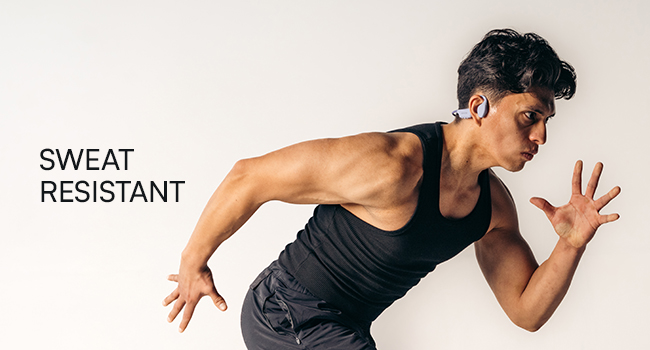
Figure 3: Illustration demonstrating the correct placement of the bone conduction headphones on the head, with the transducers positioned on the cheekbones near the ears. This image emphasizes the open-ear design.
The adjustable conduction buds allow you to slide them closer to your ear for louder sound or pull them back for increased environmental awareness. Experiment to find your preferred balance.
Düğme Fonksiyonları
| Düğme/İşlem | İşlev |
|---|---|
| Güç Düğmesi (3 saniye basılı tutun) | Güç Açık |
| Güç Düğmesi (5 saniye basılı tutun) | Power Off / Enter Pairing Mode |
| Çok Fonksiyonlu Düğme (Tek Basış) | Müzik Çal/Duraklat, Çağrıyı Cevapla/Sonlandır |
| Çok Fonksiyonlu Düğme (Çift Basma) | Sonraki Parça |
| Çok Fonksiyonlu Düğme (Üçlü Basma) | Önceki Parça |
| Volume Up (+) Button (Single Press) | Hacmi Artırın |
| Volume Down (-) Button (Single Press) | Sesi Azalt |
| Volume Up (+) Button (Press & Hold) | Sesli Asistanı Etkinleştir |
Çağrı Yapma ve Alma
- Cevap Çağrısı: Çok Fonksiyonlu Düğmeye bir kez basın.
- Çağrı Sonu: Görüşme sırasında Çok Fonksiyonlu Düğmeye bir kez basın.
- Çağrıyı Reddet: Çok İşlevli Düğmeyi 2 saniye basılı tutun.
- Sesli Asistan: Press and hold the Volume Up (+) button to activate your device's voice assistant (Siri, Google Assistant, etc.).
Bakım ve Özen
- Temizlik: Kulaklıkları yumuşak bir bezle silin.amp bez. Sert kimyasallar veya aşındırıcı temizleyiciler kullanmayın.
- Suya Dayanıklılık (IP68): These headphones are IP68 rated, meaning they are protected against dust and can withstand immersion in water up to 1.5 meters for up to 30 minutes. However, they are not designed for swimming or prolonged underwater use. Ensure the charging port is dry before charging.
- Depolamak: Kulaklığınızı serin, kuru ve doğrudan güneş ışığından ve aşırı sıcaklıklardan uzak bir yerde saklayın.
- Pil Bakım: Pil ömrünü uzatmak için kulaklıkların pilini sık sık tamamen boşaltmaktan kaçının. Uzun süre kullanılmasa bile düzenli olarak şarj edin.
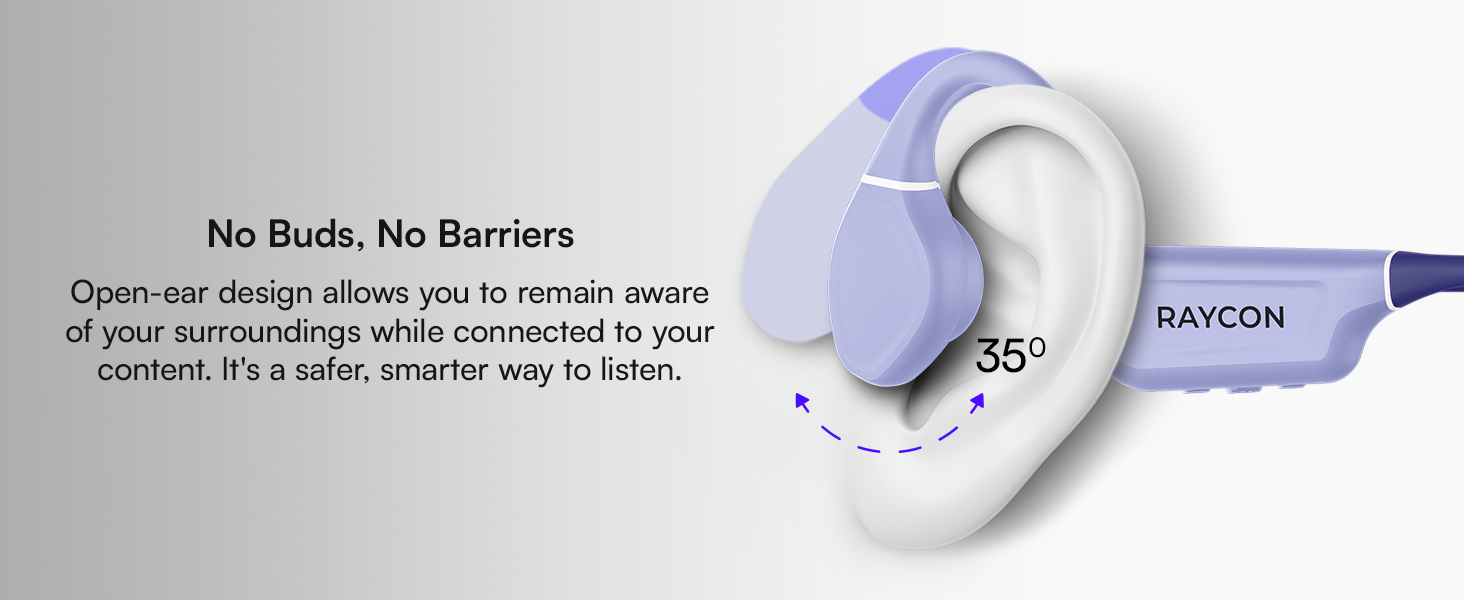
Figure 4: Image illustrating the water-resistant feature of the Raycon Bone Conduction Headphones, with water droplets splashing around them. This visually confirms their suitability for use in various weather conditions or during workouts.
Sorun giderme
| Sorun | Olası Çözüm |
|---|---|
| Kulaklık açılmıyor. | Ensure the headphones are charged. Connect to the charging cable and check the LED indicator. |
| Cihazla eşleştirilemiyor. |
|
| Ses yok veya ses seviyesi düşük. |
|
| Çağrı kalitesi düşük. |
|
Özellikler
| Özellik | Detay |
|---|---|
| Model Adı | Kemik İletimli Kulaklıklar |
| Model Numarası | RBB842-24E |
| Bağlantı Teknolojisi | Kablosuz (Bluetooth 5.3) |
| Bluetooth Menzili | 33 feet'e (10 metre) kadar |
| Ses Sürücüsü Türü | Kemik İletim Sürücüsü |
| Ses Sürücüsü Boyutu | 16 Milimetre |
| Frekans Aralığı | 20 Hz - 20 KHz |
| Hassasiyet | 91 dB |
| Empedans | 8 Ohm |
| Pil Ömrü | 13 saate kadar |
| Su Direnç Seviyesi | IP68 |
| Malzeme | Akrilonitril Bütadien Stiren (ABS), Silikon |
| Ürün Ağırlığı | 5.6 ons |
| Dahil Bileşenler | Manyetik Şarj Kablosu |
| UPC | 811162032804 |
Garanti ve Destek
For warranty information and customer support, please refer to the official Raycon webSite üzerinden satın alabilir veya doğrudan müşteri hizmetleriyle iletişime geçebilirsiniz. Satın alma belgenizi garanti talepleriniz için saklayın.
Çevrimiçi destek: Ziyaret etmek Raycon Global Support SSS, sorun giderme kılavuzları ve iletişim seçenekleri için.
Güvenlik Bilgileri
- Ürünü sökmeyin, tamir etmeyin veya üzerinde değişiklik yapmayın.
- Do not expose the product to fire or extreme heat.
- İşitme hasarını önlemek için uzun süre yüksek ses seviyesinde dinlemekten kaçının.
- Use caution when using headphones in situations requiring awareness of your surroundings.
- Çocukların erişemeyeceği yerde saklayınız.


