1. Giriş
Satın aldığınız için teşekkür ederizasing the ELECOM LBT-ECOWS01MBK Open-Ear Bluetooth 5.4 Wireless Headphones. These headphones are designed to allow you to enjoy audio content while remaining aware of your surroundings. This manual provides essential information for the safe and effective use of your new device.

Image: The ELECOM LBT-ECOWS01MBK open-ear wireless headphones and their transparent charging case.
2. Paket İçeriği
- ELECOM LBT-ECOWS01MBK Open-Ear Wireless Headphones (Left and Right)
- Şarj Kutusu
- USB Charging Cable (USB-A to USB Type-C™)
- Hızlı Başlangıç Kılavuzu
3. Ürün Özellikleri
- Açık Kulak Tasarımı: Listen to music or videos while simultaneously hearing ambient sounds, ensuring awareness of your surroundings.
- Hafif Konfor: Each earbud weighs approximately 9.8g, providing a comfortable fit for extended wear without pressure or stuffiness.
- Yüksek Kaliteli Ses: Equipped with a large 16mm diameter driver for clear sound and supports AAC codec for high-quality audio on compatible devices like iPhones.
- Ses Modu: Optimizes audio frequencies to make human voices clearer, ideal for radio, audiobooks, and conversations.
- Düşük Gecikme Modu: Reduces audio-visual delay, enhancing the experience for videos and games.
- Genişletilmiş Oynatma: Up to 10 hours of continuous playback on a single charge, and up to 25 hours with the charging case.
- Dokunmatik Sensör Kontrolleri: Conveniently manage music playback, volume, and calls directly from the earbuds.
- Sesli Asistan Desteği: Compatible with Siri and Google Assistant for hands-free control.
- Tek Kulaklık Kullanımı: Her iki kulaklık da bağımsız olarak kullanılabilir.
- USB Type-C™ Charging: The charging case features a USB Type-C™ port for convenient charging.

Image: A man wearing the open-ear headphones, demonstrating the ability to hear ambient sounds while enjoying media.
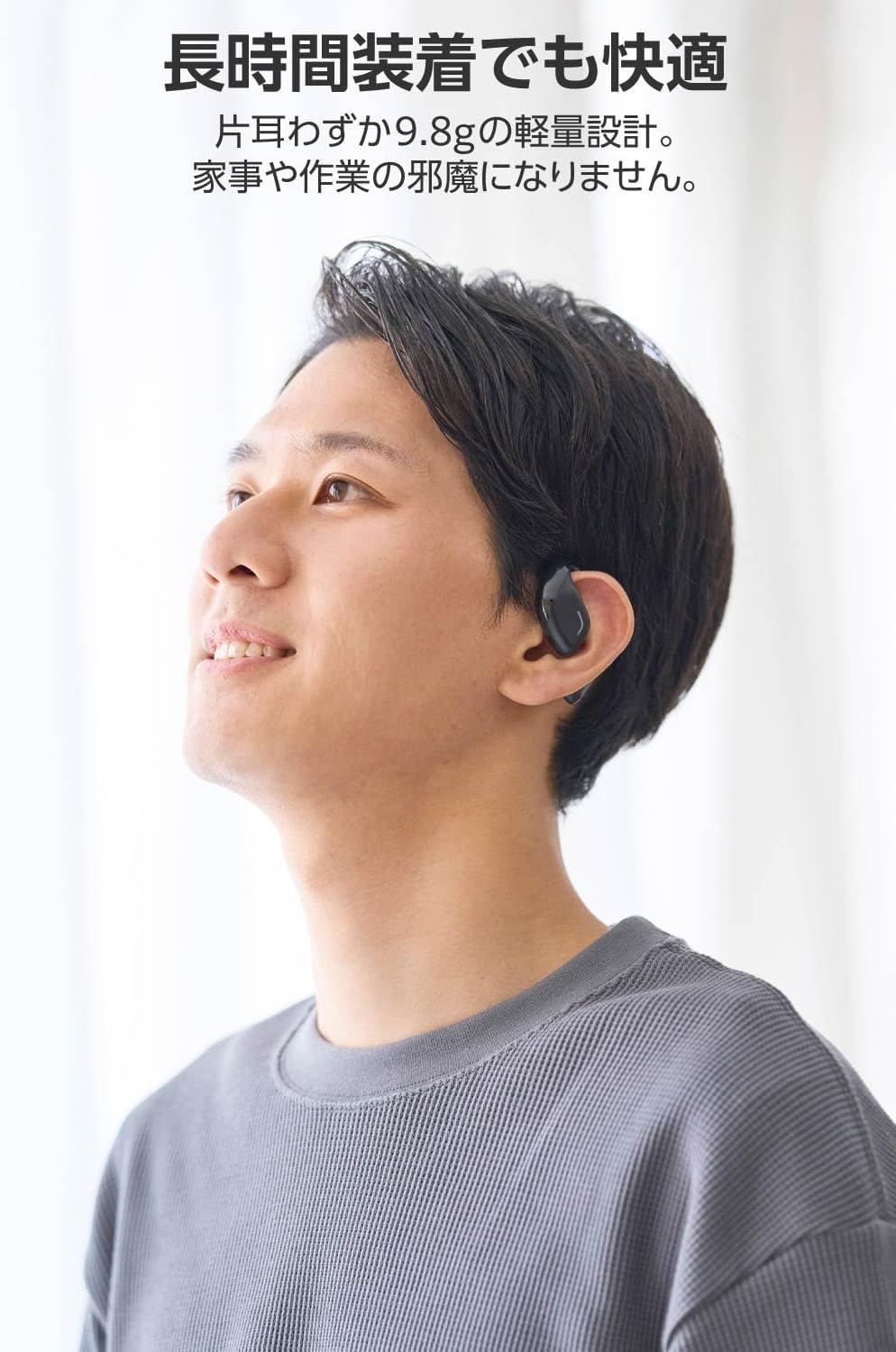
Image: A man wearing the lightweight open-ear headphones, highlighting their comfortable design for long-term use.
4. Kurulum
4.1. Kulaklık ve Kutunun Şarj Edilmesi
İlk kullanımdan önce kulaklığı ve şarj kutusunu tamamen şarj edin.
- Her iki kulakiçi de şarj kutusuna yerleştirin.
- Connect the supplied USB Type-C™ cable to the charging port on the case and a USB power adapter (not included).
- Şarj kutusu üzerindeki LED gösterge, şarj durumunu gösterecektir.
Şarj Süresi:
- Headphones: Approximately 1.5 hours
- Şarj kutusu: Yaklaşık 1.5 saat

Image: Illustration of the charging process for the headphones and case, showing the USB-C port and LED indicators.
4.2. Bluetooth Cihazıyla Eşleştirme
- Kulaklıkların şarj edildiğinden emin olun.
- Open the charging case. The headphones will automatically enter pairing mode. The LED indicator on the earbuds will flash.
- On your device (smartphone, PC, tablet), enable Bluetooth and search for available devices.
- Select "LBT-ECOWS01MBK" from the list of found devices.
- Bağlantı kurulduktan sonra kulaklıklardaki LED göstergesi yanıp sönmeyi durduracaktır.
- After initial pairing, the headphones will automatically connect to the last paired device when removed from the case.
4.3. Kulaklık Takmak
The headphones are designed to hook over your ears.
- Sol (L) ve Sağ (R) kulaklıkları tanımlayın.
- With the LED facing outwards, hook the earbud over the top of your ear.
- Adjust the earbud for a comfortable and secure fit.

Image: Step-by-step guide on correctly wearing the open-ear headphones.
5. Kullanım Talimatları
5.1. Touch Sensor Controls
The headphones feature touch sensors on each earbud for various functions.
| İşlev | Aksiyon | Kulaklık |
|---|---|---|
| Oynat/Duraklat | Tek dokunuş | L veya R |
| Sonraki Parça | Çift dokunuş | R |
| Önceki Parça | Çift dokunuş | L |
| Sesi Aç | Uzun basma (yaklaşık 2 saniye) | R |
| Sesi Azalt | Uzun basma (yaklaşık 2 saniye) | L |
| Cevapla/Çağrıyı Sonlandır | Tek dokunuş | L veya R |
| Çağrıyı Reddet | Uzun basış | L veya R |
| Sesli Asistanı Etkinleştir | Üçlü musluk | L veya R |

Image: Visual representation of the touch sensor areas and corresponding music and volume controls.
5.2. Switching Audio Modes
The headphones offer three distinct audio modes:
- Normal Mod: Standard audio playback.
- Düşük Gecikme Modu: Reduces audio-visual delay, suitable for watching videos or playing games.
- Ses Modu: Enhances human voice frequencies for clearer dialogue, ideal for audiobooks, podcasts, or calls.
To switch between modes, refer to the quick start guide or the official product page for specific touch gestures, as these can sometimes be customized.

Resim: Bir overview of the three available audio modes and their recommended uses.
5.3. Tek Kulaklık Kullanımı
You can use either the left or right earbud independently. When using only one earbud, ensure the other earbud is powered off or stored in the charging case.
6. Bakım
Kulaklığınızın uzun ömürlü ve optimum performans göstermesini sağlamak için:
- Kulaklıkları ve şarj kutusunu düzenli olarak yumuşak, kuru bir bezle temizleyin.
- Aşındırıcı temizleyiciler veya çözücüler kullanmayınız.
- Kulaklıklarınızı aşırı sıcaklıklara, neme veya doğrudan güneş ışığına maruz bırakmaktan kaçının.
- Keep the charging contacts on the earbuds and inside the case clean and free of debris.
- Kullanmadığınız zamanlarda kulaklıklarınızı şarj kutusunda saklayarak hem koruyun hem de şarjlı kalmasını sağlayın.
7. Sorun Giderme
Kulaklığınızla ilgili sorunlarla karşılaşırsanız aşağıdaki yaygın çözümlere başvurun:
- Ses Yok:
- Kulaklıkların şarj edildiğinden emin olun.
- Kulaklıkların cihazınızla doğru şekilde eşleştirildiğinden ve bağlandığından emin olun.
- Hem kulaklığınızın hem de bağlı cihazınızın ses seviyesini ayarlayın.
- Eşleştirilemiyor:
- Kulaklıkların eşleştirme modunda olduğundan emin olun (LED yanıp sönüyor).
- Turn off Bluetooth on other nearby devices that may have previously connected.
- Cihazınızı yeniden başlatın ve eşleştirmeyi tekrar deneyin.
- Aralıklı Bağlantı:
- Kulaklıklar ve cihazınız arasında herhangi bir engel olmadığından emin olun.
- Move closer to your device (maximum communication distance is approximately 10m).
- Güçlü elektromanyetik girişimin olduğu ortamlardan kaçının.
- Dokunmatik Kontroller Yanıt Vermiyor:
- Parmaklarınızın temiz ve kuru olduğundan emin olun.
- Try restarting the headphones by placing them in the case and then taking them out again.
- Low Battery Voice Prompt: If you hear a repeated "Low Battery, please charge" prompt, place the earbuds in the charging case immediately.
If the issue persists, please refer to the official ELECOM support webDaha fazla yardım için siteyi ziyaret edin.
8. Özellikler
| Özellik | Şartname |
|---|---|
| Model Adı | LBT-ECOWS01MBK |
| Bağlantı Teknolojisi | Wireless (Bluetooth® Version 5.4) |
| Bluetooth Profesyonelifiles | A2DP, AVRCP, HFP |
| Desteklenen Codec'ler | AAC, SBC |
| Max Communication Distance | Yaklaşık 10 metre (engelsiz) |
| Frequency Response (A2DP) | 20-20,000Hz |
| Sürekli Oynatma Süresi | Yaklaşık 10 saat (Şarj kutusuyla birlikte yaklaşık 25 saat) |
| Şarj Süresi (Kulaklık) | Yaklaşık 1.5 saat |
| Şarj Süresi (Kılıf) | Yaklaşık 1.5 saat |
| Mikrofon Türü | MEMS türü |
| Sürücü Ünitesi | φ16mm Full Range |
| Kulaklık başına ağırlık | Yaklaşık 9.8g |
| Ağırlık (Şarj Kutusu) | Yaklaşık 59.0g |
| Renk | Mat Siyah |
| Suya Dayanıklılık | Su geçirmez değil |
| Çalışma Sıcaklığı | 5℃ ila 35℃ |
| Çalışma Nemi | %20 ila %80 (yoğuşmasız) |
9. Garanti ve Destek
9.1. Garanti Bilgileri
Bu ürün bir 1 yıllık garanti from the date of purchase. Please retain your proof of purchase for warranty claims. The warranty covers manufacturing defects but does not cover damage caused by misuse, accidents, unauthorized modifications, or normal wear and tear.
9.2. Müşteri Desteği
For further assistance, technical support, or detailed product information, please visit the official ELECOM webalan:
You may also find additional FAQs and troubleshooting tips on the product support pages.


