giriiş
The Holmes DuoBreeze Dual Purple Blade 13-inch Desk Fan is designed to provide efficient cooling for small spaces. This manual provides essential information for the safe and effective operation, maintenance, and troubleshooting of your fan. Please read these instructions thoroughly before use and retain them for future reference.
Ürün Özellikleri
- Dual Blade Design: Features an innovative dual blade system for enhanced air circulation and powerful, consistent cooling.
- Clean Breeze Technology: Equipped with a removable front grill for easy cleaning of the grill, blades, and interior, promoting improved air quality.
- Ayarlanabilir Eğimli Başlık: Customize airflow direction with a 45-degree adjustable tilt head.
- Geniş Açılı Salınım: Provides a broader distribution of air with 60-degree automatic oscillation.
- Üç Hız Ayarı: Select from low, medium, or high fan speeds using intuitive control buttons.
- 8 Saatlik Zamanlayıcı: Set the fan to automatically turn off after 2, 4, or 8 hours for convenience and energy savings.
- Yerden Tasarruf Sağlayan Tasarım: Compact size ideal for desks, tabletops, and areas with limited space.
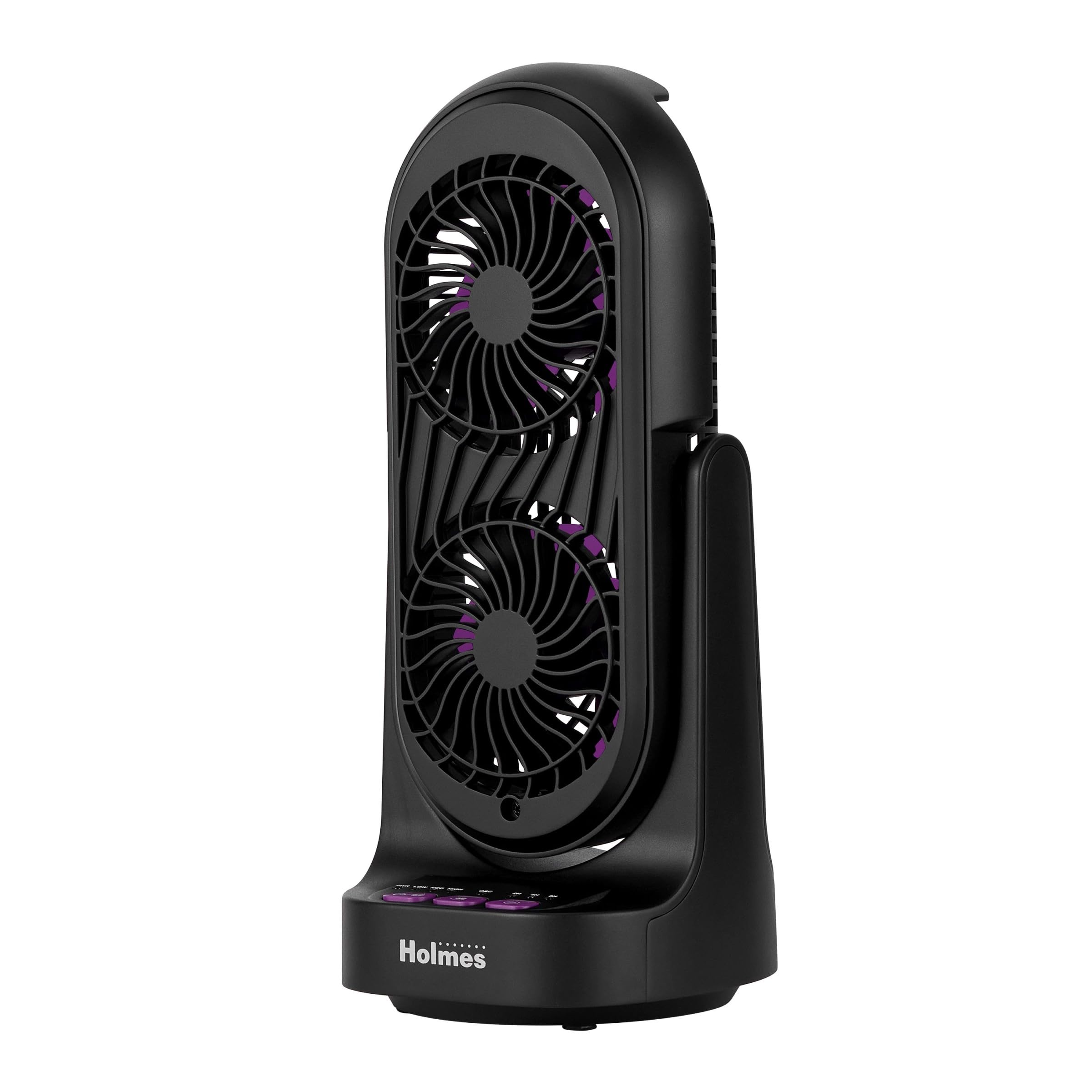
Şekil 1: Ön ve yan view of the Holmes DuoBreeze Desk Fan, highlighting its compact dimensions of 13.4 inches in height and 5.9 inches in width/depth.
Video 1: Resmi ürün bittiview demonstrating the Holmes DuoBreeze Dual Purple Blade 13-inch Desk Fan's features, including dual blade design for maximum airflow, 45-degree adjustable head tilt, 60-degree automatic oscillation, 3 speed settings, 2/4/8 hour timer, and removable grill for easy cleaning.
Güvenlik Bilgileri
Elektrikli aletleri kullanırken yangın, elektrik çarpması ve kişilerin yaralanma riskini azaltmak için her zaman aşağıdakiler de dahil olmak üzere temel güvenlik önlemlerine uyulmalıdır:
- Bu fanı kullanmadan önce tüm talimatları okuyun.
- Bu vantilatörü yalnızca bu kılavuzda belirtildiği şekilde kullanın. Tavsiye edilmeyen diğer kullanımlar yangına, elektrik çarpmasına veya kişilerin yaralanmasına neden olabilir.
- Elektrik çarpmasına karşı korunmak için vantilatörü pencereye koymayın, cihazı, fişi veya kablosunu suya batırmayın veya üzerine sıvı püskürtmeyin.
- Herhangi bir cihazın çocuklar tarafından veya çocukların yakınında kullanılması durumunda yakın gözetim gereklidir.
- Kullanılmadığı zamanlarda, fanı bir yerden başka bir yere taşırken ve temizlemeden önce fişini prizden çekiniz.
- Herhangi bir cihazı, kablosu veya fişi hasarlıyken veya cihaz arızalandıktan sonra veya herhangi bir şekilde düştükten veya hasar gördükten sonra çalıştırmayın.
- Kablonun masa veya tezgah kenarından sarkmasına veya sıcak yüzeylere temas etmesine izin vermeyin.
- Patlayıcı ve/veya yanıcı dumanların varlığında çalışmayın.
- Vantilatörü veya herhangi bir parçasını açık alev, pişirme veya diğer ısıtma cihazlarının yakınına koymayın.
- Do not operate fan with a damaged guard or any rotating part.
- Hareketli parçalara temas etmekten kaçının.
- Bağlantıyı kesmek için fişi tutun ve duvar prizinden çekin. Asla kabloyu çekmeyin.
- Daima kuru ve düz bir zeminde kullanın.
Paket İçeriği
- Holmes DuoBreeze Dual Purple Blade 13-inch Desk Fan (Model: 32510555)
- Kullanıcı Kılavuzu
- Güç Kablosu (ekli)
Kurmak
The Holmes DuoBreeze Desk Fan requires minimal assembly. Follow these steps to prepare your fan for use:
- Vantilatörü ambalajından dikkatlice çıkarın.
- Vantilatörü sabit ve düz bir yüzeye yerleştirin.
- Ensure the power cord is easily accessible to a standard electrical outlet.
- Before plugging in, ensure the fan is in the desired position and the tilt head is adjusted as needed.
Kullanım Talimatları
Familiarize yourself with the control panel located on the base of the fan:
- Güç düğmesi (PWR): Vantilatörü açmak veya kapatmak için basın.
- Speed Buttons (DÜŞÜK, ORTA, YÜKSEK): Press to cycle through the three fan speed settings: Low, Medium, and High.
- Salınım Düğmesi (OSK): Press to activate or deactivate the 60-degree automatic oscillation feature.
- Timer Buttons (2Saat, 4Saat, 8Saat): Press to set the fan to automatically turn off after 2, 4, or 8 hours. Multiple presses will cycle through the available timer options.
Eğimi Ayarlama: The fan head can be manually tilted up to 45 degrees to direct airflow precisely where needed. Gently push or pull the fan head to adjust its angle.
Bakım
Regular cleaning helps maintain the fan's performance and air quality.
- Temizlemeden Önce: Always unplug the fan from the electrical outlet.
- Dış Cephe Temizliği: Yumuşak bir d kullanınamp Vantilatörün dış yüzeylerini silmek için bir bez kullanın. Aşındırıcı temizleyiciler veya çözücüler kullanmayın.
- Cleaning the Blades and Interior (Clean Breeze Technology):
- The front grill is removable for easy access to the blades and interior. Refer to the product diagram for grill removal instructions (typically involves unscrewing or unlatching clips).
- Carefully wipe the fan blades and interior surfaces with a soft, dry cloth or a slightly damp Kumaş.
- Ensure all parts are completely dry before reattaching the front grill and plugging the fan back in.
- Depolamak: When not in use, store the fan in a cool, dry place, preferably in its original packaging to protect it from dust.
Sorun giderme
If your fan is not operating correctly, consult the following troubleshooting guide:
| Sorun | Olası Neden | Çözüm |
|---|---|---|
| Fan çalışmıyor. | Güç kaynağı yok. | Vantilatörün çalışan bir elektrik prizine güvenli bir şekilde takılı olduğundan emin olun. Devre kesiciyi kontrol edin. |
| Hava akışı zayıf veya yok. | Fan blades are dirty or obstructed. | Unplug the fan and clean the blades and grill as described in the Maintenance section. Ensure no objects are blocking the air intake or output. |
| Vantilatör alışılmadık derecede gürültülü çalışıyor. | İçeride gevşek parçalar veya döküntüler olabilir. | Unplug the fan and inspect for any loose components or foreign objects. Clean thoroughly. If noise persists, contact customer support. |
| Salınım çalışmıyor. | Oscillation feature is not activated. | Press the OSC button to activate oscillation. Ensure the fan is on a flat surface. |
Özellikler
| Şartname | Detay |
|---|---|
| Marka | HOLMES |
| Model Adı | Holmes 13" DuoBreeze CleanBreeze Desk Fan with Purple Blades |
| Ürün Model Numarası | 32510555 |
| Renk | Siyah/Mor |
| Ürün Boyutları | 5.9"D x 5.9"G x 13.42"Y |
| Ürün Ağırlığı | 2.2 Pound |
| Güç Kaynağı | Kablolu Elektrik |
| Cilttage | 120.0V |
| Güç Seviyesi Sayısı | 3 |
| Özel Özellikler | Adjustable Tilt, Oscillating |
| Gürültü Seviyesi | 50 Desibel |
| Hava Akış Kapasitesi | Dakikada 900 Kübik Ayak |
| Kontrol Yöntemi | Basmalı Düğme |
| İç/Dış Mekan Kullanımı | Kapalı |
| Montaj Gerekli | Evet |
| Şartname Karşılandı | ETL |
Garanti ve Destek
This Holmes DuoBreeze Dual Purple Blade 13-inch Desk Fan is backed by a 1 yıllık sınırlı garantiBu garanti, normal kullanım koşullarında malzeme veya işçilik kusurlarını kapsar.
For warranty claims, technical support, or general inquiries, please contact Holmes customer service. Keep your purchase receipt as proof of purchase for warranty validation.
Müşteri Hizmetleri İletişim: Please refer to the contact information provided on the product packaging or the official Holmes webEn güncel destek detayları için siteyi ziyaret edin.