giriiş
The Thrustmaster SimTask FarmStick is a multifunctional joystick designed to enhance the simulation experience for farming, construction, and other heavy machinery games. This manual provides essential information for setting up, operating, maintaining, and troubleshooting your SimTask FarmStick, ensuring optimal performance on PlayStation 5 and PC platforms.
Key features include a 3-axis joystick, numerous programmable buttons, and precise control thanks to H.E.A.R.T (HallEffect AccuRate Technology) magnetic sensors. Its ambidextrous design allows for flexible setup, whether used individually, in pairs, or alongside a racing wheel.
1. Kurulum
1.1 Paket İçeriği
- Thrustmaster SimTask FarmStick
- USB Bağlantı Kablosu
- Kullanım Kılavuzu (bu belge)
1.2 Sistem Gereksinimleri
- Bilgisayar: Windows 10 veya 11
- PlayStation 5: Compatible with Farming Simulator 25. Requires use with a compatible steering wheel.
1.3 Connecting the SimTask FarmStick
- Ensure your PC or PlayStation 5 console is powered off.
- Connect the USB cable from the SimTask FarmStick to an available USB port on your PC or PlayStation 5.
- Power on your PC or PlayStation 5. The device is designed for Plug & Play functionality and should be automatically recognized by your system.
- For PlayStation 5, ensure a compatible steering wheel is also connected and properly configured, as the SimTask FarmStick requires it for operation with Farming Simulator 25.

Figure 1: The Thrustmaster SimTask FarmStick, ready for connection.
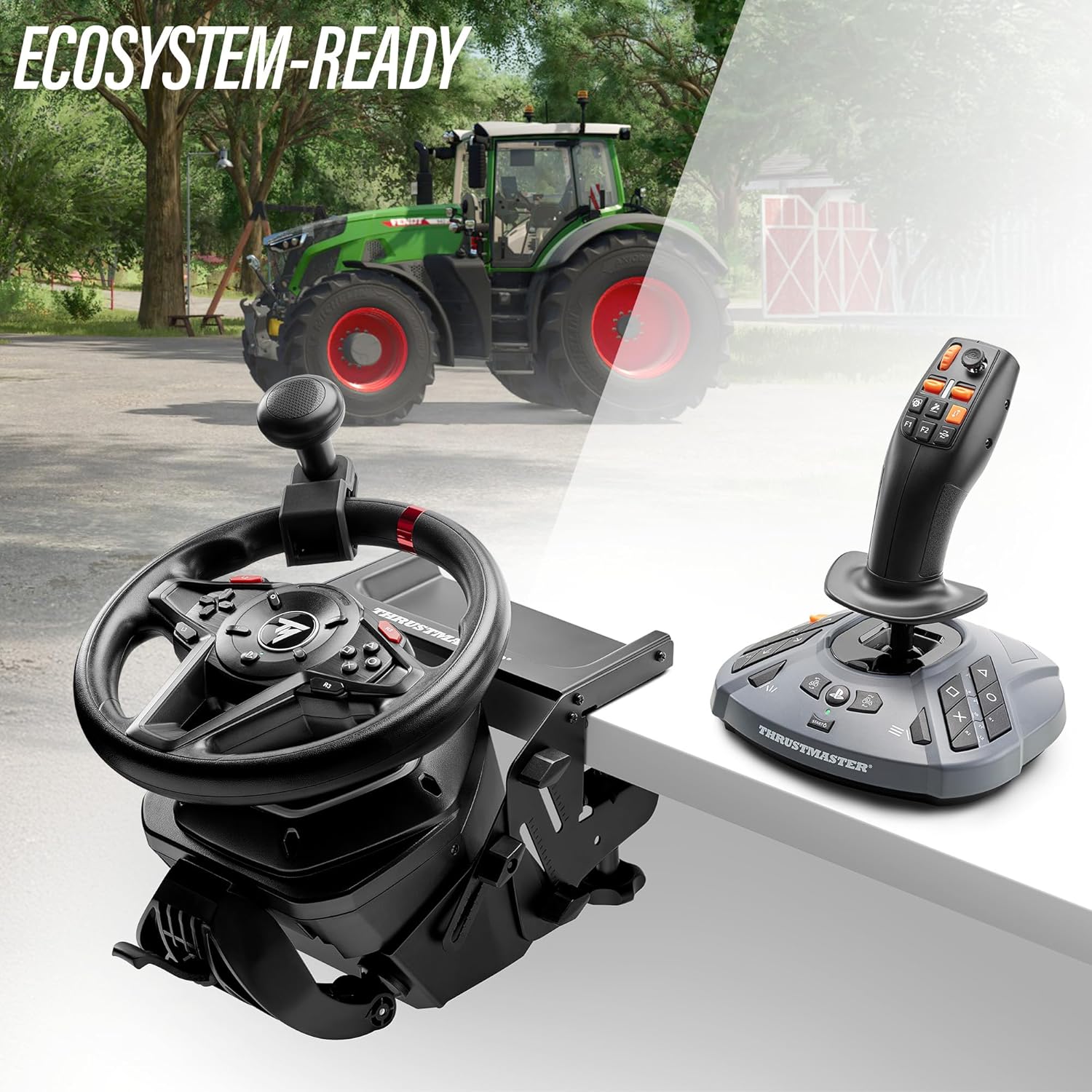
Figure 2: The SimTask FarmStick can be used alongside a racing wheel for an integrated control setup.
2. Operating the SimTask FarmStick
2.1 Üzeriview Kontrollerin
The SimTask FarmStick features a comprehensive set of controls designed for intuitive operation of heavy machinery in simulation games.
- 3-Axis Joystick: Provides precise control over movement and implements.
- 6 Düğme: Programmable for various in-game functions.
- 1 Thumbwheel: Ideal for fine adjustments or menu navigation.
- 1 Mini-stick: For camera control or additional axis input.
- 2 Rocker Switches: For quick toggling of functions.
- 2 Triggers: Located on the stick for easy access to primary actions.
- El Gazı: For speed and power control.
- Up to 33 Action Buttons: Located on the base and stick for extensive customization.
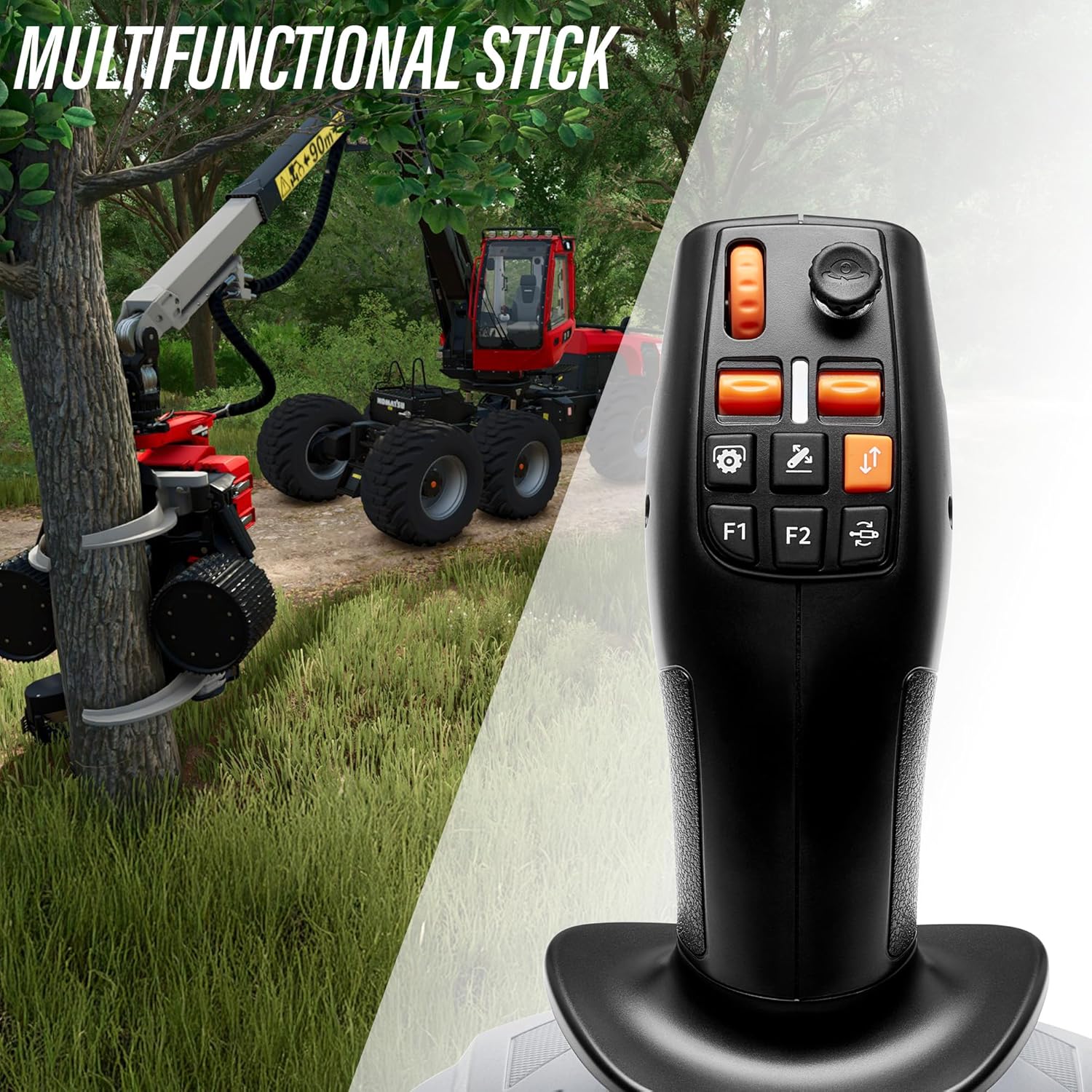
Şekil 3: Ayrıntılı view of the multifunctional stick, highlighting buttons and mini-stick.
2.2 In-Game Configuration
Upon connecting, most compatible games, such as Farming Simulator 25, will automatically detect the SimTask FarmStick. You may need to access the game's control settings to customize button assignments and axis sensitivities to your preference.
- Navigate to the 'Controls' or 'Options' menu within your game.
- Locate the section for joystick or controller settings.
- Map the desired in-game actions to the physical buttons and axes on your SimTask FarmStick.
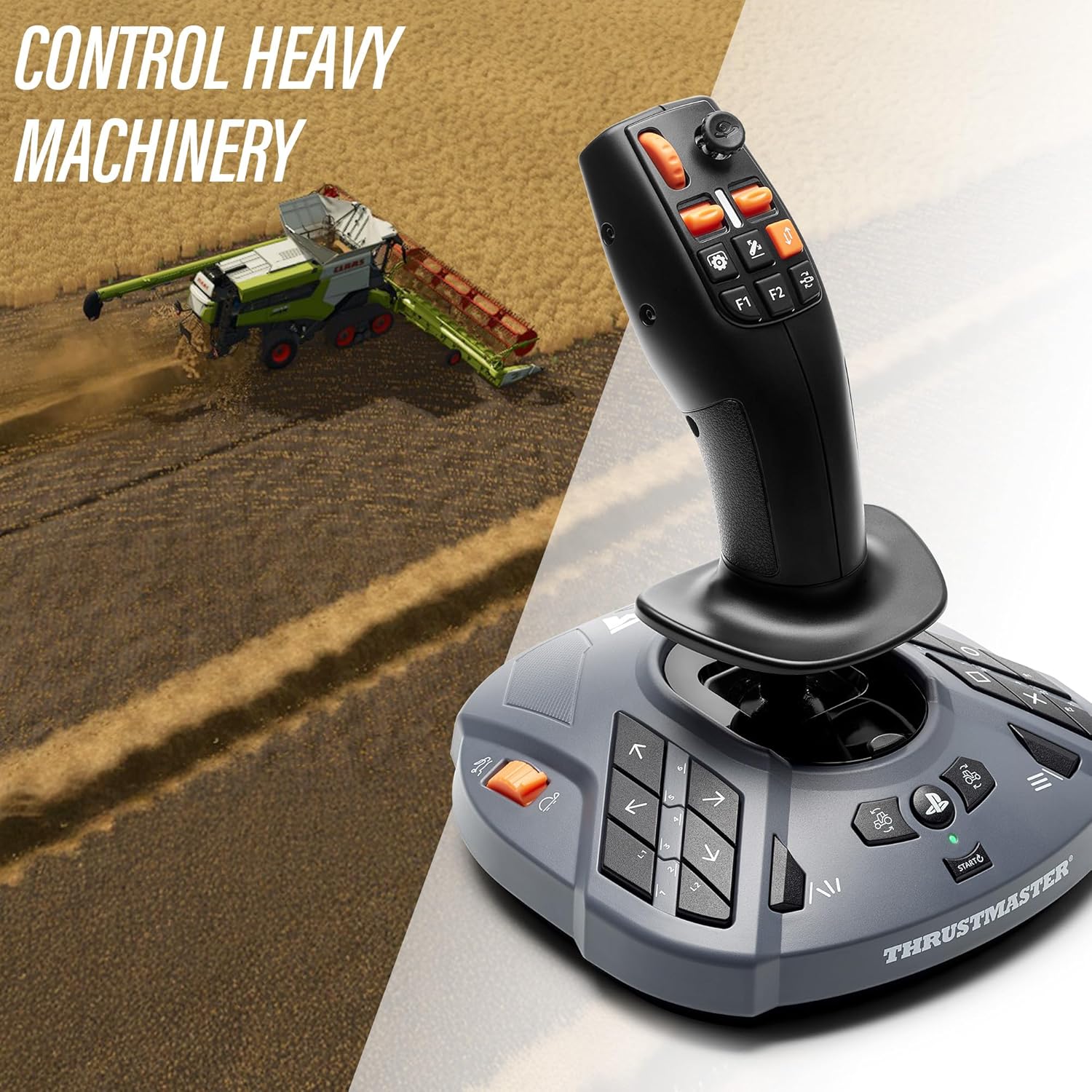
Figure 4: The SimTask FarmStick provides precise control for heavy machinery like combine harvesters.
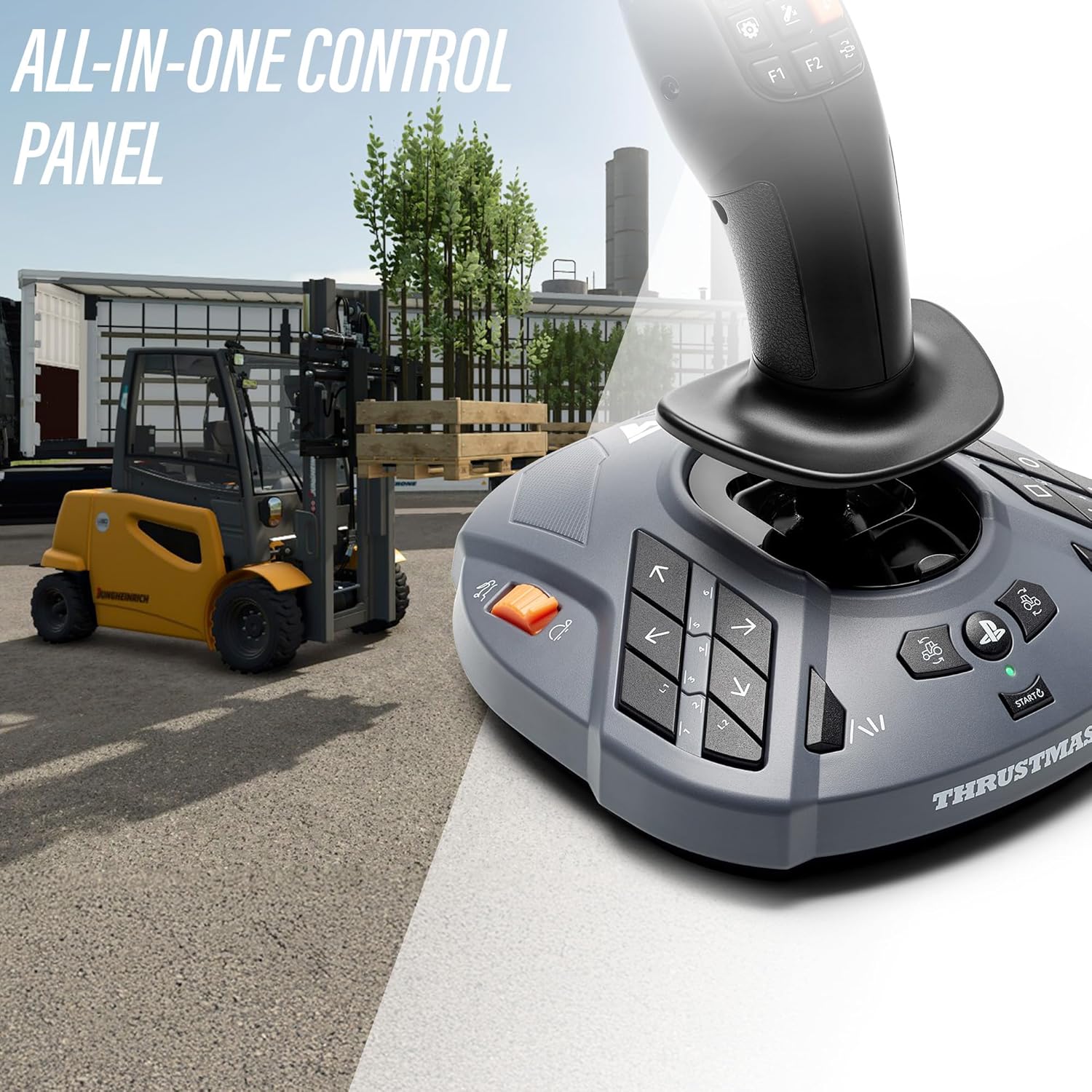
Figure 5: The all-in-one control panel of the SimTask FarmStick is suitable for various tasks, including forklift operation.
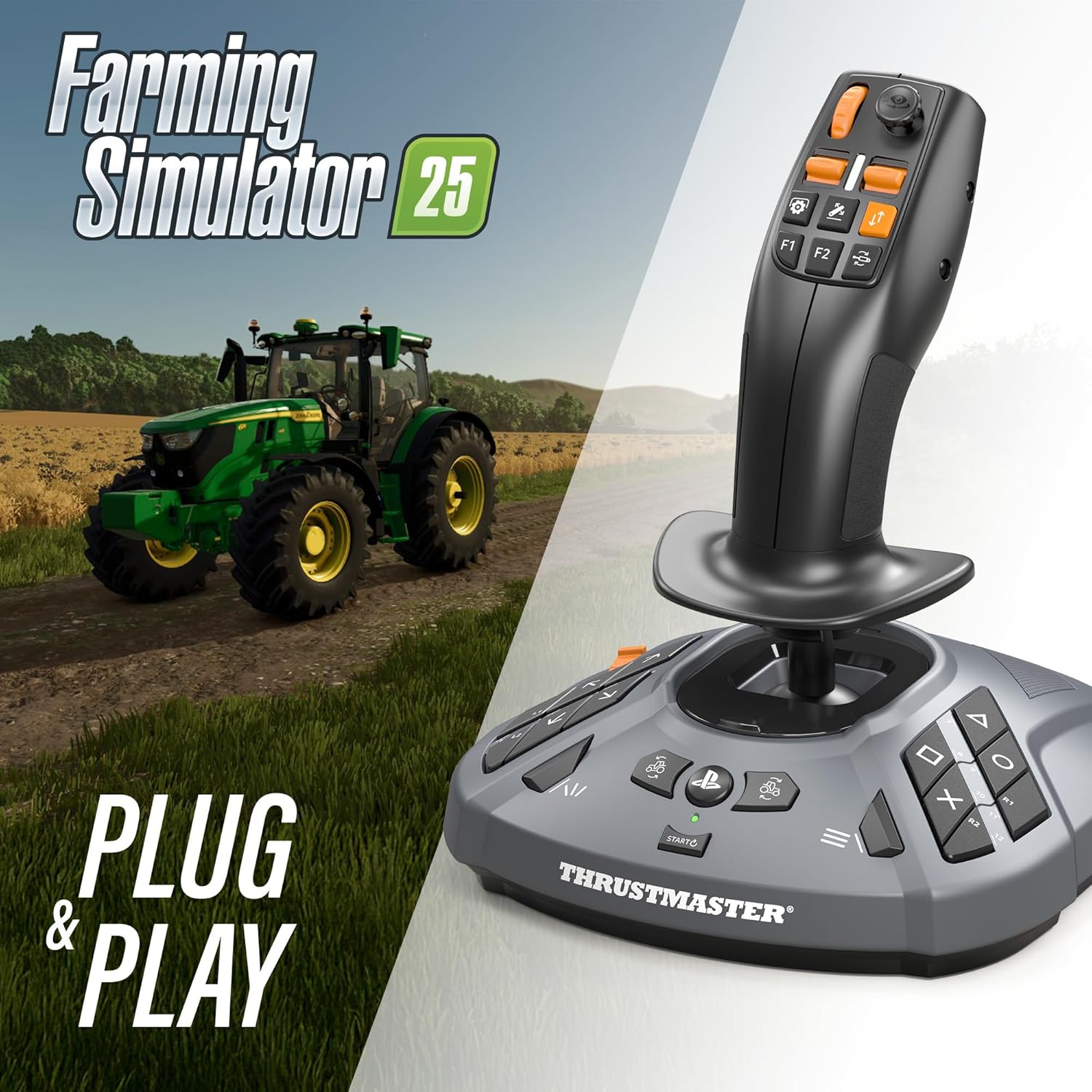
Figure 6: The SimTask FarmStick offers Plug & Play compatibility with Farming Simulator 25.
3. Bakım
3.1 Temizlik
To maintain the longevity and performance of your SimTask FarmStick, regular cleaning is recommended.
- Disconnect the device from your PC or console before cleaning.
- Use a soft, dry cloth to wipe down the surfaces of the joystick and base.
- İnatçı kirler için hafifçeampBezi suyla yıkayın. Sert kimyasallar veya aşındırıcı temizleyiciler kullanmaktan kaçının.
- Cihaza sıvı girmesine izin vermeyin.
3.2 Depolama
When not in use, store the SimTask FarmStick in a clean, dry environment away from direct sunlight and extreme temperatures. Protect it from dust and physical impact.
4. Sorun Giderme
4.1 Cihaz Tanınmadı
- Ensure the USB cable is securely connected to both the SimTask FarmStick and your PC/console.
- Cihazı farklı bir USB bağlantı noktasına bağlamayı deneyin.
- Bilgisayarınızı veya konsolunuzu yeniden başlatın.
- On PC, check Device Manager to see if the device is listed and if there are any driver issues.
- For PlayStation 5, confirm that a compatible steering wheel is also connected, as required for Farming Simulator 25.
4.2 Incorrect Button or Axis Response
- Verify in-game control settings and ensure buttons/axes are correctly mapped.
- Check for updated drivers or firmware on the official Thrustmaster support webalan.
- Perform a calibration check through your operating system's joystick settings (e.g., Windows Game Controllers).
4.3 Intermittent Disconnections
- USB kablosunun hasarlı olmadığından ve sağlam bir şekilde bağlı olduğundan emin olun.
- Avoid using unpowered USB hubs, which can sometimes lead to power delivery issues. Connect directly to the PC/console if possible.
- Farklı bir USB bağlantı noktasıyla test edin.
5. Özellikler
- Model Numarası: 4160881
- Ürün Ölçüleri: 9.45 x 8.19 x 7.8 inç (240 x 208 x 198 mm)
- Ürün Ağırlığı: 1.89 pound (0.86 kg)
- Bağlantı: USB
- Uyumluluk: PC (Windows 10/11), PlayStation 5 (Farming Simulator 25 with steering wheel)
- Sensör Teknolojisi: H.E.A.R.T (HallEffect AccuRate Technology) magnetic sensors
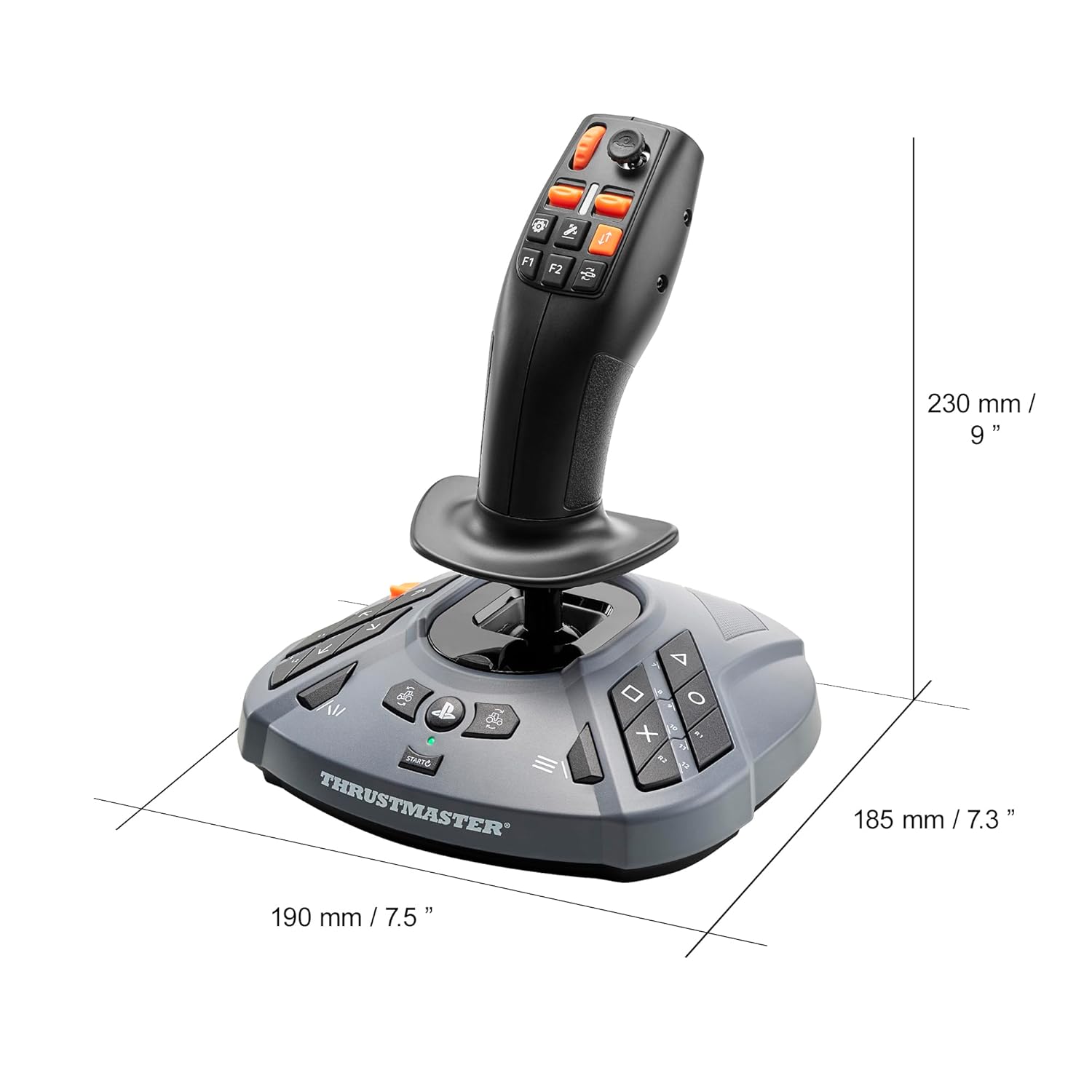
Figure 7: Physical dimensions of the SimTask FarmStick.
6. Garanti ve Destek
Thrustmaster products are covered by a manufacturer's warranty. For detailed warranty information, including terms, conditions, and duration, please refer to the warranty card included with your product or visit the official Thrustmaster webalan.
Teknik destek, sürücü indirmeleri, ürün yazılımı güncellemeleri ve sık sorulan sorular için lütfen resmi Thrustmaster destek sitesini ziyaret edin. website. You can also find additional resources and contact customer service through their portal.
Thrustmaster Official Store: Amazon'daki Thrustmaster Mağazasını ziyaret edin.


