1. Giriş
The CrossBeats Hawk Gaming TWS in-Ear Buds are designed to provide an immersive audio experience for gaming and music. Featuring ultra-low latency, dynamic RGB lighting, and environmental noise cancellation, these earbuds offer high-performance audio and clear communication. This manual provides detailed instructions for setup, operation, and maintenance to ensure optimal use of your device.
2. Kutuda Neler Var?
- CrossBeats Hawk Gaming TWS Earbuds
- Charging Case with Type-C Dongle
- USB Şarj Kablosu
- Kullanıcı Kılavuzu
- Kulak Yastıkları (çeşitli boyutlarda)
- Garanti Kartı
3. Ürün Bittiview
Familiarize yourself with the components and features of your CrossBeats Hawk earbuds.
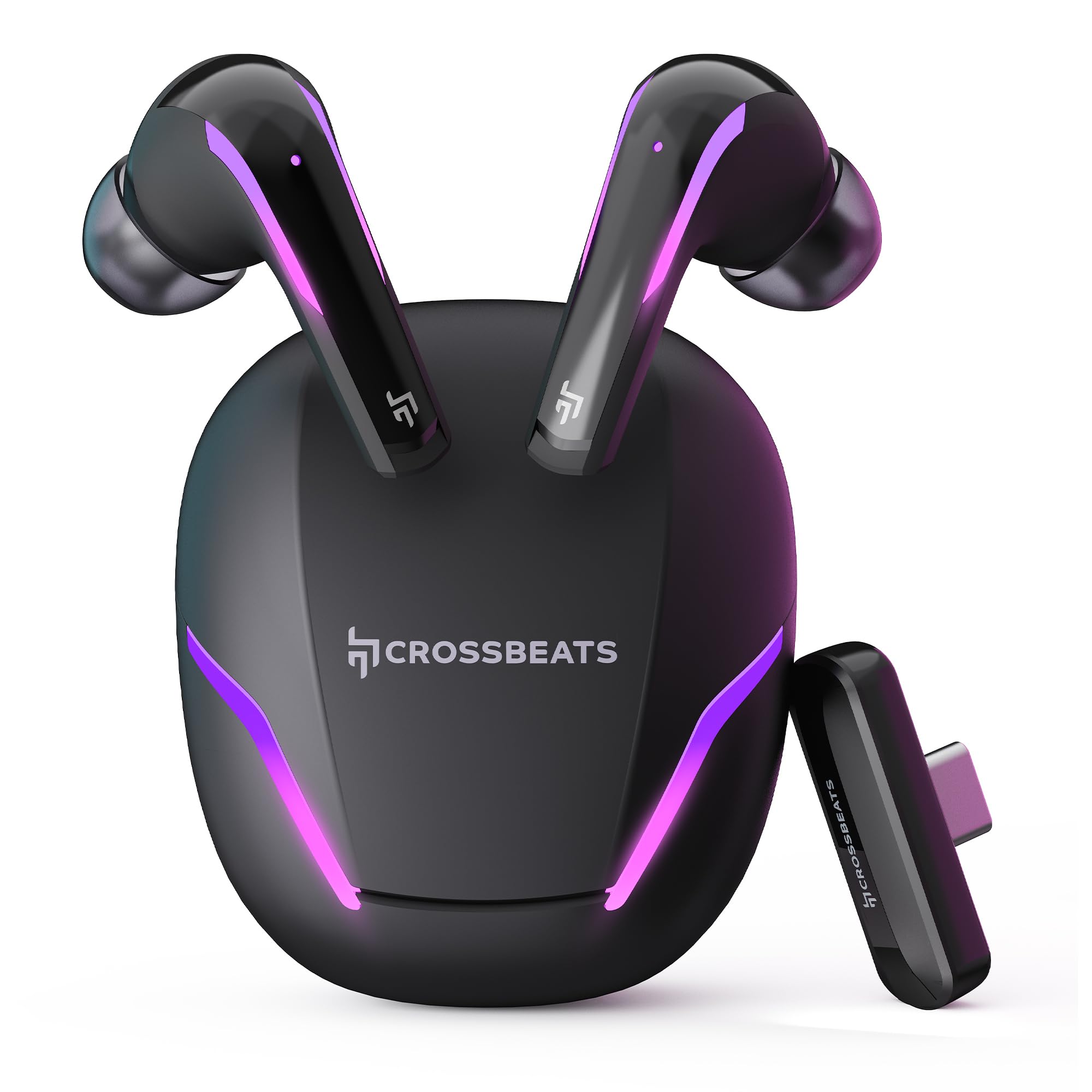
Figure 1: CrossBeats Hawk Gaming TWS Earbuds and Charging Case with highlighted features.
3.1 Charging Case and Dongle

Figure 2: The 2.4G Type C Dongle for direct connection to compatible devices.
3.2 Earbud Design and Features

Şekil 3: Dahili view of an earbud showcasing the 14mm Titanium Driver.

Figure 4: Earbud with Dedicated Gaming DSP for optimized audio processing.

Figure 5: Earbud with AI Environmental Noise Cancellation (ENC) for clear calls.

Figure 6: Illustration of Music Mode and Gaming Mode.
4. Kurulum
4.1 İlk Bluetooth Eşleştirmesi
- Kulaklıkların şarj edildiğinden emin olun.
- Open the charging case. The earbuds will automatically enter pairing mode, indicated by flashing RGB lights.
- Cihazınızda (akıllı telefon, tablet, dizüstü bilgisayar) Bluetooth ayarlarına gidin ve Bluetooth'u açın.
- Arama available devices and select "CrossBeats Hawk" from the list.
- Bağlantı kurulduktan sonra, kulaklıklar başarılı eşleştirmeyi gösterecektir.
4.2 Connecting via Type-C Dongle (2.4GHz Wireless)
For ultra-low latency gaming, use the included Type-C dongle.
- Remove the Type-C dongle from its slot in the charging case.
- Plug the dongle into the Type-C port of your compatible gaming device (smartphone, tablet, PC, console).
- The earbuds will automatically connect to the dongle, entering dedicated Game Mode.
- Ensure your device's audio output is set to the dongle if necessary.
Video 1: Demonstration of connecting the Type-C dongle to a smartphone and launching a mobile game, showcasing the seamless integration for gaming.
5. Kullanım Talimatları
5.1 Güç Açma/Kapatma
- Güç Açık: Şarj kutusunu açın veya kulaklıkları kutudan çıkarın. Otomatik olarak açılacaklardır.
- Kapat: Kulaklıkları şarj kutusuna geri yerleştirin ve kapağı kapatın. Kulaklıklar otomatik olarak kapanacaktır.
Video 2: Visual guide on opening the CrossBeats Hawk charging case, removing the earbuds, and observing the dynamic RGB lighting effects.
5.2 Dokunmatik Kontroller
The CrossBeats Hawk earbuds feature touch controls for various functions:
- Oynat/Duraklat: Her iki kulaklığa da bir kez dokunun.
- Sonraki Parça: Sağ kulaklığa iki kez dokunun.
- Önceki parça: Sol kulaklığa iki kez dokunun.
- Çağrıyı Cevapla/Sonlandır: Her iki kulaklığa da bir kez dokunun.
- Çağrıyı Reddet: Kulaklıklardan birini 2 saniye basılı tutun.
- Voice Assistant'ı etkinleştirin: Her iki kulaklığa da üç kez dokunun.
- Switch EQ Mode (Music/Gaming): Sağ kulaklığı 2 saniye basılı tutun.
5.3 Switching EQ Modes
The earbuds support two Equalizer (EQ) modes: E-Sports (Gaming) and Music. To switch between modes, press and hold the right earbud for 2 seconds. A voice prompt will confirm the mode change.
6. Gaming Mode with Dongle
The dedicated Game Mode, activated via the Type-C dongle, provides ultra-low latency (under 10ms) for a synchronized audio and video experience, crucial for competitive gaming.

Figure 7: Ultra-low latency for instant action in gaming.

Figure 8: Sonic-Link Technology for high-speed wireless connection.
When the dongle is connected, the earbuds prioritize the 2.4GHz wireless connection for minimal audio delay. This mode is ideal for fast-paced games where audio cues are critical.
7. Şarj Etme
To charge the CrossBeats Hawk earbuds and charging case:
- Her iki kulaklığı da şarj kutusuna yerleştirin. Doğru şekilde oturduklarından emin olun.
- Kutuda bulunan USB Type-C şarj kablosunu kılıf üzerindeki şarj portuna ve bir güç kaynağına bağlayın.
- The RGB lights on the case will indicate charging status. A full charge takes approximately 2 hours.
- The earbuds offer up to 10 hours of listening time on a single charge, with the charging case extending total playtime to 100 hours.

Figure 9: Charging case and earbuds illustrating extended battery life.
8. Bakım
To ensure the longevity and performance of your earbuds:
- Temizlik: Kulaklıklarınızı ve şarj kutusunu düzenli olarak yumuşak, kuru ve tiftiksiz bir bezle temizleyin. Sert kimyasallar veya aşındırıcı malzemeler kullanmayın.
- Kulak İpuçları: Kulak uçlarını periyodik olarak çıkarıp temizleyin. Yeniden takmadan önce tamamen kuruduklarından emin olun.
- Şarj Kişileri: Hem kulaklıkların hem de şarj kutusunun şarj temas noktalarını temiz ve tozdan arındırılmış halde tutun.
- Depolamak: Kullanmadığınız zamanlarda kulaklıklarınızı şarj kutusunda saklayarak hem koruyun hem de şarjlı kalmasını sağlayın.
- Suya Dayanıklılık: Kulaklıklar suya dayanıklıdır, ancak su geçirmez değildir. Suya batırmaktan veya şiddetli yağmura maruz bırakmaktan kaçının. Islanırlarsa iyice kurulayın.
9. Sorun Giderme
If you encounter issues with your CrossBeats Hawk earbuds, refer to the following common solutions:
- Ses yok/Bağlantı yok:
- Kulaklıklarınızın şarjlı ve açık olduğundan emin olun.
- Check Bluetooth settings on your device and ensure "CrossBeats Hawk" is connected.
- If using the dongle, ensure it is securely plugged in and your device's audio output is directed to the dongle.
- Try resetting the earbuds by placing them in the case, closing the lid for 10 seconds, then reopening.
- Kulaklıklar Şarj Edilmiyor:
- Şarj kablosunun hem kasaya hem de güç kaynağına güvenli bir şekilde bağlandığından emin olun.
- Verify the charging contacts on the earbuds and case are clean.
- Farklı bir şarj kablosu veya güç adaptörü deneyin.
- Low Latency Issues:
- Ensure you are using the Type-C dongle for Game Mode. Bluetooth connection will have higher latency.
- Minimize interference by staying close to your device.
- Mikrofon Sorunları:
- Mikrofonların engellenmediğinden emin olun.
- Check your device's audio input settings to confirm the earbuds are selected.
10. Özellikler
| Özellik | Şartname |
|---|---|
| Model Adı | Hawk (CB-Hawk) |
| Bağlantı Teknolojisi | Wireless (Bluetooth 5.4, 2.4GHz Dongle) |
| Bluetooth Sürümü | 5.4 |
| Bluetooth Menzili | 10 Metre |
| Ses Sürücüsü Türü | 14mm Titanium Dynamic Driver |
| Gecikme | Ultra Low <10ms (with Dongle) |
| Mikrofonlar | 6 (4 with AI ENC) |
| Pil Ömrü | 100 Saate Kadar (şarj kutusu ile) |
| Şarj Süresi | 2 Saat |
| Gürültü Kontrolü | Sound Isolation, AI ENC |
| Kontrol Türü | Dokunmatik Kontrol |
| Su Direnç Seviyesi | Su geçirmez |
| Ürün Ağırlığı | 48 Gram |
| Malzeme | Plastik |
| Özel Özellikler | RGB Lights, AI ENC, Ultra-Low Latency Gaming Mode, Water Resistance |
11. Garanti ve Destek
Your CrossBeats Hawk Gaming TWS in-Ear Buds come with a manufacturer's warranty. Please refer to the included Warranty Card for detailed terms and conditions. For technical support, product inquiries, or warranty claims, please contact CrossBeats customer service through their official webSite veya garanti belgesinde yer alan iletişim bilgileri.